
Best Legal Tech Tools for Law Firms in 2026
12 min de leitura

The Best Legal Technology Tools for Modern Law Firms
Sponsored content, provided by Lexidesk.
Law firms spend their days on intake, research, documents, billing, and evidence. The best legal tech tools do not do all of that in one product. Each legal technology category covers a different job, and the useful question is which job is slowing your firm down.
Introduction: How Legal Tech Is Changing Law Firms
Whether a firm "should use software" is settled. The live question is which product fixes a real bottleneck: missed inquiries, messy matters, slow research, contract backlog, or large-scale document review.
Legal technology tools can answer new client requests, cut routine admin, organize cases, review contracts, and support lawyers with research and drafting. When you compare options, score them on the same list: functionality, ease of implementation, AI capabilities, integrations, security, support, and value for the fee.
The six products below are not interchangeable. A small firm drowning in after-hours calls does not have the same problem as a litigation team reviewing millions of files. Match the tool to the work, then look at price.
Best Legal Tech Tools at a Glance
| Tool | Category | Best for | Key advantage | Pricing / trial |
|---|---|---|---|---|
| Lexidesk | AI client intake | Consumer-facing law firms | 24/7 phone and web intake with qualification and booking | Custom pricing; scales with call and chat volume |
| PracticePanther | Practice management | Day-to-day firm operations | Broad matter, billing, document, and client management | From $49 USD per user per month (annual Solo); 7-day trial |
| Lexis+ with Protégé | Legal research and AI | Research, drafting, and analysis | AI grounded in LexisNexis legal authority | Pricing on request |
| Spellbook | Contract AI | Drafting and reviewing agreements | AI inside Microsoft Word with playbooks | Custom pricing; 7-day free trial |
| Juro | Contract lifecycle management | End-to-end contract workflows | Centralized creation, review, signing, and storage | Custom pricing |
| Everlaw | eDiscovery | Litigation and investigations | Large-scale document review with integrated AI | Usage and data-volume based |
1. Lexidesk - Best for AI-Powered Client Intake
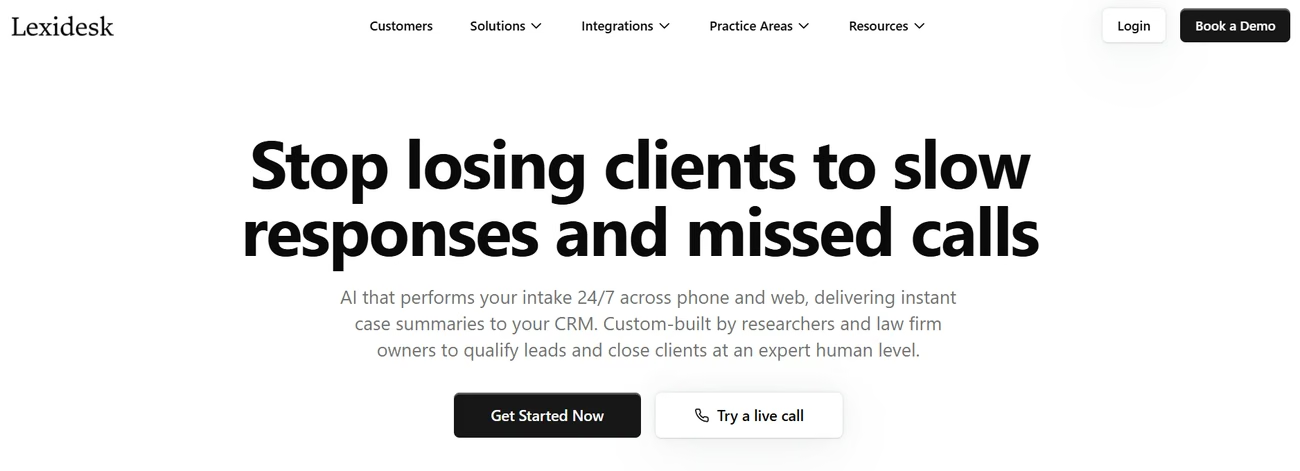
Lexidesk does not try to run the whole firm. It covers the first stage: answering inquiries, collecting facts, qualifying the matter, and passing a fit client to a consult or a live transfer.
That is why it sits first in this list. For consumer-facing firms, the expensive failure is often at the front door, not in the matter file. An unanswered evening call never becomes a billed matter or a Lexis research memo.
Lexidesk is legal client intake software and an AI receptionist. An AI agent answers phone calls and website chats 24/7, applies the firm's qualification rules, and either books a consultation, transfers during working hours, or follows up if the person does not book. It does not give legal advice.
Each conversation produces a structured record: summary, qualification status, priority score (1 to 10), recording, and transcript. Firms set routing by practice area, attorney, consult type, and similar rules. Lexidesk builds and tests that configuration. The firm owns disclosures, consent language, and jurisdiction rules.
It can also call back form and ad leads, send SMS and email follow-up (Lead Lock, included on all plans), and refer out-of-scope inquiries to partner firms. Lexidesk reports that most firms go live in 2 to 3 days after the onboarding form is in.
King Law Offices, a multi-office consumer firm, has said publicly: "Lexidesk booked nine paid consultations over a single weekend, entirely outside business hours, with no staff involved."
Key features
- 24/7 AI phone intake
- Website AI chat for new inquiries
- Lead qualification and 1 to 10 scoring
- Live transfers during working hours
- Automated follow-up
- Consultation booking
- Call summaries, transcripts, and recordings
- Analytics for lead sources and qualification
- Native connections including HubSpot, Lawmatics, HighLevel, Actionstep, Assembly Neos, Calendly, and Acuity Scheduling
- Zapier, Make, n8n, or custom webhooks for other systems
Advantages
- It targets a measurable leak. If after-hours callers hang up instead of leaving voicemail, this is the job the product is built to do.
- It can sit next to the stack you already run. Intake data can land in an existing practice-management or CRM system instead of forcing a rip-and-replace.
- Implementation is done-for-you. You are not asked to become a prompt engineer. Lexidesk configures, tests, then tunes after launch.
Limitations
Lexidesk is not legal practice management software. It will not replace billing, a research database, or a contract lifecycle system.
The firm still has to set the rules that matter legally: routing, disclosures, and consent for its jurisdiction. Infrastructure runs on Microsoft Azure, with encryption at rest and in transit, and controls aligned with ISO 27001 / SOC 2 controls. It does not run conflict checks (by design).
Pricing and implementation
Pricing is a flat monthly fee that scales with call and chat volume. Spam and duplicate contacts are excluded. Final quotes are per firm. There is no public one-price list.
Practical example
A personal injury firm takes Google Ads, website, and phone leads. Instead of sending every inquiry to a receptionist, or leaving nights on voicemail, Lexidesk collects the facts, checks the firm's criteria, offers an appointment, and writes the record into HubSpot, Lawmatics, HighLevel, or another connected system.
Explore Lexidesk for your law firm if missed inquiries show up in your numbers. For firms that need more qualified consults, intake automation is a more direct fix than another generic AI writing assistant.
2. PracticePanther - Legal Practice Management Software
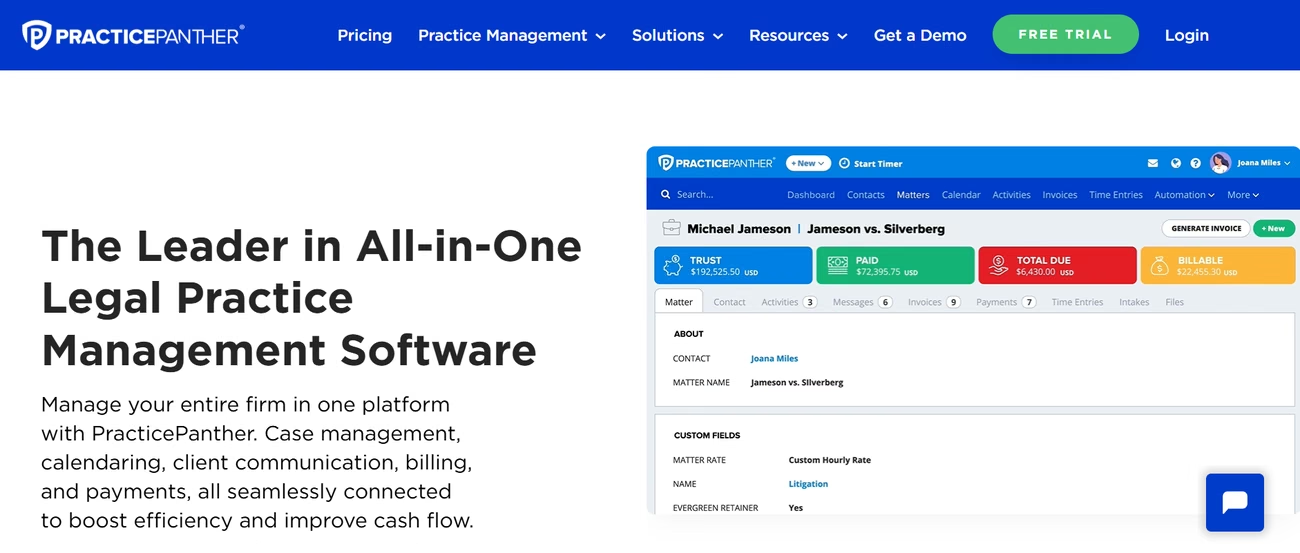
PracticePanther's job is running the firm: contacts, matters, calendars, tasks, time, invoices, payments, a client portal, and (on higher plans) intake forms, two-way texting, and built-in accounting. This is a typical starting point for small and midsize firms that want legal practice management software in one place instead of five disconnected apps.
It is not a 24/7 AI receptionist. Its intake forms collect data from people who already reached your site. They do not answer the phone at 11pm.
Key features
- Contact and matter management
- Time and expense tracking
- Invoicing, online payments, and trust ledgers
- Document templates and task workflows
- Secure client portal and mobile apps
- Intake forms, e-signature, and two-way texting on higher plans
- QuickBooks Online, calendar, and email sync
- Zapier and API for other apps
Advantages
- Broad day-to-day practice management
- Billing, payments, and trust ledgers in the same product
- Published per-user pricing and a short trial
- Mobile apps and a client portal
Limitations
A full practice-management rollout takes configuration. Intake forms, two-way texting, LEDES billing, and native operating accounting sit on higher plans. Form-based intake is not phone qualification, scoring, live transfer, or after-hours booking.
Pricing
PracticePanther publishes per-user plans. Annual Solo pricing starts at $49 USD per user per month ($59 if you pay month to month). A 7-day trial does not require a credit card.
Practical example
A five-lawyer firm can open a matter, assign tasks, store documents, track time, invoice the client, and message through the client portal without a separate system for each step.
3. Lexis+ with Protégé - Legal Research Tools
Lexis+ with Protégé is for research and written analysis. It pairs the LexisNexis database with the Protégé AI assistant. The AI can work from primary law, secondary sources, and Practical Guidance, which is the point of legal research tools when an invented citation would be a professional problem.
Key features
- AI-powered legal research
- Conversational research and analysis
- LexisNexis primary and secondary sources
- Case and document summarization
- AI-assisted drafting
- Citation checks
- Document analysis
- Connections to selected document systems such as iManage and SharePoint
- Mobile access
Advantages
- Research grounded in LexisNexis authority
- Citation validation through LexisNexis services
- Drafting and document analysis with sources you can check
- Ability to work with the firm's own documents
Limitations
This is specialist software. A solo who rarely needs a database may not need it. It will not qualify a new caller or run your billing. Among AI tools for lawyers, it is strong when traceability matters more than a fast generic answer.
Pricing
Pricing on request. LexisNexis quotes by organization size, content, and features.
Practical example
A litigator asks Protégé to work a question, pull LexisNexis authorities, and help shape a draft, then checks every citation independently.
4. Spellbook - Contract Review Software
Spellbook is contract review software for commercial drafting. The AI lives in Microsoft Word, so lawyers keep their current drafting habit.
The suite covers review, draft, questions on the document, language benchmarks, and playbooks. Spellbook Associate works across multiple documents in a matter, with a lawyer still in charge.
Key features
- AI-assisted contract drafting
- Contract review and risk flags
- Document Q and A
- Clause suggestions and alternative language
- Custom playbooks
- Contract benchmarking
- Multi-document analysis through Associate
- Microsoft Word add-in
Advantages
- Works inside Word
- Playbooks for repeat review criteria
- Multi-document analysis with lawyer oversight
- Spellbook states SOC 2 Type II compliance and Zero Data Retention agreements
Limitations
Spellbook is not a full contract lifecycle system. No shared repository, no company-wide approval chain, no sales-started workflow.
Pricing
Custom pricing by seat count. A 7-day free trial is available.
Practical example
An in-house lawyer runs a vendor agreement against the company's playbook, sees clauses that miss preferred positions, and reviews suggested edits in Word before sending the file back.
5. Juro - Contract Lifecycle Management
Juro covers creation, negotiation, approval, signing, and storage. That is useful when sales, HR, and legal all touch the same agreement.
Key features
- Contract creation and automated drafting
- AI-powered review
- AI extraction of key fields
- Approval workflows
- Electronic signatures
- Central repository, search, and reporting
- Template and clause management
- Connections to Salesforce, HubSpot, DocuSign, Microsoft Word, Slack, SharePoint, Google Drive, and other business systems
- REST API and automation
Advantages
- End-to-end contract workflow
- AI extraction, drafting, and review
- Unlimited users, workflows, and templates on its plans
- Built for legal and business teams working in one file
Limitations
A solo handling a handful of contracts a month rarely needs this level of structure. Deeper connections (Salesforce, HubSpot, Workday) can add cost.
Pricing
Custom pricing based on contract volume and integration complexity. Pricing on request.
Practical example
Sales starts an agreement, legal approval rules fire, the parties negotiate, someone signs, and the final file sits in one controlled record.
6. Everlaw - eDiscovery and Document Analysis
Everlaw is for litigation, investigations, and large document sets. Processing, review, analytics, legal holds, predictive coding, productions, and AI on documents live in one product.
Key features
- eDiscovery and litigation document management
- Legal holds
- Data processing and review
- Predictive coding and technology-assisted review
- AI-powered document analysis
- Summaries and question answering
- Custom AI extraction
- Advanced search and analytics
- Production management
- Support for email, Slack, Microsoft Teams, WhatsApp, and similar sources
Advantages
- Built for eDiscovery rather than adapted from a general file store
- Predictive coding and analytics
- Unlimited user licenses under its hosted-data model
- Onboarding, training, and support included in that model
Limitations
Unnecessary for many small firms with ordinary matters. Batch AI jobs use credits on top of hosting.
Pricing
Priced on hosted data and usage, not a simple per-lawyer fee. Unlimited processing and productions are part of that model. Single-document AI actions and Writing Assistant are included.
Practical example
During a corporate investigation, a team can process email and chat, find relevant material, and prepare productions in one environment instead of sorting files by hand.
How to Choose the Right Legal Tech Tool
Choosing among the best legal tech tools is a job match, not an AI feature count.
Start with firm size
A solo usually wants a clear price, fast setup, and a short list of connections. A midsize firm needs permissions, reporting, and a real matter file. Large organizations add identity management, security review, data rules, and tighter integration with systems they will not replace.
Match the software to the actual problem
Missed leads: legal client intake software such as Lexidesk. Billing, deadlines, documents, and matter admin: legal practice management software such as PracticePanther. Heavy research: Lexis+ with Protégé. Word-based commercial drafting: Spellbook. High contract volume across teams: Juro. Large ESI: Everlaw.
Check integrations before buying
A strong demo fails if staff retype every call into the CRM. Confirm connections to your practice-management system, CRM, documents, calendar, email, and accounting before you sign.
Review security and confidentiality
Ask where data is hosted, how it is encrypted, whether client information trains AI models, who can see what, how long records live, and whether the vendor can support your jurisdiction.
Calculate value, not only the subscription
A $100 monthly tool is not cheaper than a $700 tool if the cheap product never books a consult. You also do not need an enterprise suite to fix one leak.
A working check: time saved + extra revenue captured + lower admin cost, minus software and setup. For intake, ask how many extra qualified consults you need for the fee to make commercial sense.
Final Verdict
There is no single winner across every category. Each product on this list solves a different problem. The best legal software for law firms is the one that fixes the bottleneck that actually costs you money.
Lexidesk is the first pick for firms that need to automate the front door: answering inquiries, qualifying prospects, and booking consultations around the clock. It is not a substitute for PracticePanther, Lexis, Spellbook, Juro, or Everlaw.
PracticePanther is a natural choice for broad practice management, billing, matter organization, and client communication.
Lexis+ with Protégé fits research-heavy work where authority and citation checks matter.
Spellbook fits lawyers who draft and review commercial contracts in Microsoft Word.
Juro fits teams that need contracts from request through signature in one workflow.
Everlaw is the specialist option for litigation, investigations, and eDiscovery with large volumes of electronically stored information.
For a firm adopting AI in 2026, start with one measurable workflow (client intake, legal research, or contract review) instead of trying to automate the entire practice at once. If that workflow is missed calls and unqualified web forms, start with intake.
Disclosure
This article is sponsored content provided by Lexidesk, the product featured first. It was written by the Lexidesk team, so the selection of tools and the descriptions of the other five products are theirs rather than ours. AgentAya did not test any of the products listed. See our terms and conditions for how we work.