
FlutterFlow Review
FlutterFlow is a low-code and no-code application creation platform. It allows users to develop mobile, web, and desktop applications with a simple visual interface without needing large technical teams.
This tool combines visual speed with technical control. It is ideal for entrepreneurs and SMEs who want to launch professional-looking products or prototypes without hiring a full development team. Its artificial intelligence accelerates the creation of screens, components, and flows using natural language instructions. It is not the best option for complex enterprise projects with extremely advanced logic or deep DevOps integrations, but it is excellent for those seeking flexibility, attractive design, and initial scalability.
Averaged from the breakdown below
- Entrepreneurs who need to validate ideas quickly.
- SMEs that require mobile or web applications without coding.
- Marketing or product teams who want AI-generated prototypes.
- Large enterprises with strict version control and continuous deployment (CI/CD) processes.
- Applications with high traffic or complex real-time requirements.
- Projects that demand advanced logic with numerous microservices.
Key Features of FlutterFlow
- Flutter-based visual builder with more than 200 pre-built UI elements, plus a built-in design system within FlutterFlow or theme imports from Figma.
- Child Slots, a new feature that lets you declare "child slots" within components so you can insert any reusable widget (an icon, a text field, another nested component), which makes it easier to build libraries of composite components and keep the design system consistent; custom shaders in the ShaderFill and ShaderWrapper widgets, with support for loading your own fragment shaders or shaders pulled from external libraries, expanding the visual possibilities for backgrounds, transitions, and graphic effects; and a new AspectRatio widget with preset aspect ratios (1:1, 4:3, 3:2, 16:9, 9:16, 3:4, 2:3) or custom ones.
- Action Flow Editor, a visual editor for building application logic without writing code, along with custom actions and widgets to extend native functionality.
- Test Mode with Flutter's Hot Reload, which helps catch errors and preview changes instantly, and Local Run offline mode for faster iteration during development.
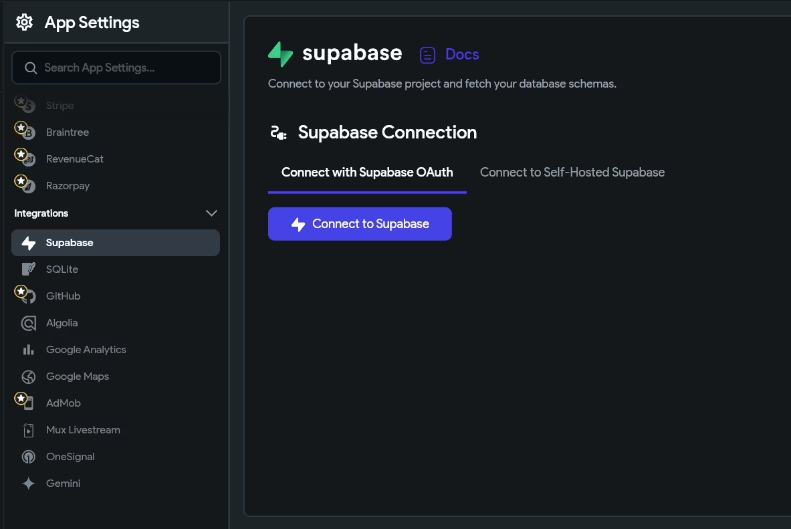
- Fast integration with Firebase or Supabase for databases, authentication, and real-time storage, with support for Supabase OAuth.
- Support for native SDKs through MethodChannels to extend specific functionality, and automatic permission generation for accessing the camera, microphone, or location, with configurable messages for end users.
- One-click export of the complete Flutter source code with no vendor lock-in, direct publishing to the App Store, Play Store, and the web from the same project, and full compatibility with Android, iOS, web, macOS, Windows, and Linux.
- Native team collaboration with development branches, comments, and task assignments.
- In-app interactive tutorials (walkthroughs) to guide the end user.
These features reduce technical dependencies and accelerate idea validation, helping SMEs launch digital products at a lower cost.
AI Functions
FlutterFlow includes a set of AI tools designed to speed up interface building and iteration, whether starting from text, images, or existing designs:
- Prompt to Page: generates full pages from a written description, ready to customize in the visual editor.
- Prompt to Component: creates individual components from a text prompt and allows iteration through follow-up instructions or manual adjustments.
- Image to Component: turns an interface image, even one containing only wireframes or rough sketches of widgets and layouts, into a functional component by analyzing its visual structure.
- Natural language editing through agents: FlutterFlow Designer integrates with external agents such as Claude, Gemini, and other tools compatible with the MCP protocol, letting you edit designs by chatting with the AI rather than manipulating widgets one by one.
- AI Agent Builder: lets you create, configure, and deploy customizable AI agents directly inside the application built in FlutterFlow.
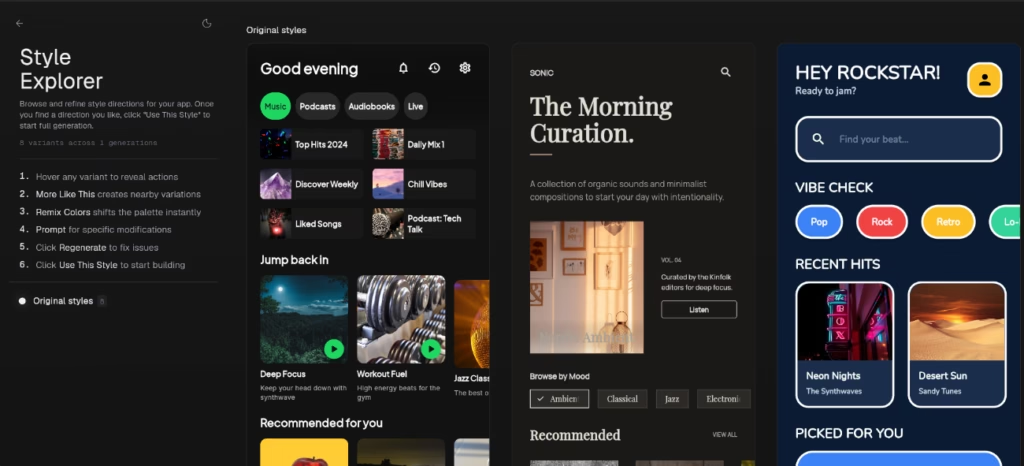
- FlutterFlow Designer: a separate design environment (designer.flutterflow.io) that lets you generate interfaces in seconds from a prompt, then copy and paste them directly into a FlutterFlow project to build the app on top of that design. It includes a visual style explorer that proposes several alternatives for the same screen, which you can tweak manually or through prompts until you reach the desired result, without losing control over typography, colors, and spacing.
These functions reduce development time and eliminate repetitive tasks, allowing creators to focus on design and core business logic.
Integrations
FlutterFlow connects with popular services for databases, payments, maps, notifications, AI agents, and other categories:
- Firebase and Supabase (authentication, storage, and real-time), with support for Supabase OAuth to set up sign-ins with external providers.
- Stripe and RevenueCat (payments and subscriptions).
- Google Maps (geolocation).
- Algolia and OneSignal (search and push notifications).
- GitHub and Codemagic (version control and continuous deployment).
- Figma (theme and component imports).
- External or custom REST APIs.
- Native Android and iOS SDKs via MethodChannels.
- Public API to automate processes and extend functionality.
The MCPintegration path lets you build and edit FlutterFlow projects from external AI coding agents that are compatible with the MCP protocol, including Claude Code, Cursor, Codex, Gemini, and Copilot. The agent generates code, validates it locally, and applies the changes to the project, which then show up in the visual editor. This enables a hybrid workflow between the visual editor and AI-assisted development environments, particularly useful for technical teams that combine visual design with agent-driven automation.
These features reduce technical dependence and speed up idea validation, allowing SMEs to launch digital products at a lower cost.
Security and Data Compliance
FlutterFlow states security as its top priority:
- SOC2 Type 1 Certification: Ensures compliance with rigorous data management controls.
- Google Cloud Best Practices: Uses services like Cloud Armor (DDoS protection), Cloud IDS (intrusion detection), and Secret Manager (secure key management).
- Encryption: Data is encrypted in transit and at rest.
- Own Your Code: Users retain full ownership of the generated code and data.
- The applications built on the platform operate independently: FlutterFlow does not access or store data from end users of published apps, even when those apps run on its web hosting services.
- Marketplace purchases are subject to three license types: open-source license (MIT), single-use individual license, and single-use commercial license.
- Per its Terms of Service, FlutterFlow may use content uploaded by developers to improve its products and train its machine learning and AI models. Companies handling sensitive information should weigh this point before uploading confidential assets.
- The platform isn't designed to process personal data protected by frameworks such as HIPAA (health information), PCI DSS (cardholder data), or GLBA (non-public financial information). SMEs operating in regulated sectors should factor this limitation in when planning the project's scope.
This comprehensive approach reinforces trust and ensures developed applications meet high security standards.
Language – Customer Service and Interface
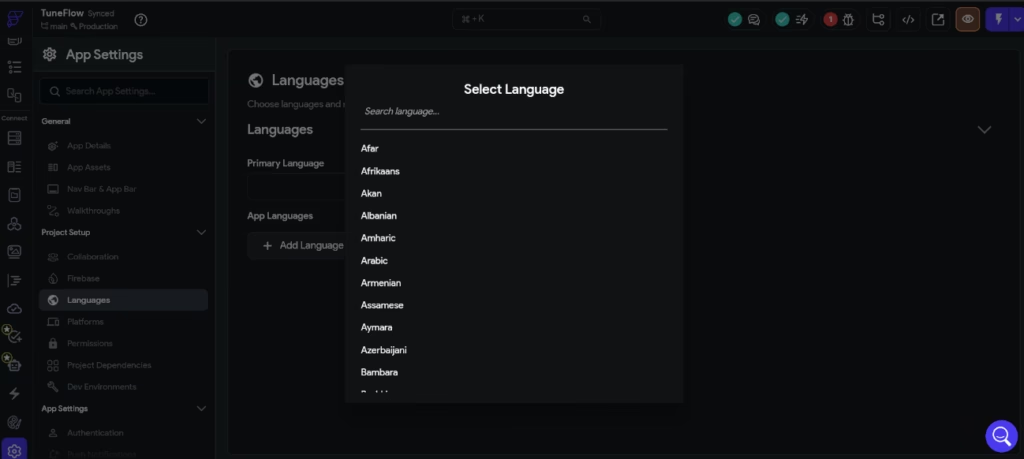
The interface, documentation, and official support are primarily in English. While the technical team responds to queries via email or chat, users often rely on browser auto-translation for comfort.
AI Language – The Tool Itself
Although the editor interface is only available in English, that doesn't stop you from producing content in other languages through its AI features. FlutterFlow lets you create custom agents by choosing Google, OpenAI, or Anthropic as the provider, selecting the corresponding model, and defining system instructions along with pre-loaded messages to handle user inputs with context. The models available through these providers are multilingual and can generate and process content in Spanish and many other languages with strong linguistic quality.
Mobile Access
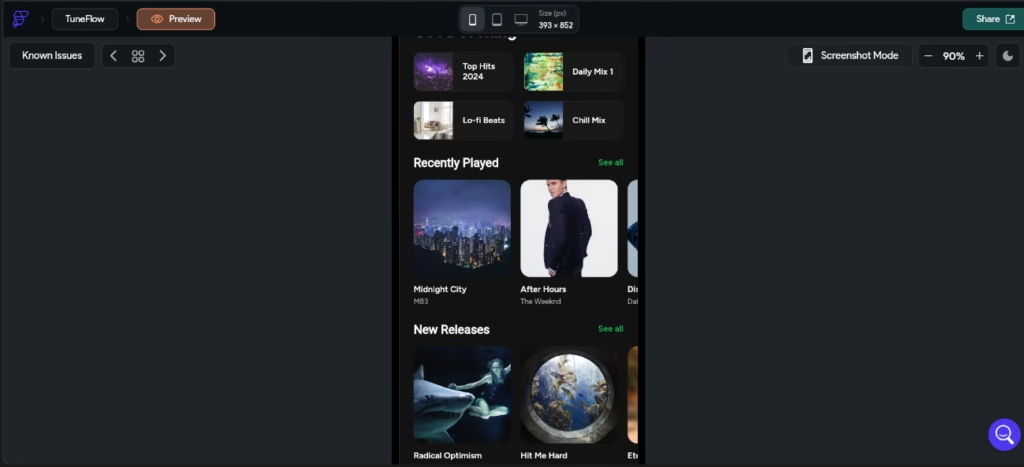
You can test applications in real time on mobile devices or emulators through two complementary modes: Test Mode, which leverages Flutter's Hot Reload to show changes instantly, and Run Mode, which compiles a full version ready for validation before publishing. From a single project, you can publish to Android, iOS, and the web in just a couple of clicks.
Support, Onboarding, and Account Management
FlutterFlow offers detailed documentation, video tutorials, ready-to-use templates, and a very active community. Certified agencies and developers provide personalized assistance. The onboarding is simple and step-by-step, suitable for SMEs without prior technical experience.
Ease of Use / UX
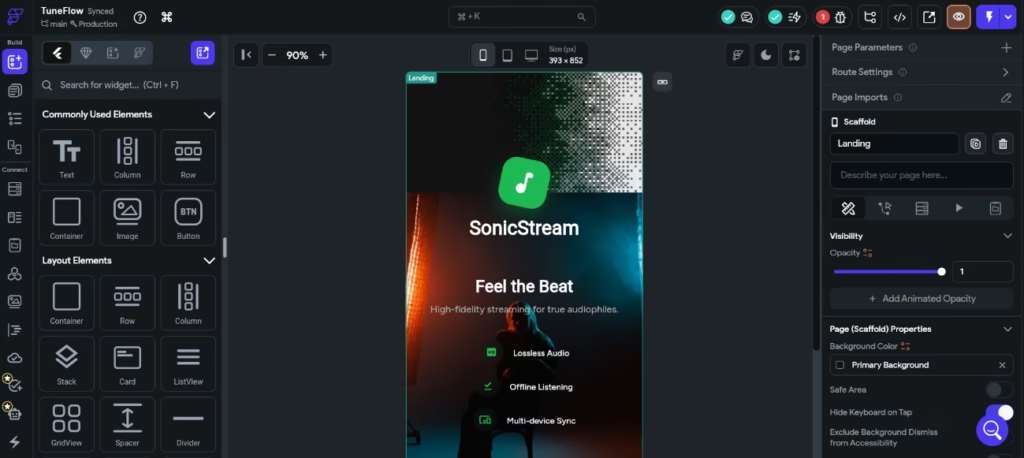
The visual editor runs on drag-and-drop and includes a properties panel on the right side for adjusting colors, spacing, typography, animations, and responsive layout rules. Within the low-code tool category, FlutterFlow is more accessible than the average option, especially for those already familiar with Figma or other visual design tools.
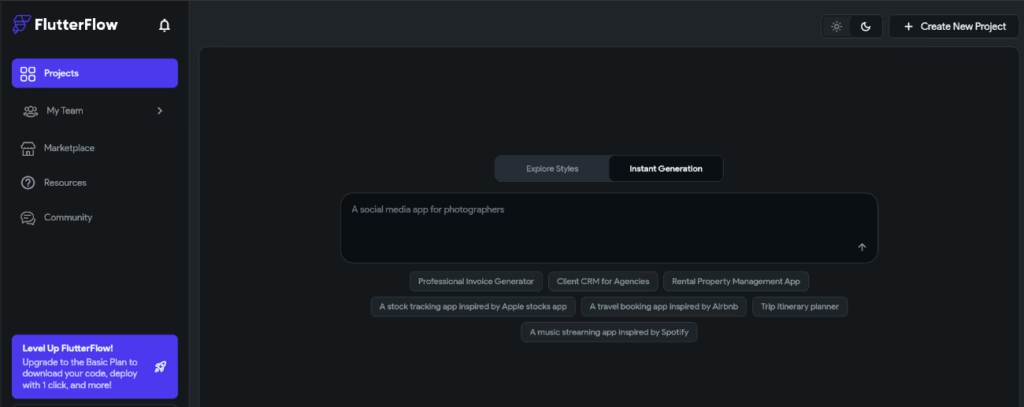
The library of more than 200 widgets and the templates for common flows (sign-in, sign-up, onboarding) shorten the initial work. The preview running on iOS and Android simulators, together with Test Mode and Hot Reload, makes it easy to iterate without waiting for long compilations, which is especially useful for design or product management roles that need to validate ideas quickly.
FlutterFlow's visual tools cover everyday actions such as navigation, authentication, basic animations, and integrations with standard APIs, but they hit their ceiling as soon as a project calls for very specific interface behaviors. State management across screens also requires understanding how data moves through stateful widgets, providers, or data flows, which takes a few hours of study for anyone starting from scratch. Custom logic (calculations, validations, transformations of API responses) is written in Dart code snippets rather than a purely visual language, so projects with complex rules require some basic programming knowledge.
Our recommendation: those coming from design or product management will find FlutterFlow to be one of the most accessible options on the market for prototyping and publishing. Founders with a technical background will reach full autonomy within a few days. Purely non-technical profiles may run into a ceiling on advanced features and will need technical support or dedicated training time. The official documentation is extensive and well structured, although it can feel overwhelming at first.
Pricing and Plans
FlutterFlow offers four subscription tiers:
- Free plan: includes the creation of up to two projects, the full visual environment, pre-built templates, data integration, and basic web publishing. Ideal for testing or small ventures.
- Basic plan: expands to unlimited projects, lets you download the source code or APK files, connect custom domains, and publish to mobile stores with a single click.
- Growth plan: adds simultaneous collaboration, GitHub integration, automatic app translation, and version control with development branches.
- Business plan: designed for larger teams, it supports collaboration across multiple users, automated testing, advanced Figma imports, and priority technical support.
The team-oriented plans (Growth and Business) include a free trial on the first subscription, with eligibility verified based on account history. This makes it easier for SMEs to evaluate collaboration features before committing to a recurring payment.
All plans include a free trial and adapt to the size and needs of the SME. The Terms of Service state that once a company or group exceeds 10 million dollars in annual revenue, it must move to the Enterprise plan to continue using the platform. This means most SMEs can use the standard plans without issue, and only companies in rapid growth will need to consider an Enterprise contract.
Case Study
An industrial maintenance company with seventy technicians spread across several regions managed its work orders through spreadsheets and instant messaging. Management identified three critical problems: long order-closing times, billing errors due to a lack of photographic evidence, and limited real-time visibility into the status of each intervention. The solution called for a mobile app for the field technicians and a web dashboard for the central office, with a tight budget and a one-month timeline.
The project began in FlutterFlow Designer. A single prompt generated the key screens: a list of assigned orders, an intervention form with a checklist, before-and-after photo capture, customer signature, and end-of-day summary. The style explorer proposed several alternatives, and the team chose a high-contrast version designed for outdoor work, then adjusted corporate colors and font sizes to ensure readability under variable lighting conditions.
The team copied and pasted the screens into a FlutterFlow project and connected them to Supabase for authentication, the order database, and photo storage. Google Maps enabled optimal route calculation between interventions, and the automatic permissions system handled access to the camera and location. The same project generated the web dashboard for the central office, which avoided duplicating development work.
After just 21 days, the team published the application to the App Store, Google Play, and the web. During the first quarter after rollout, the company reduced the average order-closing time from 48 to 11 hours, eliminated billing disputes thanks to mandatory photographic evidence, and improved daily planning with field data refreshed every hour. Ownership of the exported Flutter code allowed the company, in a second phase, to add a spare-parts inventory module synced with the company's ERP without rewriting the application.
The case illustrates a frequent pattern among SMEs that adopt FlutterFlow: fast digitization of critical operations, control over the generated code, predictable costs, and the ability to scale the application as the business grows, without being locked into the development platform.
Tool vs. Alternatives
| Tool | When to choose it | Key advantages | Key limitations |
|---|---|---|---|
| FlutterFlow | To build mobile, web, or desktop applications with a native look and performance, AI-assisted editing, and the ability to export the complete code. | Built-in generative features, FlutterFlow Designer, connection to AI agents through MCP, Flutter code export with no vendor lock-in, and direct publishing to the App Store and Google Play. | Interface and official documentation in English only; medium-to-high learning curve once you reach advanced logic; SOC 2 certification limited to Type 1. |
| Glide | When you need internal tools, portals, or management dashboards with process automation on top of spreadsheets, Airtable, or SQL databases. | Highly accessible editor, prompt-based app generation with Glide AI, smart columns to extract, classify, or summarize data, and SOC 2 Type 2 certification. | Produces only progressive web apps (PWAs), with no exportable code and limited visual customization; cost scales with the number of active users. |
| Google AppSheet | To automate internal workflows and create operational applications within an existing Google Workspace environment. | Deep integration with Sheets, Drive, and SQL databases, automations powered by Gemini, the ability to publish as a branded app in stores, and a competitive per-user price. | Uniform visual design oriented toward internal use and field teams, not mass-market consumer products; no code export; editor in English only. |
Choose FlutterFlow if you need an application with a native look, full control over the code, and a path toward a scalable product. Glide is preferable for internal tools with fast automation on top of spreadsheets or lightweight databases. Google AppSheet fits when the team already works inside Google Workspace and is looking to digitize operational processes with the help of Gemini.
FAQs
Is FlutterFlow good for SMEs?
Yes. It allows professional applications to be created quickly and without high initial costs.
Can I export the source code?
Yes. The code is generated in Flutter and is fully owned by the user.
Is there a free version?
Yes. It includes basic functions and allows you to test higher-tier features.
What are the best alternatives to FlutterFlow?
Glide and Google AppSheet are popular options for different levels of complexity and use cases.
Still weighing up FlutterFlow?
See how it compares with the other tools we've reviewed in Low-code-No-code.