

monday.com Review
monday.com is a workspace where staff and AI agents run the same processes together, spanning work management, CRM, development and service on shared boards.
No platform we have reviewed covers this much ground. A single account can absorb a project tracker, a sales pipeline, a ticket queue, a form builder, and an automation engine, and the agents carry out work instead of reporting on it. That range has a price. Screens fill up fast, the full AI toolkit only arrives on the third tier, and most teams will never touch everything they pay for. Choose monday.com when several departments need one system. Choose something narrower when one team has one job.
Averaged from the breakdown below
- Companies where marketing, operations, sales, and delivery need to see each other's work
- Owners who want an accurate picture of how each week actually gets spent
- Teams replacing several separate subscriptions with one account
- Managers willing to hand routine coordination to software while keeping approval rights
- Development teams whose entire process lives beside the source code
- Individuals who need one focused utility
- Budget-conscious teams that want AI from day one
- Businesses that depend on a provider tuned to a single national market
Key Features
Boards hold the work. Each item names an owner, shows a status, and carries the surrounding detail, while layouts reorganize those same records for whoever is reading them: the default table, timeline, Gantt, calendar, kanban, list, chart, and a workload view showing how heavily each person is booked. The list view maps columns belonging to individual boards, so connected boards display in full. Dashboards then combine several boards through configurable widgets, with the number a single dashboard can merge rising by tier.
- Documents linked to live board data, edited by several people at once, assembled from blocks you drag into place, and able to trigger workflows or create items directly
- Forms with conditional logic, custom colors, fonts, and welcome pages, feeding answers straight into boards and launching whatever comes next
- Automations built without code for notifications, date reminders, task creation, assignment, and handoffs between teams
- An autopilot hub supervising every automation in the account, reporting run health, usage, workflows, and connection status board by board
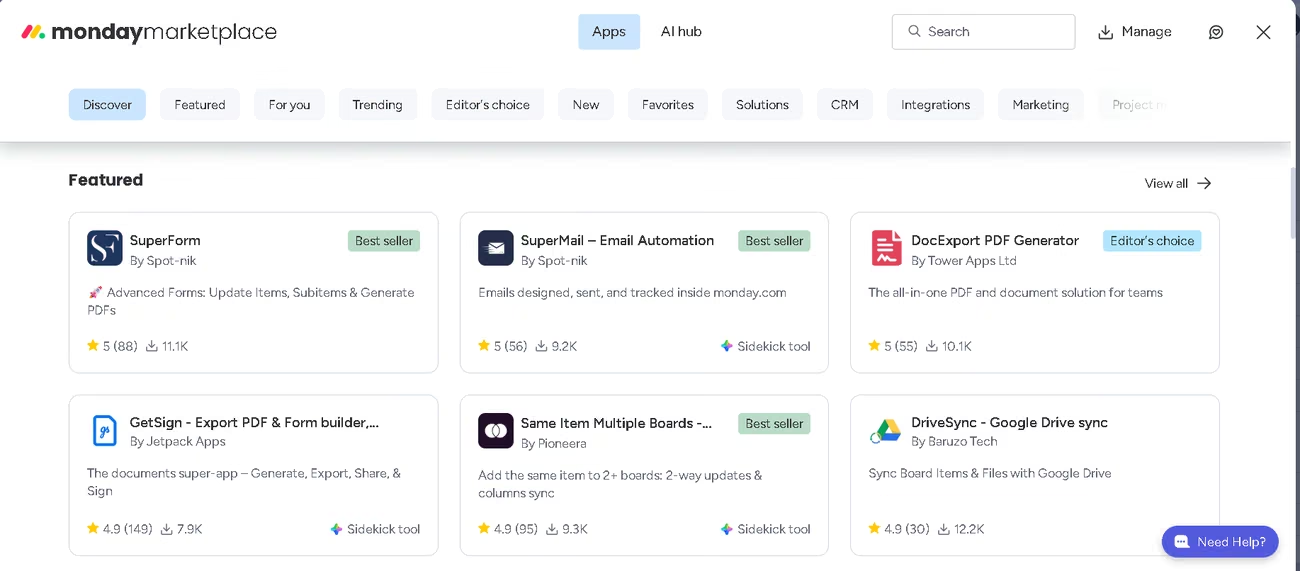
- A template library across nineteen categories, alongside your own account's templates and managed versions for standardizing a process across departments
- Structural columns including formulas, board connections, dependencies, and time tracking, plus Excel import and export
- Risk registers built as boards, recording probability, impact, score, owner, mitigation, contingency, status, and review date, with escalation by severity, elapsed time, or authority needed
- Specialized products on the same structure: sales pipelines with quotes and email sequences, service desks with a customer portal and ticket triage, and development boards with sprints, roadmaps, and bug tracking
Underneath it all sits mondayDB, the engine that stores and queries board data fast enough for automations to fire the moment something changes.
Taken together, these features replace a stack of separate tools. Boards and views handle the tracking, documents and forms handle intake and record-keeping, automations and the autopilot hub handle the repetitive work, and the specialized products cover sales, service, and development without a second subscription. For a small business the value is not any single feature but the fact that everything updates from the same records, so the picture stays current without anyone maintaining it.
AI Features
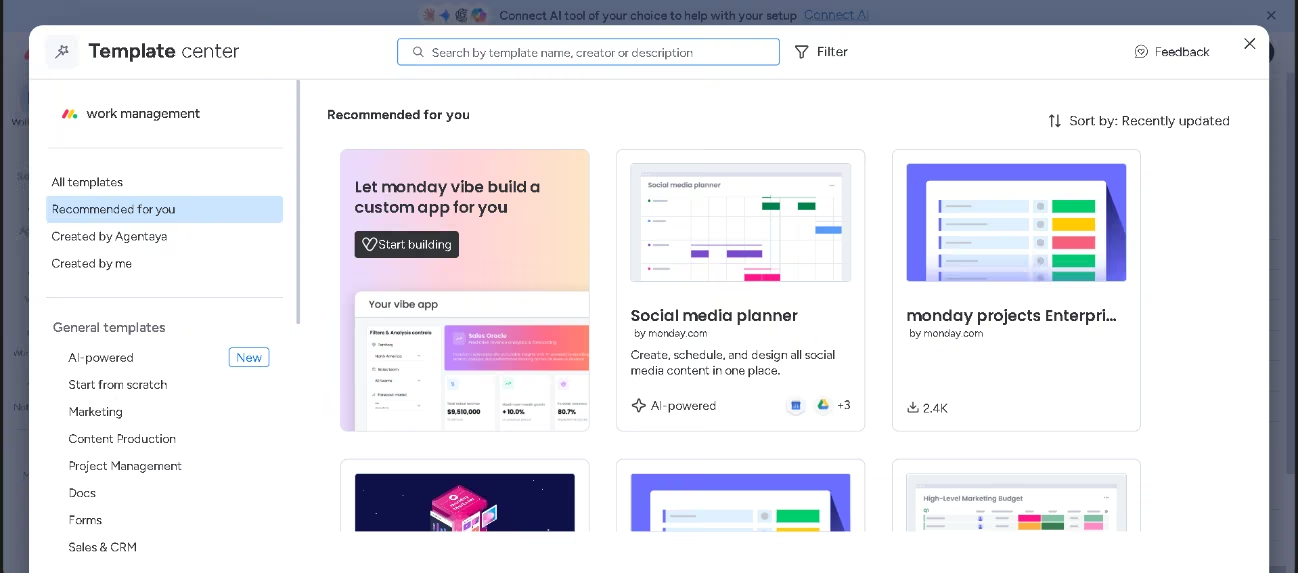
- Prebuilt agents for project planning, workload distribution, milestone slippage, stalled tasks, dependency mapping, risk thresholds, decision logging, lead scoring, sentiment shifts, translation, meeting summaries, vendor research, ticket assignment, candidate screening, and contract drafting, plus portfolio risk scanning that reads across every board, ranks findings by severity, and flags scheduling conflicts and workload imbalances early
- A custom agent builder that takes a plain description, grounds the result in the documents and boards you nominate, and runs continuously within your limits
- Sidekick, an assistant covering morning briefings, meeting preparation, overdue items, executive summaries, tone rewriting, web research, duplicate detection, social posts, and formatted emails, with scheduled routines, an editable canvas, a full-screen mode, and charts and dashboards built on request
- Vibe, which turns a written brief into a working internal application backed by your boards, exports editable Word, PowerPoint, and Excel files with formatting and formulas intact, queries historical board data for trend charts, scans barcodes and QR codes, and builds custom widgets on request
- Intelligent columns that read urgency, sort by category, condense a request, detect sentiment, and draft a reply, packaged into ready-made boards for creative briefs, feedback analysis, support triage, sales discovery, and finance requests
- A workflow builder with conversational assembly, loops over items, webhook triggers, MCP calls to outside applications, approval blocks that branch on the response, and a test run before publication
- A meeting notetaker that joins calls, transcribes them, identifies decisions and owners, follows structured sales formats, drafts the follow-up email, and updates records
The agents reason and act within set boundaries instead of following a script. One we configured opened by telling us exactly what it would monitor, that it would discard anything it could not verify, and which connections we still had to authorize by hand. Few tools are that candid. Rule-based automations, on the other hand, are not intelligence, whatever the label says.
Integrations
- Messaging and meetings: Slack, Microsoft Teams, Gmail, Outlook, and Zoom
- Files and storage: Google Drive, SharePoint, and Dropbox
- Revenue and accounting: Salesforce, HubSpot, QuickBooks, and Stripe
- Engineering and infrastructure: GitHub, GitLab, Jira, PagerDuty, and Active Directory
- Scheduling and intake: Google Calendar, Calendly, Typeform, and Google Forms
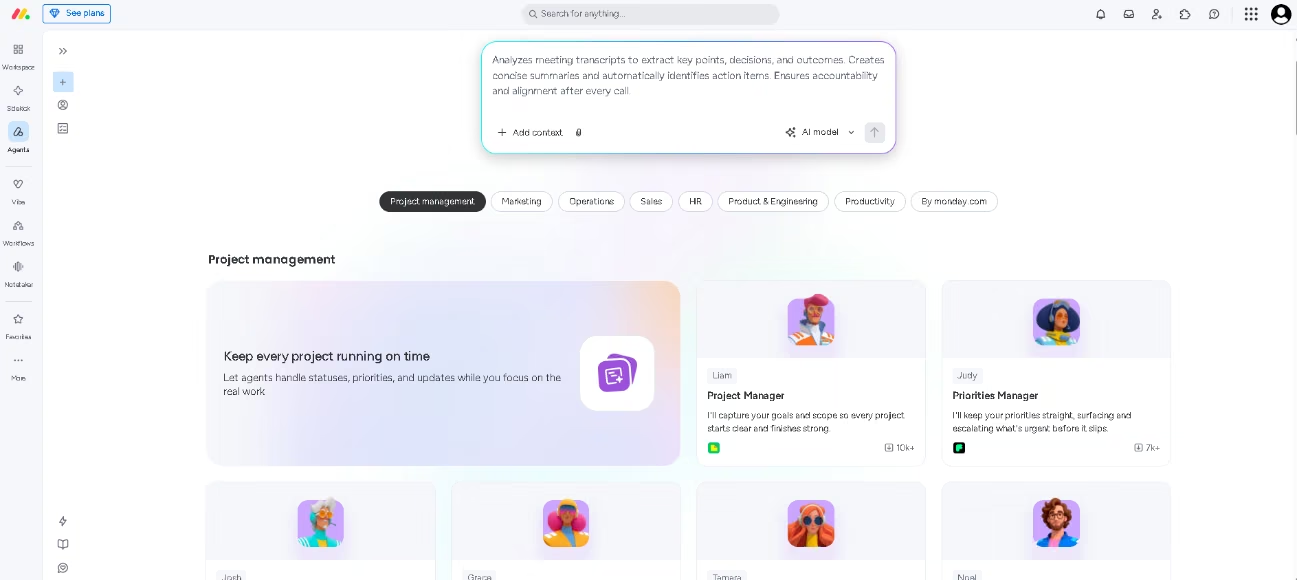
- AI assistants: Claude, ChatGPT, Microsoft Copilot, Gemini Enterprise, Perplexity, and Cursor connect through official integrations or the monday MCP server, which an administrator installs from the marketplace and authorizes by OAuth. It costs nothing extra, works on every plan, runs in both directions, and stays bounded by the permissions the account already grants. Claude leads installations by a wide margin and joined as a launch partner
Developers get a public API with SDKs and webhooks, on daily call quotas that rise with the plan. Beyond that, a partner marketplace supplies apps that can expose themselves to Sidekick, no-code bridges reach thousands of other tools, and two-way synchronization keeps both systems aligned.
Data Security and Compliance
You own what you supply and what the AI produces. Your organization is the data controller, monday.com the processor, and customer input and output never train machine learning models, its own or anyone else's. Requests reach language models through managed services from Microsoft and Amazon under zero-retention terms. Encryption covers data in transit and at rest, with per-tenant keys and an option to supply your own. AI follows existing board permissions and your account's data region, so an employee locked out of a board sees nothing from it through an agent.
Certifications include SOC reports and several ISO standards, alongside GDPR, HIPAA, CCPA, LGPD, and other regional regimes, with a data protection officer appointed and a processing agreement on request. Administrators configure multiple sign-on providers, multi-level permissions, an audit log API, one-time email codes, private boards, and guest accounts, and scheduled cleaning of old boards leaves an exportable trail. Agents run under stated read, create, and edit rights, log every action, rehearse in simulation before activation, wait for approval on consequential steps, and report spending against limits you set. Administrators can erase a user's personal data on request and decide at account closure whether organizational data survives.
Language: Interface and Customer Support
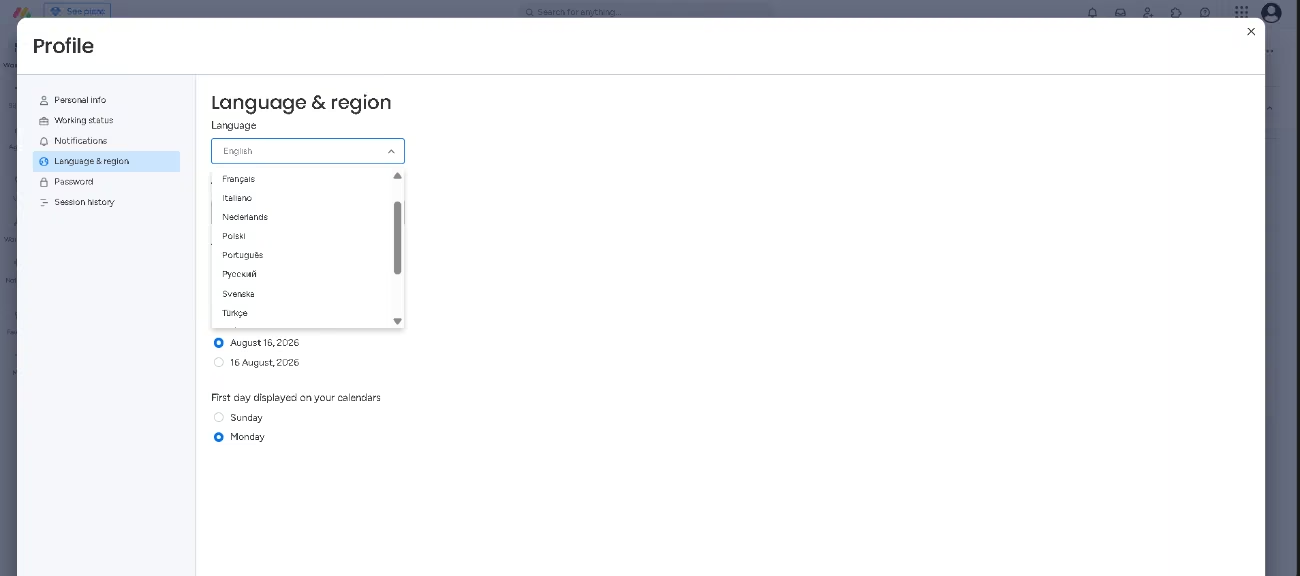
Fifteen interface languages are available, chosen by each user under profile settings, and the published list includes English, Spanish and French. Documentation appears in several of these, which makes the written material genuinely multilingual rather than translated in name only.
AI Language: The Tool Itself
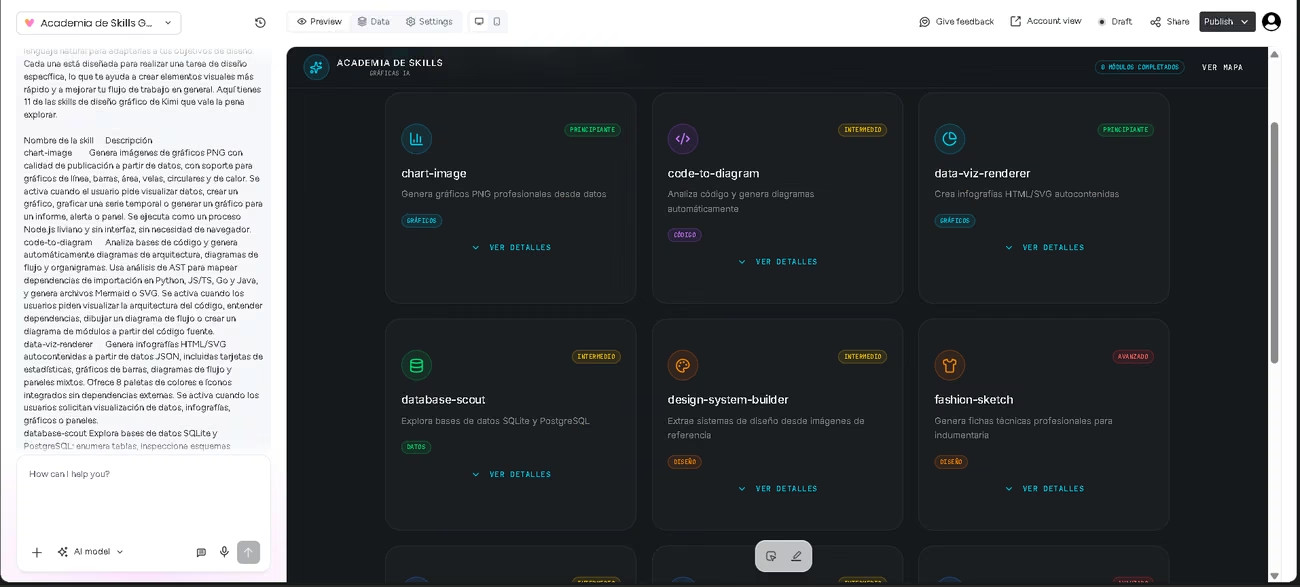
The AI is multilingual. A dedicated agent translates between markets, template columns detect an incoming language and reply in it, and the forms product translates submissions automatically on the top tier. We tested it in Spanish with grate results by asking Vibe for an interactive app teaching twenty-two graphic design skills, built from a long manual in a style we specified.
Mobile Access
Native apps cover iOS and Android on every plan, including the free one, and the Android listing rates highly. Two are offered: the main monday.com app and a separate agents app, installed by QR code, text link, or directly from either store. Desktop apps exist for Windows and Mac.
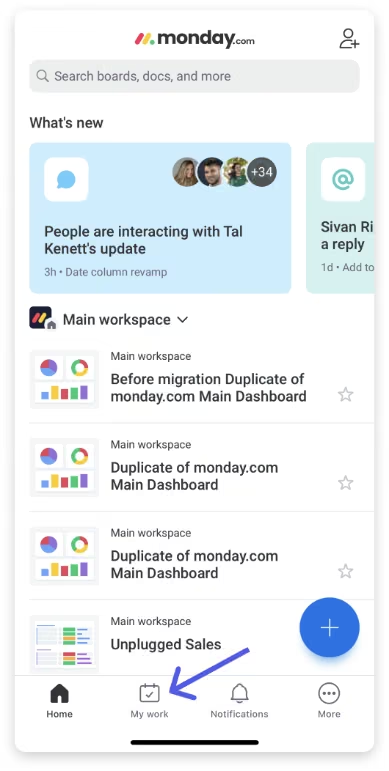
The phone version handles daily work rather than setup. “My Work” collects every task assigned to you across the account, so nothing requires hunting through boards. You can open and update boards, follow progress, collaborate as usual, and use Sidekick by voice. Apps built with Vibe adapt to small screens automatically. Dashboards display in full screen with charts and totals you can drill into, but creating or editing one requires a desktop.
Support, Onboarding, and Account Management
- A guided setup that asks which of fifteen areas you plan to manage, then walks through inviting the team, enabling automatic enrollment for colleagues who share your email domain, naming the first board, choosing its columns, building a dashboard, and adding a view, explaining its own vocabulary as it goes
- Written documentation organized by product and by subject, with a public status page and a developer reference for anyone building on the API
- A learning academy offering short lessons, role-based tracks for beginners, workflow builders and administrators, achievement badges, live and recorded sessions, and certification in administration and in core work management
- Continuous chat support that opens with an automated assistant and passes to a person within seconds, included at every plan level
- Premium support for large accounts, adding a dedicated technical team, response commitments, priority escalation to engineering, and contact by chat, email, Slack, or video under confidentiality terms
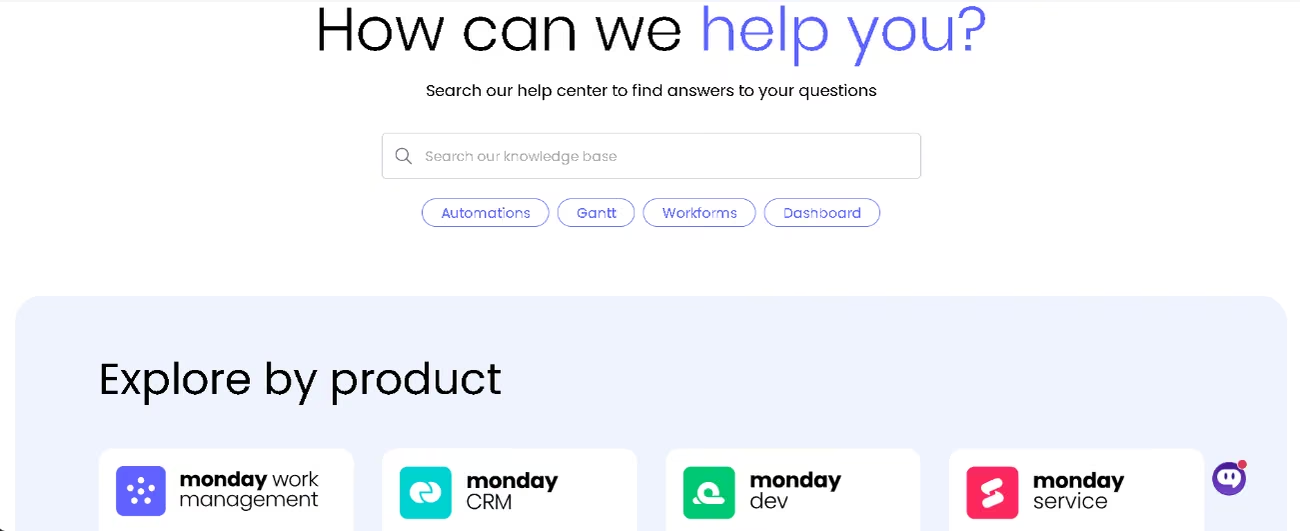
A team with no technical staff can reach a working setup unaided. In practice the combination of live chat and the automated assistant identifies problems quickly, so nobody stays blocked for long.
Ease of Use and UX
Technical knowledge is unnecessary, and a first board appears within minutes. For some users, the interface is intuitive even for staff without technical training: information can be organized chronologically, workflows built with Sidekick speed up project work, and the platform feels flexible, clear, and well suited to environments that need fast communication and constant oversight of operations. For others, the screen is crowded with buttons and options, dense enough to delay rollout and irritate certain users, and adoption drags precisely because so much sits on offer. Neither view is wrong.
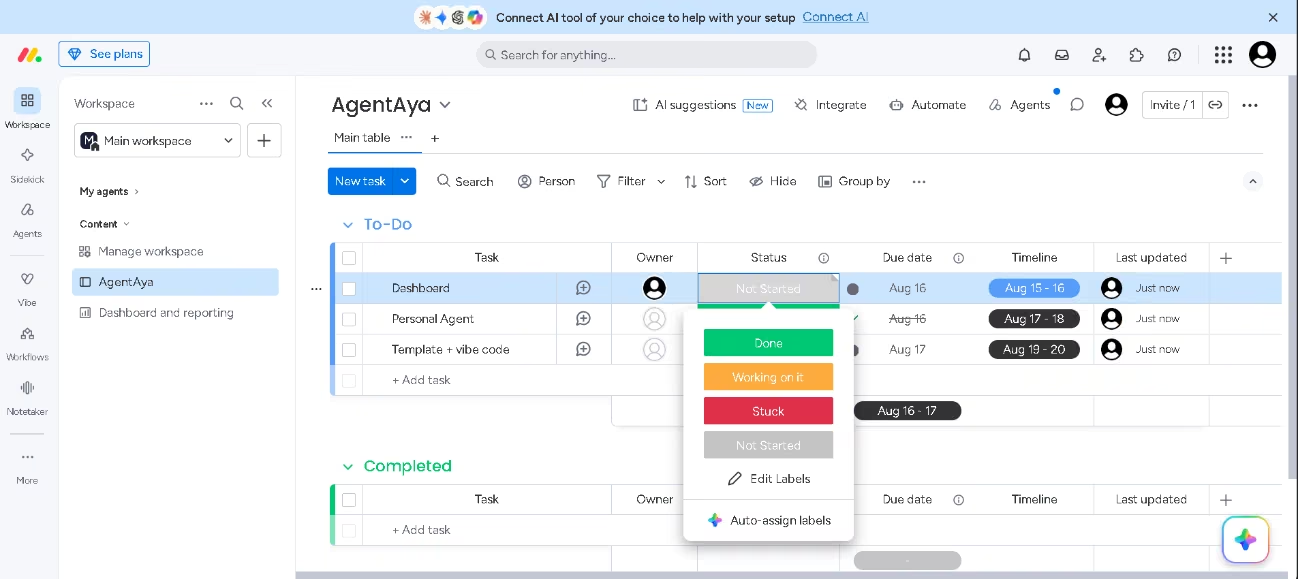
Daily use settles into a pattern. The platform organizes source material inside documents, assigns projects across boards, sustains master boards for daily, weekly, and monthly work, and produces the monthly operations report that management runs on. Communication improves, work becomes visible, and one place holds the current version of everything. Skills we enabled worked immediately, with no configuration.
With stock templates you still have to add your data and adjust them, which takes longer than expected. Describing what we needed instead produced exactly that, plus a few useful extras, with a dashboard and statistics drawn from our own documents. We refined it through the canvas and the chat and fixed two small errors, about five minutes in total.
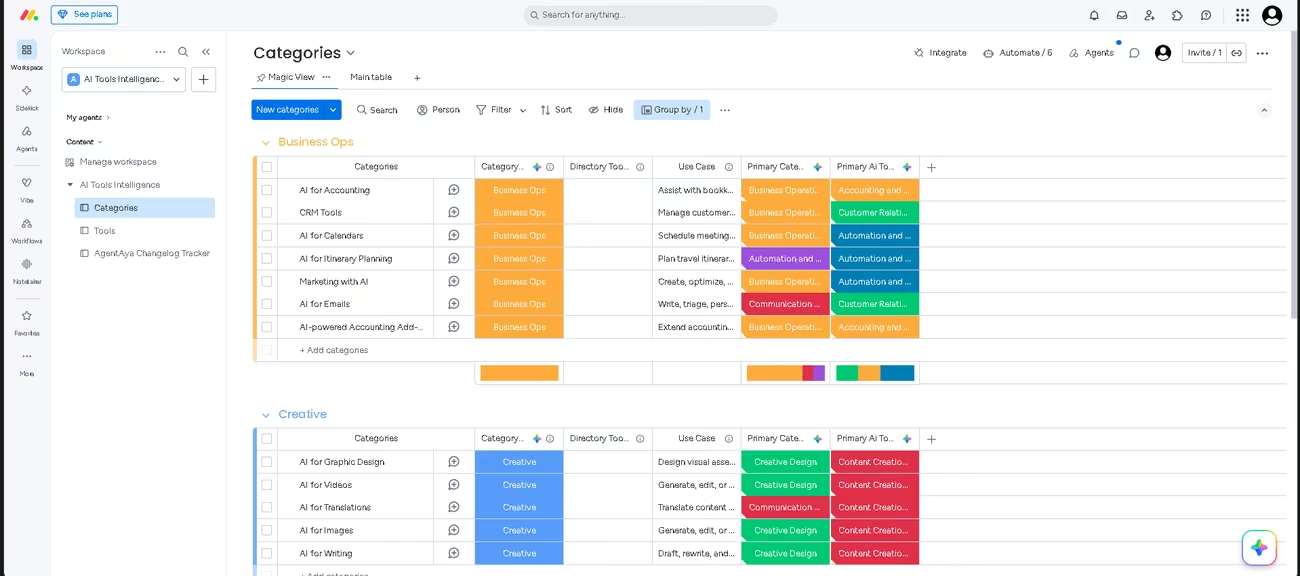
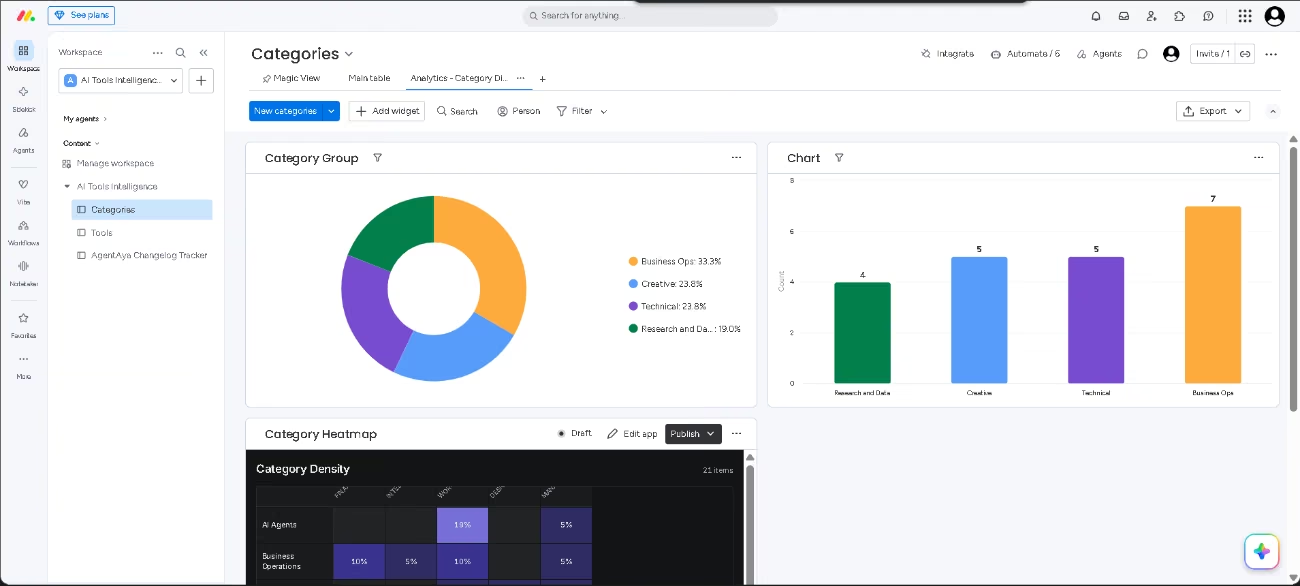
Advanced automations, dashboards, and reporting all demand study, and the shortage of ready-made report layouts pushes teams into improvised solutions. Navigation tabs can be customized, though narrow windows hide some of them. The deeper problem is scope. Covering so many different roles, the platform will outlast most teams' appetite for exploring it, and nobody should expect to use all of it.
Pricing and Plans
- Free tier: a couple of seats, a few boards and documents, a tight file upload allowance, the template collection, and the mobile apps, with AI excluded
- Basic: unlimited items and unlimited viewers at no charge, opening a first allocation of AI tools and credits
- Standard: workflows, automations and integrations metered by monthly actions, timeline, Gantt and calendar layouts, guest access, and an API quota
- Pro: every AI component together, covering the agent workforce, notetaker, Sidekick, Vibe, intelligent columns, and the workflow builder, alongside private boards, richer views, and time tracking
- Enterprise: negotiated terms with governance, portfolio and resource management, layered permissions, and the highest support tier
- Standalone products: customer relationships, service, and development each carry independent tiers and sell without the others
- Structure: charged per seat, monthly or yearly, discounted for annual commitment, with a trial period
Consolidation is where the money works, since one subscription replaces several. Credits meter every AI action, and the complete toolkit lands on the third tier, precisely where a small operation starts weighing the bill. Graduated access would serve small teams better than the current split. Buying a single product instead of the suite keeps monday.com pricing proportionate.
Case Study
Grill'd operates over 175 restaurants in Australia and competes on campaign speed. Expansion complicated that. Launches, sponsorships, and brand activations required marketing, product development, finance, and operations to move together, yet tracking happened by hand, updates scattered, and critical knowledge sat with individuals. Campaigns shipped, but nobody saw the whole picture.
Marketing moved first and the wider business followed. The project office charted initiatives, watched capacity, and traced dependencies while marketing handled briefs, approvals, and delivery in the same environment. Repeatable campaign frameworks fixed owners, schedules, and dependencies, a portfolio screen showed leadership which work stayed on course and which had slipped, and review meetings ran inside documents whose decisions reached boards immediately. The company reports return on investment tripled, more than 5,680 hours recovered each year, and campaigns delivered at twice the previous pace.
"monday became the linchpin that connects every department so we can actually deliver," says Emily Clifton-Bligh, Head of Marketing Campaigns at Grill'd.
Videos
monday.com vs Alternatives
| Dimension | monday.com | Linear |
|---|---|---|
| Coverage | All departments, with distinct products for sales, service, and engineering | Product development and issue tracking alone |
| Everyday operator | Any employee, technical background optional | Engineers, product managers, and designers |
| Agent purpose | Scheduling projects, spreading workload, qualifying leads, recording meetings, compiling reports | Reading repositories, writing code, raising pull requests |
| Interface languages | Fifteen, Spanish included | English exclusively |
| Trade-off | Setup decisions and features left untouched | Minimal configuration, minimal reach beyond software |
ClickUp is the closest alternative to monday.com. The two platforms are built on the same idea and cover much of the same ground, so comparing them says little about either one. Linear is the opposite: narrow by design and built for engineers. That contrast shows what the real choice is about. Breadth costs money, setup time, and features you may never use, and a tool focused on one job or one local market can serve a team better. Choose monday.com when several departments need to see each other's work and non-technical staff use it daily. Choose Linear when the company is built around engineering.
FAQs
Is monday.com suitable for small businesses?
It suits businesses juggling several functions across disconnected tools. Companies needing one focused capability end up funding breadth they never open.
Does monday.com offer a free plan?
A permanent free tier exists without payment details, limited in seats, boards, documents, and uploads, and it carries no AI at all.
Can I subscribe to monday CRM by itself?
Yes. Products price separately on their own tiers, which keeps the commitment sensible for a small sales team.
Is monday.com hard to learn?
The basics are not. Setup is guided, and a first working board takes minutes without technical skills. The difficulty comes later, with advanced automations, dashboards, and reporting, where teams either invest study time or hire a certified partner.
Still weighing up monday.com?
See how it compares with the other tools we've reviewed in AI for Project Management.