

Napkin AI Review
Napkin AI delivers a polished, genuinely useful product at a price point that works for small teams. It excels at ease of use and delivers strong AI-assisted visual generation. Its main gap is the depth of native integrations.
Napkin AI is one of the most accessible visual creation tools we have tested. The premise is simple: paste your text, click a button, and the tool delivers multiple relevant visual options instantly, no prompting required. The interface is clean, the learning curve is minimal, and results are good enough for most SME use cases right out of the box.
Its main limitation is the integration ecosystem. Napkin does not connect natively with CRMs, project management tools, or other common SME platforms. Overall, Napkin AI earns a strong recommendation for SMEs, content creators, marketers, educators, and consultants who want to spend their time on ideas, not on software.
Averaged from the breakdown below
- Solo founders and freelancers who produce regular written content and need visuals fast
- Content marketers and bloggers looking to add professional diagrams to articles and social posts
- Educators and trainers who need visual aids for lessons, presentations, or handouts
- Consultants and project managers who communicate strategies and processes frequently
- Enterprises requiring deep integrations with existing software ecosystems
- Businesses that need highly customized illustration styles beyond what the template library offers
- Users who need offline access or work in environments with restricted internet connectivity
Key Features
Napkin AI is built around a straightforward workflow that removes the friction typically associated with visual content creation. Its core features include:
- Text-to-visual generation from pasted text, imported files (DOCX, PDF, PPTX, MD, HTML, TXT), or described ideas
- Support for a wide range of visual types: flowcharts, mind maps, timelines, comparison charts, data charts, tables, and more
- Custom Generation controls: specify visual type, orientation (portrait, landscape, or square), level of detail, and text fidelity
- Elastic Designs that automatically scale visuals with content length, with no manual reformatting required
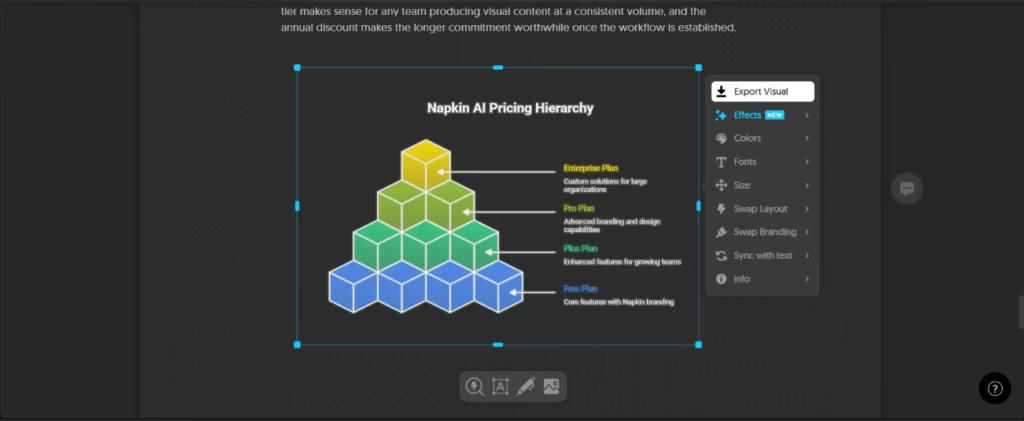
- Text-Visual sync that updates visuals in real time as you edit your source text
- Deeper Editing tools allowing modifications at the frame level, individual element level, or a full rebuild from scratch
- Custom Brands to apply consistent colors and fonts across all visuals
- Export options covering PNG, PDF, SVG, and PowerPoint-compatible formats for use in any platform
- Real-time collaboration with Team space, co-editing, and inline commenting features
This tool supports a wide range of visual types, including newly rebuilt flowcharts with expanded style and layout options (simple or detailed, vertical or horizontal, with or without icons and descriptions), plus mind maps, timelines, comparison charts, data charts, and tables. These effects transform the look of a flowchart through preset styles such as hand-drawn, skeuomorphic, or sticky notes, or a custom effect described in your own words, without altering the underlying content.
For SMEs, this combination of features means that a single team member can take a document or meeting notes and convert them into presentation-ready visuals in minutes, with no design background required. The time savings across a week of content production add up quickly.
AI Functions
Napkin AI's core intelligence lies in its ability to read your content and decide what kind of visual will communicate it best, with no prompting or manual template setup required. Its key AI-driven capabilities include:
- Automatic visual selection: the platform analyzes your text and generates the most relevant visual options based on your content
- Data pattern detection: paste numerical data and Napkin identifies patterns and proposes the most fitting chart types automatically
- Custom Generation: override the AI's choices with your own specs for visual type, orientation, detail level, and text fidelity
- Elastic Designs: visuals scale automatically with your content length, no reformatting needed
- Text-Visual sync: edits to your source text reflect in your visuals in real time
- AI-assisted icon matching and layout selection: built into the generation process, not added on top of it
- Structure-preserving flowchart editing: add or remove steps, rearrange the flow, change colors, swap icons, and switch layouts or branding styles without regenerating the visual or breaking its structure
On data privacy, Napkin AI does not use your visual content to train its models. Interaction data is anonymized before any use, and users can opt out through account settings.
Integrations
- Export options: Export to PowerPoint, Google Slides, Canva, and Keynote via the PPT file format
- File formats: Export as PNG, SVG, and PDF for use in any platform or document
- Import capabilities: Import of DOCX, PDF, PPTX, MD, HTML, and TXT files
- API access: API access with token generation available from within account settings
At this time, Napkin AI does not offer native integrations with CRMs, project management platforms, or communication tools such as Slack or Notion. The API provides a path for custom integrations, but implementing it requires technical resources and is not a plug-and-play option for non-technical teams.
Security and Data Compliance
Napkin AI is operated by Second Layer, Inc., a US-based company governed by California law.
- Data Ownership: the platform is clear: it does not claim ownership of the content you create. Users retain their rights to generated output, with the exception of individual design components such as icons, built-in templates, and assets, which remain Napkin's property.
- Model Training: The tool states explicitly that it does not use visual content for model training purposes. Anonymized interaction data may be collected to improve generation quality, with an opt-out option available in account settings.
- Teamspace Controls: Teamspace administrators have exclusive control over data privacy settings for their entire workspace, including the ability to opt out on behalf of all members.
Language: Customer Support and Interface
Napkin AI's interface is currently available in English only. There is no publicly documented phone support or dedicated account management for standard plans. That said, content creation in other languages is fully supported, which means the tool can generate visuals from text in other languages even if the menus and controls remain in English.
AI Language
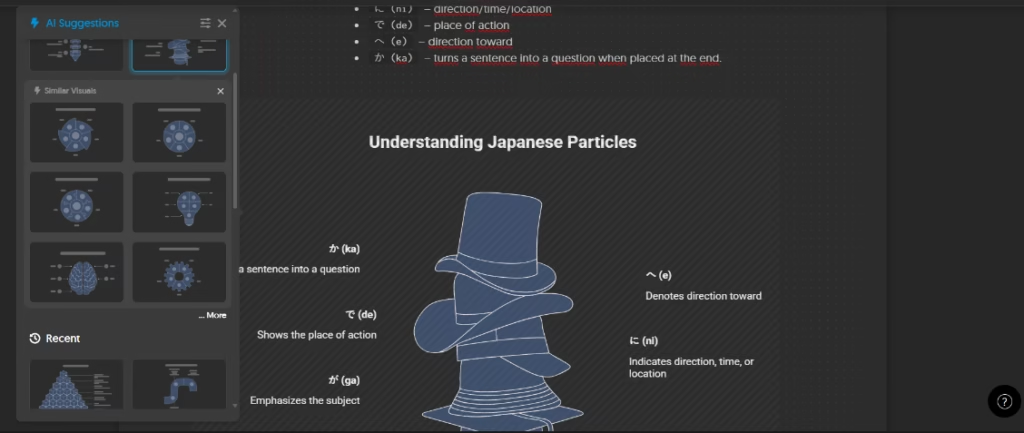
Napkin AI supports content generation in over 60 languages. When you enter text in a language other than English, the platform generates visuals that reflect that language directly, including labels and text within the visual elements. This makes the tool functionally usable for multilingual content teams without any additional configuration. We tested Napkin AI with Spanish, English, and Japanese content and obtained consistently strong results in all three languages, both in text understanding and in the accuracy of the generated visual labels.
Mobile Access
Napkin AI does not currently support visual creation or editing on mobile devices. The mobile experience is limited to viewing existing Napkins. The company has acknowledged this limitation publicly and indicated that mobile generation and editing support may be added in the future.
For SMEs whose teams work primarily from desktops or laptops, this is unlikely to be a significant constraint. For businesses that rely heavily on mobile workflows, it is a practical factor to weigh before committing to a paid subscription.
Support, Onboarding, and Account Management
Getting started with Napkin AI is straightforward. The onboarding flow is brief and guided, asking a few questions about your intended use, company size, and role before bringing you directly into the creation experience. New users can choose their starting point (paste text, describe an idea, import a file, or start with a blank document) immediately after signing up, with no lengthy setup required.
Support is offered through a chat widget on the website and by email. Help documentation and the support chat widget are the primary resources available. Most users can begin producing useful visuals within their first session without any guidance.
Ease of Use
Napkin AI is one of the most intuitive tools in its category, with a workflow that removes almost every point of friction from the visual creation process.
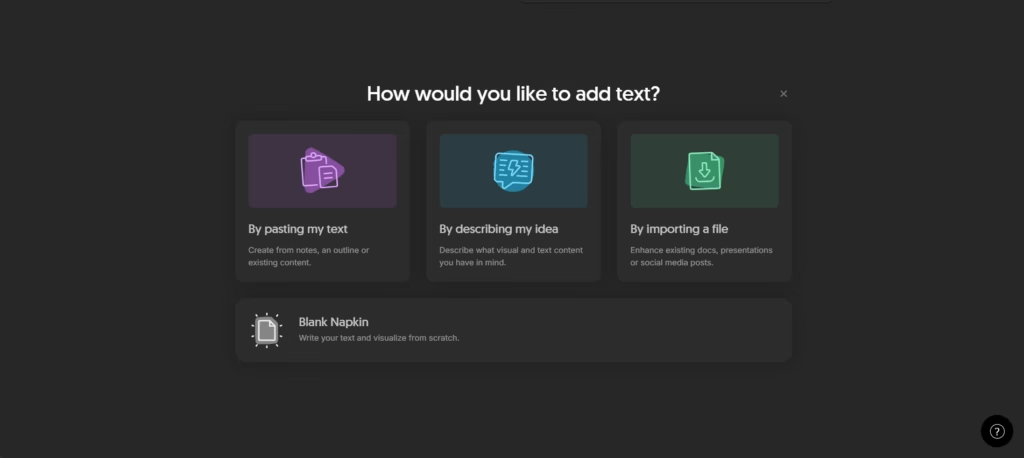
Getting started takes seconds. You paste, write, or import your text, then select the specific paragraph you want to visualize. Napkin scans it and the AI immediately surfaces a set of suggestions tailored to that content. From there you can go with one of the AI's recommendations or browse a broad library of visual types, including mind maps, timelines, comparisons, narratives, and more. Once you pick a format, Napkin generates the visual instantly.
Editing is equally straightforward. Selecting any generated visual opens a full editing menu where you can adjust colors, fonts, sizing, and content, and add elements to the composition. Flowcharts in particular now hold their structure through edits: you can add or remove steps, rearrange the sequence, swap icons, or switch layouts and branding styles without regenerating the visual or losing its polish.
In hands-on testing, the tool performed best with non-fictional content, where structured ideas, data, and processes translate naturally into clear, meaningful visuals. Fictional texts may produce less relevant results. That said, an SME team member with no design background could realistically start producing polished, presentation-ready visuals within their first session.
Pricing and Plans
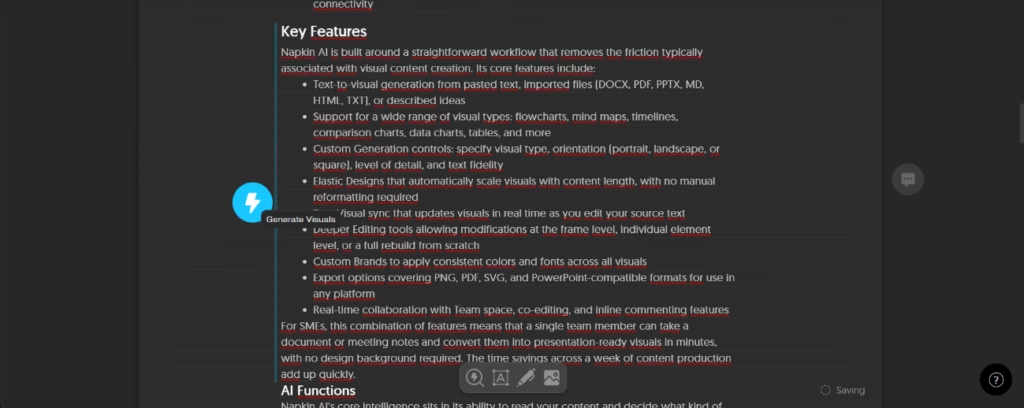
Napkin AI keeps its pricing simple with three tiers and a free entry point that actually delivers on its promise.
The free plan gives individuals and small teams a genuine feel for the tool, with a weekly credit allowance and access to core features:
- PNG and PDF export Unlimited file import Built-in styles and standard icons
- The main limitation is that visuals will carry Napkin branding, which makes the free plan better suited for evaluation than for client-facing work.
Paid plans are available monthly or annually, with a significant discount for annual billing. Two options cover most SME needs:
- Plus is built for growing teams and adds:
- Higher monthly credit allowance SVG and PowerPoint export Napkin branding removal Brand style customization Team management features
- Pro is the step up for teams with stronger brand requirements and higher volume:
- Exclusive design templates Unlimited custom branding Font upload capabilities Optional credit top-ups
- For larger organizations, an Enterprise plan is available through direct contact with the Napkin sales team.
For SMEs evaluating the tool, the free plan is a low-risk starting point. The step up to a paid tier makes sense for any team producing visual content at a consistent volume, and the annual discount makes the longer commitment worthwhile once the workflow is established.
Case Study
A two-person content marketing agency based in Austin, Texas, was spending roughly three hours per week converting strategy documents and client briefs into diagrams and presentation slides. The team had no in-house designer and relied on a combination of manual tools and occasional outsourcing to meet deadlines.
After adopting Napkin AI on the Plus plan, the agency integrated it directly into their content production workflow. Strategy documents written in Google Docs were exported as DOCX files, imported into Napkin, and the generated visuals were exported back to PowerPoint for client presentations. Within the first month, the time spent on visual production dropped to under an hour per week. The team also applied custom brand styles across all outputs, maintaining visual consistency without a final design review step.
The result was a measurable improvement in delivery speed and a reduction in outsourcing costs, without any change to the team's core skill set or an increase in headcount.
Napkin AI vs Alternatives
Napkin AI vs. Canva
Canva is the most widely used design tool in this space and offers far broader design capabilities. However, getting from written content to a polished diagram requires considerably more manual effort than Napkin, and it does not offer the same text-import-first workflow or automatic visual type selection.
Napkin AI vs. Visme
Visme excels at data visualization and infographics. However, its learning curve is steeper and AI-assisted generation is less central to the experience, making it a better fit for design-savvy users.
Napkin AI occupies a focused niche within the broader visual content creation market. Its most direct competition comes from general-purpose design tools and AI-assisted presentation platforms, though none of them share quite the same text-first approach.
FAQs
Is Napkin AI a good tool for SMEs?
Yes. Napkin AI is particularly well suited to small and medium-sized businesses that produce regular written content and need to convert it into professional visuals quickly.
Does Napkin AI support languages other than English?
The interface is currently in English only, but the tool supports content creation and visual generation in over 60 languages.
Does Napkin AI have a free plan?
Yes. Napkin AI offers a free plan with weekly AI credits that allows users to create and export visuals at no cost, with some limitations on export formats and branding options.
What are the best alternatives to Napkin AI?
Some alternatives in the AI visual creation space include Canva, and Visme. Each has different strengths depending on the specific use case and the level of design experience.
Can I use Napkin AI visuals commercially?
Yes, visuals created on the platform are not subject to copyright restrictions and can be used freely for commercial purposes, including websites, marketing materials, books, and presentations.
Still weighing up Napkin AI?
See how it compares with the other tools we've reviewed in AI for Graphic Design.