
Teachmate Review
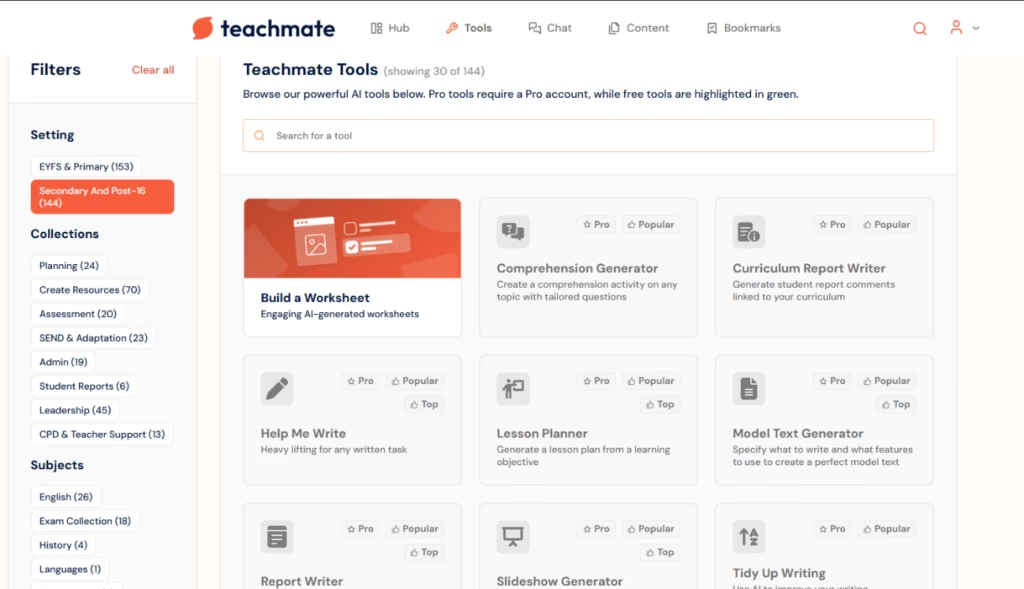
With more than 160 tools across eight categories, Teachmate has the broadest coverage on the market in education: planning, materials, assessment, special educational needs, administration, reports, leadership, and professional development under one roof. For schools in the nine English-speaking education systems Teachmate supports natively, that means fewer steps and fewer separate tools day to day.
Teachmate delivers on what it promises: giving teachers their time back. The catalogue of more than 160 specialised tools covers practically every corner of an educator's routine, from medium-term planning to end-of-year reports, including SEND support and leadership team management.
Built in English, the platform is natively optimised for nine English-speaking curricula, though it handles other languages reliably when needed. For schools operating within those nine systems, the breadth of tools and depth of curriculum coverage Teachmate brings together on a single platform are genuinely hard to find elsewhere.
AgentAya's verdict is straightforward: Teachmate is a top-tier tool for any school or teacher working primarily in English. The specialisation built into each tool, and the way the tools chain together across the teaching day, sets it apart from any general-purpose AI assistant.
Averaged from the breakdown below
- Teachers and schools in English-speaking countries looking to reduce the burden of planning, assessment, and administration.
- School leaders who need support with leadership tasks, staff management, and stakeholder communications.
- International or bilingual institutions working with the English curriculum, the International Baccalaureate, or IGCSE.
- Institutions that need direct Spanish outputs without additional steps.
- Users looking for native integration with learning management systems (LMS).
- Schools that need a public API for custom institutional automations.
Key Features
- Medium-Term Planner: generates a lesson outline with learning objectives and descriptions for any topic and year group.
- Lesson Planner: creates a complete lesson plan from a single learning objective.
- Slideshow Generator: produces and lets you download slides for any learning objective.
- Report Writer: generates student report comments from the student's strengths and areas for development.
- Curriculum Report Writer: generates comments linked to the selected curriculum.
- Worksheet Generator: creates differentiated, curriculum-aligned, print-ready materials.
- One-Page Support Profile: generates student-centred profiles for special educational needs.
- Leadership tools: support for inspection reports, action plans, job descriptions, vision and mission statements, and governing body reports.
- Clone My Tone: analyses up to three samples of the teacher's writing to replicate their style in generated outputs.
- Linked Tools: once an output is generated, the platform suggests related tools that take it as the starting point for the next step.
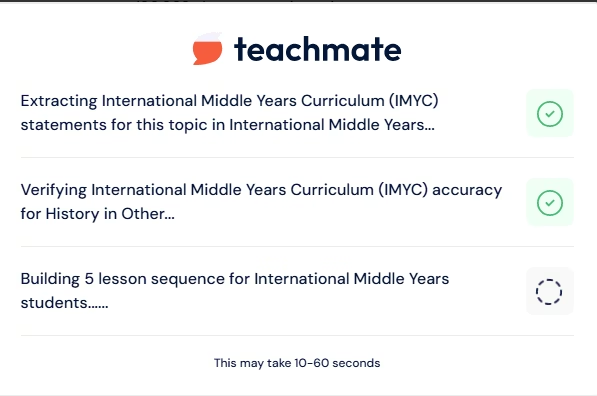
For schools, the practical value of these features isn't just in each tool on its own, but in being able to chain them in a single workflow. A medium-term planner generates the learning objectives that feed straight into the lesson planner; the lesson planner, in turn, can lead into a worksheet or a slideshow, all within the same session and without having to re-enter the context.
AI Features
- Generates structured educational content from the teacher's parameters (year group, subject, topic, learning objective).
- Differentiates texts to make them accessible at different reading levels or for EAL students.
- Generates assessment, exam-style, and exit questions tailored to the topic being taught.
- Creates materials for special educational needs, including support profiles and intervention plans.
- Assisted refinement: the refinement field lets you request specific changes to the generated output, including translation into another language.
- Writing-style analysis through Clone My Tone to bring outputs in line with the teacher's voice.
What sets Teachmate apart from a generic AI assistant is how specialised its tools are: each one is configured with the parameters that matter in an educational context (year group, curriculum, learner profile, formal or informal tone). That cuts down the need to craft elaborate prompts and keeps the learning curve low even for teachers with no prior AI experience.
Integrations
- Slideshow export to a downloadable PowerPoint-compatible format.
- Worksheets and other resources exported in print-ready format.
- Quiz export to external assessment platforms.
- Authentication via Google OAuth2 and Microsoft Azure AD.
The available integrations cover the basics for export.
Data Security and Compliance
The user (school or teacher) acts as the data controller, while TeachMateAI Ltd acts as the processor. The platform complies with the UK version of the General Data Protection Regulation (UK GDPR) and with the UK Department for Education's AI safety standards, and holds Cyber Essentials certification.
Personal data entered into the tools is stored for 28 days and processed exclusively within the United Kingdom and the European Union, on infrastructure from Amazon Web Services and Microsoft Azure, both of which hold SOC 2 and ISO 27001 certifications.
Teachmate explicitly states that it does not use customer data (inputs, outputs, or feedback) to train or fine-tune AI models. School data is deleted 28 days after the contract ends. Authorised company staff can access input or output data solely to resolve technical issues, and only at the customer's request or when strictly necessary to fix a technical problem.
Language: Customer Support and Interface
Teachmate's interface is available in English. The help centre includes a frequently asked questions section, a bug reporting form, and training resources for teachers.
AI Language: The Tool Itself
Teachmate is built in English and that's where it operates at full strength. Prompts in English return clean, consistent outputs that follow the parameters set in each tool, with the terminology and conventions of the curriculum selected. For international or bilingual schools that occasionally need materials in another language, the refinement field handles translation requests reliably, so an output generated in English can be reworked into another language without losing structure or accuracy.
On curriculum support, the platform offers nine natively integrated options, all from English-speaking education systems. For other contexts there is an "Others" option at sign-up, which lets you keep using the platform, but without the curriculum specificity of the natively supported systems.
Mobile Access
Teachmate is available as a web and desktop application. No dedicated iOS or Android app is documented in the official information available at the time of this review. The platform can still be accessed through mobile browsers.
Support, Onboarding, and Account Management
The platform offers a training resources section that includes a certified educator course, downloadable training slides to support adoption in schools, an AI policy template for institutions, an AI progression framework for schools, and access to regular CPD webinars.
For schools that adopt the platform across the institution, the school licence model includes centralised account management. Human support replies within 24 to 48 hours. The learning curve stays low thanks to the worked examples built into each tool's input fields and to the user guides, with numbered tips and real-world use cases broken down by teacher profile.
Ease of Use / UX
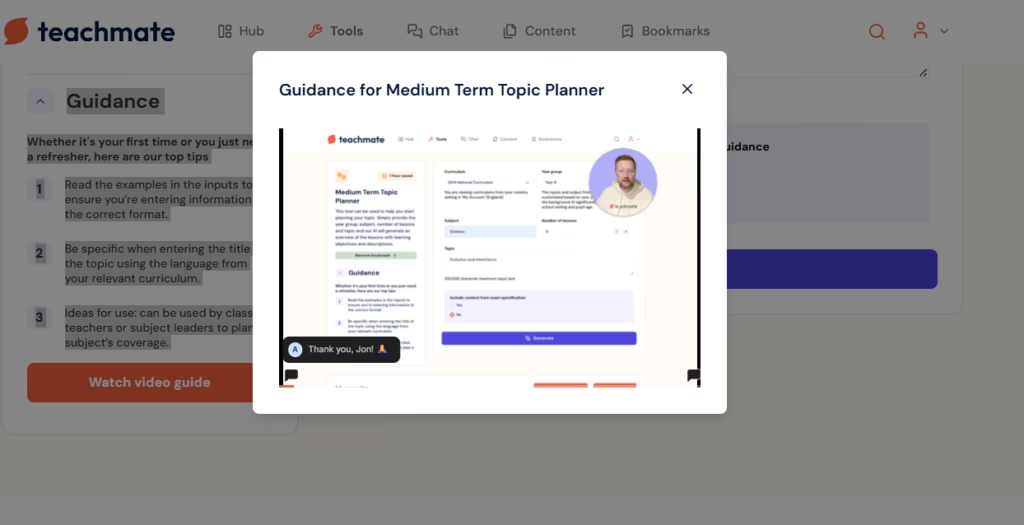
Teachmate's interface is straightforward and requires no technical expertise. Each tool has clearly labelled input fields with built-in examples that show the expected format.
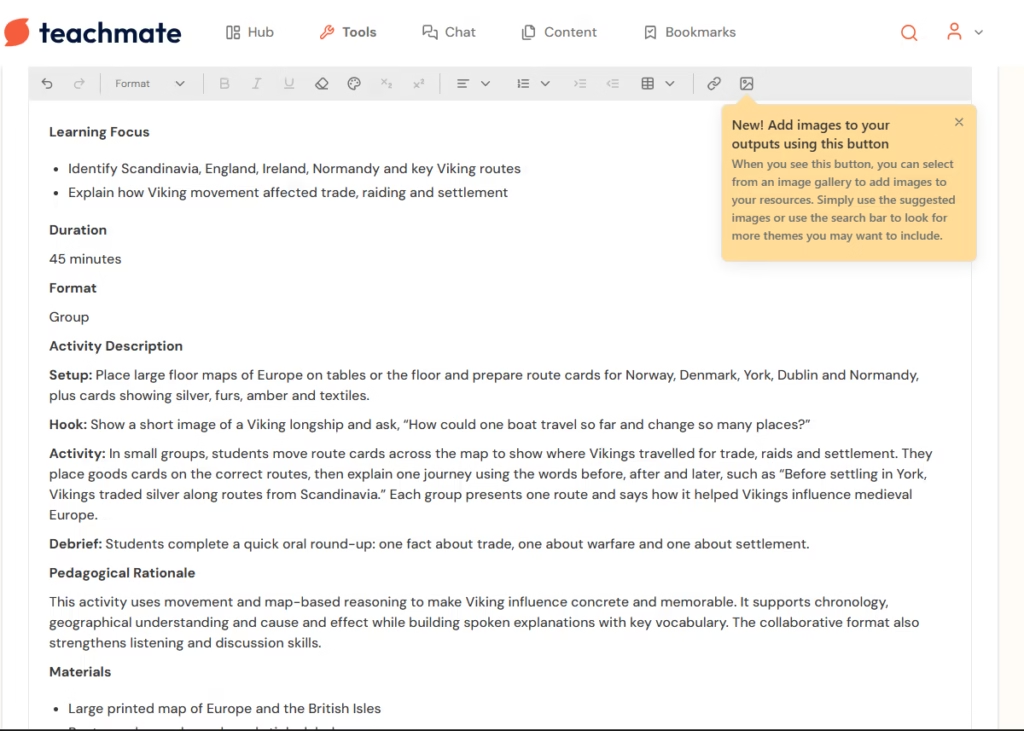
The output editor lets you adjust the text, drop in images from a built-in gallery with a search bar, and request specific changes through the refinement field.
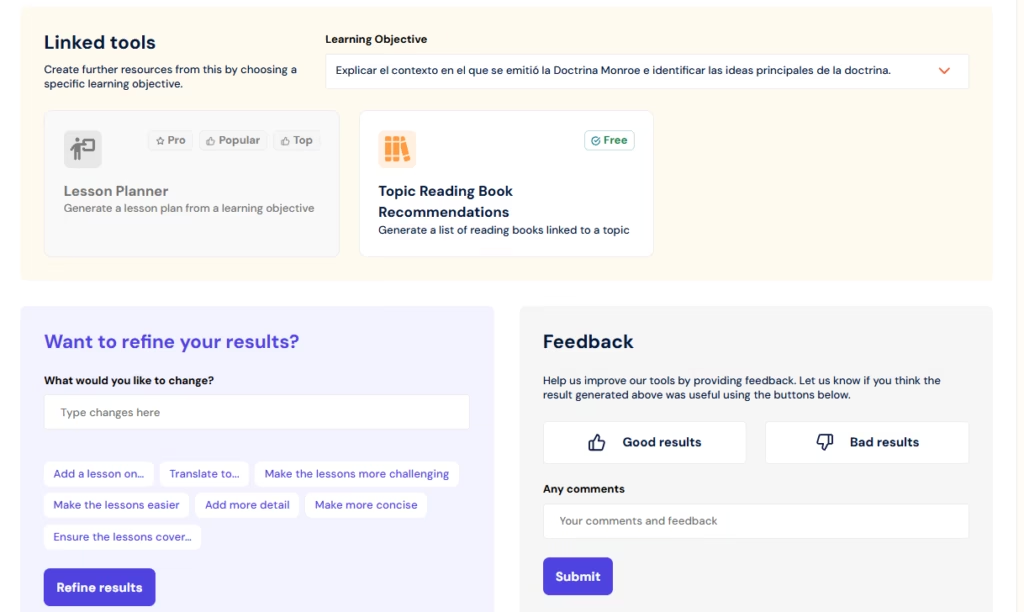
The linked tools feature automatically feeds the output of one tool into the next, saving time on tasks that take several consecutive steps. The option to clone the teacher's writing style with Clone My Tone is a clear differentiator compared with general-purpose AI platforms.
Pricing and Plans
Teachmate offers three access tiers:
- The Basic plan is free and lets you explore the platform without entering payment details, with access to a core feature set that includes the slideshow generator, user support, access to free professional development webinars, and a time-saved tracker.
- The Pro plan expands the features available, the content volume, and the level of support. It comes on a monthly or annual basis, with a significant discount on the annual subscription.
- The Whole School plan is designed for entire schools and institutions. It comes in packages ranging from ten licences to custom configurations for school networks and academy trusts, with tiered discounts based on the number of teachers covered.
Case Study
The 2026 impact report from the RISE Digital Skills and AI Hub, drawing on the work of nine practice groups, three school networks, and hundreds of teachers across the South West of England, documents one of the clearest real-world uses of Teachmate in school settings.
During the period analysed, Teachmate partnered with Cornerstones Academy Trust, Ted Wragg Trust, and Kernow Learning, providing free access to the platform and tailored demos to more than 50 professionals. The working group on inclusive education and curriculum adaptation used Teachmate tools in speech and language therapy sessions to support oral language development and pupils' understanding of instructions.
The report's findings are clear: greater consistency across sessions, less time spent planning, and better-structured activities. Speech and language therapists observed higher levels of pupil attention and sharper focus on individual language objectives. The process also led teams to revisit and update materials that had been in use for years. Building on these results, the work expanded into secondary schools to explore support for more complex language needs across different subjects.
The case illustrates something that doesn't always show up in product demos: Teachmate not only cuts preparation time but can also raise the quality and consistency of the support pupils receive with special educational needs.
Teachmate vs Alternatives
| Tool | User Profile | Main Focus | Key Limitation |
|---|---|---|---|
| Teachmate | Teacher or school leader who needs end-to-end support across planning, assessment, administration, and leadership | Platform with more than 160 specialised tools covering the entire teaching day, including admin and leadership | Optimised for English-speaking education systems; Spanish outputs need an additional refinement step |
| Chalkie AI | Teacher preparing visual materials and lessons for their pupils | Generation of complete lessons with editable slides, worksheets, and curriculum sequences; accessibility built into the design | Page limit when processing PDF files; outputs improve with narrow, well-defined topics |
Both platforms aim to cut preparation time, but in different ways. Teachmate covers the entire teaching day: planning, assessment, administration, leadership, and reports. Chalkie AI focuses on generating classroom-ready visual materials, with native support for forty languages and accessibility built in.
If the priority is preparing pupil-facing materials, Chalkie AI is the more direct option. If the teacher also needs help with reports, administration, or school leadership, Teachmate has no real equivalent in its category.
FAQs
Which education systems does Teachmate support?
The systems with native curriculum support are England, Wales, Scotland, Northern Ireland, Ireland, Australia, Canada, the United States, and New Zealand. International options are also available at sign-up (International Baccalaureate, IGCSE, International A Levels, the Spanish curriculum, and others), though without the same depth of curriculum integration as the English-speaking systems.
Does Teachmate have a free plan?
Yes. The free plan gives access to a selected set of tools without requiring payment details. It's an effective way to explore the platform before deciding whether the Pro plan suits the school's needs.
Is it safe to use Teachmate with pupil data?
Teachmate complies with UK GDPR and with the UK Department for Education's safety standards, and holds Cyber Essentials certification. Data is processed and stored exclusively in the United Kingdom and the European Union, with encryption in transit and at rest. The company states that it does not use customer data to train AI models.
What are the best alternatives to Teachmate?
Chalkie AI for generating teaching materials and classroom presentations, with stronger native support for Spanish and other languages. For analysing institutional documents or strategic planning based on in-house sources, NotebookLM is a solid alternative in research or academic management contexts.
Still weighing up Teachmate?
See how it compares with the other tools we've reviewed in AI for Research.