
Expensify: AI-Powered Spend Management & Reimbursements
Expensify is an accounting add-on that digitises and automates the entire expense cycle, with receipt capture, categorisation, approval, reimbursement, and export to your existing accounting system. Its SmartScan engine (AI + OCR) extracts data from the mobile app, email, and (US-only) SMS, while the platform unifies corporate cards, travel management, and reimbursements in a single flow.
This review evaluates Expensify as an AI-driven tool for SMEs and accounting firms and where its localisation and enterprise-grade needs may still require complements.
AgentAya Verdict
Expensify is a strong choice for SMEs that want to reduce manual work and standardise spend policies without changing their core accounting software. SmartScan plus Concierge AI automate key steps (receipt capture, expense categorisation, policy enforcement) while the Expensify Card delivers granular control over corporate spend (with US cashback benefits).
Security is another plus: role-based access controls protect sensitive financial data which is useful for teams facing audits or regulatory requirements. While Expensify focuses primarily on expense management, larger enterprises may still want deeper native budgeting/FP&A.
Bottom line: a pragmatic balance of cost, automation, and integrations, especially for organisations running QuickBooks, Xero, or NetSuite that want accounting efficiency without additional complexity.
Score Breakdown
| Category | Score | Short description |
| Features & Functionality | ⭐⭐⭐⭐ (4.0/5) | SmartScan, policies, reimbursements, card & travel in one. |
| Integrations | ⭐⭐⭐⭐⭐ (5/5) | QuickBooks, Xero, NetSuite, Intacct, Workday, and more. |
| Language & Support | ⭐⭐⭐⭐ (4/5) | 24/7 Concierge in English; UI can be used in Spanish. |
| Ease of Use | ⭐⭐⭐⭐ (4/5) | Clear end-to-end flow from capture to reimbursement. |
| Value for Money | ⭐⭐⭐⭐ (4/5) | Time savings, cashback, and a free trial available. |
Overall AgentAya Score: ⭐⭐⭐⭐ 4.2 / 5
Robust AI expense add-on; localisation is improving.
Ideal For
- SMEs and accounting firms with high receipt volumes seeking automated capture & publishing.
- Mobile teams submitting via phone or email.
- Businesses needing centralised control with corporate cards and automated policies.
Not Ideal For
- Companies needing full tax localisation or end-to-end Spanish in every feature.
- Organisations outside the US looking for cashback or SMS capture.
- Users that require highly bespoke reporting without external BI.
Key Features
Expensify centralises the expense and T&E lifecycle, aiming to remove manual work and deliver real-time visibility from receipt to reimbursement.

- Complete expense management: create, submit, approve, and reimburse automatically; reports sync with your accounting system.
- Travel & mobility: book flights, hotels, cars, or trains in-app; bookings auto-link to expenses for unified T&E.
- Expensify Card (Visa®): corporate card with US cashback; can reduce subscription costs. If a card is lost or a suspicious charge appears, admins can freeze and unfreeze the card directly from the Card Details panel, no support call needed.
- Receipt capture: snap a photo, forward to receipts@expensify.com, upload a file, or (US) send via SMS; AI fills the details. Multiple receipts can also be attached to a single expense, useful when a transaction generates more than one document, such as a hotel folio and a supplementary invoice.
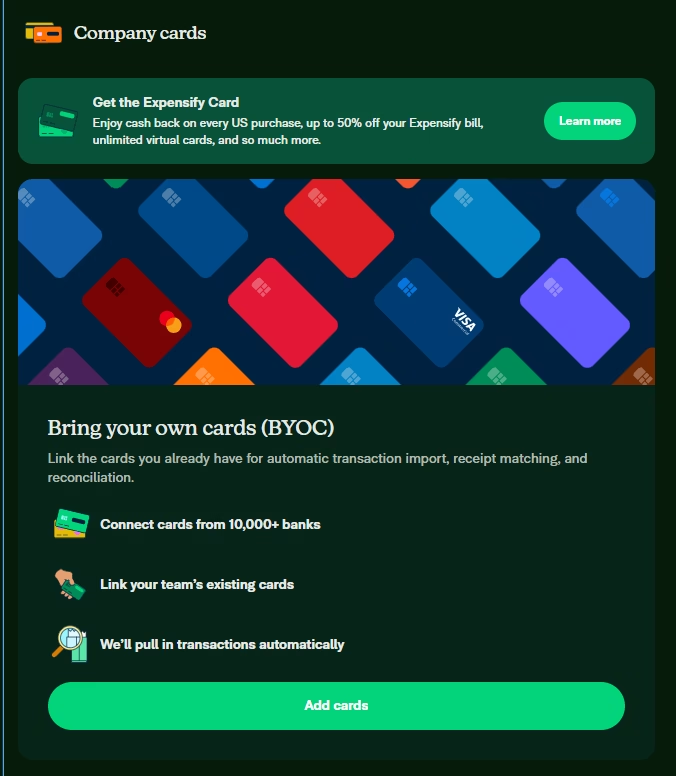
- Credit card imports: connect corporate or personal cards to import transactions, match receipts, and reconcile with minimal touch. Through the bring your own cards (BYOC) feature, Expensify connects with 10,000+ banks worldwide, enabling automatic import and reconciliation of existing corporate card transactions with no card switch required; for banks without a direct connection, admins can import these transactions via CSV file.
- Global reimbursements: pay employees/contractors globally in local currencies.
- Unlimited virtual cards: issue instantly for employees, vendors, or projects.
- Automated approvals & policies: group, validate, and approve expenses in seconds.
- Spend controls: limits, approval workflows, and real-time visibility.
- Financial reports & budgets: build reports, analyse trends, manage budgets by team or project.
- Bills & payments: capture vendor bills and pay them in-platform; issue invoices and track collections.
- Built-in chat: resolve questions within each expense or report, no email back-and-forth.
- Expanded prohibited expense controls: the system can automatically flag receipts that include alcohol, tobacco, gambling, adult entertainment, hotel incidentals, handwritten receipts, and gift card purchases, based on rules configured by the workspace admin.
- Bulk expense editing: select multiple expenses and update the category, tag, merchant, description, or date across all of them at once; or move, download, hold, and delete them in bulk.
- Deleted expense recovery: deleted expenses and receipts can be restored from the Expenses section by filtering for Deleted status.
- Expense policy PDF upload: admins can upload the company expense policy directly to the workspace, making it visible to all employees in one place.
SME impact: operate with “big-team efficiency”: fewer errors, better control, more time for growth.
AI Features
- SmartScan: accurately extracts amount, date, merchant, and currency (≈99% accuracy) from receipts.
- Concierge AI: a smart assistant that answers questions, enforces policies, flags issues, and can approve/submit from chat.
- Proactive fraud checks: line-by-line receipt reviews to flag inconsistencies or manipulated documents.
- Auto-categorisation: learns from user history and company policies to improve accuracy over time.
The standout: AI is embedded in the workflow not just recommendations, but automated actions (generate reports, enforce limits, approve transactions) with minimal human intervention.
Integrations
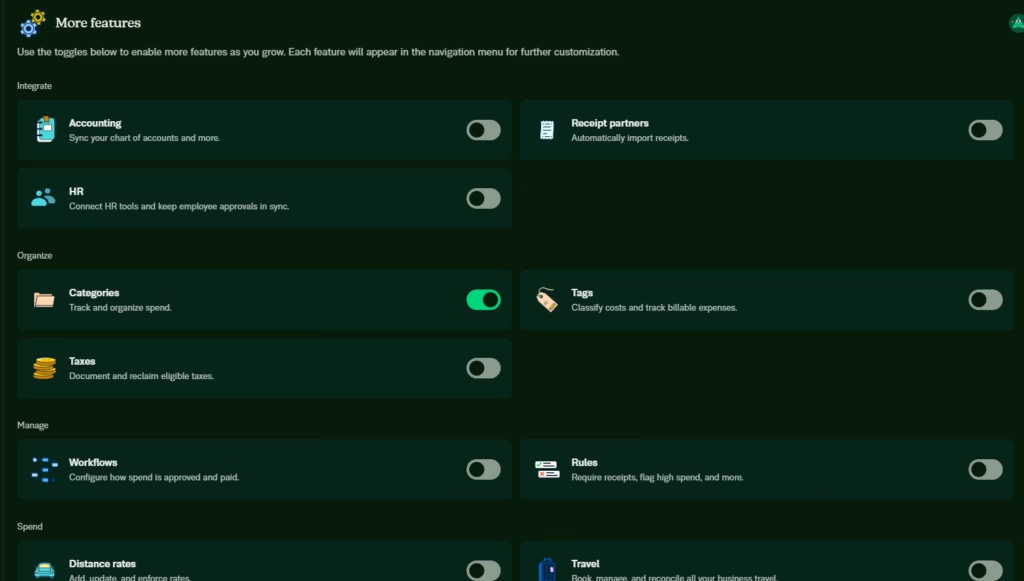
Expensify offers 45+ native integrations, including QuickBooks (Online and Desktop), Xero, NetSuite, Sage Intacct, Workday, Gusto, Rippling, Deel, ADP, Zenefits, Uber, Lyft, DoorDash for Business, TravelPerk, Spotnana, Delta, American Airlines, AirPlus International, Grab, Bolt, SpotHero, The Parking Spot, ParkWhiz, Hotel Engine, Corporate Traveler, Revel Systems, Tripcatcher, Locomote, CTM, STAR, IRIS Practice Engine, Wolters Kluwer, Thomson Reuters, and 9Spokes, among others.
An official API supports custom enterprise workflows. Together, these integrations keep accounting, banking, HR, and travel data in sync, reducing errors and month-end friction.
Security & Data Compliance
Expensify positions data protection as a core pillar:
- Encryption: SSL/TLS in transit; encrypted at rest on secure infrastructure.
- Access: 2FA and SSO supported.
- Certifications/Frameworks: SOC 1 & SOC 2 Type II, PCI DSS Level 1 for financial operations; GDPR-aligned controls.
- Data handling: acts as a data processor; customers retain data ownership. Sharing with third parties is limited to service provision (e.g., payment processors). No sale of personal data.
- International transfers: participates in the EU-U.S. Data Privacy Framework (with UK/Swiss extensions).
- Governance: legal requests are reviewed and challenged if inappropriate; secure deletion after the data is no longer required.
Takeaway: a mature security posture suitable for SMEs handling sensitive and cross-border transactions.
Language – Support & Interface
Expensify provides 24/7 support (chat, email, video). Concierge and commercial assistance are available in English, with Spanish usage supported through a translated interface (Settings → Preferences → Language) and growing help-centre coverage.
AI Language – The Tool
Automations run without prompts. SmartScan handles 150+ currencies and receipts in multiple languages (including Spanish). Concierge AI can interact in Spanish, though some canned system messages may remain in English.
Mobile Access
Native iOS and Android apps provide full functionality: capture, mileage, review, approvals, notifications. A responsive web app covers desktop and mobile browsers. SMS receipt forwarding is US-only.
Support, Onboarding & Account Management
A layered model mixes automation with human help:
- Concierge 24/7 for instant answers.
- Setup Specialists for initial configuration.
- Account Managers for best practices.
- ExpensifyHelp (guides, videos, FAQs).
- Partner Managers for certified accounting firms.
- For accounting and bookkeeping firms, Expensify offers the ExpensifyApproved! programme, with preferential pricing for the firm’s clients, a 0.5% revenue share on clients’ Expensify Card spend, early access to new features, priority onboarding, dedicated support through an assigned Partner Manager, and co-marketing opportunities. Certification is obtained by completing the official Expensify course.
Onboarding is quick and guided, ideal for first-time adopters of automated expense tools.
Ease of Use / UX
A clean, consistent interface across web and mobile.
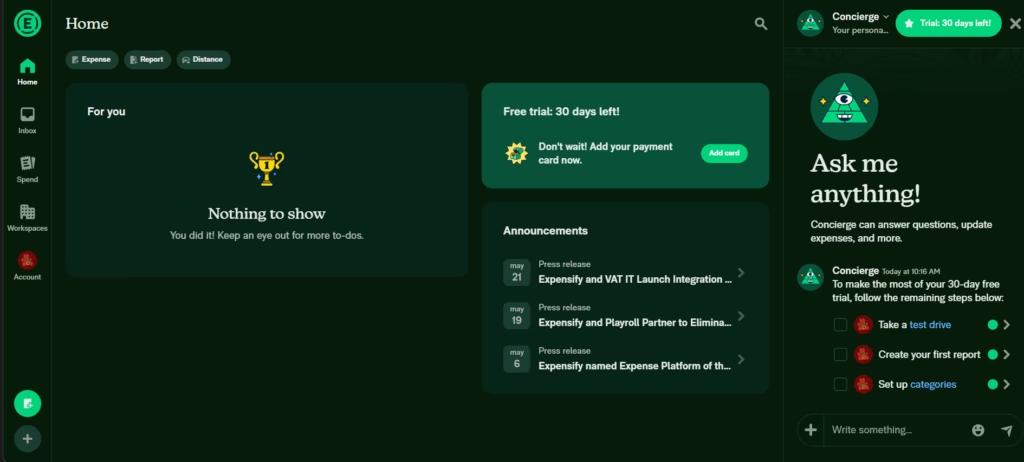
The built-in chat reduces email threads; dashboards highlight pending/approved/reimbursed states clearly. Most teams see time-savings and fewer errors within weeks.
Pricing & Plans
Subscription plans (Collect and Control) scale by features and company size, with a free trial, quick demo, and annual billing discounts. Pricing and availability vary by region/currency.
The Collect plan, at $5 per member per month, covers unlimited SmartScan receipt scanning, reimbursements, corporate card management, expense and travel approvals, travel booking, QuickBooks and Xero integrations, and built-in chat on expenses and reports.
The Control plan is custom-priced from $9 per active member per month and adds multiple approval workflows, custom expense rules, NetSuite, Sage Intacct, and QuickBooks Desktop integrations, Workday and Certinia connections, SSO/SAML, custom reporting and insights, and budget management by team or project.
Individual users can access New Expensify for free, with unlimited SmartScans, peer-to-peer payments, and chat. Pricing and availability vary by region and currency. Using the Expensify Card unlocks additional subscription discounts.
The Expensify Visa® Commercial Card earns 1% cash back on all US purchases with no minimum spend, and 2% back when monthly card spend across the workspace exceeds $250,000. Using the card for at least half of business purchases can reduce the Expensify subscription cost by up to 50%. Accountants enrolled in the ExpensifyApproved! programme receive an additional 0.5% revenue share on their clients’ card spend, which they can retain or pass through as extra cash back to clients. All cashback benefits apply to US purchases on US-issued cards only.
Case Study
AccordCare, a home healthcare organisation with over 300 employees and more than 75 years of industry experience, adopted Expensify to address persistent operational pain points: slow month-end closes, delayed reimbursements, lost receipts, no centralised card management, and time-consuming audits. The NetSuite integration eliminated manual data entry and automated 100% of accounting entries. Mobile receipt capture via SmartScan reduced documentation errors, and automated approval workflows sped up reimbursements. According to Meshell Roberson, AccordCare’s Accounting Manager, Expensify made the month-end process significantly easier. Other Expensify customers report comparable outcomes: 48+ hours saved per month with SmartScan, a 90% reduction in card reconciliation time, and reimbursements processed up to 50% faster.
Expensify vs Alternatives
Dext (Prepare/Precision)
Pros: multi-channel receipt and invoice capture with 99%+ OCR accuracy, direct general ledger publishing, and connections to 11,500+ banks. Its proprietary AI agent, Dext AI Assist, learns from the accounting team’s decisions to automate categorisation and VAT treatment.
Cons: no corporate cards, cashback, or travel features. Supplier payments are available only for UK clients on Xero. No Spanish-language support.
Pros: end-to-end autonomous AP automation with Autopilot, PO matching, integrated payments via VicPay™, and AI agents for repetitive financial tasks.
Cons: no Spanish interface or support; automated payments limited to the US; no features for travel, employee reimbursements, or corporate expense management.
Choose Expensify when you need a unified solution combining employee expense management, corporate cards, travel, and global reimbursements with embedded AI, particularly for teams operating outside the US or requiring Spanish-language support.
Related Tools
| Tool | |
|---|---|
 | |
 |
FAQs
Is Expensify a good add-on for SMEs?
Yes. It saves time, reduces errors, and integrates with your accounting stack.
Is it available in Spanish?
Yes. The UI can be used in Spanish, and Concierge provides multilingual assistance (core help content still growing).
Does Expensify replace my accounting system?
No. It complements systems like QuickBooks, Xero, NetSuite, or Sage Intacct.
Does it include a corporate card and cashback?
Yes. The Expensify Card provides cashback (US) and extra plan benefits.
How secure is the platform?
Expensify meets SOC 1/2 Type II, PCI-DSS, GDPR alignment, with full encryption and strong access controls.