

Creatio Review
Creatio is a complete platform for companies anywhere in the world that want to grow on a solid CRM and automation foundation. It loses a few points because it leans more toward scale than toward the solo freelancer, and the languages covered by live support are not spelled out.
Creatio is one of the most complete platforms we have reviewed for anyone who needs CRM and process automation in a single environment. Its real strength is the mix of a seriously powerful no-code studio, agentic CRM products, and an AI-native architecture that runs right through the platform. That combination lets a business start with the basics and scale up to complex processes without ever switching tools. It is not, however, a five-minute fix. Creatio's real payoff comes with a well-planned implementation.
Our take: Creatio shines in SMEs that already have some structure and real automation needs; for a freelancer who just wants to hand off the odd task, it is probably overkill.
Averaged from the breakdown below
- Growing and mid-market companies that need CRM and automation on a single platform.
- Teams that want to build custom apps without writing code.
- Organizations in regulated sectors (banking, insurance, healthcare, pharma) that need governance and flexible hosting options.
- Businesses with complex processes spanning sales, marketing, and service.
- Freelancers or micro-teams that only want to automate the occasional task, with no implementation.
- Anyone who needs something ready to use in minutes, with zero setup.
- Very tight budgets that cannot stretch to a per-user plan plus the mandatory support package.
Key features
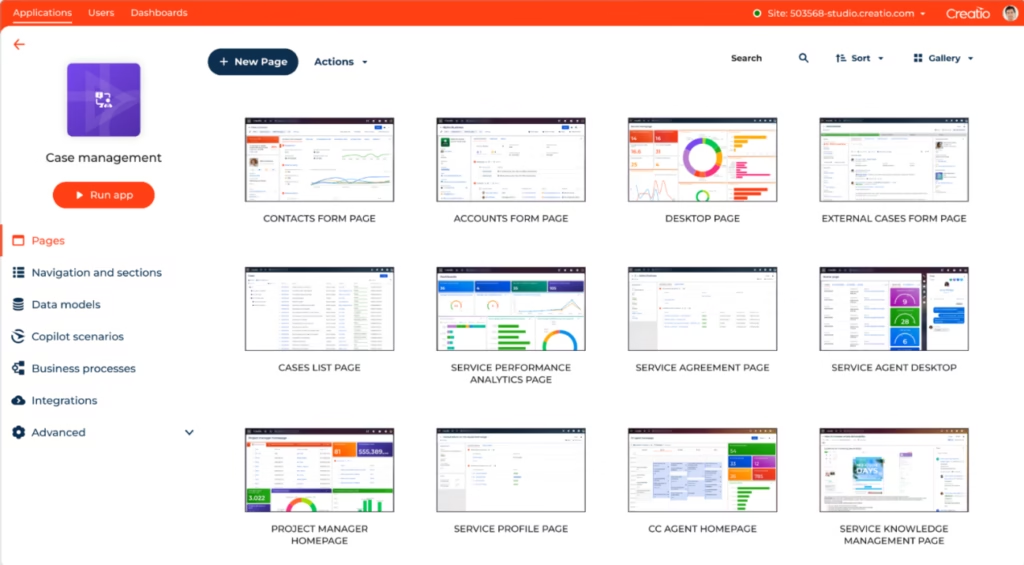
- Creatio Studio (Business & AI Studio): a no-code and low-code environment for designing interfaces, modeling data visually, automating processes, and building interactive reports and dashboards.
- Composable architecture: assemble and reuse components, with a no-code library and access to the Creatio Marketplace to extend applications.
- Business process management (BPM): automation of structured and dynamic flows, human-in-the-loop processes, and an agile case management framework.
- CRM products: sales, marketing, and service modules running on the same unified platform.
- User and access management: different personal license types (external, limited internal, mobile-only, and full) and configurable permissions across data and features.
- Interface localization: built-in translation tools and support for many languages.
- Mobile app with Freedom UI: access to CRM data from your phone, with offline mode.
Together, these features help SMEs cut spending on scattered tools and save time, since they centralize customer information and automate the manual tasks people used to repeat every day across spreadsheets or separate systems.
AI features
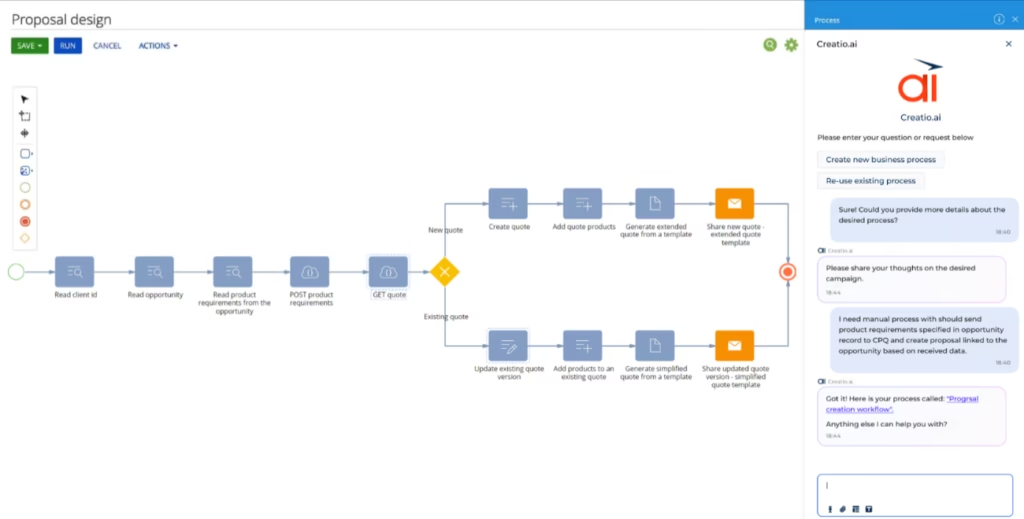
- Creatio.ai and the AI Command Center: an AI-native architecture that lets you create, monitor, and manage every AI skill from a single control center, all in natural language.
- Built-in AI skills: ready-to-use assistance for sales, marketing, service, and general workflows.
- Agentic marketing: self-updating 360° profiles, real-time lead capture and qualification, and multichannel campaigns (email, SMS, and digital ads) that run autonomously.
- Agentic service: intent detection, automated case resolution, SLA intelligence that anticipates breaches, and a living knowledge base that AI updates continuously.
- Human-in-the-loop AI: agents with supervised autonomy, supervised predictive AI, and generative AI with user validation.
- AI development kit: works with coding agents such as Claude Code, Codex, and GitHub Copilot to build applications and data models from prompts.
- Industry-specific AI agents: trained on each industry's logic and workflows.
The really clever part is how the agents act with supervised autonomy inside real business processes, and that you can build that automation just by describing it in natural language. Plenty of tools simply automate tasks based on fixed rules; Creatio goes further, applying AI reasoning to run campaigns, sort leads, and speed up case resolution, while your team keeps the final say at every step.
Integrations
- An extensive library of ready-made integrations, plus the option to build your own connections when you need to link specific systems.
- Connectors available in the Creatio Marketplace, such as Apollo.io and ZoomInfo to enrich contacts and accounts, PandaDoc and DocuSign for document management and signatures, and Cyclr to build flows across different APIs.
- MCP tools and the Clio command-line utility, handy for managing platform configurations.
The omnichannel messaging connectors in the Marketplace cover several communication channels. On top of that, an open API lets you build custom integrations with the enterprise systems you already run.
Data security and compliance
Creatio builds its security on a zero-trust model and puts the emphasis on data residency and ownership, so control stays in the customer's hands. When it comes to using customer data to train AI models, the platform does let you bring your own large language model (LLM).
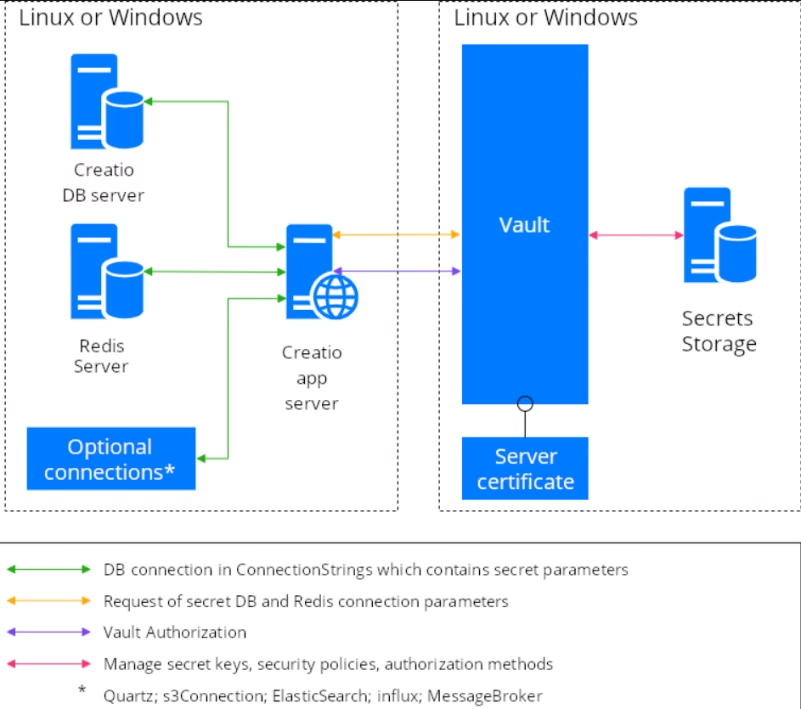
The architecture includes a dedicated data-privacy layer, segmentation and isolation between departments, and encrypted API integrations that protect information in transit and at rest. For the most sensitive data, like passwords, API keys, and access tokens, Creatio can store it securely in HashiCorp Vault rather than leaving it in configuration files.
On the compliance side, the platform helps you meet regulations such as GDPR, HIPAA, and SOC 2, and provides a governance framework with policy-based controls, audits, explainable AI (XAI), and transparency. Access control is encrypted and role-based.
Language: Customer support and interface
Creatio localizes its interface into a wide range of languages, with built-in translation tools that need no extra software. The Academy's technical documentation, however, is mostly in English."One thing worth keeping in mind: business data, like account or contact names, is not translated and shows up in whatever language you entered it in.
For customer support, Creatio offers email, phone, and live screen-sharing sessions. The official material does not say which languages live support covers, so if your team needs support in a specific language, it is worth checking with the vendor first.
AI language
Localization has a big influence on whether a tool gets adopted, and this one can work in more than one language: you can create and manage AI skills, processes, and applications simply by describing them in natural language. That said, Creatio lets you connect your own large language model (LLM), so how far the AI stretches across languages will depend largely on the model you pick.
Mobile access
The Mobile Creatio app for iOS and Android is built on the Freedom UI interface and runs on Android 7 or higher. It syncs with the Creatio server and lets you view, create, edit, and delete records, call contacts directly, and work offline. It works well for CRM tasks on the go and for the field force, while you handle the deeper application building and customization in the platform's desktop-oriented designers.
Support, onboarding, and account management
Creatio provides four dedicated support lines and three packages, AI Support, Business, and Premium, which differ in response times, channels, number of authorized contacts, and proactive monitoring. Premium adds 24/7 availability, and the channels span a customer success portal, email, phone, and live screen-sharing sessions. For self-service, you have the Creatio community, the Academy, and a knowledge base.
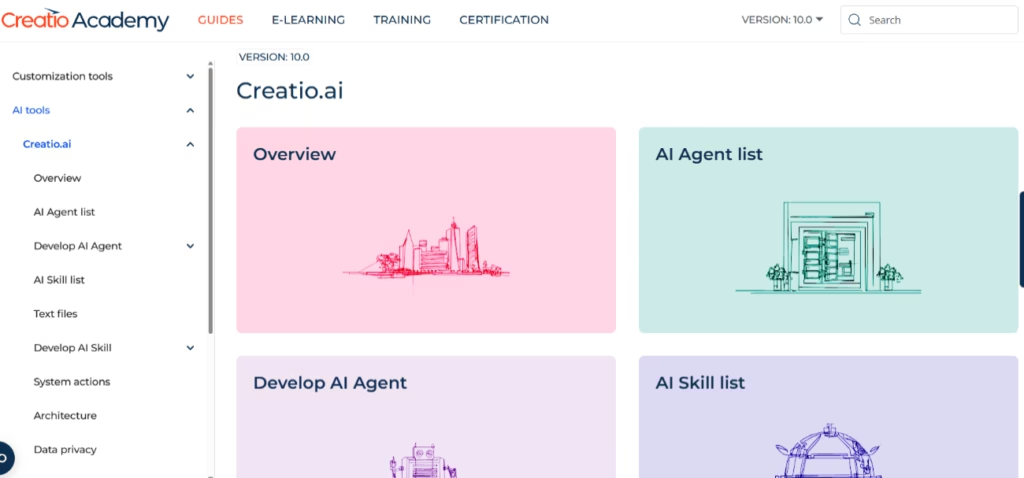
For onboarding, the platform provides a best-practice implementation guide, and account management can include a quarterly activity report and proactive monitoring, depending on the package. Creatio Academy adds e-learning, instructor-led training, Tech Hour sessions, guides, and certification. For an SME with little technical experience, this learning ecosystem is a solid safety net, though you will want to budget for training time.
Ease of use and UI
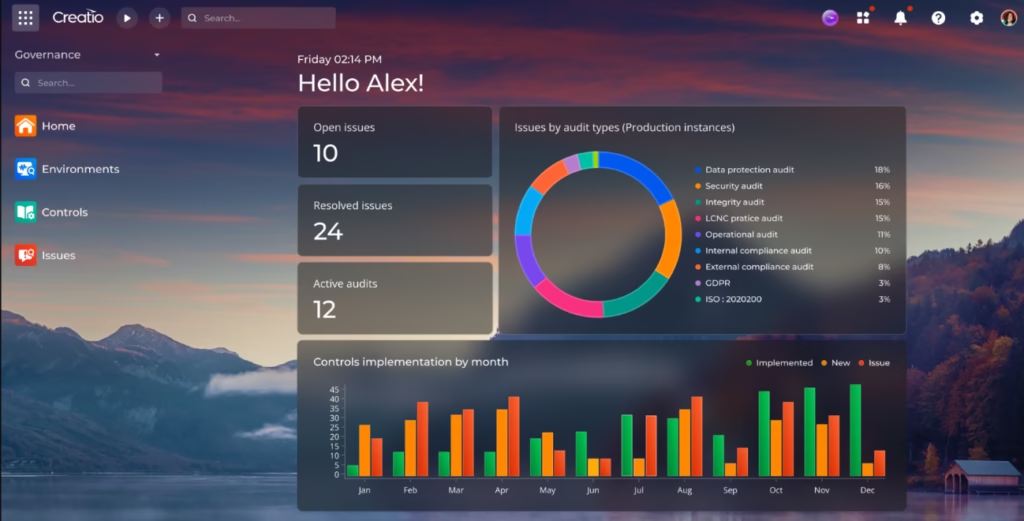
The visual interface and drag-and-drop tools put basic tasks within reach even for non-technical users, and user reviews highlight just how intuitive and flexible it is.
The sticking point, according to those same reviews, is the learning curve for advanced customization and administration: setting up complex flows and integrations can call for extra training. Even so, the Vetoquinol case shows an organization can start seeing a better user experience within the first two weeks, so the time to value is reasonable when the implementation is well planned.
Pricing and plans
Creatio's pricing is composable and value-based: you can add applications and components as you go, and choose between per-user pricing or an Unlimited plan for an organization-wide rollout. The platform offers three tiers, plus add-ons that stack according to what you need:
- Growth: the entry tier to start automating and growing.
- Enterprise: extends automation at scale across all teams and workflows.
- Unlimited: full access to the platform and the CRM products, with no per-user limit.
- Agentic CRM products: sales, marketing, and service come as add-ons.
- AI packages: different annual consumption tiers, up to fully customized options.
Creatio bundles every AI feature into the base license, on a consumption model with no hidden charges. The trade-off is that every customer has to buy a support package for the full subscription period, something to keep in mind when you work out the total cost. You can request a demonstration and book a live demo before you commit. For up-to-date Creatio pricing and plans, check the official website.
Case study
Vetoquinol, a global veterinary pharmaceutical company founded in 1933 with around 2,500 employees across 24 countries, had been wrestling with fragmented customer management: some regions were still working with pen and paper, while others leaned on outdated digital systems. The company rolled out Creatio's no-code CRM using a three-layer approach that blends ready-to-use features, a common core for global needs, and country-specific customizations.
Canada served as the pilot country. As Francois Breault, CRM specialist at Vetoquinol Canada, tells it, the challenge was not just technological but a matter of mindset, since some users were used to paper. Within a few weeks, the team built and rolled out a competitor management module, and other subsidiaries started taking an interest in replicating it. The payoff was greater global consistency alongside local flexibility, performance tracking through custom metrics, and a mobile app for the field force with geolocation and order taking, all on a single platform. You can read the full case study here. https://www.creatio.com/page/customer-success/vetoquinol
Creatio vs Alternatives
Creatio is a CRM and automation platform built for growing companies that want to build and scale processes; Sintra AI is a suite of ready-made AI assistants aimed at freelancers and very small businesses that want to offload tasks with no implementation at all.
| Aspect | Creatio | Sintra AI |
|---|---|---|
| Target audience | Growing and mid-market companies | Freelancers and very small SMEs |
| Focus | CRM platform + no-code automation with AI agents | 12 pre-built AI assistants |
| API | Available, allows custom integrations | No API keys offered |
| Deployment | Private cloud, on-premises, or hybrid | Cloud SaaS |
| Setup | Requires planned implementation | Almost immediate use |
In short, put Creatio and Sintra AI side by side and Creatio comes out ahead on the number and scope of its features, and on control and customization, while Sintra AI wins on simplicity and speed for the smallest businesses.
FAQs
Is Creatio a good tool for SMEs?
Yes, especially for growing SMEs whose processes span sales, marketing, and service. For a freelancer who only wants to automate the odd task, it may be more than they need.
Does Creatio support multiple languages?
Yes. The interface can be localized into a wide range of languages using built-in translation tools, and its AI can operate across languages depending on the model you connect.
What are the best alternatives to Creatio?
For smaller businesses after ready-to-use AI assistants with no implementation, Sintra AI is worth a look.
Does Creatio have a mobile app?
Yes, the Mobile Creatio app for iOS and Android gives you access to CRM data and works offline.
Still weighing up Creatio?
See how it compares with the other tools we've reviewed in CRM Tools.