
Yoodli Review
Yoodli runs spoken AI role-plays for sales, support and leadership teams, scoring word choice, filler words and delivery against a rubric you define.
Yoodli trains something almost no organization practices on purpose: getting through a tough conversation without winging it. Its architecture stacks three layers (learn with an AI tutor, practice with simulations, and lock in the habit with continuous coaching), and on top of that it adds role-plays with several counterparts at once, instant feedback, and dashboards that track a whole team's progress.
It's a mature, transparent platform: it publishes its pricing, holds security certifications, and already runs at demanding companies. The catch is the focus. Yoodli sharpens how you communicate, not what you decide to say, and its free plan is built for kicking the tires, not for steady use. AgentAya's take is straightforward: for any organization that needs to build strong communicators at scale, it's one of the smartest bets on the market right now. Start with the free plan, prove the value, then scale.
Averaged from the breakdown below
- Sales and customer-service teams that need to rehearse discovery, objection handling, demos, and tense conversations before they happen live.
- L&D functions at mid-sized and large companies that want to standardize training and certification across a lot of people without hiring more instructors.
- Leaders and middle managers prepping for performance reviews, hard feedback, or high-stakes presentations.
- Anyone hoping for a tool that writes the message for them: Yoodli trains delivery, it doesn't hand you the script.
- Teams that only dip in now and then: the payoff comes from steady repetition.
- Organizations that need the interface fully localized into a language other than English, with every last string translated.
Core Features
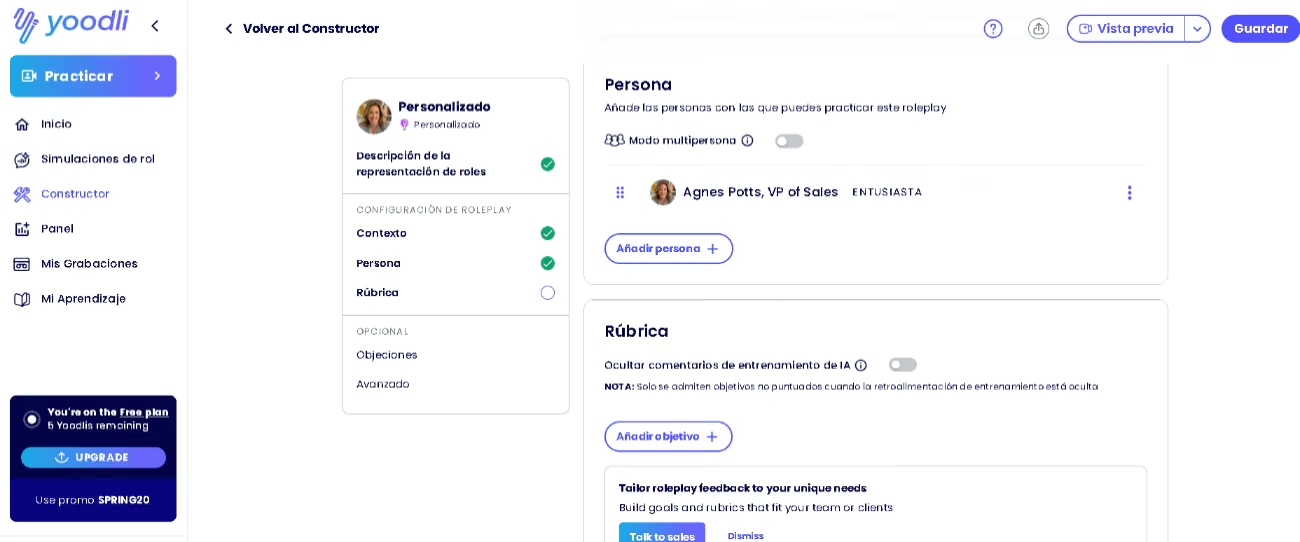
- A library of ready-made templates, plus a builder that spins up your own scenarios from a simple conversation, with clear sections for context, persona, rubric, and objections.
- Role-plays with several counterparts at once, recreating an interview panel, a buying committee, or a group presentation.
- An analytics panel and a recordings panel that keep your session history and progress in one place.
- A learning panel with short drills to sharpen structure, concision, and control over filler words.
- A desktop app that feeds you private suggestions during online meetings and reads only your voice, so no one else is any the wiser.
- Account settings with calendar syncing, configurable notifications, and control over who can see each recording.
- The option to share your screen mid-practice, so the AI sees your materials and reacts to what you put in front of it.
For a company, this lineup saves something more valuable than money: it heads off conversations that fall flat. Rehearsing a demo, a negotiation, or an awkward call before it happens lowers the odds of losing an opportunity to a communication slip rather than a product one. And by pulling preparation, practice, and measurement into one place, it replaces hours of in-person workshops that neither small businesses nor large organizations can run on demand.
AI Features
- AI counterparts that answer in real time, throw in follow-up questions, and even wrap up the conversation on their own when it's going great or falling apart.
- An AI tutor that teaches your company's methodology and product one-on-one, checks that you actually understood by asking questions, and adjusts the path to how each person performs.
- Continuous coaching that keeps practice alive after formal training and realigns it whenever messaging or priorities shift.
- Instant feedback on pace, filler words, clarity, and delivery, scored against the rubric and methodology each organization sets.
- Automatic generation of role-plays, tutors, and personas from presentations, meetings, and call data.
What's genuinely smart here isn't that the tool talks, but that it teaches and evaluates in one seamless flow. Mid-role-play, the AI tutor pulls up slides, documents, and images on its own screen, walks through the material the way an instructor would, fields your questions on the spot, and then rolls straight into practice with instant feedback. And you don't have to build that material by hand: Yoodli generates the visual learning content from a presentation or document you upload, in minutes. Learning and practicing stop being two separate stages and happen inside the same conversation, something no static quiz or video pulls off.
Integrations
- Learning management and experience systems: SCORM, LTI, and web embed, with connectors for Docebo, Intellum, and Flockjay.
- Enablement and sales: Highspot, a Salesforce Lightning embed, and call intelligence through Gong.
- Human resources: Workday, with custom integrations for other systems.
- Collaboration and cloud: Slack, Microsoft Teams, Snowflake, Google Drive, and deployment on AWS, Azure, or GCP.
- Identity: single sign-on (SSO) and SCIM provisioning.
- An open API for custom builds and an MCP connection that links Yoodli to AI tools like Claude to spin up scenarios on the fly.
Yoodli doesn't document connectors for messaging apps like WhatsApp; its home turf is corporate learning, sales, and data systems, where the depth of integration really stands out.
Data Security and Compliance
You keep ownership of your data, and on paid and organizational plans, conversations stay out of AI training by default; on basic individual plans, you can switch that use off yourself. The platform encrypts data in transit (TLS 1.2 or higher) and at rest (AES-256 or higher), complies with the GDPR, and holds SOC 2 Type 2 certification, backed by penetration testing and an incident response plan. Access is managed through single sign-on (via Google, Microsoft, SAML 2.0, and OpenID Connect) and role-based permissions. By its own account, Yoodli collects only basic personal data (name, email, IP address, and the recordings you upload), with no sensitive or health data.
Language: Customer Support and Interface
The interface follows your browser's preferred language and defaults to English. There's no language selector inside the product, so you switch languages by reordering your browser's list. Yoodli localizes its interface into nearly thirty languages, among them English (with US, UK, and Australian variants), Portuguese (Brazil and Portugal), French (France and Canada), German, Italian, Chinese, Japanese, Korean, Hindi, Russian, Polish, and Arabic.
AI Language: The Tool Itself
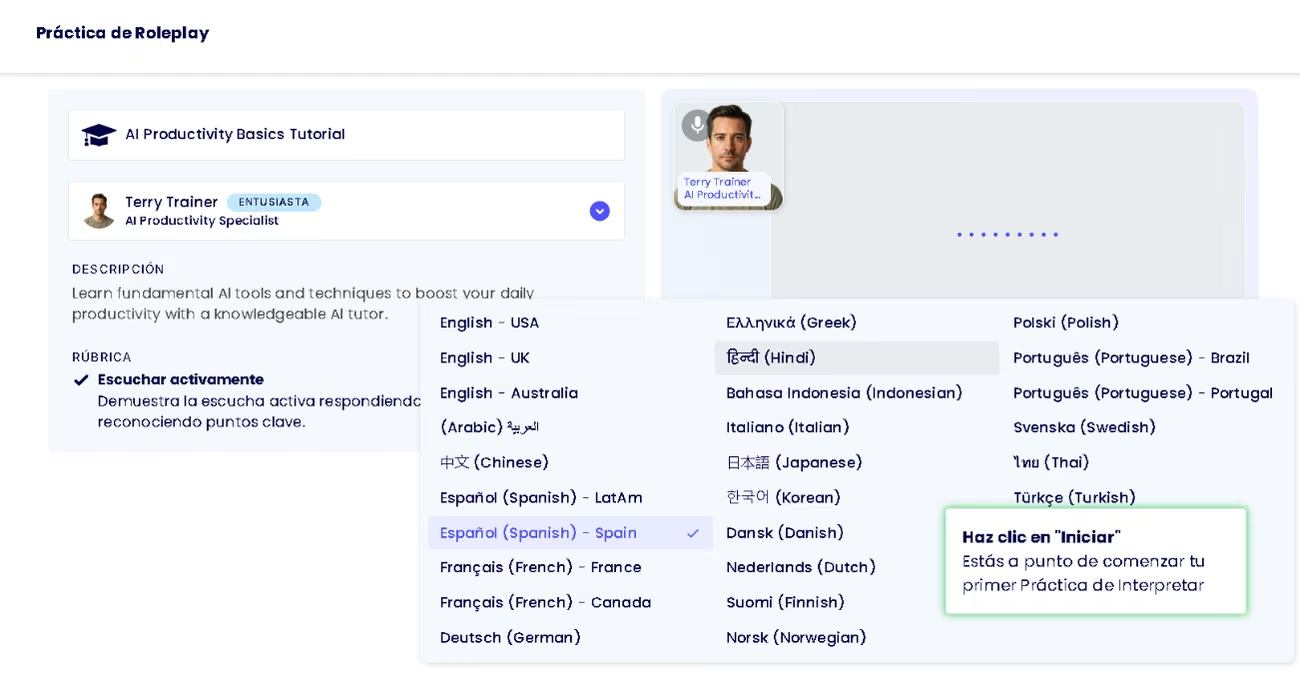
The AI handles English with ease. Every practice, simulation, or role-play can run in English or in any of the other supported languages, and you pick that language before each session from a menu in the video preview. Your choice governs the transcript, the counterpart's replies, the AI's voice, and the feedback afterward. Because it distinguishes regional variants (US, UK, and Australian English), the register adapts to your real audience. At the organizational level, a custom pronunciation dictionary lets you set how the AI says company names, products, or acronyms, with alias rules across several languages and phonetic notation for English.
This flexibility matters for a global organization: a team in the US practices in American English, one in the UK in its own variant, and, within the same account, a salesperson rehearses in another language for an international client.
Mobile Access
Yoodli runs in the browser and needs nothing more than an active microphone, with the camera optional for reading body language. It also offers a desktop app that delivers private suggestions during online meetings.
Support, Onboarding, and Account Management
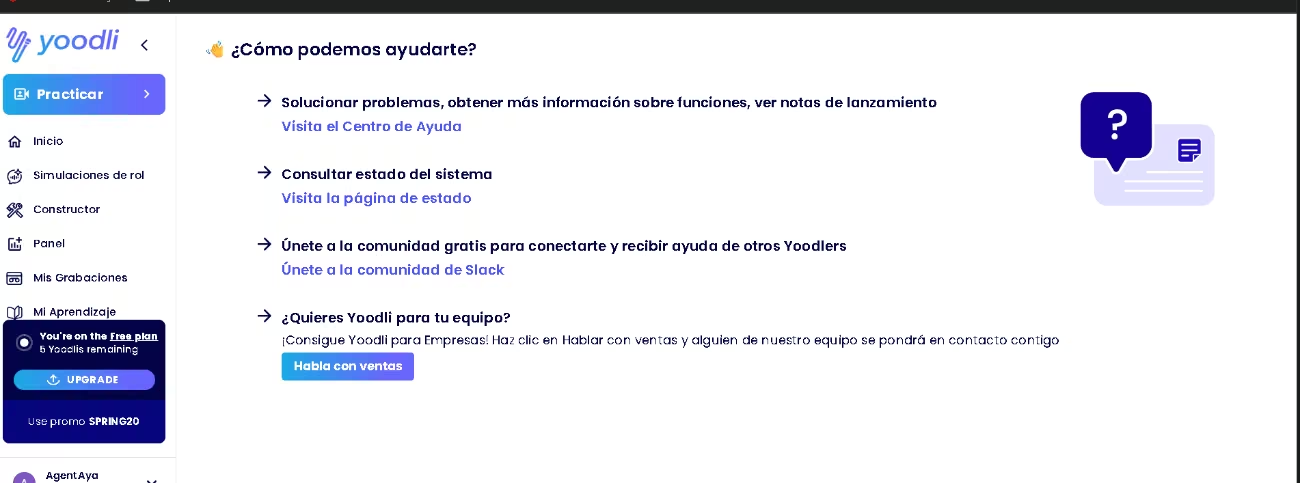
You can open the help center right inside the product, where guides, feature walkthroughs, and release notes all live together. Around it you'll find a system status page, a free Slack community, and email support. If you want to get up to speed, there are webinars, courses, video tutorials, a glossary, and a coach directory to lean on. Onboarding runs on its own and walks you through the basics: on the free plan, it hands you a few starter tasks that get you practicing right away. On team plans, an account manager or customer success specialist takes care of the account and adjusts seats and tiers as needed. And because it's so simple, it works well even for companies without much technical know-how.
Ease of Use / UX
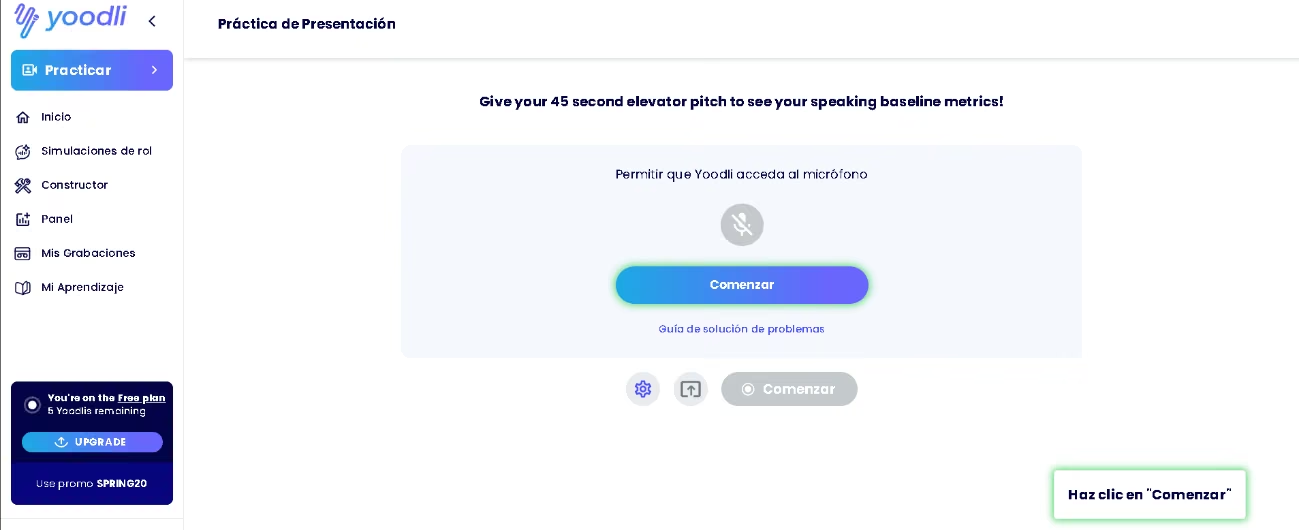
The first impression works in Yoodli's favor. When you log in, a greeting with your name asks how it can help and offers a couple of paths (prep a sales pitch or come in as a communication coach), a step you're free to skip. From there, everything lives in a left-hand sidebar that gathers speech practice, role-plays, the builder, recordings, the analytics panel, and the learning panel. The tool nudges you to start with a short talk to set your baseline metrics, and a corner indicator shows at a glance how many credits (called "Yoodlis") you have left, which keeps usage transparent.
Starting a role-play takes a single click on a template; building one from scratch is a conversation with the AI, with the setup split into clear sections: context, persona, rubric, and objections. That design lowers the bar for anyone who's never written instructions for an AI, though you'll get better results if you follow a few basics: give context, and spell out what you want and in what format. A company can get value from the very first session, with nothing to set up beyond the microphone.
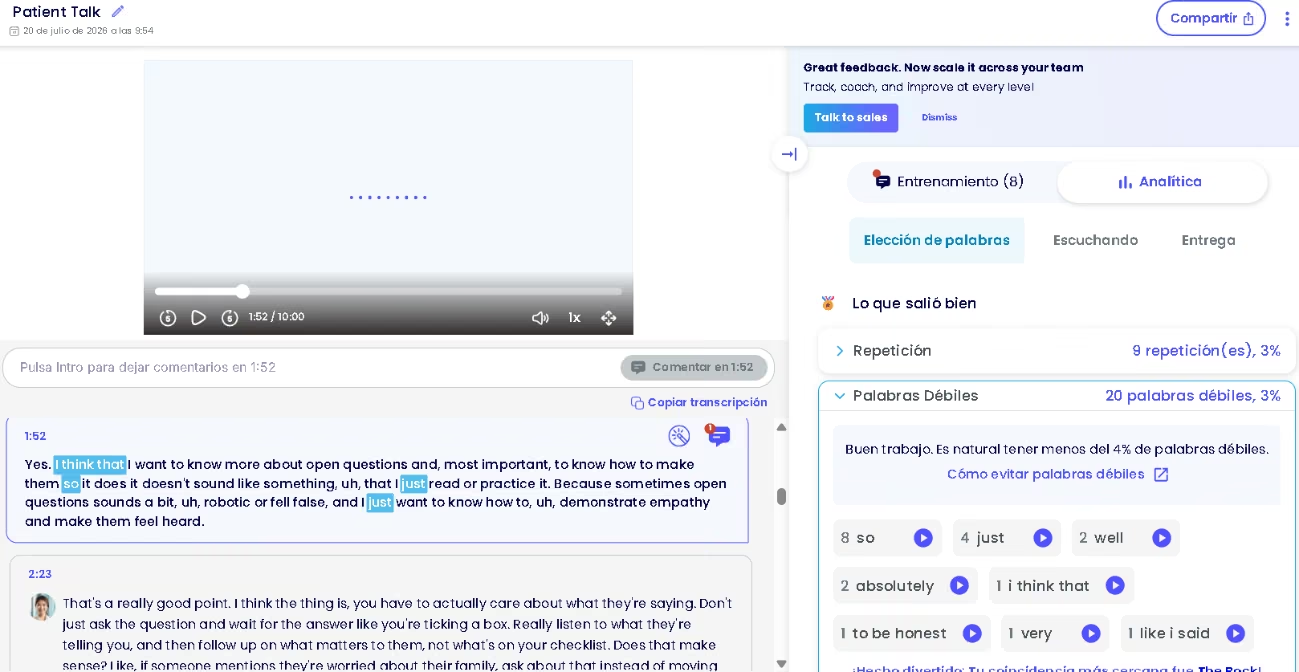
To put it through its paces, we ran two patient-care role-plays. The first didn't go well: because we ignored the tool's advice on how to handle the patient, Yoodli walked us through where we'd slipped, politely and point by point. On the second, we minded our active listening, actually heard what the patient said, and tailored our questions to the situation, and this time we finished with a score of 80%. The AI recognized that stronger active listening, praised how sparingly we used filler words, and at the same time flagged a clinical detail that slipped past without follow-up, pointed out that 11% of our sentences opened the same way, and suggested sharper vocabulary for a medical setting. That precision, tuned to the scenario and stamped with exact timestamps, plus its knack for comparing one attempt against the last, is what sets it apart from a plain recorder or a text assistant.
Pricing and Plans
- A free plan to explore, with a limited number of lifetime role-plays and no credit card required.
- Paid individual plans: one geared toward prepping for a specific event, with a weekly cap on role-plays, and another for continuous improvement, with unlimited role-plays, your data kept out of AI training, and reimbursement as a learning benefit.
- Team and enterprise plans with custom pricing based on size and use case, adding tailored scenarios, dashboards, rubrics, SSO, SCIM, and integrations.
- Monthly or annual billing, with meaningful savings when you pay by the year.
Yoodli publishes public plans, a rarity in this category, and offers a free plan you can try with no strings attached. Just keep in mind that any session over thirty seconds burns a credit, so steady use makes a higher tier worthwhile. Pricing for team plans comes through a demo request, and plenty of organizations cover the tool out of their training budget.
Case Study
A Europe-based utility company put this to the test with its network of independent distributors. With an internal team of around 1,400 people supporting tens of thousands of distributors, it swapped traditional workshops for a tiered role-play program: basic customer conversations, in-person objection handling, and dialogues aimed at generating referrals. It layered on weekly leaderboards and time-limited access as an incentive. The first cohort logged a 23% jump in booked appointments, along with more customers gathered, and September 2025 turned out to be its most active month. The company is now testing the AI tutor to shore up product knowledge and plans to lean on the platform for its flagship training event. https://yoodli.ai/case-studies/how-a-european-based-utility-company-increased-appointment-rates-by-23-and-independent-distributor-confidence-with-ai-roleplays-from-yoodli
Yoodli vs Alternatives
When you go looking for alternatives to Yoodli, the direct comparison is Navari, since both play in the same category of AI communication practice.
| Tool | Main focus | Status and pricing | Pros / cons |
|---|---|---|---|
| Yoodli | Voice-based conversation role-plays for sales, leadership, interviews, and public speaking, with a tutor and continuous coaching | Established platform; SOC 2 Type 2 and GDPR; public pricing with a free plan | Pros: mature, transparent, multilingual, and deeply integrated. Cons: it sharpens how you speak, not what to say; the free plan is only for trying it out. |
| Navari | Professional communication practice in English with an AI mentor and a broad library of scenarios | Very recent product; no public pricing or legal pages; free demo with no card | Pros: quality lessons and academic backing from NYU Stern. Cons: English only, with no documented integrations or certifications. |
Put Yoodli vs Navari side by side and you're really looking at two stages of the same journey. Navari is promising, but it still works only in English, publishes no pricing or legal pages, and offers barely any integrations. Yoodli, by contrast, is already established: it runs in dozens of languages, shows public, tiered pricing with a free plan, and plugs into a company's learning, sales, and data systems. For anyone deciding today who needs to train an entire team, with different languages and systems in the mix, Yoodli is the more solid and transparent bet. Navari is worth watching to see how it grows, but above all it suits anyone set on training communication in English with a carefully built library.
FAQs
Is Yoodli a good fit for small and large businesses?
Yes. A small business uses it to train its team without a big budget, and a large company uses it to standardize practice and certification across thousands of people. It's especially useful for roles in sales, customer service, patient care, and leadership.
Does Yoodli support English?
Yes. The AI handles English with ease, and the interface defaults to English. On top of that, each practice can run in whatever language you choose before you start.
How much does Yoodli cost, and is there a free plan?
There's a free plan to explore, with no card, plus paid individual and team plans. Individual pricing is public, while enterprise plans are quoted based on size and use case.
What are the best alternatives to Yoodli?
Navari is the closest comparison within the same category of AI communication practice, with the caveat that it's a much newer product and, for now, English only.
Still weighing up Yoodli?
See how it compares with the other tools we've reviewed in AI for Training.