

Holo AI Review
Holo AI turns a website URL into ad creatives, social posts, emails and short-form video built around your brand, including competitor ads you can clone.
If your products are visually simple, Holo AI is one of the fastest ways we've found to turn a website into marketing content that actually looks like your brand. Setup is quick and the tool suits any kind of user, but results follow the prompt you give, so knowing what you want and how to describe it saves credits. That said, output quality can vary: animation and video cloning sometimes produce inconsistent results, complex products may appear distorted in some cases, and nothing should go live without proofreading. Our recommendation: a good fit for ecommerce SMEs that test ad variations at volume, as long as you read the terms first and keep an eye on your credits.
Averaged from the breakdown below
- Solo founders and very small ecommerce teams producing ads without a designer
- Marketers running high-volume A/B tests on Meta, Instagram, and TikTok creatives
- Agencies producing on-brand assets for multiple client brands
- Businesses with complex or technical products, which testing shows the AI distorts
- Anyone needing long-form video or broadcast-quality production
- Teams that require guaranteed output uniqueness or exclusivity
Key Features
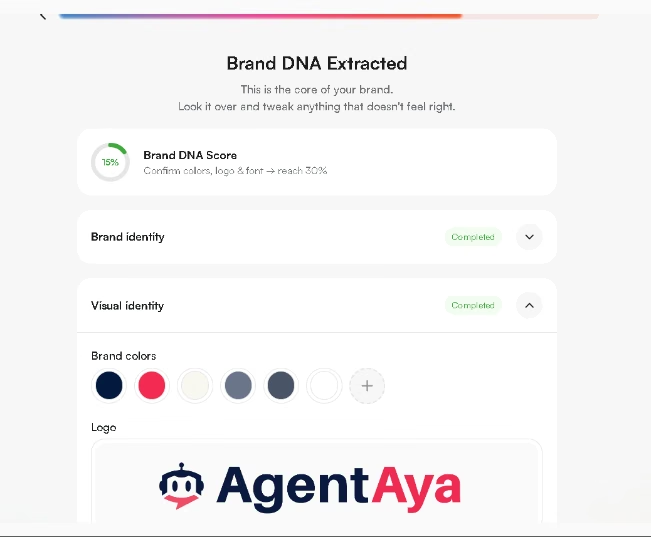
- Brand DNA. One URL produces a brand profile covering logo, colors, font, voice, ideal customer, and a Catalogue of your products, all editable, with a Brand DNA Score showing what to confirm next.
- Competitor ads. Add competitors and Holo pulls their currently running ads, showing how long each has been active, so you can see what is worth copying before you build anything.
- Multi-brand management. Up to 5 brands under one account, each with its own Brand DNA, workspace, and templates.
- Erase, Resize, and Upscale. Remove unwanted elements with a brush, adapt a creative between aspect ratios, and take preview images up to campaign quality.
- Team access. Invite colleagues by email or shared link into one workspace.
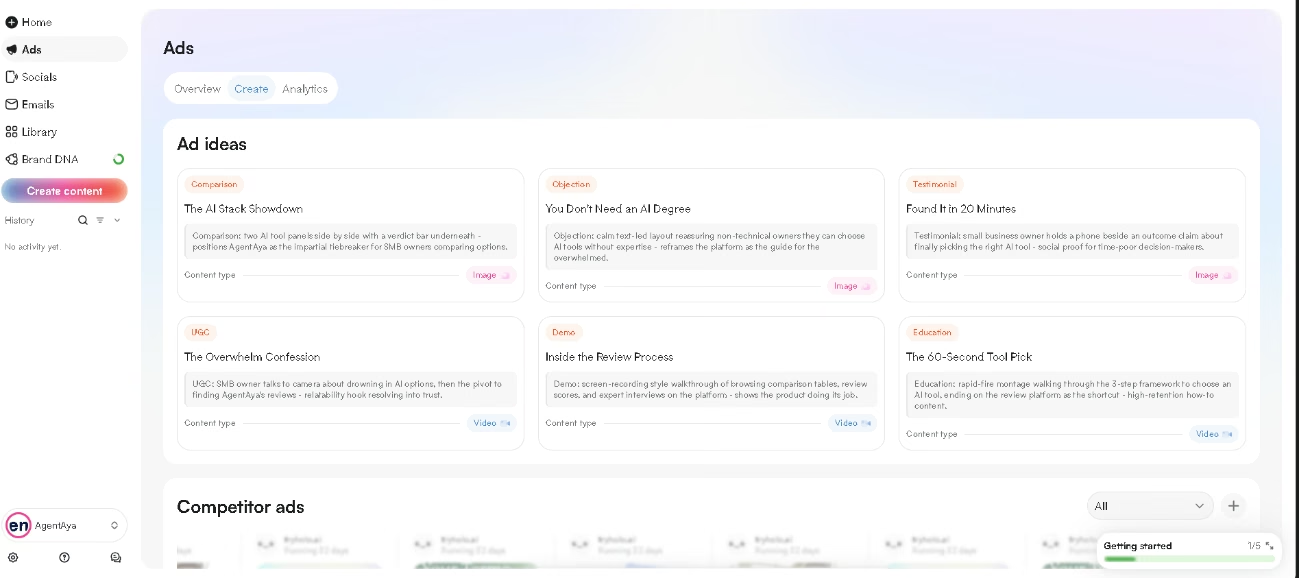
- Channel workspaces. Separate areas for Ads, Socials, and Emails, each with its own Overview, Create, and Analytics pages.
- Library. Every creative is stored by channel, with Favourites and a Recently Deleted folder.
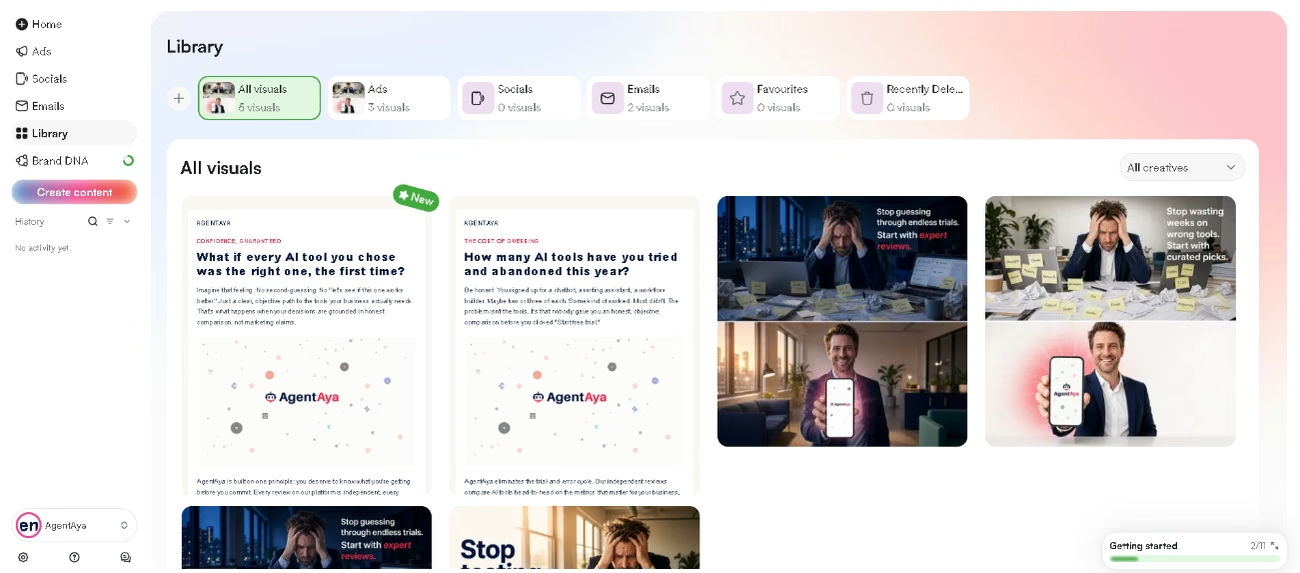
For an SME, the biggest saving comes at the start of the process. Reviewing a batch of generated concepts is far easier than producing the first one from nothing. That matters because a single ad rarely does the work on its own. You need something that builds awareness, something that makes your case when people are comparing options, and reminders that keep you visible afterwards. Producing all of it by hand is what stops most small teams from doing it at all. Here, one person can keep several channels, or several client brands, supplied with content.
AI Features
- Brand DNA analysis reads your site and drafts your voice, ideal customer, visual identity, and product descriptions rather than asking you to write them
- Ad ideas proposes named concepts matched to the right format, from problem-solution and objection-handling to social proof and educational explainers
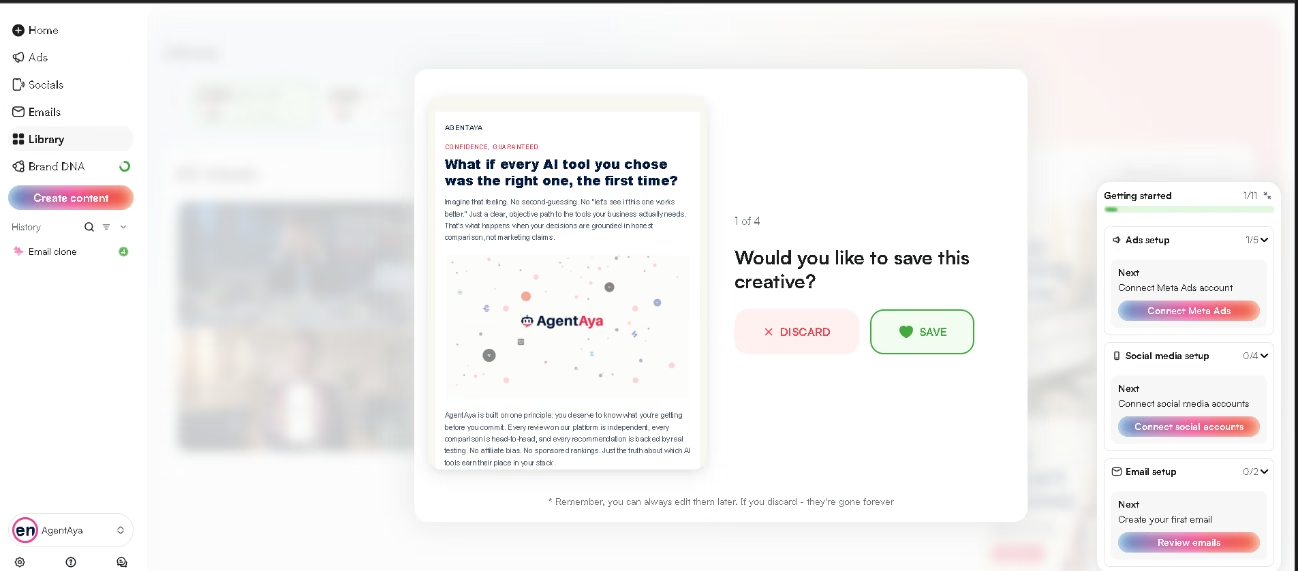
- Content swipe and Video swipe generate batches of images and videos you review by swiping, saving what fits and discarding the rest
- Clone recreates an existing layout, including a competitor's live ad, around your own product and message
- AI UGC produces creator-style video with Lip Sync and product-in-hand modes, AI actors of varying ages and settings, script input, and automatic B-roll
- Video, Text to video, Animate, and Image variations generate clips from scratch, extend existing footage, bring stills into motion, and produce alternative versions
- Chats answers off-script requests using your brand context, from rewriting a post for another platform to explaining a dip in performance
- Analytics reports what is working and produces week-by-week learnings once a channel is connected
The generation itself is genuinely AI-driven, and Chats is more than a label on a text box. The limits deserve equal weight: the vendor markets a template-free system, yet Clone and email creation are openly template-based, and the terms warn that outputs may be identical to those produced for other customers. Treat what Holo produces as strong drafts, not finished, exclusive work.
Integrations
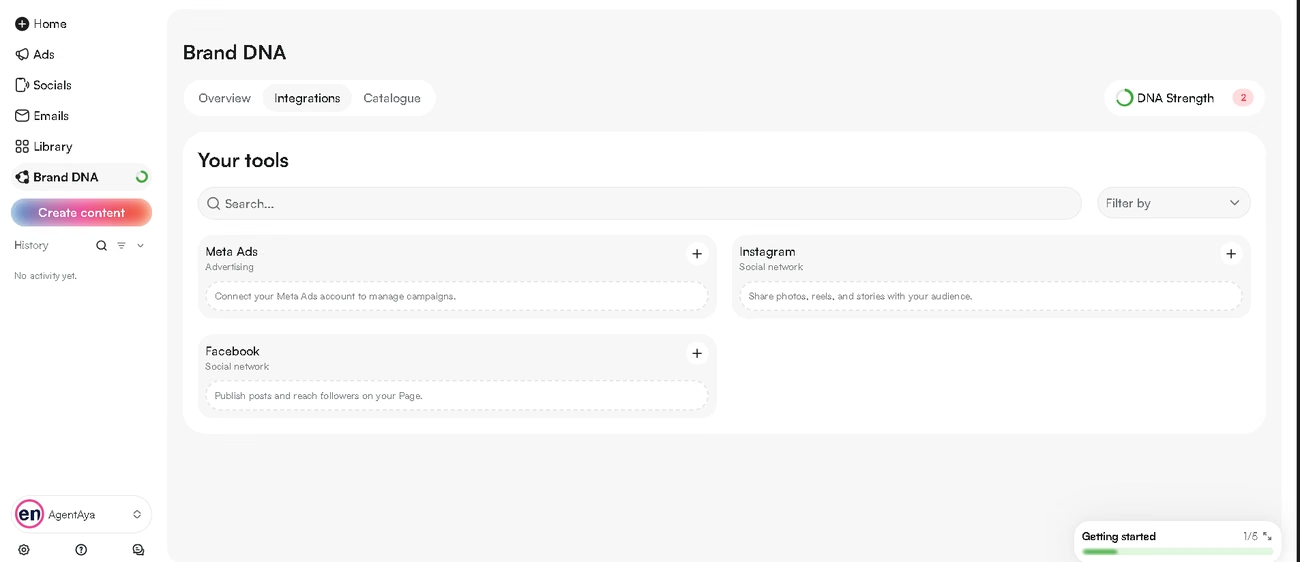
Holo connects to your accounts rather than only exporting files, so you can publish straight from the app or schedule content for later. Connections live in two places: an Integrations tab inside Brand DNA, and Settings, reached by clicking your brand name in the lower-left corner. Connecting an account takes a login and a permissions step:
- Social: Facebook, Instagram, X, LinkedIn, TikTok, YouTube, Pinterest, Threads, and Reddit
- Advertising: Meta Ads, for creating and managing campaigns
- Email marketing: Klaviyo and Mailchimp
The coverage here is genuinely wide and includes every major platform an SME is likely to use. Connecting Meta also unlocks the Overview and Analytics areas, where Holo tracks performance and suggests actions, so it is worth setting up early: without a connection you lose the reporting layer entirely and Holo works as a creation tool alone. The one real gap is the absence of an API, which matters if you want to feed Holo's output into your own systems rather than working inside the platform.
Data Security and Compliance
Customers keep the rights to their inputs and receive a broad, perpetual license to use outputs commercially once fees are paid. On protection, Holo documents standard measures such as encryption and access controls. As with many generative design and video platforms, the material you submit and the designs you generate can be used to train the AI. This is normal for the category rather than a flaw specific to Holo, and it shapes how we suggest using the tool: treat the results as a fast starting point that you then make your own, not as finished work that belongs only to you. Read Holo's terms of service and privacy policy in full before you commit. The licensing and data provisions are the part of this product that most affects what you can do with what you create, and they are not something to discover after you have paid.
Language: Interface and Customer Support
Holo is primarily an English-language product. The interface is in English, and onboarding asks for your content language, which shapes the content the tool generates rather than the platform you work in. Support runs through email, and we cannot confirm which languages the team covers, though email is the channel where language is least likely to be a barrier, since customer service teams often work with translation tools.
AI Language: The Tool Itself
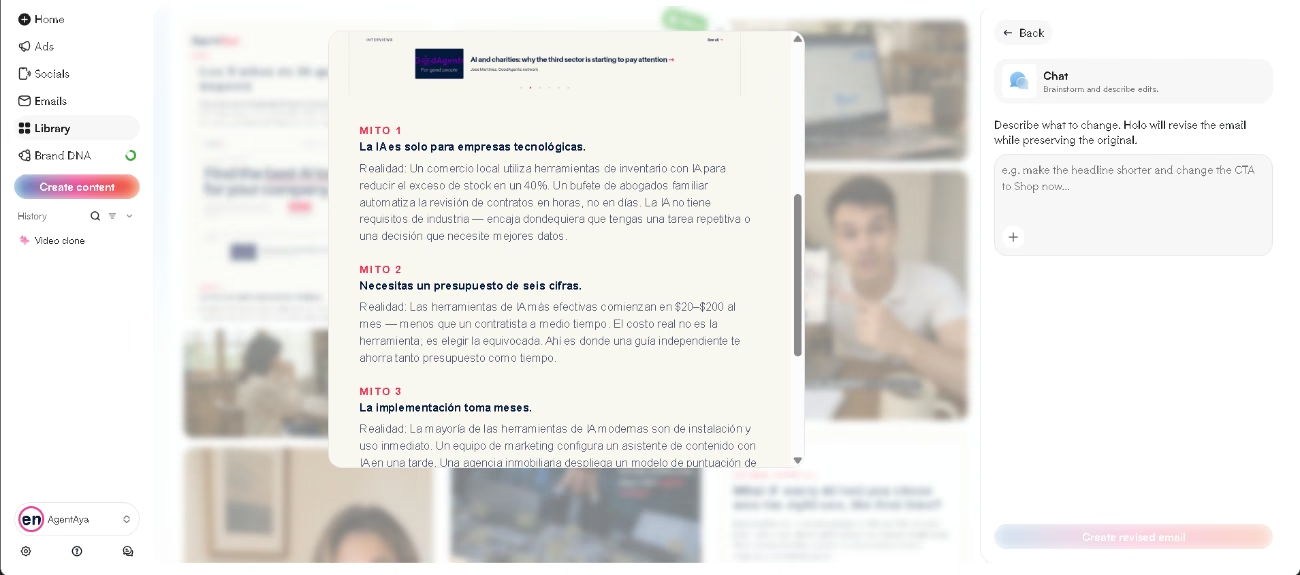
Its generation engine supports English and more than 90 additional languages. Changing the language of a finished asset is as simple as asking for it in the chat. We generated content in Spanish and the quality was high; the text was concise, but it avoided the errors many AI tools introduce when working outside English. We also generated in Japanese, which confirms the tool handles writing systems beyond the Latin alphabet. Results will still depend on the content itself, and this is not proof that all the languages perform equally well. For SMEs selling across borders, this is one of Holo's real strengths.
Mobile Access
Holo runs as a web application, reached through the browser at its app domain. Official sources mention no dedicated iOS or Android app, and we have not evaluated the platform on a phone or tablet, so the responsive experience remains unverified. Plan on handling setup, generation, and especially brush-based editing from a desktop.
Support, Onboarding, and Account Management
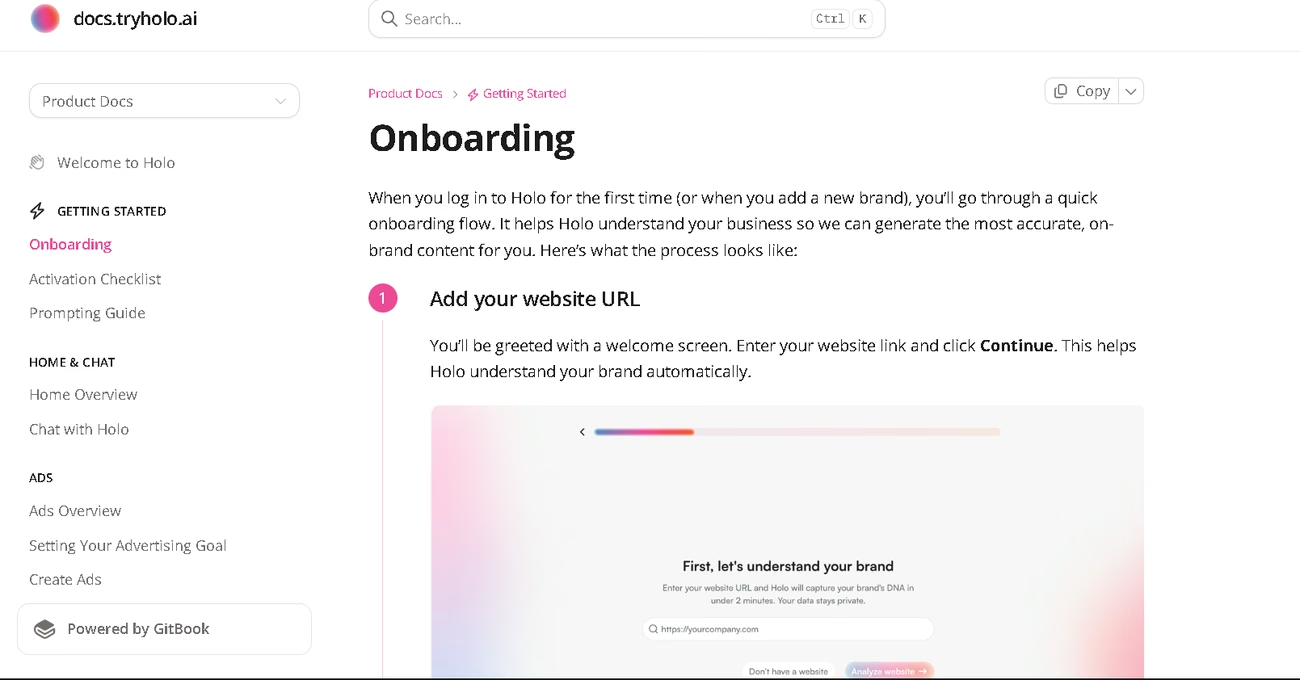
- A help center covering onboarding, prompting, every channel, the Library, Brand DNA, billing, settings, and troubleshooting
- A guided setup that builds your Brand DNA from your website, with a Brand DNA Score showing what to confirm next
- An activation checklist that tracks setup progress across ads, social media, and email
- Short walkthroughs inside the Ads, Socials, and Emails sections
- A help chat inside the platform
- Email support, with a priority tier on the higher plan
- Team collaboration through email invitations or a shared link
The documentation is organized by feature, updated regularly, and includes practical details the marketing pages leave out: how many products import automatically, what to do without a website, why a transparent logo works better, and a prompting guide. There is also a troubleshooting section for when generations get stuck, which is exactly where a new user gets frustrated.
There are no guaranteed resolution times, and support excludes advice on marketing strategy, legal compliance, or platform rules. Even so, between the documentation, the in-platform chat, and email, a team with no technical staff has a reasonable path to solving most problems alone.
Ease of Use and UX
Setup is where Holo is at its most impressive. A first usable result arrives within minutes, and the colors, logo, and product catalog it pulls from your site came out accurate every time we looked. What follows is our experience with each feature, and results will vary depending on the product you sell and the type of asset you need.
The clone feature is a reliable performer, recreating a proven layout around your product closely enough to run with minimal editing. The AI UGC video is one of the best implementations we have seen in this category, with delivery that looks natural. The editing layer supports all of this well, with brush-based erasing, chat-based corrections, resizing between aspect ratios, and variations for A/B testing. Generations also run in the background, so you can queue the next task while one finishes, the queue works as intended, and background generation genuinely lets you keep working, but the interface is heavy enough that you will want to keep other tabs closed while it runs.
The rest is a question of how much editing you are willing to do. Image-to-video and animation need more attempts to get right, particularly with text-heavy designs where letters and logos can shift. In UGC clips, hands occasionally look slightly off, a detail worth checking before publishing. Complex or technical products may need correcting, and generated images are previews that benefit from upscaling before a real campaign. A spelling check is always sensible and matters more in languages other than English.
None of this is unusual. Every AI marketing tool we have reviewed produces strong results and still needs a human to review them before anything goes live.
Pricing and Plans
- Two published tiers, Starter and Scale, on monthly or multi-month billing
- Everything runs on credits: each generation consumes them, the cost varies by action type and video length, and the credit price shows before you confirm
- Subscription credits expire at the end of each billing cycle with no rollover; separately purchased top-up credits expire on their own schedule
- The higher tier unlocks all models, more simultaneous generations, and priority support
- No free plan and no free trial; a short money-back window exists, but using a single credit, even on a discarded test, voids it
For an SME budget, Holo AI pricing costs far less than hiring creators or an agency. The trade-off is the credit system: because unused credits expire each cycle, the tool rewards steady monthly use and works poorly for occasional projects, so match the plan to how often you will actually create before you subscribe.
Case Study
Setup ran from a single URL. Holo drafted our Brand DNA and captured the voice accurately, identifying our second-person address, our habit of framing decisions as three-step processes, and our independent positioning, then quoting one of our headlines back correctly. The ideal customer it wrote described SME owners who want to adopt AI but feel overwhelmed by the options, a fair reading of who we write for and not something our site states outright. It also pulled our colors, logo, and font, treated the platform itself as the product, and asked for more images to produce more varied content.
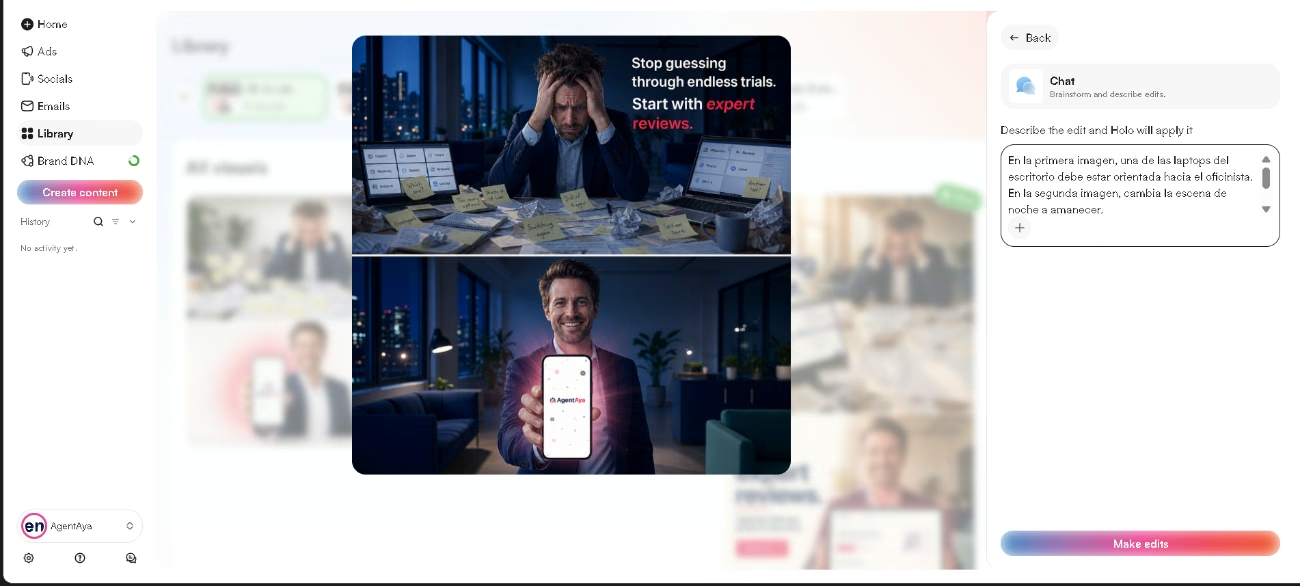
We produced two designs. We cloned an ad and edited it through the chat; the save and discard method worked cleanly, the edits applied correctly, and the human figure looked natural. We then cloned an email design and chose the third idea it proposed. Cloning lets you set how many versions to generate before reviewing and keeping what works. We also generated a UGC video, which came out with no significant errors, though it ended abruptly and the vocal modulation in the characters is slightly exaggerated. We saw no problems in the hands or other extremities, the usual weak point in AI video, though our character did not need to hold anything.
We liked the images we produced. Some were simple, but they conveyed the concept well and were easy to adjust through the chat. The tool's own ideas are decent, a little cliché, but any of them can be taken and edited into something of your own. Two generations ran in the queue without trouble, though the platform slowed slightly once we opened other browser tabs.
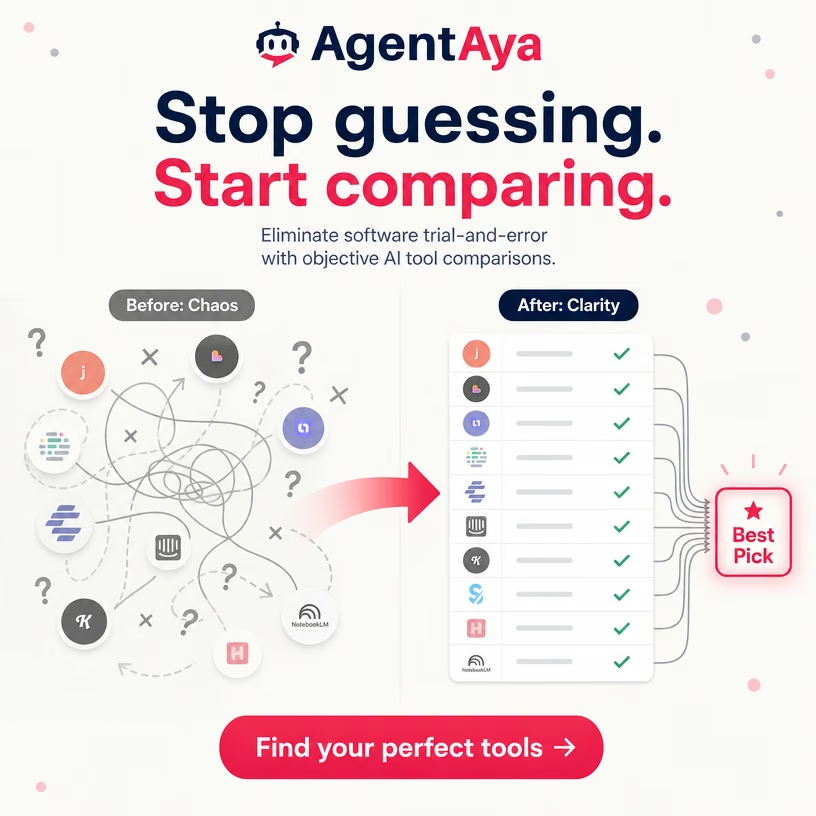
Changing a finished asset's language is as simple as requesting it in the chat. Our Spanish results were strong: the text was concise and avoided the errors many AI tools make in languages other than English. We also generated content in Japanese, confirming that Holo supports writing systems beyond the Latin alphabet. The Japanese output was noticeably weaker than the Spanish and English versions, though still easy to edit. Japanese is particularly demanding; a literal English translation that a Spanish reader might understand can sound completely unnatural in Japanese. In addition to these naturalness issues, we found several misused idioms and two more serious errors that changed the meaning.
Holo AI vs Alternatives
| Holo AI | Predis AI | |
|---|---|---|
| Creating ads | Ads, UGC video, and email from a website URL | Ads, videos, carousels, and posts from a product link or prompt |
| Competitor insight | Pulls competitors' live ads to clone directly | Analyzes competitor behavior and strategy, metered per month |
| Channels | Publishing and scheduling across all major social platforms, plus email | Publishing across a wide range of social channels, expandable |
| Developer access | No public API | Public API and an SDK for embedding generation in your own product |
| Working as a team | Shared workspace with invitations | Approval flows built for client sign-off, with permissions |
Both tools generate ads from a URL, publish to connected accounts, and cover the major social platforms, so channel reach is not what separates them. Holo leans towards creative production, with a stronger editing layer, competitors' live ads you can clone directly, and email campaigns in the same place. Predis leans towards process and extensibility, adding approval flows built for client sign-off, and API access. Choose Holo if producing and refining creatives is your bottleneck. Choose Predis if you manage client approvals or want to build content generation into your own systems.
Disclosure
We also published a paid partnership article with Holo on how the tool approaches campaign planning. This review was produced separately, from our own testing.
AgentAya has a commercial relationship with Holo, and some links on this page are affiliate links that may earn us a commission at no extra cost to you. The scores and conclusions above come from our own testing. See our terms and conditions for how we work.
FAQs
Is Holo AI good for small businesses?
Yes, with a caveat: the terms restrict it to business and professional use, and it performs best for ecommerce SMEs with visually simple products.
Which languages does Holo AI support?
Holo states the tool generates content in English and more than 90 other languages, and changing the language of a finished asset takes one request in the chat. Our Spanish results were strong and our Japanese results noticeably weaker, so review the output in your target language before relying on it.
Does Holo AI have a free plan?
No. There is no free plan or trial, only a short conditional refund window that ends the moment you use any credit.
Does Holo AI train its models on my data?
Yes, and this is standard across generative platforms rather than unusual for Holo. The terms grant a lasting license to use submitted material and generated results for model development, which is why we recommend reading them before you commit.
Still weighing up Holo?
See how it compares with the other tools we've reviewed in Marketing with AI.