

ScholarAI and Jenni Review
ScholarAI and Jenni pair literature search with an AI writing editor, so every claim you draft stays linked to a real, citable source.
ScholarAI and Jenni shine when you're juggling a lot of documentation and need to turn it into clear, well-structured, well-cited text. Their biggest strength is reliability: the AI leans on real literature and your own PDFs, and Jenni layers on reviews that catch weak citations, retractions, and overstated claims. Uploading documents is smooth, even with long files packed with images.
These tools are built for understanding, organizing, and working with information, not for designing graphics. They're also two separate platforms, each with its own login and billing, and the free plans can run dry fast once you're moving a lot of information through them.
Recommendation: if you produce authoritative content or make your living from documentation, start with the free plans of both before committing to a paid one. Both earn their place as documentation tools.
Averaged from the breakdown below
- Freelancers who produce reports, proposals, or source-backed content and want to stop formatting citations by hand.
- Consulting, market research, or technical communication SMEs that deliver evidence-based documents.
- Startups in fields like healthcare, biotechnology, or fintech that combine scientific literature with patent searches.
- Doctoral candidates and researchers writing theses, articles, and literature reviews, or editors who need deep terminology research and full source traceability.
- Teams looking for creative writing, brand marketing, or persuasive content.
- Workflows that call for careful visual design and polished infographics inside the same tool.
- Organizations that require formal, documented security certifications before they'll buy.
- Companies that need native API connectors for a CRM, ERP, or local messaging.
Main Features
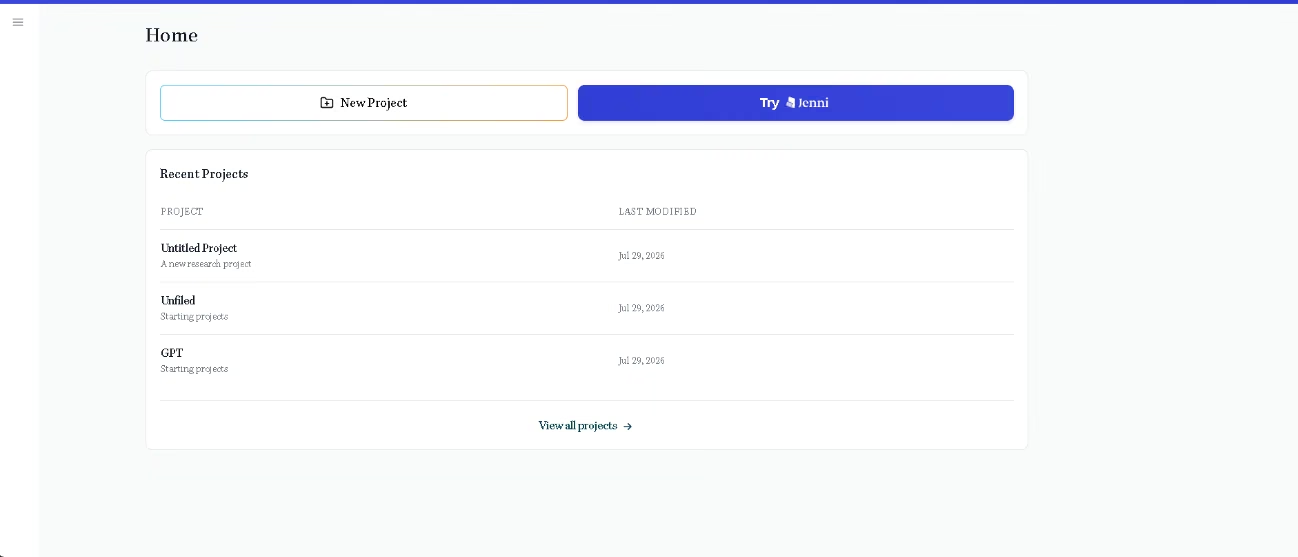
In ScholarAI:
- Simultaneous search across Google Scholar, Semantic Scholar, PubMed, and Arxiv, with access to more than 200 million articles and patents.
- Projects to organize your work, with uploading and reading of several PDFs at once and one-click jumps to the sources you cite.
- A split screen so you can view your documents and the responses at the same time.
- Four ways in: the web Copilot, the ScholarAI GPT inside ChatGPT (find it in the GPT store by searching for "ScholarAI"), its public API, and an MCP server for agents like Claude Desktop and Cursor.
In Jenni:
- A rich text editor with formatting, table blocks, code blocks, equation blocks, captioned images, version history, and dark mode.
- An outline builder to structure the document before you write.
- A reference library with collections, filters (including by publication date), impact factor, and an open access badge, with options to cite, view details, and open the PDF.
- A sidebar to search for articles as you write, plus a PDF reader with in-document search.
- Citation management with more than 10,000 styles, automatic bibliography, back-to-back citations, citation localization, and page locators.
- A browser extension (web importer) to save articles on the spot, available on Chrome and other browsers.
- Real-time collaboration: simultaneous editing, comments with mentions, live cursors, and document cloning.
- Document publishing, export to Word, LaTeX, and HTML, and library export in .bib, .ris, and .csv.
- A literature review generator and tools for teams: single invoicing, volume discounts, dedicated support, and an admin dashboard.
For an SME, these features cut out the manual grind of searching several databases, reformatting citations one by one, and chasing versions over email. They pull research and writing into a single workflow, which saves hours and spares you from paying for several separate subscriptions.
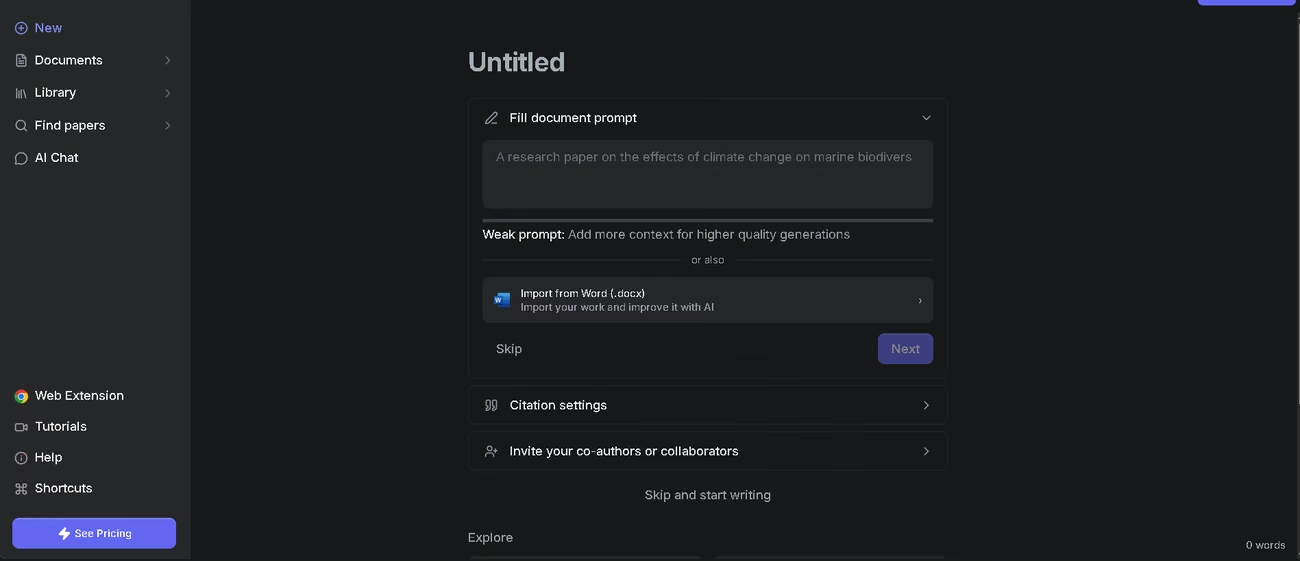
AI Features
In ScholarAI:
- Agentic AI Chat that queries the latest research, your PDFs, and the web to answer from real sources, patents included.
- Literature map exploration that pulls out the key concepts of a topic and shows how they connect.
- Content generation from your own documents: in our tests, it created exercises from the grammar concepts in several uploaded PDFs.
- Summarizing, paraphrasing, and translating any passage you highlight inside a PDF.
- Working with several AIs in parallel to divide up tasks and speed up research.
In Jenni:
- Context-aware autocomplete that suggests your next sentence based on your sources.
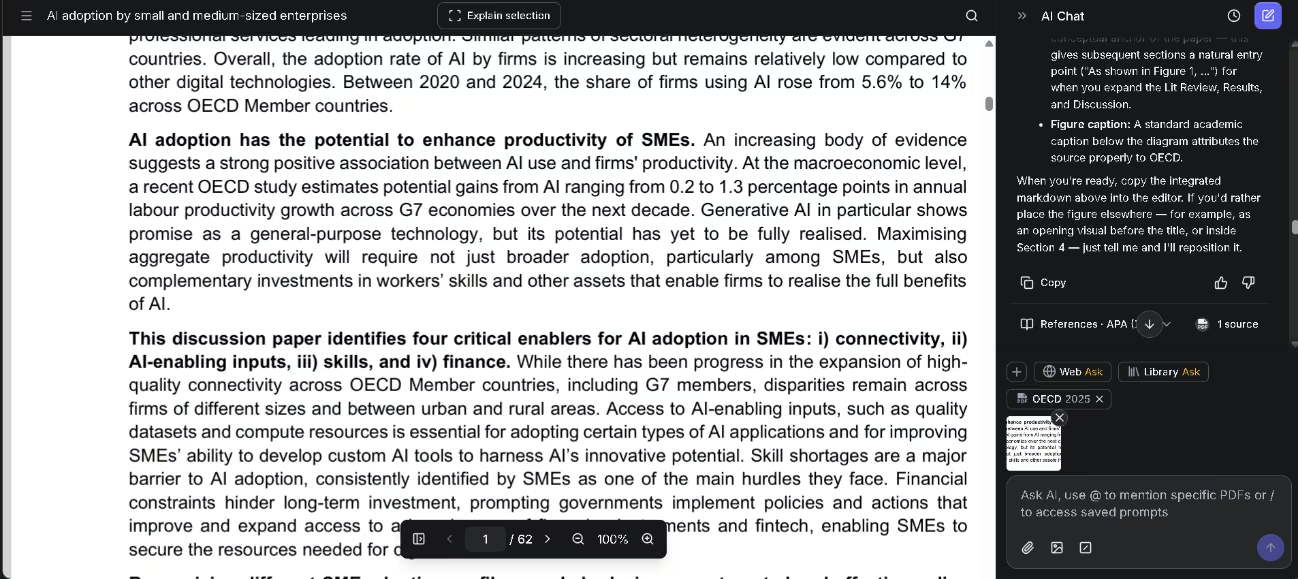
- A chat that reads your document and shows its reasoning steps and the sources it weighed: mention a PDF with @ and pull up saved prompts with /.
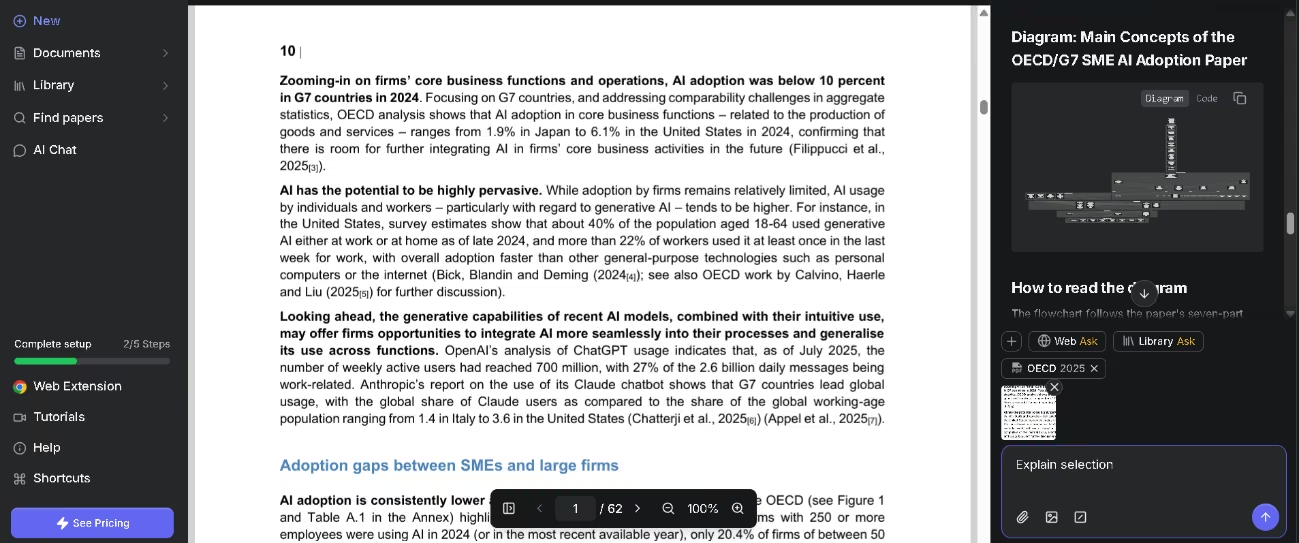
- Explanations of a selection or of complex figures in a PDF, with the option to upload images into the chat and work on them there.
- Visualization of concepts or frameworks, and side-by-side comparisons of your PDFs in table form.
- Generation of the LaTeX code for an equation from a plain-language description or an image.
- Section prompts and reusable prompts to keep your requests consistent.
- AI Editing with a side-by-side comparison view: it shifts the tone, simplifies, dials up the formality, translates, or adjusts the confidence of a claim, and explains what changed and why before you accept or discard it.
- Smart citation that suggests relevant sources you never even uploaded.
- Five document reviews: Claim confidence (weak citations), Peer Review (a simulated peer review), Source Quality (retractions, outdated sources, or everything drawn from the same journal), Tone of Voice, and Proofread (grammar and style).
The truly smart part here isn't the editor, which is standard software, but the way the AI reasons about your sources. Having ScholarAI connect concepts on a literature map, and having Jenni suggest studies you hadn't uploaded, generate the LaTeX for an equation from an image, gauge how confident a claim is, or flag whether a citation has been retracted, are jobs that used to demand human judgment and hours of checking. That's the real payoff over a word processor with a spellchecker.
Integrations
- Reference managers: Zotero (in ScholarAI and Jenni) and Mendeley (in Jenni), with one-click import that keeps metadata and PDFs intact; you can also import .bib and .ris files or paste an identifier.
- ChatGPT, through the ScholarAI GPT.
- AI agents via MCP: Claude Desktop, Cursor, and other compatible systems.
- A browser extension that works with Chrome and other browsers.
- The Stripe payment gateway for billing.
- API: yes, ScholarAI offers a documented public API, with development kits in Python and TypeScript.
Unlike other business tools, it doesn't offer local connectors such as WhatsApp; its ecosystem is aimed at academic databases and AI environments, not CRM or messaging.
Data Security and Compliance
Under the terms of ScholarAI, Inc. (based in Delaware, United States), you keep ownership of the content you upload; in return, you grant a license to host and process it in order to run, secure, and improve the service. The terms don't spell out a specific policy on using your content to train AI models, so it's wise not to upload confidential material unless you hold the rights. Its MCP infrastructure mentions encrypted data flows, scoped API keys, and support for HIPAA-aligned workflows, aimed at clinical and enterprise teams.
Jenni sets out its own privacy policy in its help center. As with any service that relies on third-party providers (databases, a payment gateway, and AI providers), check what data you're sharing before you process sensitive information.
Language – Customer Support and Interface
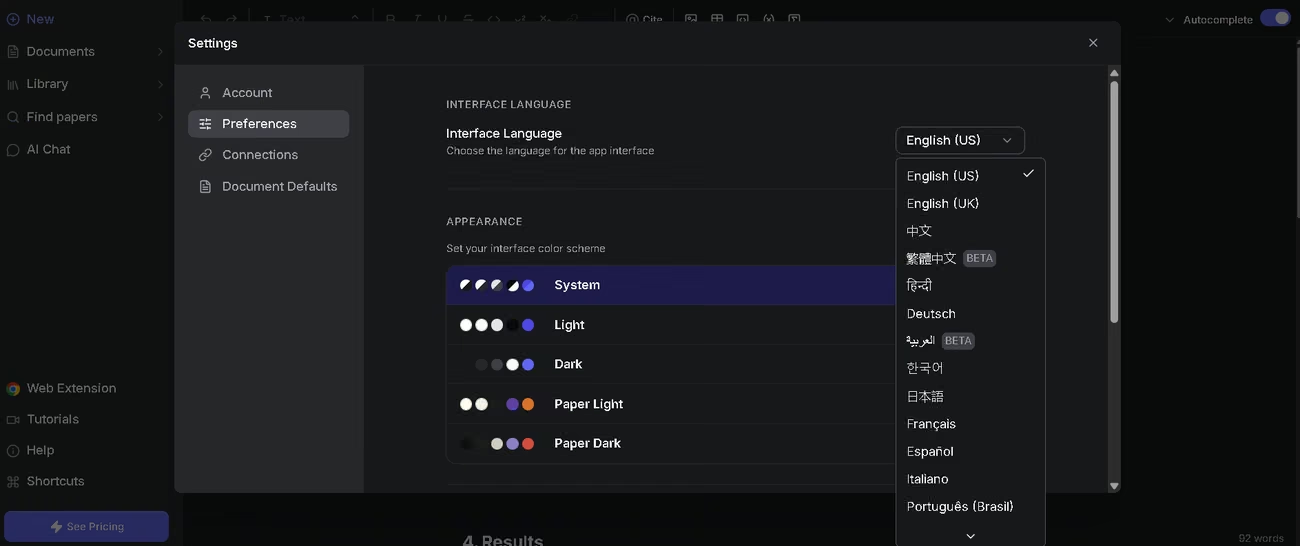
Jenni's interface comes in 16 languages, with full coverage in Spanish and English. The ScholarAI interface, on the other hand, stays in English for now. Jenni's support runs through live chat, with priority handling on paid plans, while ScholarAI's runs through email.
AI Language – The Tool Itself
The AI in both tools is multilingual and handles several languages, Spanish and English among them. In our tests, we asked Jenni to analyze a 62-page technical document in English and put questions to it in Spanish; it answered in Spanish with three concise, clearly explained paragraphs. Both tools understand instructions in Spanish and return natural text. As with nearly any multilingual tool, if you ask in one language, it answers in that same one.
Mobile Access
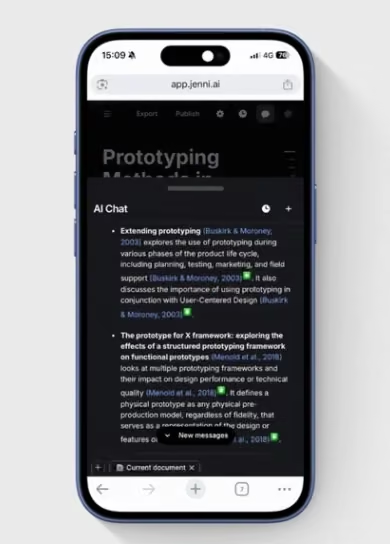
Jenni works well from a phone: the AI chat opens from the top bar of the document and the PDF reader, slides up as a bottom drawer for easy reach, and comes with an AI editing experience built for the phone, along with improvements to the sidebar and keyboard use. ScholarAI doesn't offer a mobile app; you use it from the web and through its GPT inside the ChatGPT app. Either way, the most demanding tasks, like researching across several PDFs and heavy editing, are best handled from the desktop.
Support, Onboarding, and Account Management
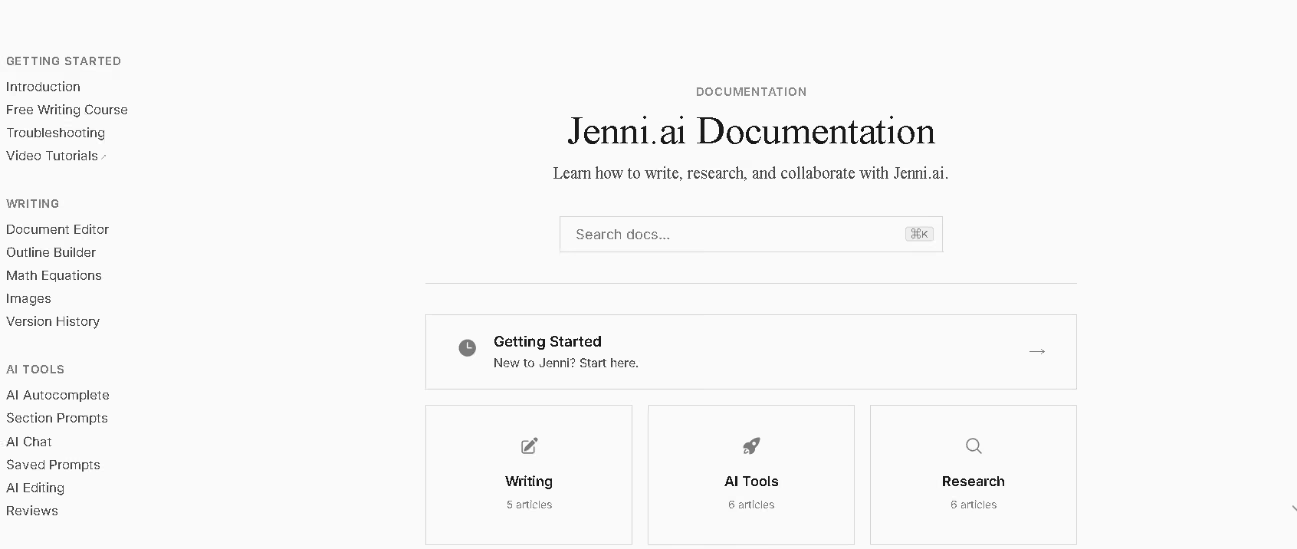
Onboarding is guided: as soon as you sign in, Jenni lays out a five-step list (accept an autocomplete suggestion, upload a source, send a chat message, cite a source, and review the document). Jenni offers extensive documentation at docs.jenni.ai, organized into getting started, writing, AI tools, research, collaboration, export, and account, plus a free writing course, a troubleshooting section, video tutorials, and an active blog full of practical guides. ScholarAI keeps its documentation at docs.scholarai.io and offers support by email, though its blog looks a little dated. For teams, Jenni adds single invoicing, volume discounts, dedicated support, and an admin dashboard for managing users and seats.
Ease of Use / UX
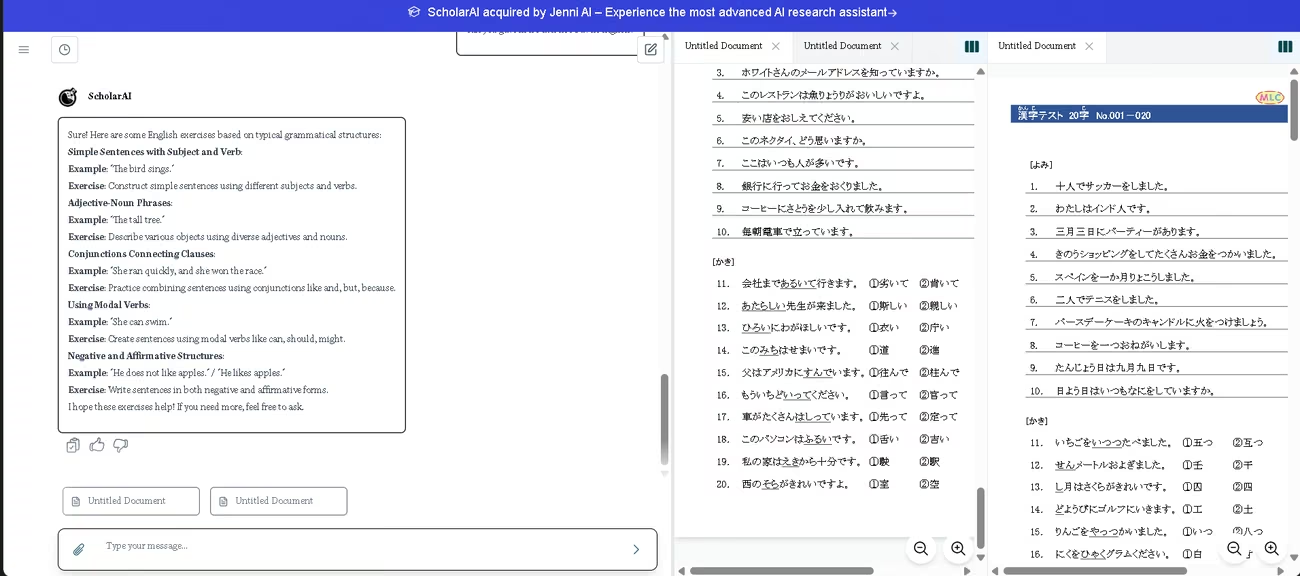
In our tests, uploading and importing documents was a breeze: we loaded several long PDFs full of images with no trouble at all. In ScholarAI, we asked it to build exercises from the grammar concepts in those documents, then split the screen to see the sources and the exercises together; the workflow was clear and quick. We didn't run into errors, though, as with any AI, it pays to review the results.
With Jenni, we asked the AI to visualize a concept map; the content came out right, though for more polished charts and diagrams, dedicated design tools do the job better. Even so, it surprised us by suggesting citations from official documents we hadn't even uploaded, all relevant to our topic, and by how well it reviewed and edited reports. One observation, more than a complaint: these tools excel at understanding, organizing, and working with information, less so at producing graphics. Since inserting images is so easy, the natural move is to build the graphic wherever it turns out best and drop it in once it's done. A practical note on the free plan: we ran out of credits on Jenni's free plan at the tail end of a long task, so think of it as a way to try the tool rather than to finish big projects.
Pricing and Plans
ScholarAI and Jenni bill separately, and both have a free plan:
- ScholarAI runs on a credit system that covers both the Copilot and the GPT: a free plan with starter credits, paid plans with monthly credits and storage for your Copilot uploads, and a team plan with pay-as-you-go, collaboration spaces, and data sharing. You can buy extra credit packages as an add-on and switch on auto top-up when your balance dips below a set threshold.
- Jenni offers a free plan to test the waters and paid plans, monthly or annual, that raise the limits on autocomplete, edits, chats, and reviews all the way to unlimited use on its top tiers, with full document export and priority support.
- No card is needed to get started with Jenni, and you can cancel whenever you like.
- Regional advantage: Jenni shows prices in local currency with country-specific discounts, a real plus for users in Latin America and Spain.
For an SME, this setup lets you prove the value without spending a cent and scale up only when the volume warrants it. For current limits, credits, and regional availability, it's worth checking the official pricing pages for ScholarAI and Jenni.
Case Study
One documented example is Lovely Professional University in India, which tested Jenni with more than 60 faculty members over two months. The pilot logged more than 6,200 autocompletes, more than 5,000 automatic citations, and more than 300 conversations with the AI, saving over 375 hours of work. According to Dr. Ruby Singh, the tool let her hand off the repetitive parts of writing and focus on ideas and analysis. It's a university, but the takeaway carries over just as well to a freelancer or a small team that lives on documentation: the time that goes into finding sources and formatting citations today gets freed up for thinking, reviewing, and delivering. You can read the full case study here.
Tool vs Alternatives
| Tool | Advantages over ScholarAI and Jenni | Disadvantages compared with ScholarAI and Jenni |
|---|---|---|
| Sider (with Scholar GPT) | A browser agent that understands content, automates tasks on real sites (Claw), and personalizes pages (Code); multi-model chat to query and compare several model families; a full interface and help center in Spanish; apps for iOS, Android, Mac, and Windows; its Deep Research agent produces cited reports and saves them in the Wisebase knowledge base. | It isn't an academic writing space: it has no editor with in-document citation management, no syncing with Zotero and Mendeley, and no specialized reviews like Peer Review or Source Quality; much of its power hinges on logging into your own accounts on each site. |
In short, Sider with Scholar GPT is an all-purpose browser assistant, ideal when your work is spread across many tabs and you need to research, compare, and automate without switching context. ScholarAI and Jenni specialize in the full arc of academic writing, from finding sources to a document that's written, cited, and reviewed. The choice comes down to whether you want a broad agent for everything you do on the web or a platform focused on producing well-backed documents.
FAQs
Is ScholarAI a good option for SMEs?
Yes, especially for freelancers and small teams that produce reports, proposals, or source-backed technical content. It automates searching, citing, and reviewing, the tasks that eat up the most time.
Are ScholarAI and Jenni multilingual?
Yes. ScholarAI's AI works in 19 languages and Jenni's answers in whatever language you write in, so both understand and reply in Spanish with ease. Jenni's interface comes in 16 languages, including Spanish, while ScholarAI's is still English only. Document export works to Word, LaTeX, and HTML.
What's the difference between ScholarAI and Scholar GPT?
They're different tools. ScholarAI is a research assistant now integrated with Jenni, with its own ScholarAI GPT in ChatGPT; Scholar GPT belongs to the Sider ecosystem.
Is there a free version?
Yes, both platforms offer a free plan to try them out, though the credits and free limits run out fast on long projects.
What's the best alternative to ScholarAI?
If you work heavily in the browser and want to automate tasks as well as research, Sider with Scholar GPT is the most complete alternative we've reviewed.
Still weighing up Jenni AI?
See how it compares with the other tools we've reviewed in AI for Research.