
Voicy Review
Voicy turns speech into formatted text in any app or website where a cursor sits, with custom modes, a personal dictionary and transcript history kept on your machine.
Voicy does one job and does it cleanly. Dictation lands accurately in Word, browsers, chat apps, and terminals, and setup takes minutes rather than an afternoon. The privacy design stands out, since transcript history stays on the device and the vendor states it keeps nothing. What limits the product is institutional weight: no security certifications, a single support channel, and a small team behind it. Pick this tool for fast personal dictation when local storage matters more to you than compliance paperwork. Look elsewhere if your auditor asks for certificates.
Averaged from the breakdown below
- Solo founders and consultants who draft emails, proposals, and briefs at volume
- Writers, students, and creators who think faster than they type
- People with repetitive strain injury, dyslexia, or limited hand mobility
- Small teams of three or more who want shared dictation without procurement overhead
- Law firms, clinics, and financial services that need formal compliance evidence
- Organizations requiring centralized user provisioning and administrative oversight
- Teams that need meeting recordings, speaker separation, or call transcripts
- Anyone who works regularly without a reliable internet connection
Key Features
- System-wide dictation: a keyboard shortcut the user picks during setup starts and stops recording in any text field, across desktop applications, websites, terminals, and code editors.
- Text replacements: stored shortcuts expand spoken triggers into full strings, so saying "my email" inserts the full address.
- Custom dictionary: users add proper nouns, brand names, and technical jargon that a general transcriber would otherwise mangle.
- File transcription: uploading an audio or video file returns a complete transcript. This function sits behind the paid tiers.
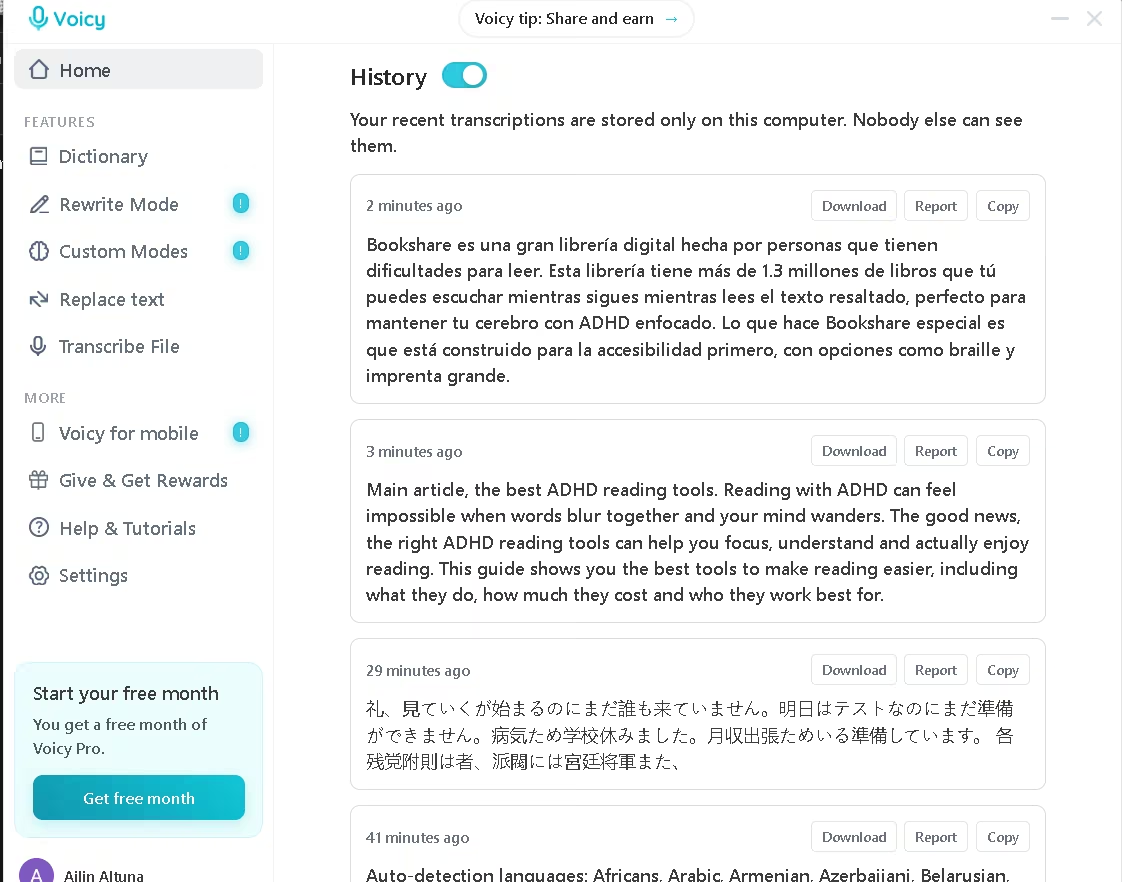
- Local transcript history: past dictations stay on the machine, and each entry offers copy, audio download, and report actions.
- Spoken punctuation commands: saying "new line" or "comma" applies the mark directly for users who prefer explicit control.
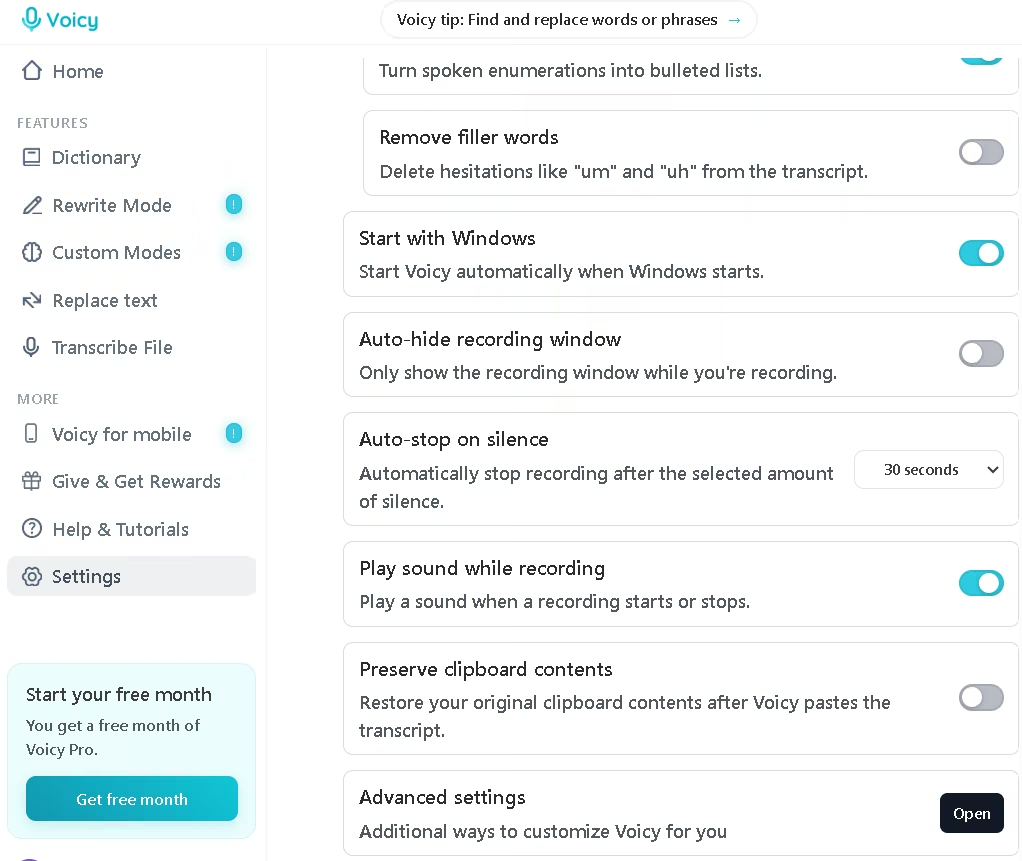
- Recording behavior controls: Voicy pauses media while you record, restores your original clipboard after pasting, stops after a chosen silence interval, mirrors or follows the recording window across monitors, and checks that the cursor sits in a text field before inserting text. An optional streaming mode processes audio while you speak so the transcript appears the moment you stop.
These controls remove the copy-and-paste step that makes most dictation tools tedious, so a founder answering twenty emails saves keystrokes on everyone. Voicy runs no offline mode, which its own comparison against native Windows and Apple dictation states plainly.
AI Features
- Speech recognition: the privacy policy names the Whisper family and routes transcription and post-processing through Groq's infrastructure.
- Automatic punctuation: the model inserts punctuation without the user speaking it, which native Windows and Apple dictation both require.
- Filler word removal: hesitations such as "um" and "uh" disappear from the output.
- Automatic paragraphing and lists: long dictations break into readable paragraphs, and spoken enumerations become bulleted lists.
- Rewrite Mode: the user selects existing text and speaks an instruction, such as changing the tone or converting prose into bullets. A floating window displays the result.
- Custom Modes: users write standing instructions that transform every transcript automatically, which suits anyone applying the same editorial rules repeatedly.
- Context-aware formatting: Voicy sends the application name and window title with the dictation to match formatting to email, chat, or document context, and states it never stores that data. Private and incognito windows send nothing.
- Language auto-detection: the model identifies the spoken language without manual selection.
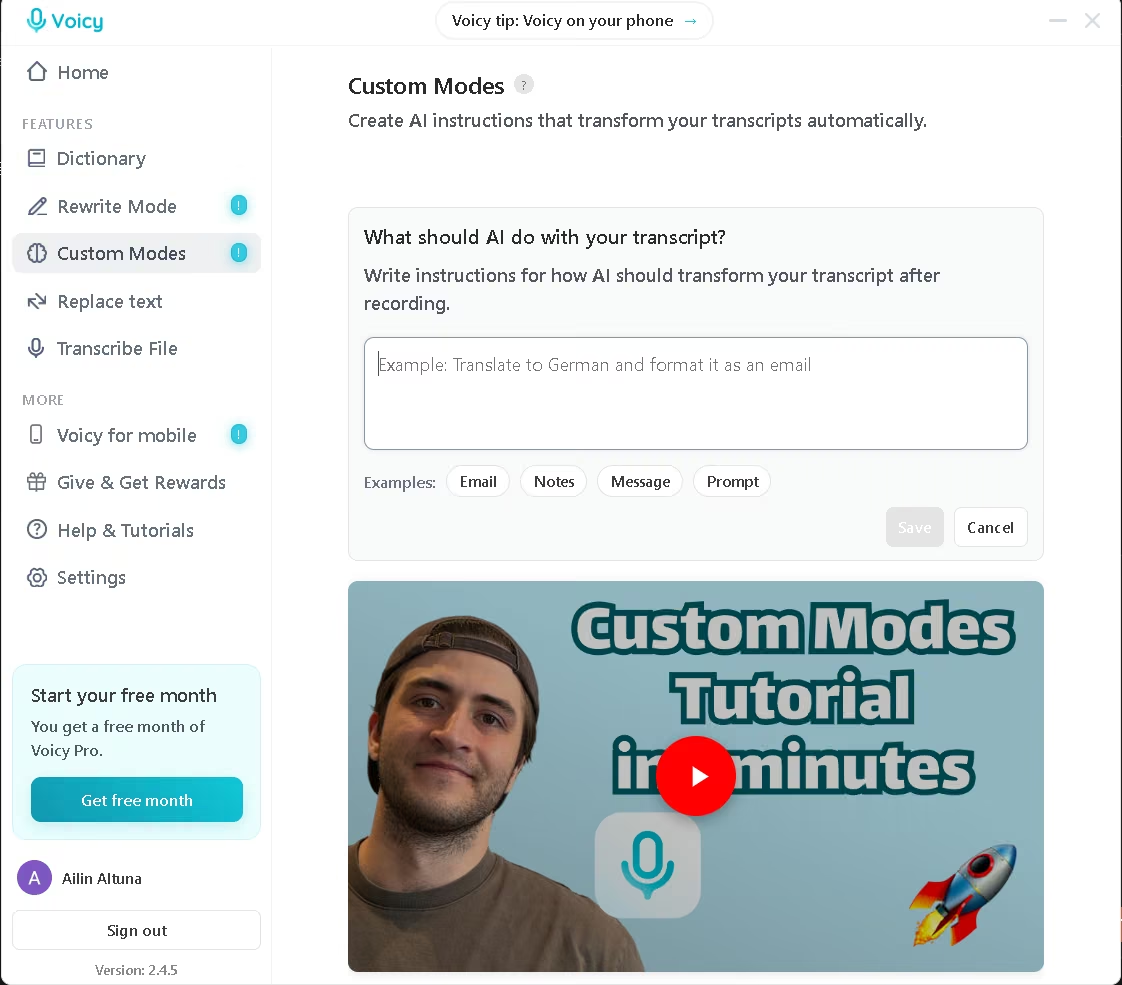
Voicy applies AI where it matters and leaves the rest alone. Recognition, punctuation, filler removal, paragraphing, and rewriting all run on model inference. The dictionary and text replacements do not, since both match strings and substitute them. The rewriting features carry the most weight in daily work, because they combine dictation and editing into a single spoken pass. Custom Modes extend that logic further: instead of issuing an instruction each time, you write a standing set of rules once and Voicy applies them to every transcript automatically.
Integrations
- Documents and notes: Microsoft Word across Microsoft 365, Word 2021, older desktop releases, and Word Online, plus Google Docs, Notion, and Evernote.
- Email: Gmail and Outlook.
- Communication: Slack, Microsoft Teams, WhatsApp, Telegram, Discord, and Facebook Messenger.
- AI assistants and development: ChatGPT, Claude, Gemini, Claude Code, Codex, terminals, and IDEs, with recognition of coding terminology.
- Publishing and work management: LinkedIn, Substack, Medium, Reddit, HubSpot, Trello, and Asana.
- Browser: a Chrome extension dictates into any text box on any website after the user grants microphone permission.
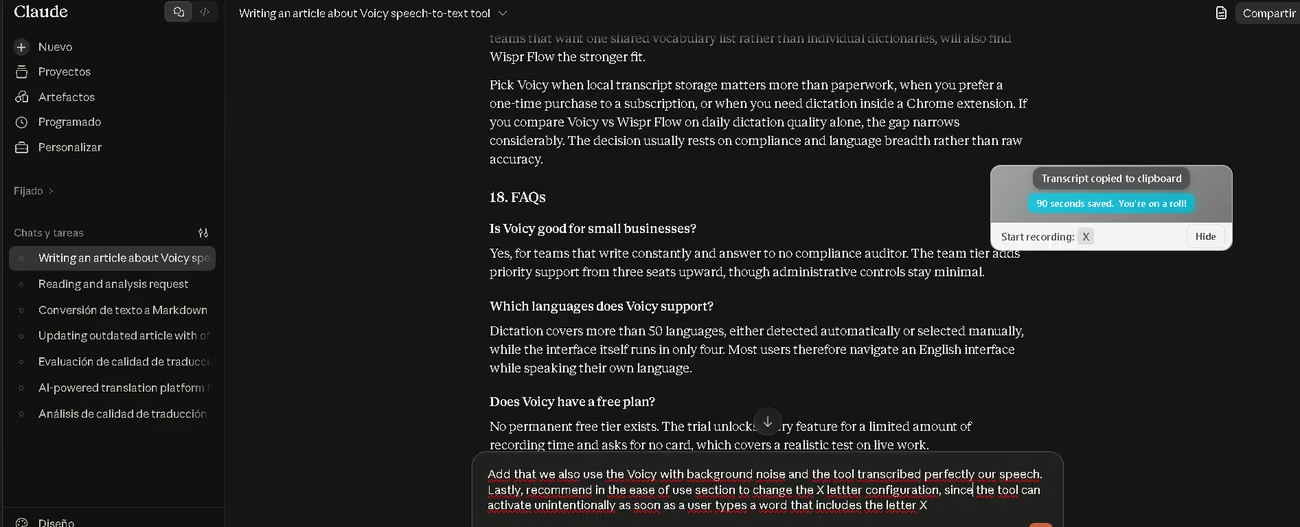
Voicy does not integrate in the conventional sense. It writes wherever the operating system reports an active text field, which is why the list of supported destinations stretches far beyond what a partner directory could hold. AgentAya confirmed this behavior in Microsoft Word on Windows and inside Claude, where the text landed directly in the active field with no plugin, extension, or connector involved.
Data Security and Compliance
Users keep ownership of their transcripts. Voicy states it stores no recording or transcription data on its side, and the transcript history screen confirms this by holding past dictations on the local machine. The vendor states it never uses recordings to train AI models and never sells data to third parties. At the processing layer, Voicy reports that it enabled Groq's Zero Data Retention setting and avoids batch and fine-tuning endpoints. This tool does retain anonymized usage analytics covering recording counts, button clicks, and errors, and states these never contain transcription content. It also keeps the account and payment data that subscriptions require, and stores user preferences locally on the device.
Server routing splits by geography. US users reach US servers, and all other users reach EU servers. Voicy holds no SOC 2, no ISO 27001, and no HIPAA business associate agreement, and its published policies make no explicit GDPR commitment. Those policies also describe no encryption standard for data in transit or at rest, and no multi-factor authentication or administrative access controls. A firm that files evidence rather than assurances will find nothing to file.
Language: Interface and Customer Support
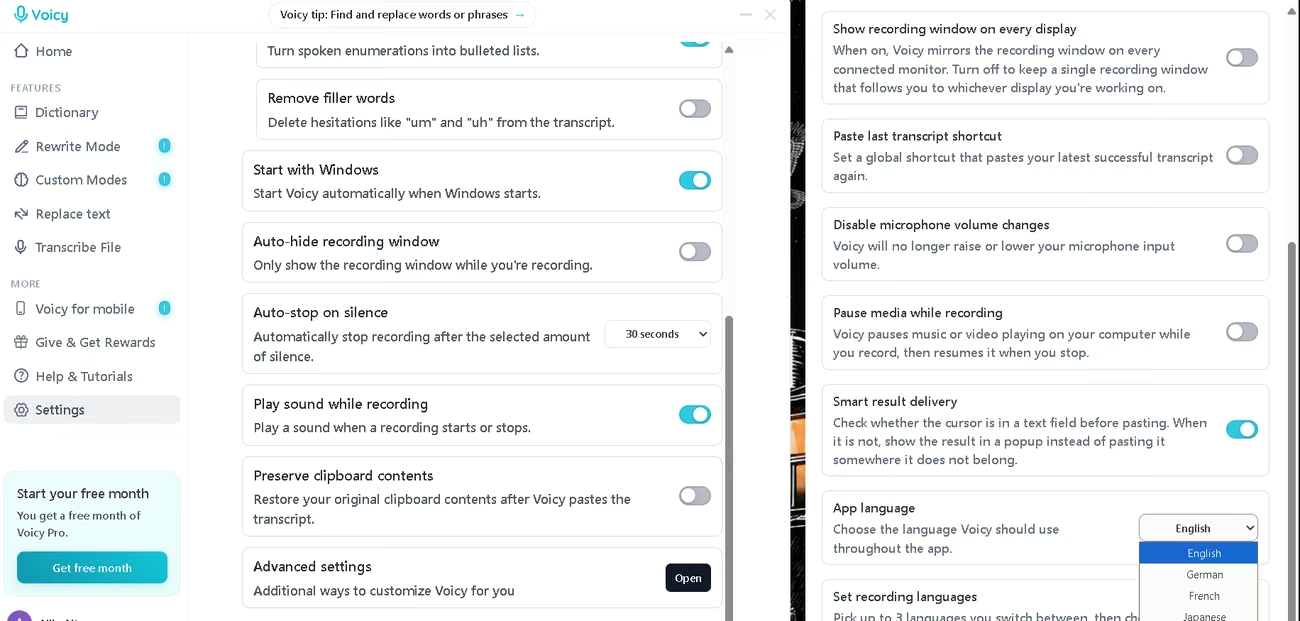
The application interface runs in four languages: English, German, French, and Japanese. Users switch between them under advanced settings rather than during first-run setup, so the option hides from anyone who never opens that panel. The changelog shows the three non-English options arriving incrementally, with German first and French and Japanese together in a later release. Spanish, Portuguese, and Italian speakers therefore work in an English interface, which affects the settings screens far more than dictation itself. Voicy publishes its support page, tutorials, and contact details in English only.
AI Language: The Tool Itself
Voicy claims over 99 percent accuracy across more than 50 dictation languages, and handles language selection two ways. Auto-detection lets the model identify what you speak without any setup. Alternatively, you pick one language from the settings list, which sharpens accuracy when you know you will stay in a single language. That list covers Spanish, Portuguese, German, French, Italian, Japanese, Chinese, Arabic, Hindi, Korean, Polish, Ukrainian, Turkish, Welsh, and Filipino among others. Users can also pin up to three languages and switch between them mid-session with the A, S, and D keys. The vendor states the model handles two languages inside a single sentence.
Mobile Access
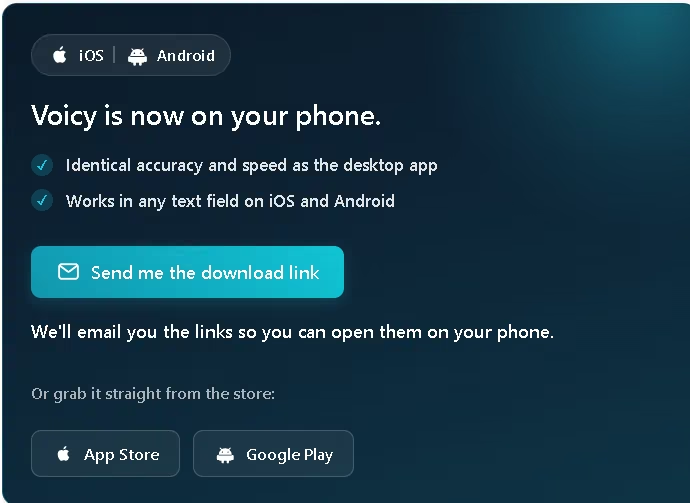
Voicy ships dedicated iOS and Android applications rather than a mobile web view, and the iOS listing presents it as a speech-to-text keyboard. The vendor states mobile matches desktop accuracy and speed and works in any text field on either platform. On Android, the app uses the Accessibility Service to detect a focused text field in another application and paste the finished transcript there. Voicy states it uses that access only for field detection and pasting, never for reading passwords, recording calls, changing device settings, blocking uninstallation, or selling accessibility data, and users can revoke it in Android settings at any time. The custom dictionary and optional AI cleanup both carry over from desktop.
Support, Onboarding, and Account Management
- Onboarding: setup runs about two minutes and ends with one decision, the recording shortcut, where the vendor recommends a multi-key combination.
- Tutorial library: short videos cover getting started, signing in, changing the shortcut, and improving accuracy, plus feature guides for punctuation commands, Rewrite Mode, the dictionary, text replacements, and Custom Modes.
- Support channel: email only, direct to the founder. No live chat, no phone line, no ticket portal.
Voicy states an average reply time within two hours and a target of 24 hours, with no coverage between 10 PM and 7 AM GMT. The team tier adds priority support, starts from three users, and runs through a booking call rather than self-service signup. A public changelog documents each version with dated entries, and the release cadence has held steady at roughly one update per month.
A team with no technical staff will manage this comfortably, because onboarding asks for one choice and every question reaches one person who answers quickly.
Ease of Use and UX
Voicy delivers a first useful result faster than almost anything in this category. Install it, pick a shortcut, open a document, and speak.
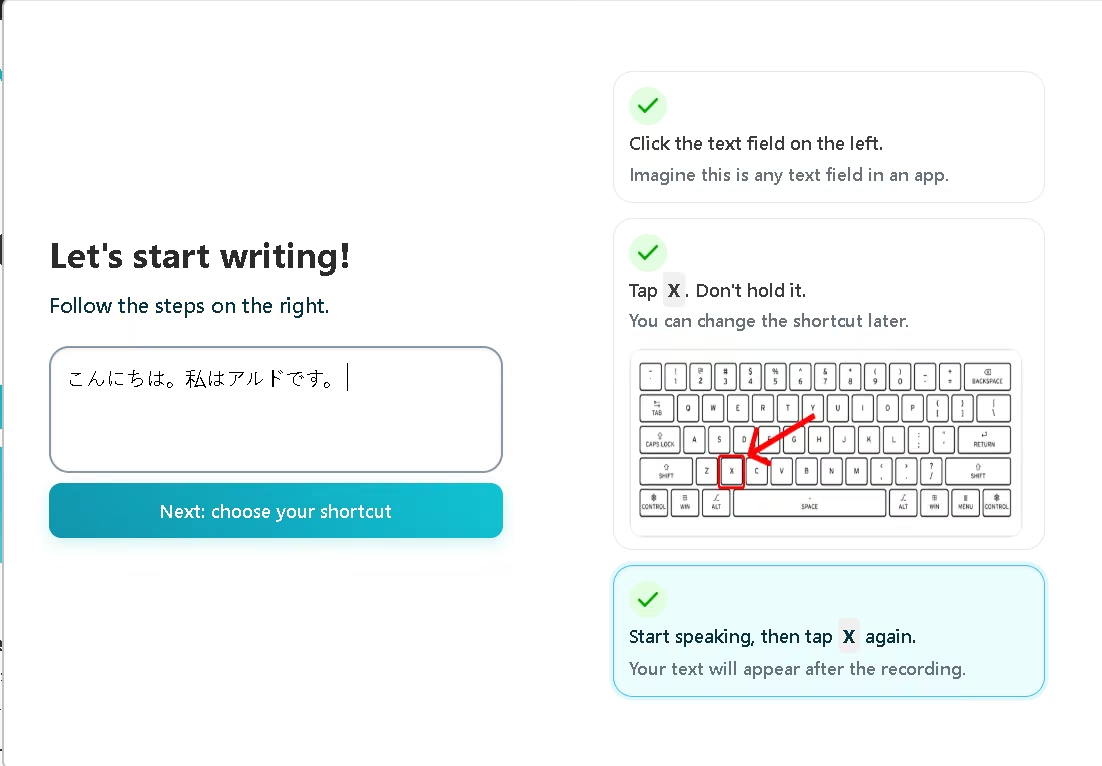
AgentAya tested dictation in English, Spanish, Japanese, and Italian. The transcripts came back clean in every one, including Japanese, which we dictated as non-native speakers. Accuracy held steady across applications too. We dictated into Microsoft Word on Windows and the text arrived correctly punctuated on the first attempt, with no configuration beyond the defaults, and we saw the same quality inside Claude. Voicy held its accuracy wherever we sent the text, which separates it from competitors advertising the same capability.
Change the recording shortcut during setup rather than accepting the default. The X key alone triggers recording, so Voicy starts listening whenever you type a word containing that letter. The vendor recommends a multi-key combination for exactly this reason, and the setup screen suggests Control and Space.
One limitation remains, and it affects most tools in this category rather than Voicy alone. You cannot watch the text build as you speak, since the transcript appears only after you stop dictating. The target window also has to stay visible, because minimizing a Word document stops text from landing in it, although a split screen works fine.
Pricing and Plans
- Free trial: gives a fixed allowance of recording time, opens every feature, and asks for no card at signup.
- Pro: removes the recording limit across desktop and mobile, and lets you pay monthly or commit annually for a lower monthly rate.
- Lifetime: unlocks the same capabilities permanently through a single payment instead of a recurring charge.
- Team: charges a per-seat rate below the individual price, starts from three users, and adds priority support.
- Discounts and credits: cut the rate for students and for people with disabilities through dedicated application pages, and a referral program grants free months of Pro for inviting other users.
The vendor publishes a fair pricing policy that caps its margin over total costs, and a fair use policy with a stated monthly transcription ceiling that it says affects only a fraction of the heaviest users. One detail needs checking before you commit: the plans advertise unlimited personal devices, while the terms reserve the right to close accounts running on more than two.
For an SME budget, the cost structure works. The lifetime option removes subscription drag for a solo operator, and the team rate stays modest for a group of three or four. The trial allowance gives you enough recording time to test the accuracy claim on real work before paying anything.
Case Study
No verified customer case study exists for Voicy, since the product holds a limited market presence compared with better-funded tools in the same category.
A perfect use case could be a content team drafting a long article. Before Voicy, the writer types the opening section, stops to fix punctuation, then retypes sentences that read better spoken than written. With Voicy running, the writer dictates the introduction straight into the document: what the article covers, who it helps, and what the reader will learn. The transcript arrives punctuated, paragraphed, and stripped of hesitations, ready to edit rather than repair.
The same session then changes language without changing tools. The writer dictates a product description in Spanish for the bilingual version, and Voicy returns it correctly accented and structured. Reference terms that a general model would mangle go into the custom dictionary once and transcribe correctly from then on.
The draft moves from spoken thought to editable text in a single pass, leaving only the editing to do.
Videos
Voicy vs Alternatives
| Dimension | Voicy | Wispr Flow |
|---|---|---|
| Dictation languages | Over 50, with up to three pinned for hotkey switching | Over 100, detected automatically |
| Security certifications | None published | SOC 2 Type II, HIPAA, and ISO 27001 |
| Transcript storage | Stays on the device, and the vendor states it retains nothing | The user chooses whether data helps improve the product |
| Editing approach | Rewrite Mode plus user-written Custom Modes | Verbal editing commands plus per-application style adaptation |
| Saved text shortcuts | Text replacements | Snippets that expand from a spoken shortcut |
| Vocabulary | Personal custom dictionary | Custom vocabulary, shareable across a team |
| Platforms | Windows, Mac, iOS, Android, Chrome extension | Mac, Windows, iPhone, Android |
Both tools write into any application, learn custom vocabulary, and clean up spoken filler. The split comes down to what a buyer needs beyond that.
Pick Voicy when local transcript storage matters more than paperwork, when you prefer a one-time purchase to a subscription, or when you need dictation inside a Chrome extension. If you compare Voicy vs Wispr Flow on daily dictation quality alone, the gap narrows considerably. The decision usually rests on compliance and language breadth rather than raw accuracy.
FAQs
Is Voicy good for small businesses?
Yes, for teams that write constantly and answer to no compliance auditor. The team tier adds priority support from three seats upward, though administrative controls stay minimal.
Which languages does Voicy support?
Dictation covers more than 50 languages, either detected automatically or selected manually, while the interface itself runs in only four. Most users therefore navigate an English interface while speaking their own language.
Does Voicy have a free plan?
No permanent free tier exists. The trial unlocks every feature for a limited amount of recording time and asks for no card, which covers a realistic test on live work.
Can Voicy transcribe audio files?
Yes. Uploading audio or video returns a full transcript, but this function requires a paid plan and stays locked during the trial.
Still weighing up Voicy?
See how it compares with the other tools we've reviewed in AI for Transcripts.