
IFTTT: connectez vos applications et automatisez vos tâches sans coder
IFTTT, pour If This Then That, est une plateforme d’automatisation no-code qui connecte des applications et des appareils via des flux de travail appelés Applets. Avec plus de 1 000 services intégrés et près de 30 millions d’utilisateurs dans plus de 190 pays, elle fait figure de pionnière sur le marché de l’automatisation pour les utilisateurs non techniques.
Pour les petites et moyennes entreprises, disposer d’une solution qui automatise les tâches répétitives sans nécessiter de programmation constitue un avantage opérationnel important. La possibilité de connecter des applications de productivité, les réseaux sociaux, des outils marketing et des appareils connectés au sein de flux de travail automatisés permet aux petites équipes d’optimiser leur temps et de réduire les erreurs manuelles. Cet outil vise précisément ce segment, avec une structure simple basée sur des déclencheurs et des actions que n’importe quel utilisateur peut configurer en quelques minutes.
Avis AgentAya
IFTTT se distingue par son orientation vers les utilisateurs sans expérience technique. La logique “si ceci se produit, alors fais cela” est intuitive et permet de créer rapidement des automatisations simples. Sa principale force réside dans son large écosystème d’intégrations avec les appareils domestiques connectés, les réseaux sociaux et les applications de productivité populaires.
La plateforme présente cependant certaines limites. Le plan gratuit, limité à seulement 2 Applets, est insuffisant pour la plupart des cas d’usage professionnels. Les fonctionnalités IA, y compris la traduction automatique, sont réservées exclusivement au plan le plus cher, Pro+.
Notre recommandation: pour les utilisateurs sans expérience technique qui cherchent leur premier outil d’automatisation, IFTTT offre une courbe d’apprentissage accessible. La structure déclencheur-action et les applications mobiles permettent de mettre en place des automatisations simples en quelques minutes, sans ordinateur.
Tableau des scores
| Catégorie | Score | Description |
|---|---|---|
| Fonctionnalités et capacités | 3.0 ⭐⭐⭐ | Automatisations basiques avec une logique simple; les fonctionnalités avancées nécessitent des plans payants |
| Intégrations | 4.0 ⭐⭐⭐⭐ | Plus de 1 000 services, dont des appareils domestiques connectés, les réseaux sociaux et des outils IA |
| Langue et assistance | 4.0 ⭐⭐⭐⭐ | Applications mobiles multilingues; chatbot d’aide réactif; documentation en anglais |
| Facilité d’utilisation | 5.0 ⭐⭐⭐⭐⭐ | Interface simple basée sur des déclencheurs et des actions |
| Rapport qualité-prix | 3.0 ⭐⭐⭐ | Plans payants abordables, mais niveau gratuit limité à 2 Applets; fonctionnalités IA réservées à Pro+ |
Note globale AgentAya: 4/5 ⭐⭐⭐⭐
Un outil accessible pour des automatisations simples, idéal pour les débutants et les passionnés de domotique, malgré des limites importantes dans le plan gratuit.
Idéal pour
- Les particuliers ou micro-entreprises qui ont besoin d’automatisations très simples
- Les propriétaires d’appareils domestiques connectés qui souhaitent relier leurs équipements
- Les PME actives sur les réseaux sociaux qui veulent automatiser la republication croisée
- Les petites équipes en quête d’un outil d’automatisation accessible aux débutants
Pas idéal pour
- Les entreprises qui ont besoin de plus de 2 automatisations sans payer d’abonnement
- Les organisations qui exigent une installation sur site ou un contrôle total des données
- Les utilisateurs qui ont besoin de flux de travail complexes avec de multiples conditions
Fonctionnalités principales
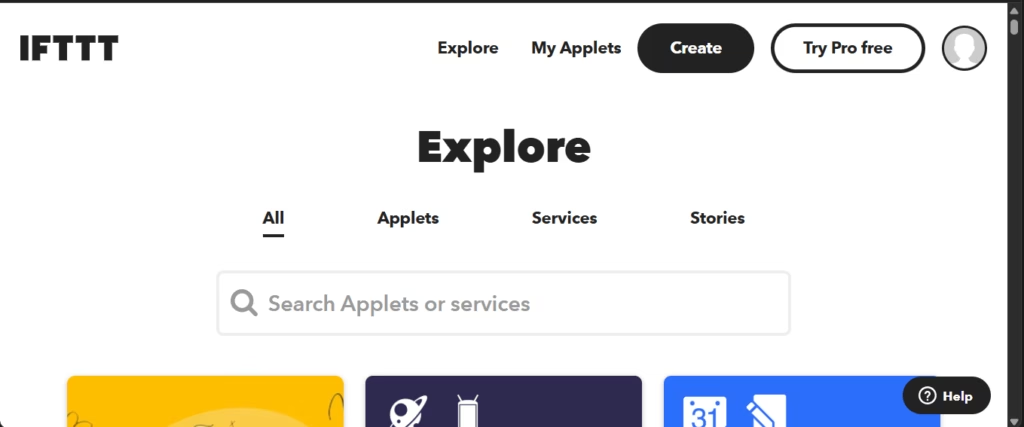
Les Applets sont des flux de travail automatisés basés sur la structure “si ceci, alors cela” qui connectent deux services ou plus.
Chaque Applet IFTTT repose sur trois composants essentiels:
- Déclencheurs: lancent un Applet lorsqu’un événement précis se produit, par exemple “nouvelle vidéo mise en ligne” sur YouTube ou “nouvelle photo publiée” sur Instagram
- Actions: exécutent la tâche souhaitée, par exemple “publier un tweet” sur X, anciennement Twitter, ou “envoyer un e-mail” via Gmail
- Requêtes: ajoutent des détails supplémentaires si besoin, par exemple “optimiser cette publication pour X” via l’assistant IA Twitter
La plateforme propose:
- Création d’Applets personnalisés: concevez vos propres automatisations à partir de zéro, le plan gratuit autorise jusqu’à 2 Applets
- Widgets bouton et note: des déclencheurs manuels depuis votre appareil mobile pour exécuter des actions en un seul geste
- Webhooks: des connexions personnalisées pour intégrer des services externes via des requêtes HTTP, disponibles sur les plans payants
- Actions multiples: exécutez plusieurs actions à partir d’un seul déclencheur, réservé aux plans Pro et Pro+
- Requêtes et code de filtrage: des outils pour affiner les conditions et personnaliser le comportement des Applets, réservés à Pro+
- Modèles préconçus: une bibliothèque d’Applets prêts à l’emploi pour accélérer la mise en œuvre
Ces fonctionnalités permettent d’automatiser des processus comme la publication de contenu sur plusieurs réseaux sociaux à la fois, la réception de notifications lors d’un changement de cours boursier, la sauvegarde de photos dans le cloud, ou le contrôle d’appareils domestiques selon votre localisation. Par exemple, un seul déclencheur peut lire un e-mail entrant contenant des informations de rendez-vous, utiliser une requête IA pour en extraire la date et les coordonnées du client, créer l’événement correspondant dans le calendrier, et, en même temps, consigner tous les détails dans un document pour garder un historique de chaque client.

Fonctionnalités IA
- AI Content Creator: génération automatisée de contenu pour les publications et les notes
- AI Summarizer: résumé automatique d’informations
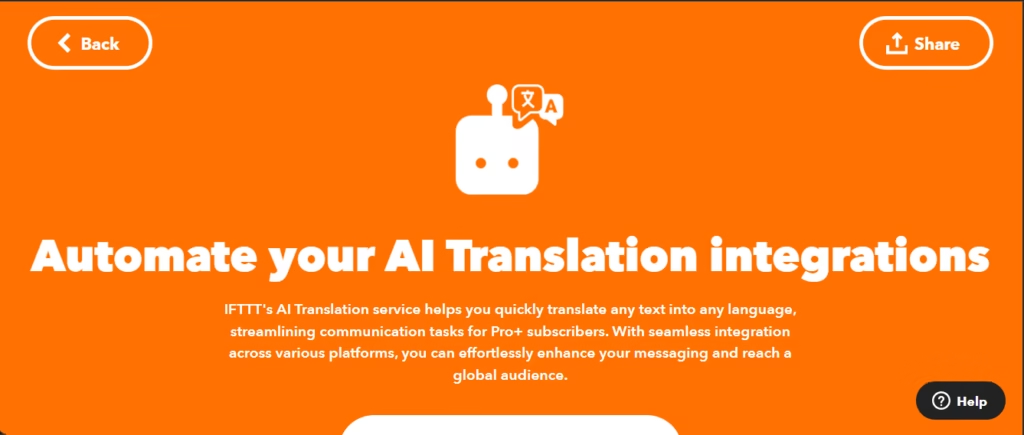
- AI Translation: traduit le contenu dans différentes langues, fonctionne comme une requête intermédiaire et non comme un déclencheur ou une action autonome
- Intégration ChatGPT: se connecte au modèle d’OpenAI pour la génération de texte
- Intégration Anthropic Claude: accès au modèle d’Anthropic pour des automatisations propulsées par l’IA
- Assistants IA spécialisés: AI Twitter Assistant, AI Facebook Assistant, AI LinkedIn Assistant et AI YouTube Assistant pour optimiser le contenu selon chaque plateforme
- AI Prompt: génère des réponses à partir d’instructions personnalisées au sein d’un Applet
- AI Social Creator: crée du contenu pour les réseaux sociaux
Les fonctionnalités IA sont réservées à Pro+, le plan le plus élevé de la plateforme. AI Translation fonctionne comme une étape intermédiaire au sein des Applets, traduisant le contenu avant qu’il ne soit envoyé à un autre service.
Intégrations
IFTTT propose plus de 1 000 intégrations natives organisées en catégories telles que la productivité, les réseaux sociaux, la domotique et l’intelligence artificielle. Parmi les intégrations notables:
- Google Calendar, Gmail, Google Drive, Google Sheets, Google Docs
- Slack, Discord, Microsoft Teams, Microsoft Outlook
- Instagram, X, anciennement Twitter, Facebook, LinkedIn, TikTok, Threads, Bluesky
- Philips Hue, Ring, LIFX, Google Nest, SmartThings, Wyze, iRobot, August, Arlo
- Spotify, YouTube, Twitch
- HubSpot, Cal.com, Smartsheet, Coda, Wrike, ActiveCampaign, Fireflies.ai, FreshBooks, Xero, BambooHR, Apollo, Cloudflare, Netlify, ElevenLabs, Figma
- Notion, Todoist, Trello, Asana, ClickUp, Dropbox
- ChatGPT, Anthropic Claude, Gemini
La plateforme fournit des Webhooks pour se connecter à des services dépourvus d’intégration native, cette fonctionnalité étant toutefois réservée aux plans payants. IFTTT propose aussi des outils pour les développeurs qui souhaitent créer des intégrations avec leurs propres produits et services.
Par ailleurs, le Model Context Protocol, MCP, permet à des assistants IA comme Claude de se connecter à son catalogue de services. Grâce à cette connexion, l’assistant peut réaliser des actions ponctuelles, par exemple envoyer un e-mail ou publier un message, ou créer des Applets automatisés qui s’exécutent en continu. Le serveur MCP est disponible sur tous les plans, mais sa portée dépend du niveau: le plan gratuit permet de rechercher des services et des Applets et de créer ou activer des Applets gratuits jusqu’à la limite du compte; le plan Pro ajoute la possibilité d’exécuter des actions et de créer des Applets Pro; et le plan Pro+ permet d’exécuter des requêtes et de créer des Applets Pro+.
Sécurité des données et conformité
La plateforme utilise OAuth, Open Authorization, pour se connecter à des services tiers, accordant un accès restreint aux comptes utilisateurs via des jetons dotés de permissions spécifiques, sans partage de mot de passe. Vous pouvez révoquer cet accès à tout moment depuis les paramètres des services connectés.
Les journaux des vérifications de déclencheurs, des exécutions d’Applets et des erreurs sont conservés pendant 7 jours à des fins de surveillance. Comme l’indique sa politique de confidentialité, IFTTT ne vend pas de données personnelles à des tiers.
La plateforme respecte le règlement général sur la protection des données de l’Union européenne, RGPD, et a désigné des représentants en Allemagne et au Royaume-Uni pour traiter les demandes relatives à la protection des données. Les utilisateurs européens disposent d’un droit d’accès, de rectification, d’exportation et de suppression de leurs données personnelles.
Pour les contrôles d’accès, IFTTT propose l’authentification à deux facteurs, 2FA, comme option pour tous les comptes. Les utilisateurs peuvent exporter leurs données au format JSON et supprimer définitivement leur compte ainsi que toutes les données associées depuis les paramètres.
Langue: assistance client et interface
La plateforme web est disponible uniquement en anglais. L’application mobile Android prend en charge 7 langues: anglais, français, allemand, japonais, portugais, espagnol et chinois. L’application iOS est disponible en 5 langues: anglais, français, allemand, japonais et portugais.
Le centre d’aide et la documentation officielle sont en anglais. Une fois connectés, les utilisateurs peuvent accéder à un chatbot assistant qui répond aux questions de base et les oriente vers les articles pertinents du centre d’aide. Si les réponses du chatbot s’avèrent insuffisantes ou répétitives, les utilisateurs peuvent demander à parler à un agent humain.
Prise en charge linguistique de l’IA
Les fonctionnalités IA d’IFTTT, à savoir AI Translation, AI Summarizer et AI Content Creator, prennent en charge plusieurs langues. Lors de la configuration de ces services au sein d’un Applet, un champ optionnel “Language” permet de préciser la langue de sortie souhaitée.
Les intégrations ChatGPT et Anthropic Claude peuvent traiter du contenu dans plusieurs langues selon les capacités de chaque modèle. Pour des automatisations simples qui n’impliquent pas de services tiers complexes, comme des rappels basés sur l’heure ou le calendrier, les messages et notifications peuvent être configurés dans la langue de votre choix.
Pour les automatisations qui ne reposent pas sur le traitement du langage naturel, comme les transferts de données ou la synchronisation de fichiers entre services, la langue ne constitue pas un facteur limitant. La langue de sortie dépend de l’intégration spécifique et du type d’automatisation que vous configurez.
Accès mobile sur iOS, Android et autres
IFTTT propose des applications mobiles pour iOS et Android. Elles permettent de créer et gérer des Applets, d’utiliser les widgets bouton et note comme déclencheurs, et de recevoir des notifications sur vos automatisations.
Assistance, intégration et gestion de compte
Les plans Pro et Pro+ incluent une assistance client, tandis que le plan gratuit se limite à des ressources en libre-service, des forums communautaires et le chatbot assistant. Les demandes d’assistance soumises via le chatbot reçoivent généralement une réponse par e-mail sous un jour ouvré.
La plateforme propose une vaste bibliothèque d’Applets préconçus qui servent de point de départ aux nouveaux utilisateurs, ainsi qu’un guide de bienvenue couvrant les bases. Le modèle déclencheur-action est suffisamment simple pour que des utilisateurs sans bagage technique puissent mettre en place des automatisations basiques en quelques minutes seulement.
Facilité d’utilisation / UX
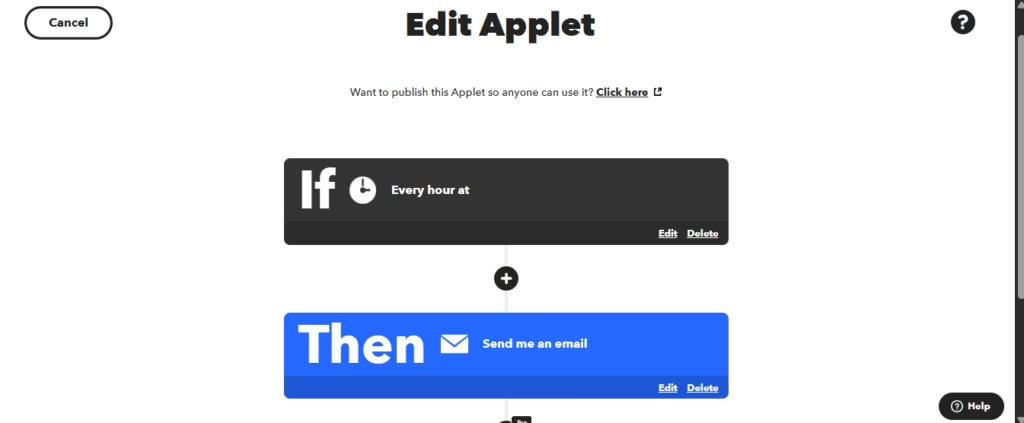
IFTTT se distingue par sa simplicité. La structure “si ceci, alors cela” supprime la complexité que l’on retrouve dans la plupart des outils d’automatisation. Vous choisissez un service et un événement déclencheurs, sélectionnez un service d’action, et définissez le résultat. Les requêtes permettent d’ajouter des détails supplémentaires si besoin.
Il existe deux façons de créer des Applets personnalisés: une configuration manuelle étape par étape, ou la rédaction d’une invite pour que l’IA la construise pour vous. L’option IA n’est pas disponible sur le plan gratuit, et si vous l’utilisez, nous recommandons de rédiger votre invite en anglais et de vérifier attentivement la configuration générée avant de l’activer.
La courbe d’apprentissage est minime pour les automatisations en deux étapes. Mettre en place un flux de travail simple entre deux services courants, comme un rappel quotidien envoyé par e-mail, prend quelques minutes seulement, même pour les utilisateurs débutants. L’interface vous guide à chaque étape, dès lors que vous savez clairement ce que vous voulez automatiser.
Les automatisations plus complexes impliquant plusieurs étapes, plusieurs services ou d’autres plateformes prennent plus de temps à configurer. Cela dit, la plateforme reste globalement intuitive.
Tarifs et plans
IFTTT propose trois niveaux de plans avec une facturation mensuelle ou annuelle:
- Le plan gratuit inclut jusqu’à 2 Applets, une vitesse d’exécution standard, des exécutions illimitées et l’accès à l’application mobile.
- Le plan Pro débloque jusqu’à 20 Applets, une vitesse d’exécution plus rapide, des Applets à actions multiples, les Webhooks, les Applets X, anciennement Twitter, des limites de débit plus élevées et une assistance client.
- Le plan Pro+ offre des Applets illimités, toutes les fonctionnalités de Pro, les services IA, à savoir AI Content Creator, AI Summarizer et AI Translation, la possibilité de connecter plusieurs comptes d’un même service, les requêtes et le code de filtrage pour une personnalisation avancée, et une assistance prioritaire.
Le plan gratuit est plus restrictif que ceux de ses concurrents directs: 2 Applets contre 100 tâches chez Zapier ou la version Community illimitée chez n8n.
Étude de cas
Un technicien indépendant qui répare des appareils recevait chaque jour des e-mails contenant des informations sur ses clients et ses rendez-vous de réparation. Son objectif était d’automatiser ce processus afin que les détails de chaque rendez-vous se transforment automatiquement en événements Google Calendar, sans avoir à lire et retranscrire chaque e-mail à la main.
Sa première tentative s’appuyait sur l’éditeur de code de filtrage pour extraire la date et l’heure du corps des e-mails, mais le processus s’est révélé complexe. L’équipe d’assistance d’IFTTT lui a suggéré une alternative plus simple: utiliser des requêtes IA plutôt que du code. Avec l’AI Prompt et des requêtes ChatGPT, l’Applet lit le contenu de chaque e-mail et renvoie les informations dans le bon format, d’abord le numéro de dossier et le service, puis la date et l’heure de début, prêtes à créer l’événement de calendrier.
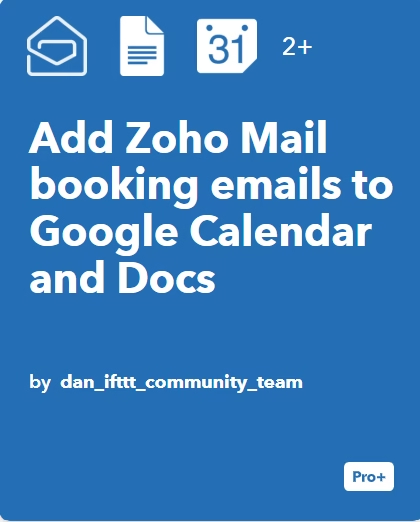
Ce flux de travail exploite aussi la fonctionnalité d’actions multiples. Il se déclenche chaque fois qu’un nouvel e-mail arrive dans Zoho Mail et correspond à un critère défini, par exemple l’objet de chaque nouvelle mission. À partir de là, l’Applet crée l’événement dans Google Calendar et, en même temps, enregistre tous les détails dans un nouveau document Google Docs, constituant au fil du temps un historique accessible de chaque client dans Google Drive.
Résultat: le technicien peut désormais consulter tout son planning directement dans Google Calendar, avec les missions de réparation organisées et faciles à retrouver dans Google Docs, sans avoir à fouiller dans ses e-mails pour chaque détail. Ce cas montre comment combiner les requêtes IA et les actions multiples permet d’automatiser tout un flux de gestion des rendez-vous, tout en gardant à l’esprit que ces fonctions ne sont disponibles que sur les plans payants, les actions multiples sur Pro et Pro+, et les requêtes IA sur Pro+ uniquement.
IFTTT face aux alternatives
| Aspect | IFTTT | Zapier | n8n |
|---|---|---|---|
| Intégrations natives | 1 000+ | 8 000+ | 1 300+ |
| Plan gratuit | 2 Applets | 100 tâches | Illimité, Community |
| Installation sur site | Non disponible | Non disponible | Oui, gratuite |
| Fonctionnalités IA | Pro+ uniquement | Plusieurs plans | Incluses |
| Interface visuelle | No-code, avec des options low-code sur Pro+ | No-code | Visuelle avec option code |
| Application mobile | iOS et Android | Non disponible | Non disponible |
| Domotique | Prise en charge étendue | Limitée | Limitée |
IFTTT excelle dans les intégrations domotiques et propose des applications mobiles complètes, ce que ni Zapier ni n8n ne proposent. Son plan gratuit est cependant le plus restrictif des trois, et les fonctionnalités IA sont réservées au plan le plus élevé.
Zapier affiche le plus grand catalogue d’intégrations, plus de 8 000, et rend les fonctionnalités IA disponibles sur davantage de plans, bien qu’il ne propose pas non plus d’option sur site.
n8n offre le plus de flexibilité grâce à sa version Community gratuite, son installation sur site et une facturation basée sur des exécutions complètes de flux de travail plutôt que sur des tâches individuelles, mais il exige davantage de savoir-faire technique.
Outils similaires
| Outil | |
|---|---|
 | |
 | |
 | |
 | |
 |
Foire aux questions
IFTTT est-il un bon choix pour les PME ?
Cela dépend de vos besoins. Pour des automatisations très simples, 1 à 2 flux de travail, et des utilisateurs à l’aise en anglais, cela peut être un excellent point de départ.
Peut-on utiliser IFTTT gratuitement ?
Oui, mais avec des limites importantes: seulement 2 Applets, aucune fonctionnalité IA, aucun Webhook et aucune action multiple.
IFTTT est-il sécurisé ?
La plateforme utilise OAuth pour se connecter à des services externes sans stocker de mots de passe, propose l’authentification à deux facteurs, 2FA, respecte le RGPD, et permet aux utilisateurs d’exporter ou de supprimer leurs données. Elle ne vend pas d’informations personnelles à des tiers.
IFTTT dispose-t-il d’une application mobile ?
Oui, elle est disponible sur iOS et Android, avec plus de 10 millions de téléchargements cumulés à ce jour.
IFTTT peut-il être utilisé avec des assistants IA comme Claude ?
Oui. Grâce à IFTTT MCP, un assistant compatible peut se connecter au catalogue de services de la plateforme pour réaliser des actions ponctuelles ou créer des Applets automatisés. Cette fonctionnalité est disponible sur tous les plans, avec des capacités qui augmentent selon le niveau, gratuit, Pro ou Pro+.