
Sonix: Transcription, Subtitling and Automatic Translation with AI
Sonix is an automated transcription, translation and subtitling platform powered by artificial intelligence. This tool allows converting audio and video recordings into editable and analyzable text; it provides precision, speed and an accessible interface for both professionals and teams without technical experience.
It belongs to the AI transcription category and stands out among other similar tools for its ability to work with over 54 languages, with proven optimization for multiple languages. It offers automatic punctuation, speaker identification, timestamps and synchronized subtitles in an online editor that allows searching, correcting, cleaning and exporting files in DOCX, TXT, PDF, SRT and VTT formats.
For SMEs and small teams, Sonix represents a key tool to reduce administrative time, document meetings or translate audiovisual materials without depending on costly manual processes.
AgentAya Verdict: Sonix
Sonix combines speed, precision and scalability, positioning itself as one of the most complete options for converting audio and video into text, subtitles and translations in multiple languages. The browser editor is agile and allows correcting, organizing and exporting in several formats without depending on external programs. Added to this are AI analysis functions (summaries, chapters, topic, entity and sentiment detection), a workspace that lets you query entire folders of transcripts in natural language, multi-user collaboration, an API and a broad set of integrations with Zoom, Microsoft Teams, Google Meet, Google Drive, Dropbox and YouTube, all of which makes it especially practical for small teams and professionals who need fast, consistent results.
The 30-minute free trial makes it easy to validate quality before committing budget. Points to consider: some AI functions require a subscription and are not available in the free trial, and on projects of thousands of hours the cost can rise, so it is worth negotiating enterprise terms.
Recommended for media, education, research SMEs and marketing teams seeking to automate documentation and localization of audiovisual content with high precision, good export options and security guarantees. It is a reliable choice to integrate transcription, subtitles, translation and analysis in one environment.
Score Breakdown
| Category | Score | Brief Comment |
| Features and Functionality | 4.0 / 5 ⭐⭐⭐⭐ | Multilingual transcription, semantic analysis and automatic subtitling |
| Integrations | 4.3 / 5 ⭐⭐⭐⭐ | Direct connection with Zoom, Teams, Google Meet, Drive, Dropbox, Zapier, API, webhooks and MCP server. |
| Language and Support | 3.0 / 5 ⭐⭐⭐ | Interface only in English; transcription engine optimized for multiple languages |
| Ease of Use | 4.5 / 5 ⭐⭐⭐⭐ | Quick to set up, ideal for technical and non-technical users |
| Value for Money | 4.0 / 5 ⭐⭐⭐⭐ | Great functional value, though costs scale with volume |
AgentAya Overall Score: 4.1 / 5 ⭐⭐⭐⭐
Balances precision, speed and ease of use, consolidating as one of the most solid options in the automatic transcription segment.
Ideal for
- Media, education and research professionals
- Teams working with audiovisual content in multiple languages
- Companies requiring collaboration, permission control and multiple export formats
- SMEs using Zoom, YouTube or Google Drive in their workflows
Not ideal for
- Those needing an interface completely in their native language
- Projects with very tight budgets or extremely high volumes
- Teams wanting to evaluate all AI functions using only the free trial, since some require a subscription
Main Features
- Automatic transcription and translation in over 54 languages.
- Speaker identification, contextual punctuation and timestamps.
- Multi-track recording with ‘mic bleed’ detection, which locates and removes duplicated text when a voice bleeds into another track.
- Custom dictionary to lock in the transcription of proper names, technical terms or slang.
- Synchronized subtitles and export to DOCX, TXT, PDF, SRT and VTT, the latter a web standard for HTML5 video with styling and speaker identification.
- Online editor with search, highlighting and automatic cleaning.
- A broad set of AI analysis functions (summaries, chapters, topics, entities and sentiment), detailed further below.
These functions significantly reduce the time spent on manual transcription and make it easier to reuse recordings in marketing, training or internal documentation projects. In recordings with multiple speakers, the multi-track function helps keep the result clean: when one voice bleeds into another participant’s channel (known as mic bleed), Sonix detects and removes the duplicated text. This problem is reduced even further if each person is recorded in a separate room or if a tool such as Zoom or Skype is used, where each speaker uses an independent microphone input.

AI Functions
Sonix uses artificial intelligence models that interpret speech structure, apply correct punctuation, recognize speakers and maintain contextual coherence even when there are interruptions, overlaps or different accents. On that basis, it turns each recording into structured data rather than a plain block of text: identified and labeled speakers, topics and sections, key statements and decisions, action items, and metadata such as timestamps, language and confidence level.
From there, it offers a set of analysis functions:
- Automatic summaries in paragraph or bullet form, with the key points, decisions and action items of each recording.
- Automatic chapter creation with timestamps, to navigate long recordings and jump to a specific topic in seconds.
- Thematic analysis, which detects recurring themes and how they relate to each other.
- Sentiment analysis, which measures emotional tone by speaker and by topic.
- Topic detection, which tags the subjects discussed and creates a navigable index.
- Entity detection, which extracts people, organizations, places and dates to build databases from audio.
- Custom prompts, which let you create analysis templates and extract exactly the information each team needs.
- Folder-level analysis, which runs analysis across entire collections of transcripts and aggregates results from multiple files at once.
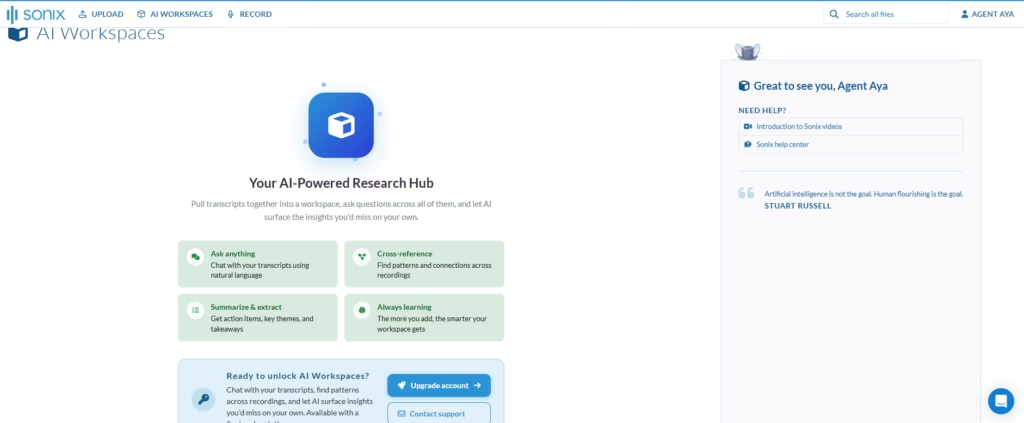
All of this comes together in the AI workspace, an environment that brings one or thousands of transcripts into a single place and lets you ask questions in natural language across all of them, find patterns and connections between recordings and obtain action items, key themes and takeaways. Every answer is anchored to a specific moment in the source material, with a timestamp, speaker attribution and a verifiable quote, so the analysis stays traceable and defensible. The more transcripts you add, the more complete the workspace becomes.
Integrations
Sonix exceeds 30 integrations and connects directly with the most common work tools:
- Video conferencing: Zoom, Microsoft Teams, Google Meet, Webex, GoToMeeting, Skype, RingCentral and Loom, with automatic transcription of recorded meetings.
- Storage and video: Google Drive, Dropbox and YouTube, to import and export files with no intermediate steps.
- Editing: export to editors such as Adobe Premiere.
- Automation: REST API, webhooks and Zapier integration, which make it easy to connect with content management systems, educational platforms or business workflows.
It also offers two paths designed for more technical users and for AI agents:
- A read-only MCP server, included in paid plans at no extra cost, that connects the account with assistants such as Claude, Cursor or Codex to browse the library, pull transcripts into the chat and generate subtitles or exports without leaving the assistant.
- A free, open-source command-line interface (CLI) that covers the entire workflow, from upload to translation and summary, also suitable for use in scripts and by AI agents.
Security and Data Compliance
Sonix encrypts data in transit with TLS 1.3 and at rest with AES-256, both in the database and in stored files. Users retain full ownership of their data and can view, export and delete it at any time; when deleted, audio and transcripts are completely wiped from the platform. Information is not used to train AI models, is not sold or shared with third parties, and staff do not access files without the user’s express consent.
The tool is SOC 2 Type 2 certified, with continuous monitoring of over 100 internal controls through the Drata platform and annual independent audits. HIPAA compliance is offered through Medical Sonix for healthcare organizations, with the signing of Business Associate Agreements (BAA). It complies with the General Data Protection Regulation (GDPR) and can sign Data Processing Agreements (DPA) and Standard Contractual Clauses (SCC), available inside the account.
Servers are hosted in AWS facilities in the United States, with ongoing monitoring, network protection (firewalls, intrusion prevention systems and segmentation) and annual penetration tests performed by security firms. Access is role-based and includes two-factor authentication, sign-in with Google (OAuth) and SSO/SAML on enterprise plans. Added to this are data retention and deletion policies and audit logs that track every action on files.
Language – Customer Support and Interface
The interface is available only in English, as is customer service, which is offered by email and chat within the platform on all plans. Enterprise plans include phone assistance upon request. Despite the language limitation, available material is clear and complete, facilitating autonomous doubt resolution. The tool has an official YouTube channel offering tutorials, which can be automatically subtitled through the platform’s integrated function.
AI Language – The Tool Itself
Sonix supports over 54 languages and dialects for transcription, translation and subtitling. It offers especially high precision in multiple languages including various European and international languages. The system recognizes accents and regional idioms without loss of transcription quality.
For international SMEs, this broad coverage and high linguistic performance make it a solid alternative versus tools focused exclusively on English.
Mobile Access
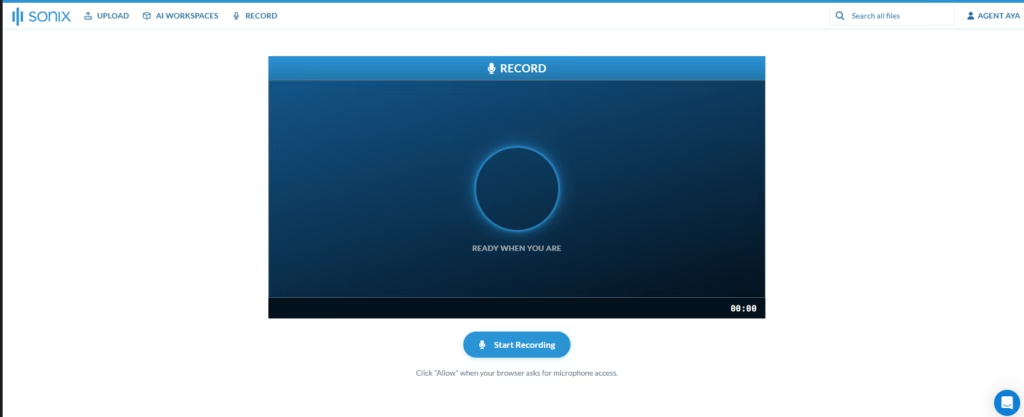
Sonix offers a mobile app, Sonix Mobile, that lets you record high-quality audio from a phone or tablet, both in in-person sessions and on the go. Recordings and their transcripts sync directly with the account workspace, keeping a single workflow between mobile and desktop. The platform also lets you record directly for transcription, with no intermediate steps, and the web version is fully adaptable, so you can upload and edit from the browser on any device.
Since accuracy largely depends on audio quality, it is worth recording carefully: put the phone in airplane mode and mute notifications to avoid interruptions, check that the microphones are not covered, point them toward whoever is speaking and, in large rooms, bring the device closer to the speaker or pass it among the participants. For the best result, an external microphone noticeably improves capture. Even so, the desktop interface remains more comfortable for long projects or detailed review.
Support, Onboarding Process, and Account Management
Onboarding is immediate: just create an account and upload a file to get results in minutes. Documentation and help channels are accessible from the home page itself, and include a help center available 24/7 with step-by-step guides, video tutorials and frequently asked questions.
Support is offered through several channels:
- Email, with priority support on higher plans.
- In-app chat, to resolve questions without leaving the workflow.
- Phone during business hours (Monday through Friday), on higher plans.
The team responds, on average, in under four hours during support hours, and includes API specialists for integration questions, with documentation, code examples and technical calls for complex implementations. Enterprise customers have a dedicated account manager, priority support, support channels for critical incidents, team training sessions, early access to beta features and periodic account reviews. Team plans add multi-user collaboration, role-based permissions and administration via SCIM.
Ease of Use / UX
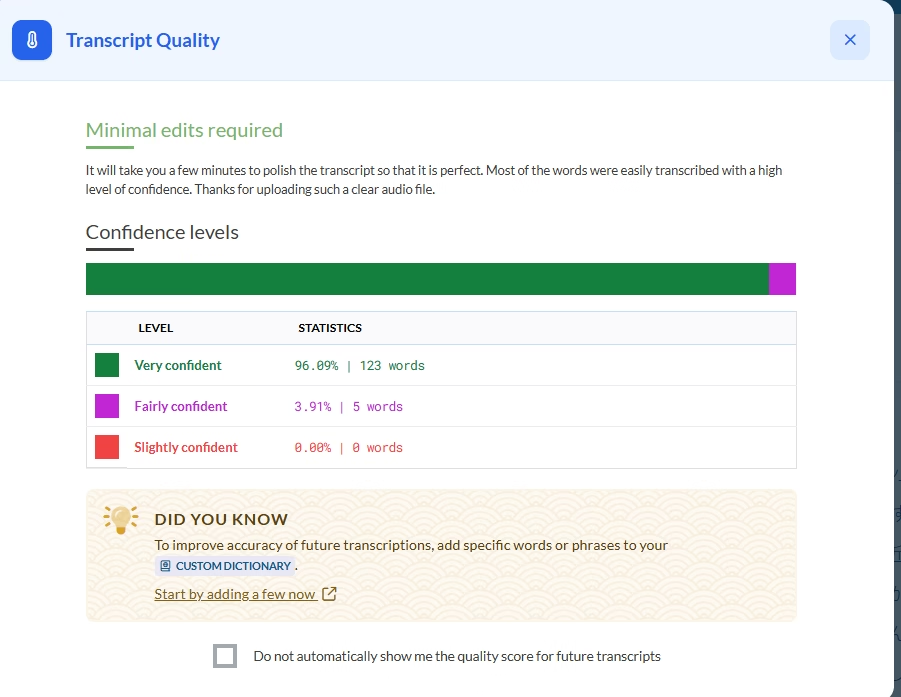
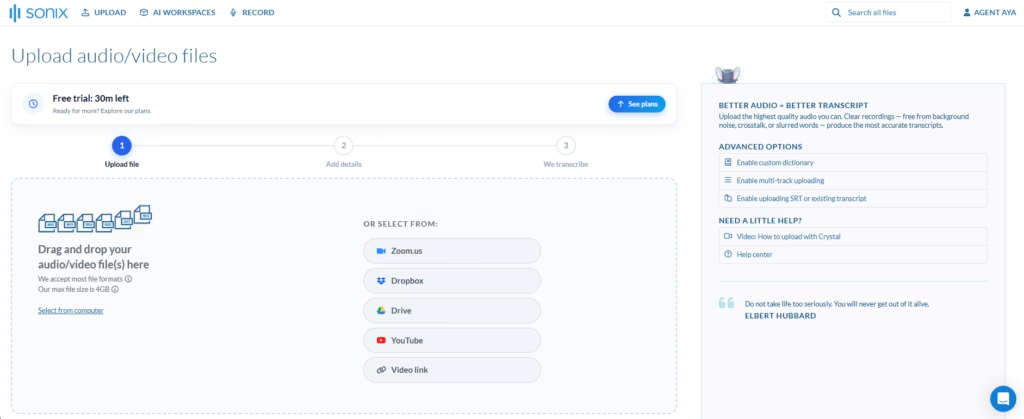
The platform organizes the workflow into three clear steps. First, you upload the file by dragging it or selecting it from your computer, Zoom, Dropbox, Google Drive, YouTube or a video link; it accepts most audio and video formats, with a maximum file size per upload. Second, you indicate the spoken language and enable automatic speaker detection and labeling. Third, the tool transcribes and delivers the text with word-level confidence levels (very, fairly and slightly confident), so you immediately see what is worth reviewing. When a word recurs, you can add it to the custom dictionary so it is always transcribed the same way going forward.
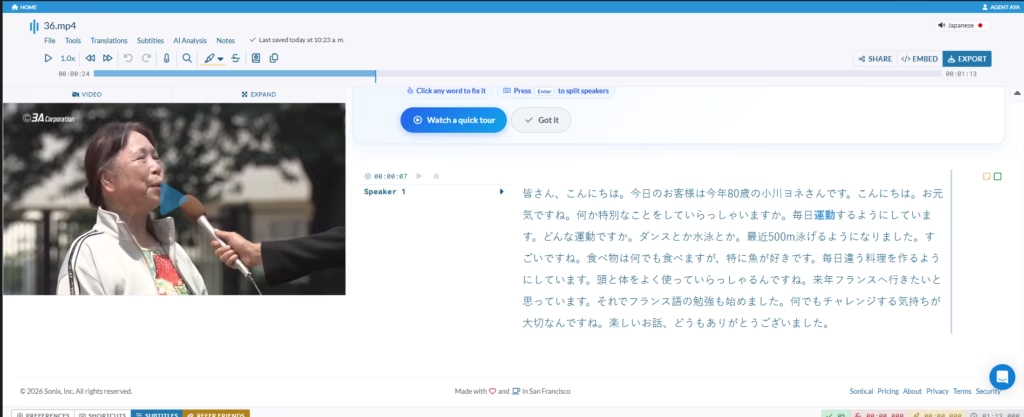
The editor lets you listen, correct, translate and export from a single panel, with precise synchronization between text and audio. Core functions require no technical knowledge; only advanced integrations or use of the MCP server call for basic technical notions. Documentation and the various help channels are accessible from the home page itself. SMEs without technical experience adapt in minutes and obtain value from the first transcription.
Pricing and Plans
Sonix AI offers a free trial with 30 minutes of transcription without requiring credit card. Beyond that, the structure is organized into several tiers:
- Pay-as-you-go: designed for occasional single-user projects. It does not include AI workspace usage.
- Subscription plans (Core, Advanced and Pro): aimed at individuals and teams with steady needs. Each includes a monthly allotment of transcription and translation hours, a separate allotment of AI workspace usage hours, increasing storage and one user, with the option to add extra users.
- Enterprise: a custom plan with advanced controls, compliance (SOC 2 and HIPAA), management via SSO and SCIM, and dedicated support.
Billing can be monthly or annual, with savings on the annual option.
Case Study
Horizon Behavioral Health, a provider of outpatient therapy, counseling and care coordination founded in 2013, delivers care across in-person, telehealth and mobile settings. Its team of therapists, care coordinators, supervisors and administrative staff adopted Sonix to document sessions without diverting attention from the patient.
With Sonix Mobile, clinicians securely capture every session from desktop or mobile, whether in-office, in telehealth or in community-based care outside the office. Once a session ends, the platform automatically generates accurate transcripts, structured summaries and follow-up action items, reducing after-hours documentation. The AI workspace lets them analyze how each case evolves over months or years, detect recurring themes and behavioral patterns, and quickly retrieve what a patient said earlier, maintaining continuity of care.
Because this is highly sensitive clinical information, compliance is central: Sonix supports HIPAA-ready workflows and the signing of Business Associate Agreements (BAA), SOC 2 compliance, encrypted storage, role-based access, and traceability and auditability across transcripts and their edits. This lets Horizon confidently sustain both in-person and remote care. The result is less time spent on documentation, more attention on the patient and a secure, continuous record across every setting where care happens. You can read the full case study here.
Sonix vs Alternatives
| Tool | Advantages vs Sonix | Disadvantages vs Sonix |
| HappyScribe | Interface and documentation available in multiple languages; supports over 120 languages and offers human transcription and subtitling option. | Doesn’t have advanced AI analysis (topic detection, tone or automatic summary); editor is more limited in organization and semantic search functions. |
| Rev AI | Advanced APIs with content analysis tools (topics, language and sentiment); allows combining AI services and human review. | Service centered on API use without a complete web editor; requires initial technical configuration for non-specialized teams. |
Sonix AI is the most balanced option for SMEs and professionals seeking to combine ease of use, multilingual precision and analysis functions within a visual and collaborative environment.
HappyScribe is ideal for those prioritizing an interface in their native language or needing integrated human services, while Rev AI stands out in technical environments requiring direct integration with complex workflows.
Related Tools
| Tool | |
|---|---|
 | |
 | |
 | |
 | |
 |
Frequently Asked Questions
What languages does the tool support?
Sonix supports transcription, translation and subtitling in over 54 languages, with a degree of localization that contemplates cultural nuances and regional dialects.
Does it recognize different dialects or accents (for example, British or American English)?
Yes. Its artificial intelligence automatically identifies accents and adapts spelling and punctuation to linguistic context.
What types of files are compatible?
Sonix accepts a wide range of audio and video formats, including MP3, WAV, M4A, MP4, MOV and AVI. The complete list is detailed in its official documentation.
Can it transcribe live audio or only recordings?
Both. Sonix processes pre-recorded files automatically and offers real-time transcription, plus the ability to connect platforms such as Zoom to transcribe meetings.
How does it protect my data?
All files are protected with TLS 1.3 in transit and AES-256 at rest. The tool complies with GDPR and SOC 2, offers HIPAA through Medical Sonix and does not use your information to train its AI models.
Does it include sentiment analysis or topic detection?
Yes. Sonix AI incorporates thematic analysis tools, topic detection and emotional tone evaluation, allowing extraction of useful conclusions from recordings.