

Applitools Reviews
A visual AI testing platform that's ideal for technical teams who need interface quality at scale, as long as they're ready for an onboarding process with a learning curve.
This is one of the most mature visual AI testing platforms on the market. Its AI catches interface errors that slip past manual review, its Ultrafast Grid runs cross-browser tests quickly and at scale, and its integrations and certifications make it a fit for demanding environments. The dashboard is clean and intuitive, and its automatic grouping of differences cuts maintenance considerably.
The catch is the initial setup. Baselines, API keys, source control, the code-based Ultrafast Grid, mobile apps, all of it assumes you're comfortable with development tools. Applitools also keeps its pricing private, and its Test Units model means the budget can shift with your volume, environments, and frequency.
Our recommendation: if your team is technical and the work demands visual and functional fidelity across a lot of browsers, this is an outstanding choice.
Averaged from the breakdown below
- Teams with a QA or development background whose core problem is the visual and functional fidelity of the interface
- Organizations testing across many browsers, devices, and resolutions that would rather not maintain a device lab
- Teams looking to cut the upkeep of fragile tests tied to locators
- Companies with security and compliance requirements that put a premium on certifications and flexible deployment
- Teams with no technical background that want to test without touching configuration or code
- Teams that need fixed public pricing before they'll talk to a vendor
- Projects whose only challenge is validating behavioral flows, with no focus on visual fidelity
Key features
- A comprehensive intelligent testing platform that validates visual, functional, and API tests within a single test, with or without code
- Visual AI that reads the context of elements instead of comparing pixel by pixel, which reduces false positives and handles dynamic content
- Two products under one subscription: Eyes (adds Visual AI to an existing test framework) and Autonomous (a no-code solution that generates, runs, and maintains tests)
- An Ultrafast Grid that runs cross-browser and cross-device tests in parallel, in seconds rather than minutes
- Automated maintenance that groups similar differences so you can accept or reject them once across every page, device, and browser
- Root Cause Analysis that points to the exact code change behind each change in the interface
- Testing for any interface: web, mobile, and desktop applications, PDF documents, design images, and components
- Configurable match levels (Strict, Layout, Ignore Colors, Dynamic, None) to adjust how strict the comparison is according to the content
For an SME with a technical team, the payoff shows up in coverage and time: you validate a full interface with a single line of code and reproduce dozens of browsers without keeping physical devices around.
AI features
Applitools pairs Visual AI with deterministic language models rather than generative AI, which keeps results consistent and avoids flakiness in automation. Visual AI does have a known limit, though: with very small pixel differences it can throw false positives that need a manual sign-off.
Test types and use cases
Applitools sorts its solutions by use case, then adds API and component testing on top.
- Visual tests are the core, comparing the interface against baselines to surface differences that matter.
- Functional tests verify behavior, working from the premise that a visual check is a superset of a functional one.
- Regression tests catch unwanted changes between versions, with ways to keep the noise down, such as automatically accepting differences that come from infrastructure updates.
- Cross-browser tests run on the Ultrafast Grid.
The standout cross-cutting cases are component testing through Storybook, design-against-code validation with the Figma plugin, PDF and image validation, and cross-environment testing (staging against production).
The two main features
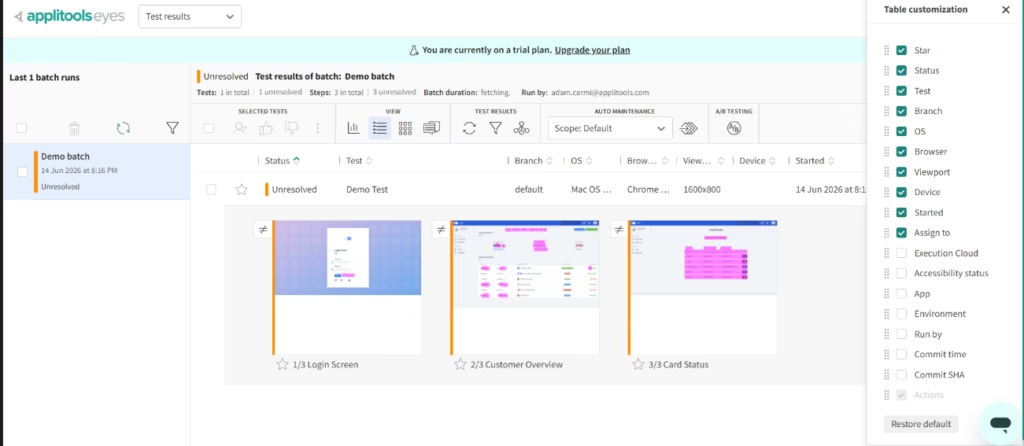
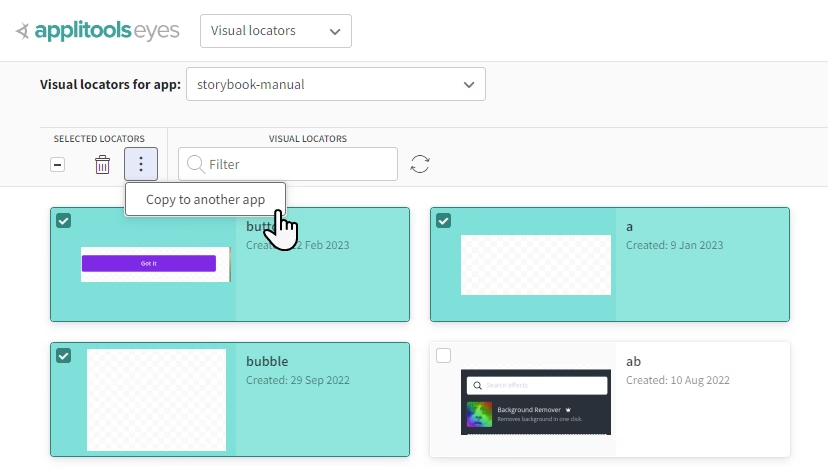
Applitools Eyes: adds Visual AI to an existing test framework so you can test websites, applications, or documents. With a single code snippet, it captures and analyzes a full screen. It recognizes dynamic content (ads, panels, dates, identifiers) and lets you either ignore it or compare it against several baselines. Maintenance comes down to a single click, since approving or rejecting one change applies it to every similar difference. It includes visual locators, Root Cause Analysis that flags broken elements in the DOM, A/B and branch testing, and testing for any interface. On the security side, it offers public or private cloud deployment, even behind the firewall, with no tunnels.
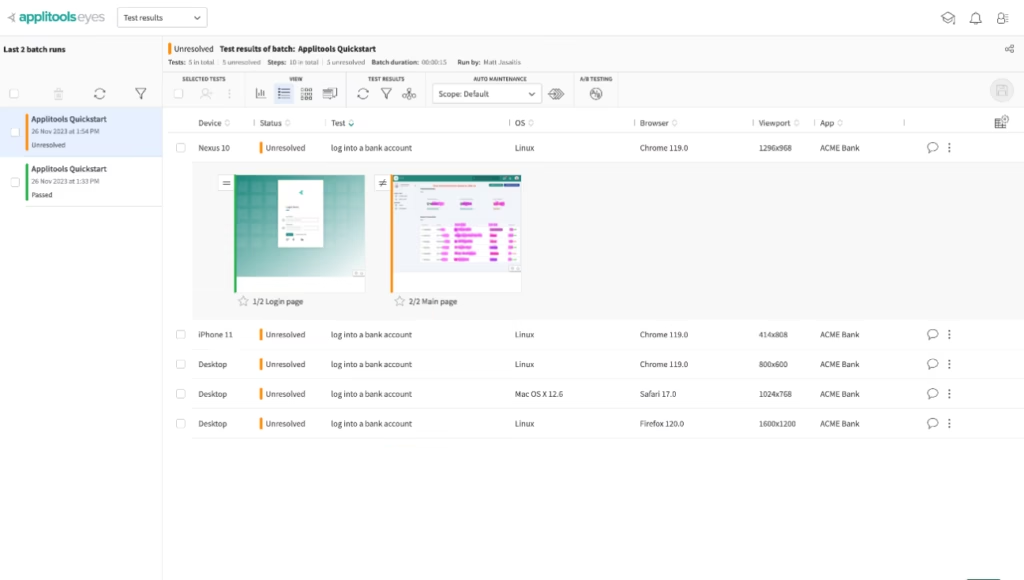
The test and step editor is where you go to review each difference: it shows the checkpoint next to the baseline, with zoom, the ability to move between differences, and layers (differences in pink, comments, regions, viewport). From there you can accept or reject differences, define regions with their own match level, open the Root Cause Analysis, and hide differences that come down to nothing more than shifted content.
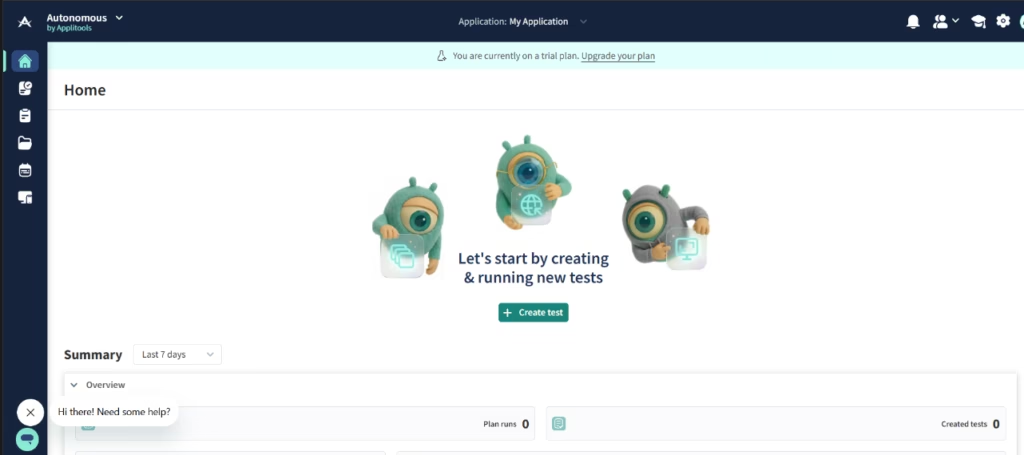
Applitools Autonomous: a comprehensive no-code automation solution for teams at any technical level. It builds tests by scanning a site from a URL or a list of URLs, lets you describe your intent in natural language while a model breaks down and fixes the complex flows, and records user flows as readable steps. It folds visual, functional, and API validation into one test, with a visual builder for API calls. You can run it on demand, on a schedule, or in CI/CD, and it automates maintenance by grouping similar changes.
The Ultrafast Grid is the cross-browser testing infrastructure both products share: the test runs once on your machine and renders instantly across every combination of browsers, devices, and viewports. Its speed comes from high concurrency, DOM snapshots instead of screenshots, containers instead of virtual machines, and caching. It needs no inbound connections, no reverse proxy, and no VPN. Setting it up is a different story, though: that happens in code and calls for understanding concepts like the difference between the local viewport and the rendered one.
Integrations
Applitools states compatibility with more than fifty test frameworks and languages, on top of source control, CI/CD, and collaboration tools:
- Frameworks and languages (SDKs): Selenium (in several languages), Cypress, Playwright, Appium, WebDriverIO, Watir, Storybook, Protractor, Espresso, Robot Framework, TestCafe, and Selenium IDE, plus PDF and image validation with ImageTester
- Source control: GitHub, GitLab, Bitbucket, and Azure DevOps
- CI/CD: Jenkins, CircleCI, Travis, TeamCity, Bamboo, Semaphore, and AppVeyor
- Bug tracking and collaboration: Jira, Rally, Slack, and Microsoft Teams
- Partner ecosystem: native integrations with Tricentis Tosca, Ranorex, Testim, and Perfecto Mobile, among others
- AI-assisted workflows: an MCP server for AI assistants, a Figma plugin (design against code), and a Storybook plugin (components)
Data security and regulatory compliance
Applitools runs a trust center with current certifications (ISO/IEC 27001:2022, SOC 2 Type 2, GDPR, and CCPA) and documents its business continuity and disaster recovery plans, its information security and development lifecycle policies, and its penetration testing.
When it comes to access control, every access is logged and monitored, access to customer data is limited by role and business need, internal access runs through single sign-on (SSO), and the company applies the principle of least privilege, strong passwords, secured remote access, and regular permission reviews.
On the AI front, here's a point a QA audience will care about: the models are trained only on synthetic data generated in-house. Customer data is never used for training and is processed only inside the customer's own environment, under controls aligned with ISO 27001 and SOC 2. External vendors go through due diligence and ongoing oversight, and development follows a secure lifecycle with code reviews and the OWASP Top 10.
Language: customer support and interface
The interface, the documentation, and the support are all in English, and there's no documented support in other languages.
AI language: the tool itself
The review layer runs in English: the editor's descriptions of differences are deterministic, generated in English, and tied to the DOM, so they aren't available for native mobile or Figma tests, or anywhere the DOM hasn't been captured.
Visual AI is a different matter, since it doesn't depend on the application's language at all. It compares what shows up on screen, so it works the same no matter which language is under test. In fact, it covers localization testing with one baseline per language, which lets you validate every language version of an application and makes it easier for specialists to take part.
Mobile access
Applitools doesn't offer its own iOS or Android app for managing your account or reviewing results, so you'll work from the web, the desktop, and the development integrations. It does, however, let you test native mobile applications through the Native Mobile Library, which sits inside the application's code, captures full screens while leaving out system elements (like the clock or the battery), and handles scrolling on its own, with support for UIKit and SwiftUI on iOS and AndroidX and Jetpack Compose on Android. Setting it up is a technical job: you'll need to instrument the application (statically before compiling, or dynamically over an app that's already built) and work with mobile development tools like Xcode or Gradle.
Support, onboarding, and account management
For getting up to speed, there's the documentation, the tutorials, the knowledge base, the help center with tickets sorted by severity, the resource library (customer stories, guides, webinars), and Test Automation University, which is free. Managed guidance comes with the higher plans, which include a dedicated customer success engineer.
When you sign up, you get a welcome email confirming the fourteen-day free trial and including your username and the API key for running tests.
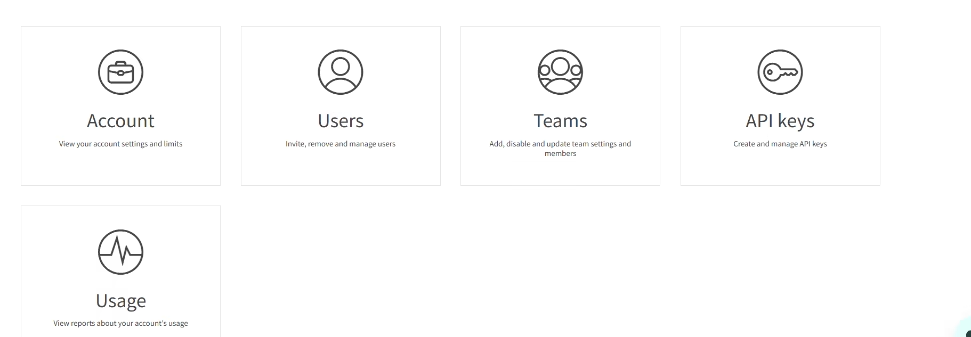
Account management lives in the admin panel: account, users, teams, API keys, and usage. The usage panel lets you track page and component checks, see how many ran through the Ultrafast Grid and the peak concurrency, and compare your actual usage against the limits per account and team.
Ease of use
What earns the most praise is the Visual AI that catches errors hard to spot by hand, the way it slots into existing frameworks without forcing a change to your workflow, and the results dashboard, which is clean and intuitive and saves time, especially on regression. If you already know your way around testing, the setup won't trip you up.
That said, the initial setup can feel confusing if visual testing is new to you, and managing baselines takes time early on, especially when several team members are updating them at once. A few settings also aren't where you'd think to look: for certain integrations you have to head into admin, go to teams, pick a user, and open the integrations tab.
Pricing and plans
Every plan is customized and requires contacting sales. The structure has three tiers that all come with unlimited users and test runs, and they scale on deployment, data retention, and security:
- Entry: full access to the code and no-code tools, functional, visual, accessibility, API, and component testing, cross-browser testing, all the AI features, more than thirty SDKs, and public cloud deployment, with a free trial
- Mid: adds a year of data retention and a dedicated customer success engineer
- Top: adds single sign-on (SSO), enterprise-grade security, custom configuration, and a dedicated cloud, with on-premises deployment as an option
The model turns on the Test Unit, the variable that sets the price: in Autonomous, monthly active tests draw it down, and in Eyes, pages do. One subscription gets you both products, and you can shift the allocation month to month.
Case study
Applitools publishes the case of the online learning platform EVERFI, which applied a model-based testing methodology with TestModeller.io, Cypress, and Applitools across a shared platform of more than 150 courses. According to the case published by Applitools, more than 45 engineers adopted the tool and validated a proof of concept in under a week, and the company estimates a return on investment of close to a million dollars a year compared to manual testing.
Applitools vs Alternatives
Applitools is an enterprise platform built around Visual AI: it compares the interface against baselines to catch visual regressions like layout shifts and typographic variations, and it reaches into functional, API, accessibility, and component testing on a mature infrastructure. Agentiqa takes a different angle. It's an AI testing tool that works on the real interface, from an early-stage company: it runs full user flows in a real browser and verifies behavioral results, catching that button that still looks right but no longer works, all from a URL and with no source code.
| Applitools | Agentiqa | |
|---|---|---|
| Category | Visual AI testing platform (functional, API, accessibility, multiple browsers) | AI testing on the real interface, AI test generation |
| Pros | Visual AI proven in enterprise environments, a broad platform, large-scale cross-browser testing, flexible deployment even behind a firewall | Zero setup from a URL, no need for source code, natural-language testing, behavioral assertions, a free tier |
| Cons | Geared toward technical profiles, no public prices, baseline management with a learning curve | A new product, informal support, the generated tests favor ideal flows |
| Ideal for | Technical teams where the core problem is visual fidelity across many browsers | SMEs that need flow coverage quickly and without dedicated QA staff |
If the challenge is visual fidelity across browsers and you need a broad platform with enterprise backing, certifications, and flexible deployment, Applitools is the right call. If the challenge is getting end-to-end flow coverage fast, without writing or maintaining code and without a dedicated QA engineer, Agentiqa is the better fit.
FAQs
Is Applitools a good fit for an SME?
Yes, as long as it has a technical or QA profile. It delivers plenty of value, but getting started takes either know-how or learning time.
Do I need to buy Eyes and Autonomous separately?
No. One subscription gives you both, and the Test Units split between them month to month.
Does Applitools have a mobile app?
Not for managing tests from your phone, but it does test native mobile applications through its Native Mobile Library.
Can I test my application in other languages?
Yes. Visual AI doesn't depend on the language and allows one baseline per language, though the review interface is in English.
Does it use my data to train its AI?
No. Applitools says it trains its models only on synthetic data, without using customer data.
Still weighing up Applitools?
See how it compares with the other tools we've reviewed in AI Automation.