

Power Apps Review
A powerful, very well-supported platform that leans heavily on the Microsoft ecosystem.
Power Apps is one of the most complete platforms on the market, and it outperforms others when the user or company already uses Microsoft 365, Dynamics 365, or SharePoint. Its integration with Microsoft Dataverse, its huge catalog of connectors, and its Copilot capabilities (which let you describe an application in natural language) make it an ideal tool for digitizing internal operations: approvals, field data capture, inspections, inventory control, or order tracking.
The trade-off is a considerable learning curve. "Low-code" doesn't mean "no code": to get an application to do anything useful, you need to understand Power Fx formulas, connectors, and the underlying logic, which can take time for someone without a technical background. On top of that, all the value lives within the Microsoft ecosystem, and even access to the full free plan requires a work or school account.
Averaged from the breakdown below
- SMEs already working with Microsoft 365, Teams, SharePoint, or Dynamics 365 that want to extend that data into their own applications.
- Teams that need to digitize internal processes (approvals, inspections, field data capture, inventory control).
- Organizations that value governance and centralized security over speed to launch.
- Profiles that pair business users with some technical support for the more advanced parts.
- Solo founders looking to go from an idea to a consumer app in minutes, with no friction.
- Projects that need to export the source code and publish to mobile stores without being tied to the platform.
- Teams with no technical foundation who expect to avoid working with formulas altogether.
- Companies outside the Microsoft ecosystem, where several integrations require extra effort.
Key Features
- Two main types of applications: canvas (free-form design, for specific tasks) and model-driven (structured around the data), plus code apps for cases that require more customization.
- Microsoft Dataverse as a secure data platform, with tables, metadata, business rules, and data flows.
- Power Apps Studio, the canvas app designer, which feels much like putting together a slide deck.
- Plans, a Copilot-assisted starting point where you describe the use case in natural language and attach images or diagrams.
- Power Fx, the formula language that defines an application's logic.
- Solutions with application lifecycle management (ALM) and pipelines to move applications between environments.
- Extensibility through custom connectors, components, and offline operation in canvas apps.
- Runs in the browser, on mobile devices, and inside Microsoft Teams.
These features help SMEs replace spreadsheets and manual processes with centralized applications, which reduces errors, saves hours of repetitive work, and keeps information in a single, governed place.
AI Features
- App creation through conversation: you describe what you need, and Copilot builds a first version.
- App generation from an Excel spreadsheet in Dataverse environments, with automatic table creation and detection of each column's type.
- Conversational refinement: you ask for changes in natural language (for example, adjusting column types or colors), and the tool applies them.
- A Copilot-assisted plan designer for structuring complete solutions.
- A new native AI experience (in preview) and Copilot control within canvas apps (also in preview).
AI Builder deserves a mention of its own: it's a Power Platform feature built into Power Apps that adds artificial intelligence models to applications without writing any code. You can use a prebuilt model for common scenarios or create and train a custom one with your own data. With AI Builder you can automatically process documents, recognize objects or products in images, and make business predictions, all by automatically training a model.
The genuinely smart part here is the ability to turn a natural-language description into a working application, data model and all. Much of the rest of the logic still rests on Power Fx formulas and connectors, meaning standard platform software rather than artificial intelligence. It's worth remembering that Copilot's results aren't deterministic and can vary from one run to the next.
Integrations
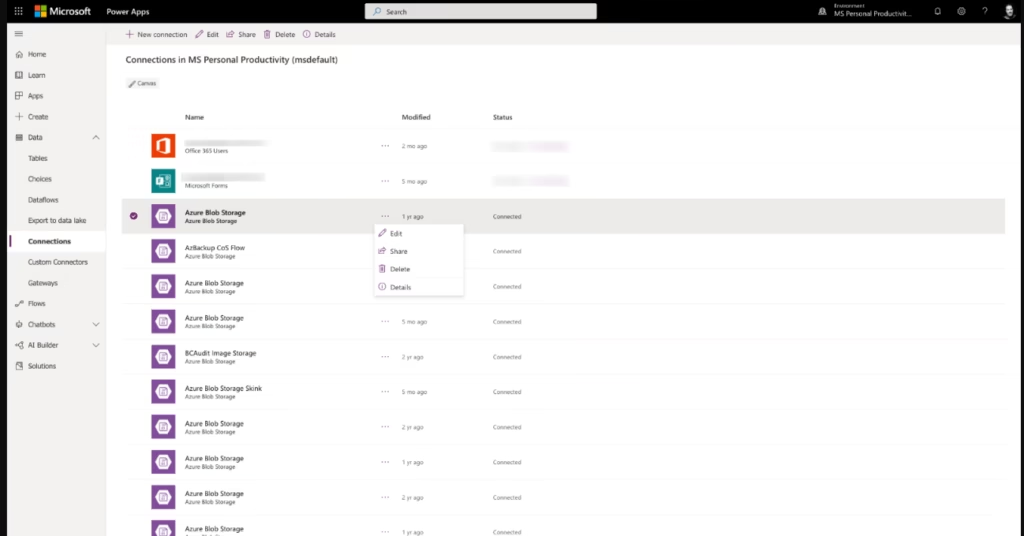
- Hundreds of connectors shared with Power Automate and Azure Logic Apps, organized into two tiers: standard and premium (the latter require a paid license).
- Microsoft services: Dataverse, Microsoft 365, Teams, SharePoint, Dynamics 365, and Azure.
- Widely used third-party services: Salesforce, SAP, the Google suite, Adobe, Zendesk, Stripe, and Twilio, among many others.
- Artificial intelligence connectors and Azure cognitive services.
- Preview connectors, custom connectors, and independent publisher connectors.
- An API and an extensible platform for developers, with the ability to create custom connectors and integrations with external data.
As for tools popular in the region, the catalog includes a WhatsApp connector (from an independent publisher), along with Google services and Zoho options, though it's worth checking the tier and availability of each one for your particular case.
Data Security and Compliance
Power Apps adheres to Microsoft's privacy commitments and data governance practices. The company states that it protects the privacy and confidentiality of information, uses it only in ways consistent with the purposes for which it was provided, and gives users control over their data, all under a privacy-by-design approach. Data is protected through encryption and other recommended security practices.
At the platform level, information is stored in Microsoft Dataverse, with role-based security that controls who can view or edit each table. Authentication integrates with Microsoft Entra ID (Azure Active Directory), and mobile access supports verification through Microsoft Authenticator, which enables multi-factor authentication schemes. For large organizations, Managed Environments add governance controls at scale.
Microsoft addresses the General Data Protection Regulation (GDPR) and offers the EU Data Boundary, which lets customers store and process their data within the European Union. Environments for the U.S. Government (GCC) meet requirements such as FedRAMP High, DoD DISA IL2, and criminal justice information (CJI) data types. Companies that need the full privacy and security detail can find it at the Microsoft Trust Center.
Language: Customer Support and Interface
As a product in the Microsoft ecosystem, Power Apps inherits its multilingual coverage. The interface and documentation are available in English, and the company offers support channels, forums, and a broad community through Microsoft Learn and the Power Platform resources.
AI Language: The Tool Itself
Copilot in Power Apps accepts instructions in English. Keep in mind that not all capabilities depend on natural language: much of the logic and the automations are built with Power Fx formulas and connectors.
Mobile Access
Power Apps offers an official mobile app for iOS, Android, and Windows, which you can download from the respective stores or via QR code.
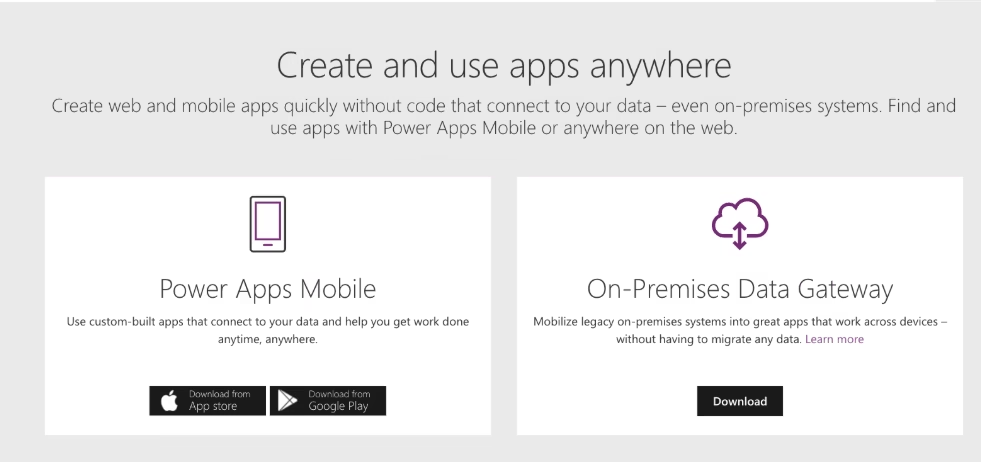
It requires prior registration and sign-in with corporate credentials (Microsoft Entra ID), with support for Microsoft Authenticator. From the app you can run both canvas and model-driven applications, whether your own or shared, with a home screen of recents and favorites, plus search, sorting, and shortcuts to the device's home screen.
Applications adapt to screen size (phone or tablet). There's a governance caveat: to see model-driven applications in the list, a user needs an appropriate security role in the environment. Power Apps for Windows comes with a few specific limitations (for example, it doesn't support the Dropbox connector, and certain conditional access policies can block access, with the browser as an alternative).
Support, Onboarding, and Account Management
One point in favor for SMEs is that Microsoft walks you through it step by step. Power Apps pairs with Power Automate to automate a business's processes: approval flows, automatic notifications, data capture, or request routing. And you don't have to go in blind: Microsoft Learn offers guided learning paths, organized module by module, that teach everything from creating your first automation to managing it, and even lead to official certifications like Power Platform App Maker Associate.
- Training materials: self-guided learning paths, modules, hands-on labs, step-by-step documentation, and videos on Microsoft Learn.
- Additional Power Platform resources: training workshops, instructor-led courses, virtual training days, the Power Up program, and the release planner.
- The community, forums, and the official Power Apps blog for sorting out questions and keeping up with news.
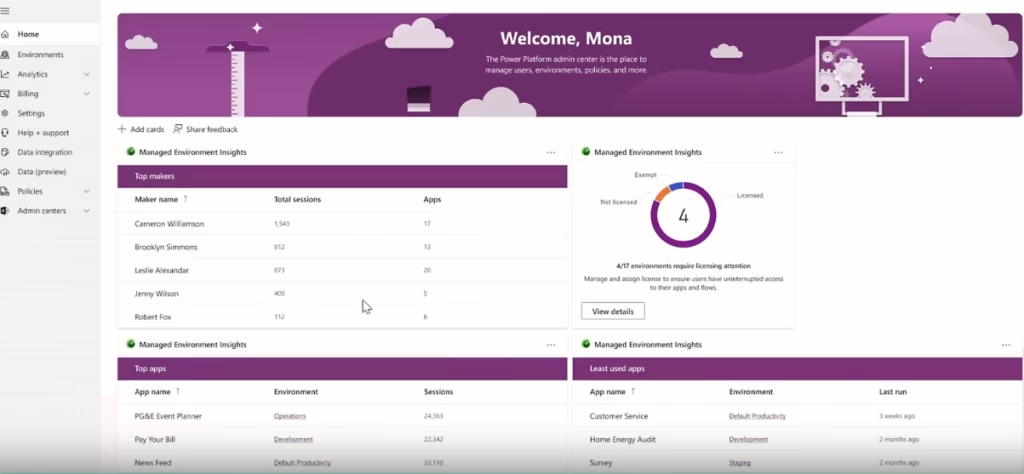
- The Power Platform admin center for managing environments, licenses, security, and analytics.
Onboarding is solid on the documentation front, and an SME with little technical experience can get started with the official guides. From the admin center, administrators also get real-time self-help recommendations and technical support for Power Apps and Power Automate.
Ease of Use / UX
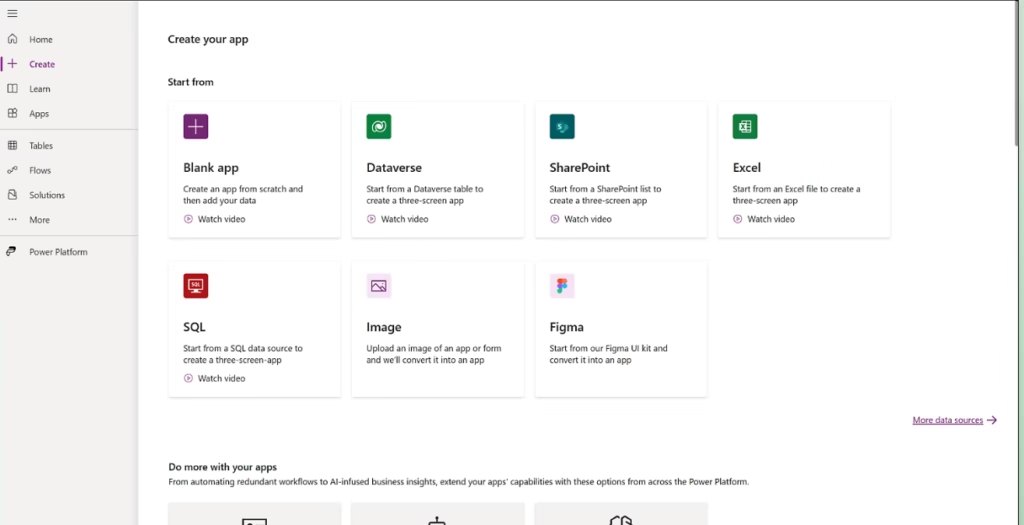
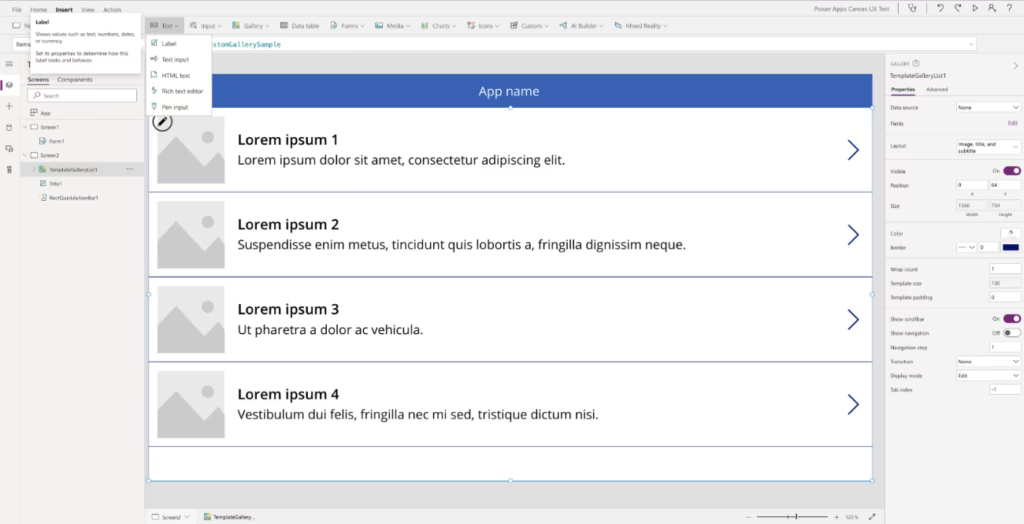
How easy Power Apps turns out to be depends largely on what you want to build. At the simplest end, one example is generating a working three-screen application from an Excel table; this process is almost automatic: the tool builds the navigation, detail, and editing for you. Starting from a blank canvas to build something custom, on the other hand, means inserting controls (galleries, forms, buttons, images), connecting data sources, and adjusting every property. Building a canvas app feels much like creating a PowerPoint presentation, something intuitive for most people.
However, as soon as the application needs to do something more specific, you have to write Power Fx formulas, understand concepts like data cards, unlock controls, and fix formula errors. That's why it's accessible to start with, but the difficulty grows along with the project's ambition. Then there's the reliance on the ecosystem: storage usually leans on OneDrive or SharePoint, a corporate account is required, and connections have to be authenticated. In fact, trying the tool isn't as straightforward as signing in with a Hotmail account: access to the full free plan requires a work or school account (free to create, but it adds steps), and the terms can vary by country. An SME gets value quickly with the templates and automatic generation, while more customized solutions take time to learn.
Pricing and Plans
- Developer plan: free. It lets you build and test applications in a development environment with Dataverse, ideal for experimenting before moving to production.
- Power Apps included in some Microsoft 365 licenses: covers basic needs for individual or small-team use.
- Power Apps Premium: a paid per-user plan that lets you build, modernize, deploy, and run unlimited applications, billed annually.
- Free trial for running applications for a limited time.
- Specific plans for the U.S. Government.
If you're going to use AI Builder's artificial intelligence features, keep in mind that they come at a cost separate from the Power Apps licenses. Usage is calculated in credits and resets each month, but unused credits don't carry over to the next one, so it's a good idea to size your purchase to the peak usage you expect in a single month.
For SMEs, the developer plan is an excellent free gateway for learning and prototyping. Once you deploy applications for real users, you'll need a license, and premium connectors can drive up the project's cost as it grows, a key point when calculating return on investment. We don't mention specific figures because Power Apps prices vary by plan, region, and add-ons; it's best to check the official page for the current details.
Case Study
A good example of what the platform can do for companies is the case of HEINEKEN. The brewer built thousands of applications and automations on Power Platform: more than 7,500 makers developed over 10,000 applications with Power Apps and more than 42,000 flows with Power Automate, for tasks ranging from plant safety and quality control to workspace reservations. With Managed Environments and a tiered governance model, a team of just five people ended up managing over 8,000 environments, and the company tallied 3.1 million hours of increased productivity.
Among its critical applications, one automatically validates tens of thousands of daily orders against logistic conditions (minimum quantities, lead times, full loads), replacing manual reviews in Excel and SAP, with Dataverse for the master data and Power BI for the reports. It's worth clarifying that HEINEKEN is a global corporation, not an SME, but the case offers two useful lessons for companies of any size: the same low-code approach lets you start small and grow, and governance is the key to scaling without losing control. You can read the full article here.
https://www.microsoft.com/en/customers/story/25909-heineken-microsoft-copilot-studio
Videos
Promotional video:
Demo:
Tool vs. Alternatives
Power Apps, FlutterFlow, and Base44 are three tools that let you build applications without starting from scratch, but they're aimed at different types of users.
| Tool | When to choose it | Key advantages | Key limitations |
|---|---|---|---|
| Power Apps | When the company already lives in the Microsoft ecosystem and needs internal applications governed at scale. | Deep integration with Microsoft 365, Dynamics 365, and Dataverse; hundreds of connectors; enterprise security and governance; interface and support in English. | Learning curve with Power Fx; reliance on the Microsoft ecosystem; access to the full free plan requires a work account. |
| FlutterFlow | When you want a mobile, web, or desktop app with a native look, and you want to export the code and publish to stores. | Visual builder, full code export in Flutter with no lock-in, direct publishing to the App Store and Google Play, AI features. | Interface and documentation in English only; a medium-to-high curve when you reach advanced logic. |
| Base44 | When you want to go from an idea to a working app in minutes, by chat and without touching code. | Generates complete applications with a database and hosting included; interface and AI in English; a broad catalog of integrations. | Credit consumption spikes on large projects; no dedicated mobile app for building. |
In short: choose Power Apps if your company already uses Microsoft and you prioritize integration and governance; FlutterFlow if you need an app with a native look and full control of the code; and Base44 if you want the fastest, frictionless route from an idea to a working app, with a English-language interface.
FAQs
Is Power Apps a good option for SMEs?
Yes, especially if the company already works with Microsoft 365, Teams, SharePoint, or Dynamics 365. It lets you digitize internal processes with little code, though it's worth setting aside time to learn the Power Fx formulas.
Does Power Apps support English?
Yes. The interface and documentation are available in English, and Copilot accepts instructions (prompts) in that language.
Do I need to know how to program to use Power Apps?
Not to get started: you can generate applications from templates or from an Excel sheet. For customized solutions, you do have to learn the Power Fx formulas and how to work with connectors.
How much does Power Apps cost?
There's a free plan for development and testing, a version included in some Microsoft 365 licenses, and a paid per-user Premium plan. Running applications for real users requires a license, and premium connectors can add to the cost.
What are the best alternatives to Power Apps?
FlutterFlow (for apps with exportable code and store publishing) and Base44 (for building applications by chat with AI and a English-language interface) are two popular alternatives, depending on the project type.
Still weighing up Power Apps?
See how it compares with the other tools we've reviewed in Low-code-No-code.