

Smartling Review
Smartling brings AI translation, human linguist review and workflow automation into one platform, with visual context so translators see exactly where every string lands.
This is a platform for teams that translate continuously, not occasionally. Translation memory, glossary control, and AI-driven routing cut genuine repeat work on long-running accounts, and one administrator gets full visibility into every project without chasing a vendor for updates. The strain shows on large files, where the editor slows as segment counts climb and visual context does not reach every string. An SME publishing a handful of pages a month will find it heavier than the job needs. For a team shipping multilingual content across a growing product, the setup time pays off.
Averaged from the breakdown below
- Growing SMEs entering three or more new markets at once
- Product and marketing teams that need translation triggered straight from a code repository or CMS
- Teams juggling several freelance translators or agencies who want one system of record
- Solo founders translating a few pages a few times a year
- Teams with nobody available to own glossaries, style guides, or workflow settings
- Businesses that need human review on every string, every time, on the same day
Key Features
- Translation memory: stores every approved translation so repeat strings never get retranslated, with unlimited storage on the Enterprise tier
- Glossary and style guide management: locks approved terminology and brand voice across every linguist and every engine
- CAT tool with visual context: shows how text will appear in the live page or app, accepting JPEG, PNG, GIF, HTML, MP4, and PDF as context files that Smartling matches to strings automatically
- Version control: surfaces only new or changed content when a file is re-uploaded and pre-populates matches for the rest
- Global Delivery Network: a translation proxy that crawls and translates web content without touching the site codebase, with a 99.99% uptime guarantee and translated URLs
- LQA Suite: customizable error scorecards, sampling, and a separate evaluation environment that keeps quality reviews from disrupting production
- Analytics dashboards: workflow velocity, translation memory savings, and cost estimates before a job runs
- TMX and XLIFF export: moves memory and finished content into external QA or glossary workflows
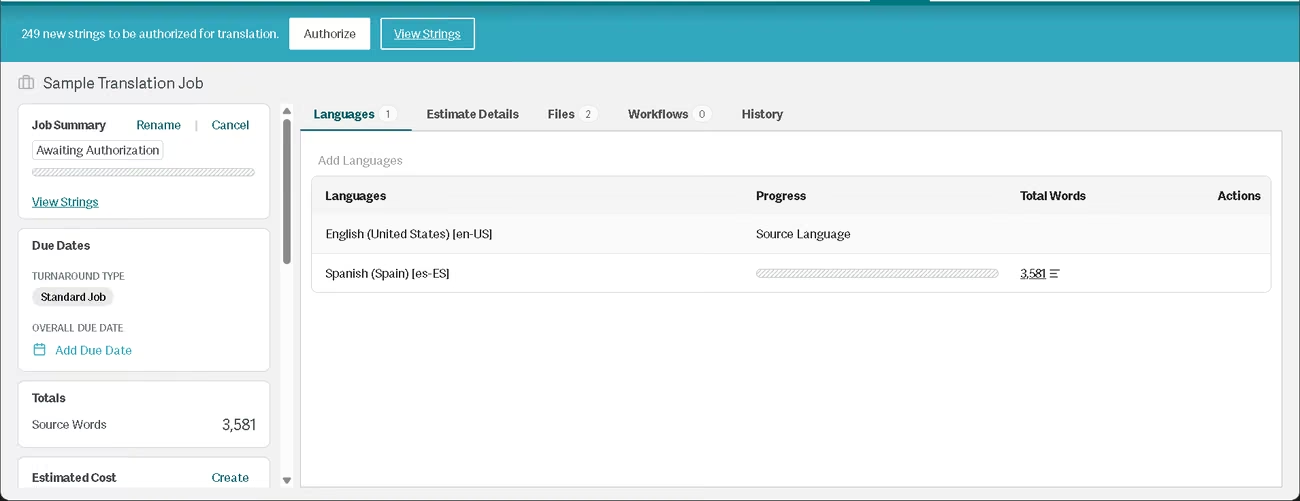
For an SME, these features target the cost that usually goes unnoticed: paying twice for the same words. When a product page changes four times a year, translation memory and version control mean the quote covers only what actually changed, not the file all over again. The glossary settles brand terminology once, so a new translator does not restart the debate every time. For teams without an engineer to spare, the Global Delivery Network puts a translated site live without anyone opening the codebase. What all of this adds up to is translation that behaves like an asset you maintain rather than a bill that arrives fresh each quarter.
AI Features
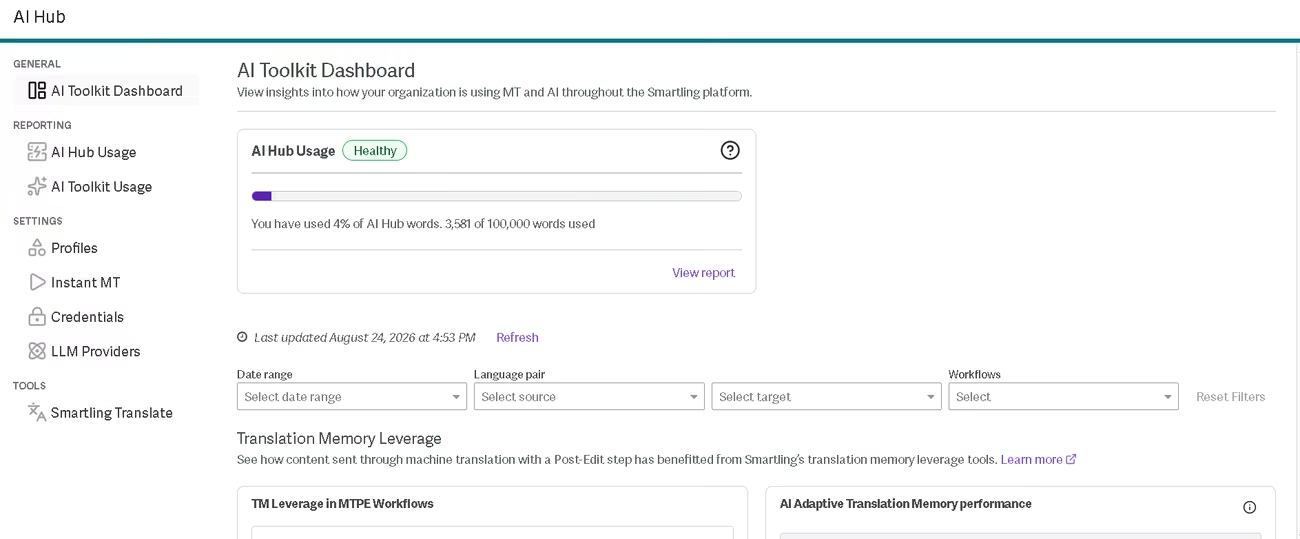
- AI Hub: routes content across more than 20 large language models and machine translation engines, including options from OpenAI, Microsoft, Google, Amazon, and Anthropic
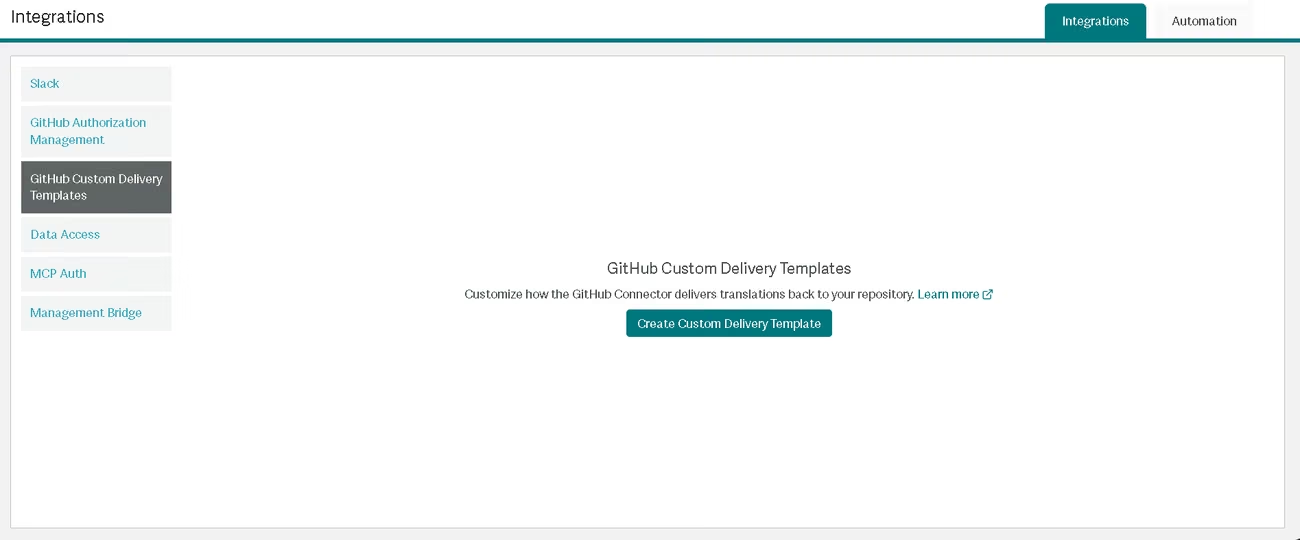
- Auto Select LLM: picks the best-suited model per string and pulls existing translation memory and glossary terms in through retrieval-augmented generation
- LQA Agent: scores quality automatically using the Multidimensional Quality Metrics framework, reaching 90% agreement with human reviewers and 99% accuracy on severe errors in Smartling's internal testing
- Language Quality Estimation: predicts how many edits a linguist will need before a string can publish, so clean segments skip review
- Style Rules for AI: applies punctuation, date formats, and regional conventions to AI output across more than 30 locales
- Language Adaptation: converts an existing translation into a regional variant without a full retranslation
- Instant AI Translation: delivers AI translation through a synchronous API for real-time connector use
- AI Image Translation: extracts text from an image, translates it, and rebuilds the image with translated text in place, available as a preview
LQA Agent and Auto Select LLM both make judgment calls, on model selection and on error severity, that fixed rules cannot make. Language Adaptation and AI Image Translation solve specific problems a plain machine translation engine cannot touch. Style Rules for AI sits closer to configurable automation: it applies fixed formatting logic per locale and learns nothing from the content it processes. The honest boundary is that none of this removes the reviewer on content carrying brand or legal weight, and Smartling does not pretend otherwise. It routes marketing, medical, and regulated content to its AI Human Translation tier by design, with AI producing the first pass and a linguist confirming it.
Integrations
- Content management systems: WordPress, Adobe Experience Manager, Contentful, Drupal, Sitecore, Storyblok, Sanity
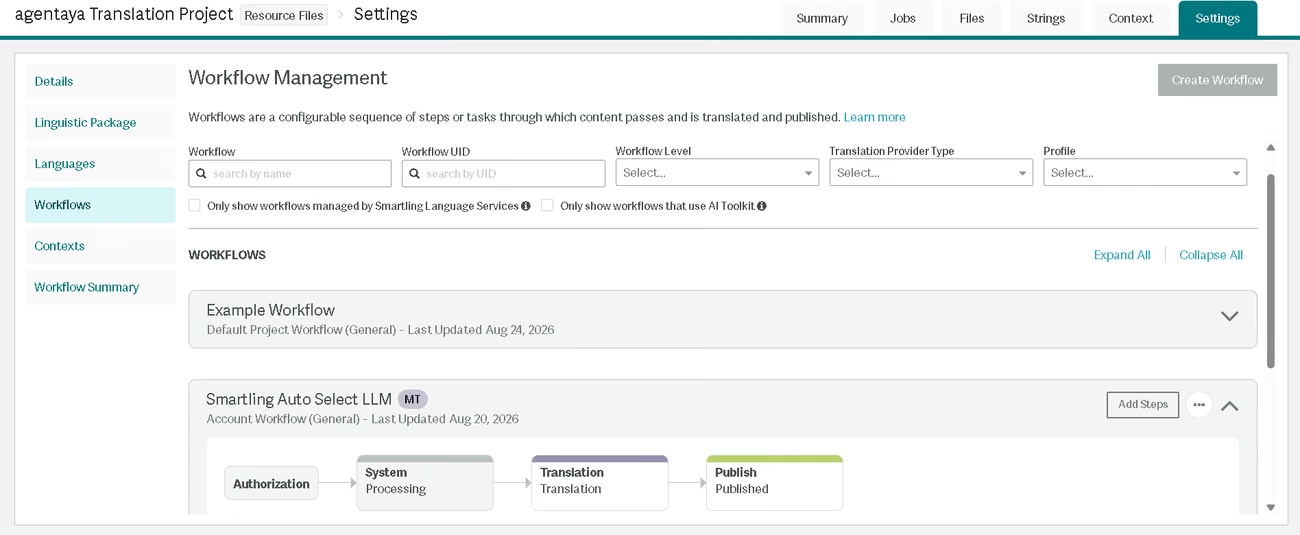
- Developer tools: GitHub, GitLab, Bitbucket, and an MCP server connecting Smartling to AI coding tools including Claude Code, Visual Studio Code, and Cursor
- Marketing platforms: HubSpot, Marketo, Braze, Iterable
- Customer support tools: Zendesk, Salesforce Service Cloud, Intercom
- Design tools: Figma, Figma Buzz, Adobe Creative Cloud, Canva
- Cloud storage, collaboration, and ecommerce: Google Drive, Slack, Shopify, Salesforce Commerce Cloud
- API access: an open REST API with SDKs, a CLI, and webhooks, available to any customer building a custom integration rather than gated to one tier, plus Zapier for teams without developers
This breadth pays off most for teams already committed to a stack. Content moves to Smartling and back without a manual export, which is where translation delay actually accumulates: the file sitting in someone's inbox for three days. For an engineering team, the repository connectors and MCP server mean localization runs inside the build rather than as a separate task someone remembers late. For a marketing team, the CMS and campaign connectors put a translated campaign on the same schedule as the original instead of two weeks behind it. Teams with neither engineering nor CMS depth reach the same result through Zapier, which covers common triggers without code.
Data Security and Compliance
Customers retain full ownership of translated content, translation memories, glossaries, and style guides, and Smartling states plainly that there is no vendor lock-in. Exports run in standard formats, TMX for memory and XLIFF for content, so nothing stays trapped in the platform. Administrators also control which AI providers Smartling may use across all AI features, which lets a company exclude any model vendor its policy does not accept.
The platform encrypts data in transit and at rest, supports single sign-on and SAML authentication, and applies granular permissions with audit logs. Account settings include an IP allowlist. Smartling hosts customer data on Amazon Web Services across global regions, deliberately limiting data crossing jurisdictional boundaries, and works to segregate personal data during onboarding so it never enters the translation platform.
Certifications cover SOC 2, HIPAA, GDPR with customizable data processing agreements, PCI DSS Level 1, and HITRUST e1 for the translation management system, alongside ISO 27001, ISO 9001:2015, ISO 17100 for translation services, ISO 13485, ISO 18587, and ISO/IEC 42001:2023 for AI management systems.
Language: Interface and Customer Support
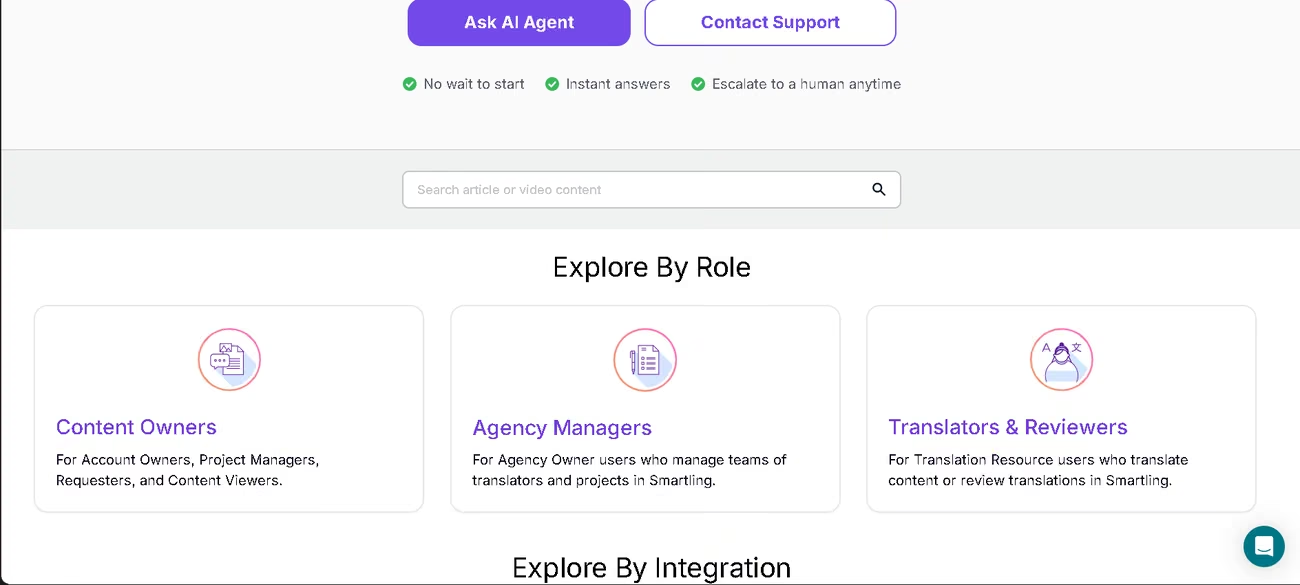
The dashboard, product documentation, and help center run in English. Live customer support covers English, Spanish, and French. For languages outside those three, the help center AI agent takes the question first and escalates to a human when it cannot resolve it.
AI Language: The Tool Itself
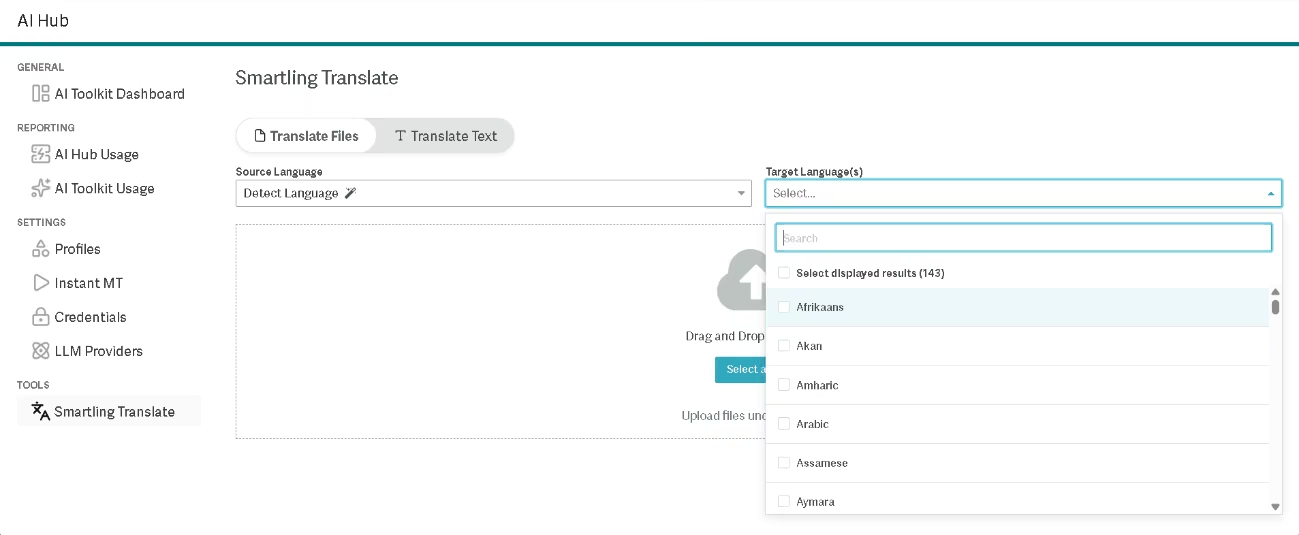
Smartling translates across more than 490 source and target locales. Coverage spans English, Spanish, French, German, Portuguese, Mandarin, Arabic, Russian, Japanese, and Korean, plus a long tail of regional variants and a dedicated Asia-Pacific set including Cantonese, Tagalog, Vietnamese, Khmer, and Thai. Because the AI works on structured file strings rather than open conversational prompts, prompt language is not a constraint: the engine translates whatever the source content contains. Accuracy varies by language pair, and less common languages depend on how well the available engines handle them.
Mobile Access
The platform runs in a browser rather than as a native app. Dashboard, project screens, file upload, job authorization, the CAT tool, and downloads all work through a web session, and the editor's context panels, side-by-side segments, and keyboard shortcuts assume a desktop screen.
Where mobile does come in is when the app itself is what you are translating. Android and iOS projects work from the start, using the standard file formats each platform already produces, and nothing extra needs installing inside the app to make it work. iOS teams can send either the .strings files their app uses natively or the .xliff files Xcode exports, whichever fits their process, and only the original language file goes up. Apps with plural forms are the exception: those need the .stringsdict file, because the .xliff version drops the plural information along the way.
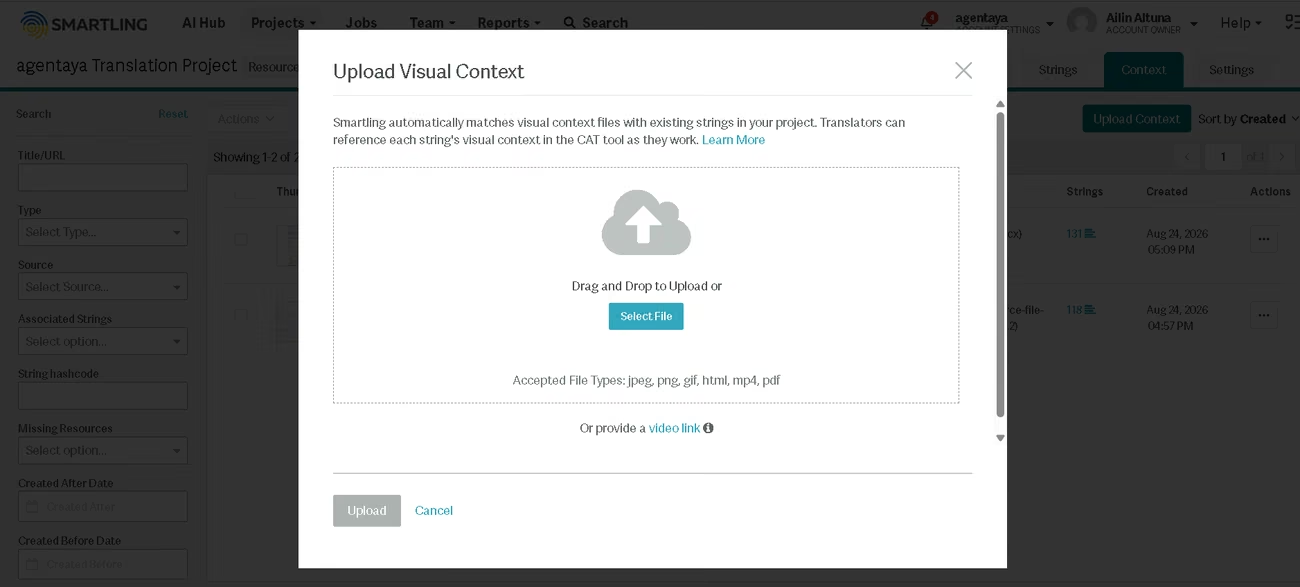
Screen space forces tighter translations than web layouts allow, and app store release cycles slow every fix, so context carries more weight here. Uploaded screenshots match to strings automatically through optical character recognition, video works as a context source, and the Image Context API automates the step entirely for ongoing projects.
Support, Onboarding, and Account Management
- A six-step getting-started checklist, roughly six minutes long, covering a first authorized job, Smartling Translate, a repository connection, an API token, and MCP server setup
- 24/7 technical support, plus a help center AI agent that answers workflow and integration questions instantly and escalates to a human on request
- A help center organized by role, covering content owners, agency managers, and translators, with video walkthroughs and tutorials
- Dedicated Customer Success Managers for account-level guidance
The platform also offers professional services for custom integration and onboarding work and Managed Services for teams that want translation program management handled externally
A user community forum and an emergency contact setting for urgent account issues
For a team with no technical staff, the guided checklist and Customer Success Manager access lower the barrier considerably, though someone internally still has to own glossaries and workflow configuration long term.
Ease of Use and UX
The platform is user friendly in daily work, and the CAT editor beats a spreadsheet-and-email workflow by a wide margin. Translation memory holds up across long-running accounts: leverage on repeat strings saves real time on updates, and TMX export works reliably when moving segments into an external QA and glossary workflow.
Locked terminology and context notes keep consistency across projects running different style guides. Output quality supports that impression. On a 95-line document with two tables translated into Spanish, the result came back faithful in substance and natural in form, with consistent register, correct decimal and thousands of conventions, section headings that avoided calques, and no omissions against the original. Three single-word errors across the whole file were the total correction load.
Just some observations: the editor slows on files with a high segment count, which shows on larger projects. Visual context is not available for every string, so some segments get translated blind and need checking against the live interface during QA. Switching projects sometimes drops context already configured, and on some multi-page jobs, the save-page option does not save every segment, so confirm before moving on. Smartling also does not belong in the same comparison as a quick browser translator: it is built for bulk volume and memory, and it asks for that commitment up front.
Pricing and Plans
- Core: free to start, for individuals and small teams, with basic workflow and project management, drag-and-drop upload, the CAT tool with visual context, time-limited translation memory, essential reporting, and automated quality checks
- Enterprise: adds fully customizable dynamic workflows, unlimited translation memory storage, the full connector suite, advanced user and project management, customizable reporting, the complete LQA Suite, and the option to bring your own translators
- Translation services bill separately across four tiers, from machine translation through AI translation and AI human translation to creative translation, each with its own turnaround window
- Add-ons include Language Services, Managed Services, and Professional Services for integration work
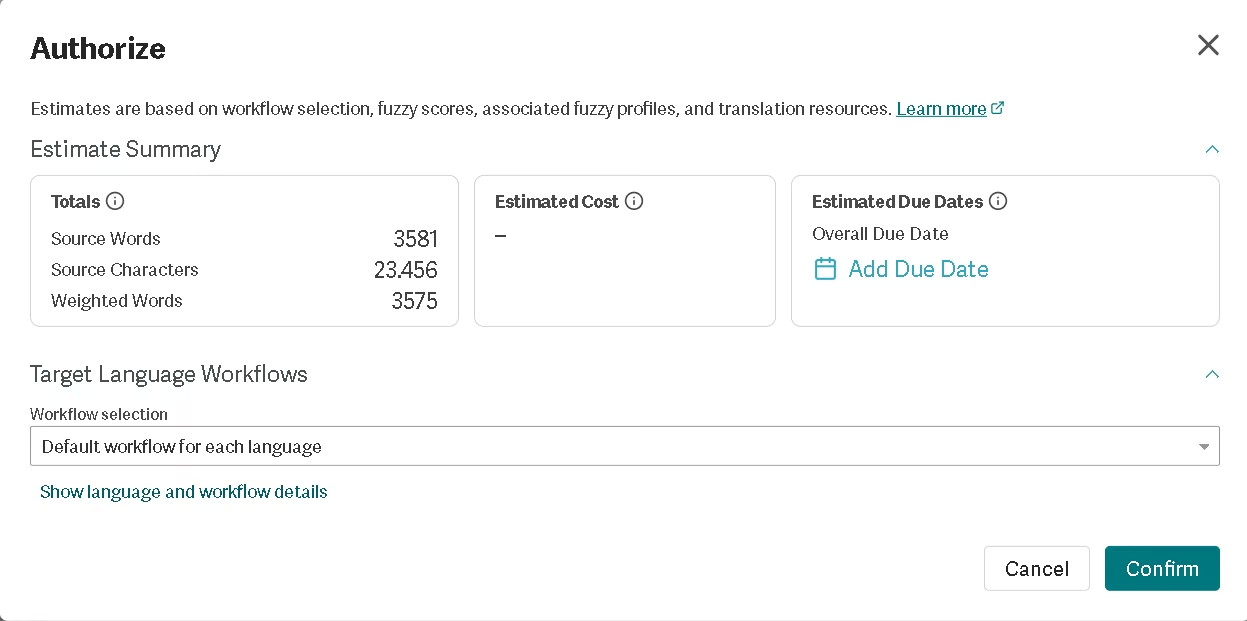
- Built-in cost tooling covers rate cards, real-time job estimates showing source words against weighted words, and custom billing reports
Smartling pricing scales with usage rather than locking a team into a flat plan. For an SME budget, the free-to-start Core plan removes the risk of committing before testing quality on real content, and the tiered services let a team route low-stakes content to machine translation while reserving paid human review for anything customer-facing. The weighted-word estimate shown before authorization is the practical cost control: it reflects what translation memory already covers, so recurring content costs less each cycle.
Case Study
Marriott International, a hospitality company operating in 145 countries and territories, relied for years on traditional human translation for the training materials it deploys to on-site associates worldwide. Requests went to external vendors, then through multiple rounds of in-country review by associates handling this on top of their regular duties. In 2023 alone, 205 associates globally reviewed more than 3.2 million words. Reaching most of its audience required a minimum of 18 languages, but Marriott managed seven on some projects, with translation consuming almost half of project budgets.
Marriott moved to Smartling's AI Human Translation workflow, where AI produces the first-pass translation and Smartling linguists review it for accuracy, supported by built-in glossaries, style guides, machine translation, and AI-powered workflows.
Lynnette Glaze, Director, Associate Development Strategies + Solutions at Marriott International, said: "The visibility Smartling provides from the admin side has been a game-changer. It's easier for our validators to use, and we can track every detail of a project."
Marriott expanded its training library from seven languages to more than 19, with some platforms now supporting 38. Translation time dropped from weeks to days, and costs fell by approximately 40%.
You can read the full case study here.
Smartling vs Alternatives
| Smartling | SYSTRAN by ChapsVision | |
|---|---|---|
| Core purpose | Translation management: workflow routing, memory, review, and publishing | Machine translation engine with terminology customization |
| Deployment | Cloud only, hosted on Amazon Web Services | Cloud, single-tenant private cloud, or on-premise behind your own firewall |
| AI approach | Routes across 20+ third-party LLMs and MT engines, selecting per string | Own neural models, with 12 domain-specific engines and custom model training |
| Quality control | LQA Agent scoring, quality estimation, and human review tiers built in | User dictionaries, Coding Engine inflection handling, linguistic asset management |
| Data residency | Regional AWS hosting, no on-premise option | Full on-premise control, ISO 27001 certified, no storage or reuse of content |
| Best fit | Teams managing continuous multilingual content across a stack | Teams translating sensitive documents under strict data-residency rules |
SYSTRAN lists Smartling among its own CAT and TMS connectors, which tells you what each one is for: SYSTRAN translates, Smartling manages the process around translation.
A legal or financial SME that cannot let confidential documents leave its infrastructure should start with SYSTRAN, since on-premise deployment is a requirement Smartling does not meet at all.
A company publishing continuously across a CMS, a repository, and a design tool should start with Smartling, because connector depth and translation memory are what save the hours there.
FAQs
Is Smartling good for small businesses?
Smartling fits SMEs translating on an ongoing basis across multiple markets, particularly those already running a CMS or repository it connects to.
Which languages does Smartling support?
The platform covers more than 490 source and target locales, including major world languages, a wide range of regional variants, and a dedicated Asia-Pacific set.
Does Smartling have a free plan?
The Core plan is free to start and includes the CAT tool, basic workflow management, and time-limited translation memory. Translation services themselves bill separately by tier.
Compare Smartling vs SYSTRAN: which should I choose?
Choose SYSTRAN if data residency drives the decision and you need on-premise deployment. Choose Smartling if you need workflow automation, translation memory, and connectors across a content stack.
Still weighing up Smartling?
See how it compares with the other tools we've reviewed in AI for Translations.