

Dust Review
Dust connects language models to your company's own knowledge and tools, so a non-engineer can build agents that the whole team keeps improving through reusable skills.
Dust does the hard part well. It ties company knowledge, permissions, and tool access into agents that a non-engineer can build and that a whole team can keep improving. Reusable skills are where this pays off: one edit reaches every agent using that skill, which is the compounding effect most competitors promise and few deliver.
The cost is operational complexity. Credits, spaces, Pods, and skills each work differently, so someone has to learn all four, and documentation available only in English leaves out teams that work in another language.
Worth it for an SME with one person willing to own the platform internally. Skip it if nobody has that time.
Averaged from the breakdown below
- Small teams whose knowledge already lives in Slack, Notion, Google Drive, or a help desk
- Support, operations, and revenue teams repeating the same research, drafting, and routing work weekly
- Analytics teams that want colleagues querying warehouse tables without writing SQL
- Businesses with one curious non-engineer willing to build agents and maintain them
- Solo operators who want a chat assistant and nothing more
- Teams working primarily from a phone or tablet
- Teams planning to run heavy computation through a warehouse connector
- Buyers who want a flat monthly cost with no usage accounting
Key Features
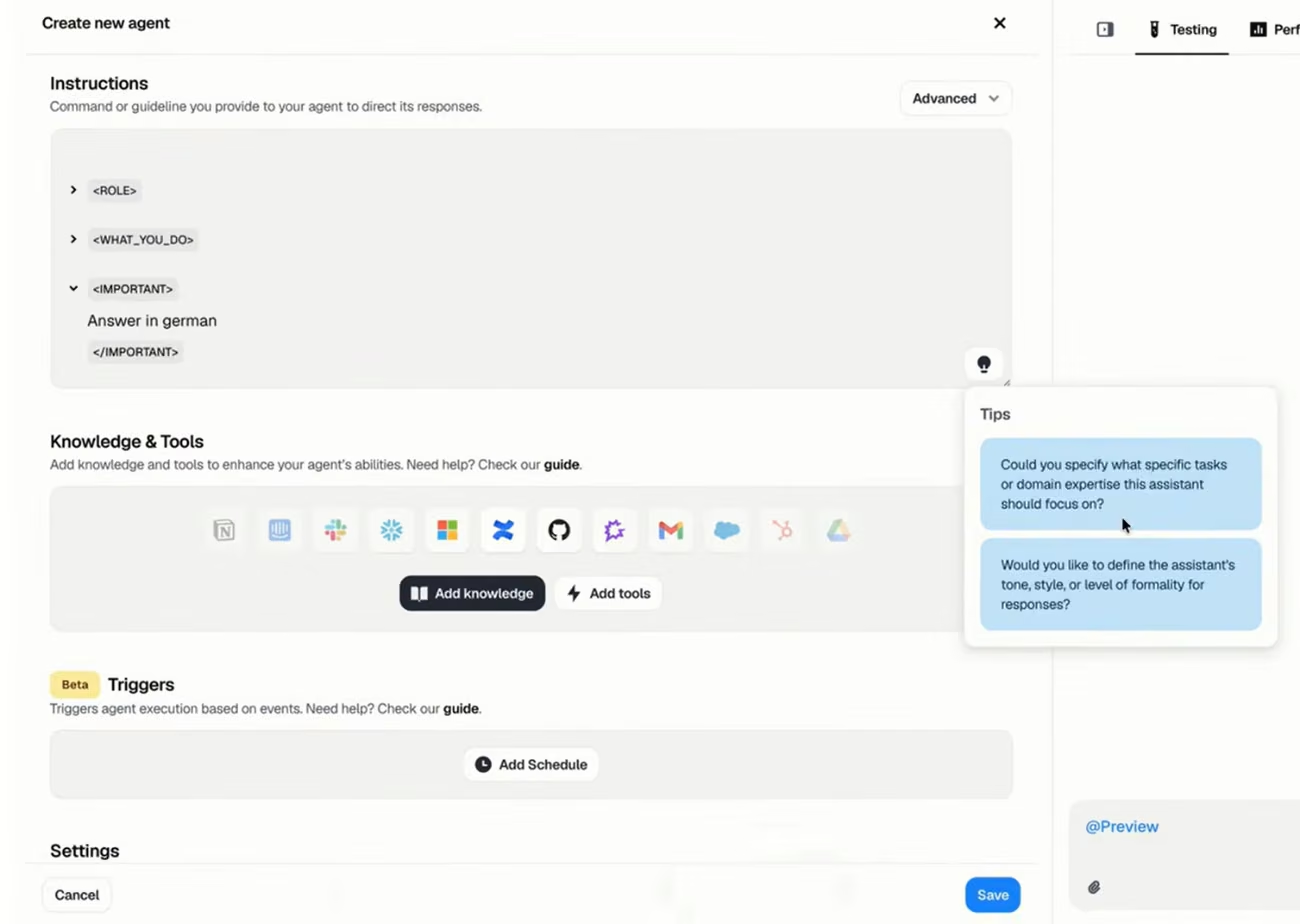
- Agent builder with templates and preview. Write instructions, attach tools and knowledge, test in a side-by-side panel, then publish workspace-wide or restrict the agent to its editors. Tags aid discovery, though only administrators create new ones.
- Skills. Reusable packages of instructions, tools, and knowledge shared across agents: update one and every agent inherits the change. Skills reference other skills for modular workflows, carry version history with date and author, and can stay visible to editors alone.
- Pods are shared team workspaces where an editor sets a default agent and default skills for every new conversation. Spaces separate which sources an agent reaches from who may run it, and an agent uses a skill only with access to every space that skill requires.
- Frames. Agent output rendered as interactive dashboards, reports, and memos, built from spreadsheets, structured data, plain text, or screenshots. Colleagues explore, edit, and share them by link, with workspace branding on higher tiers.
- Triggers, schedules, and approval gates. Agents run on a timetable or fire from a webhook, filtered by a declarative expression language that narrows which events start a run. Triggered conversations land in the Pod you assign, and agents pause before sensitive actions until a person approves, with an optional sound alert.
- Model picker with administrator caps. Choose a model per agent or per message, or use a maintained tier that Dust benchmarks and updates. Administrators cap which tiers each member reaches, and unpermitted selections fail rather than run silently.
- Slack and browser access. Call agents from a channel, bind one to a channel so it replies without a mention, add reactions, or update a status. A Chrome sidebar brings the same agents into any tab, so a rep drafts a follow-up from a call transcript without switching tools.
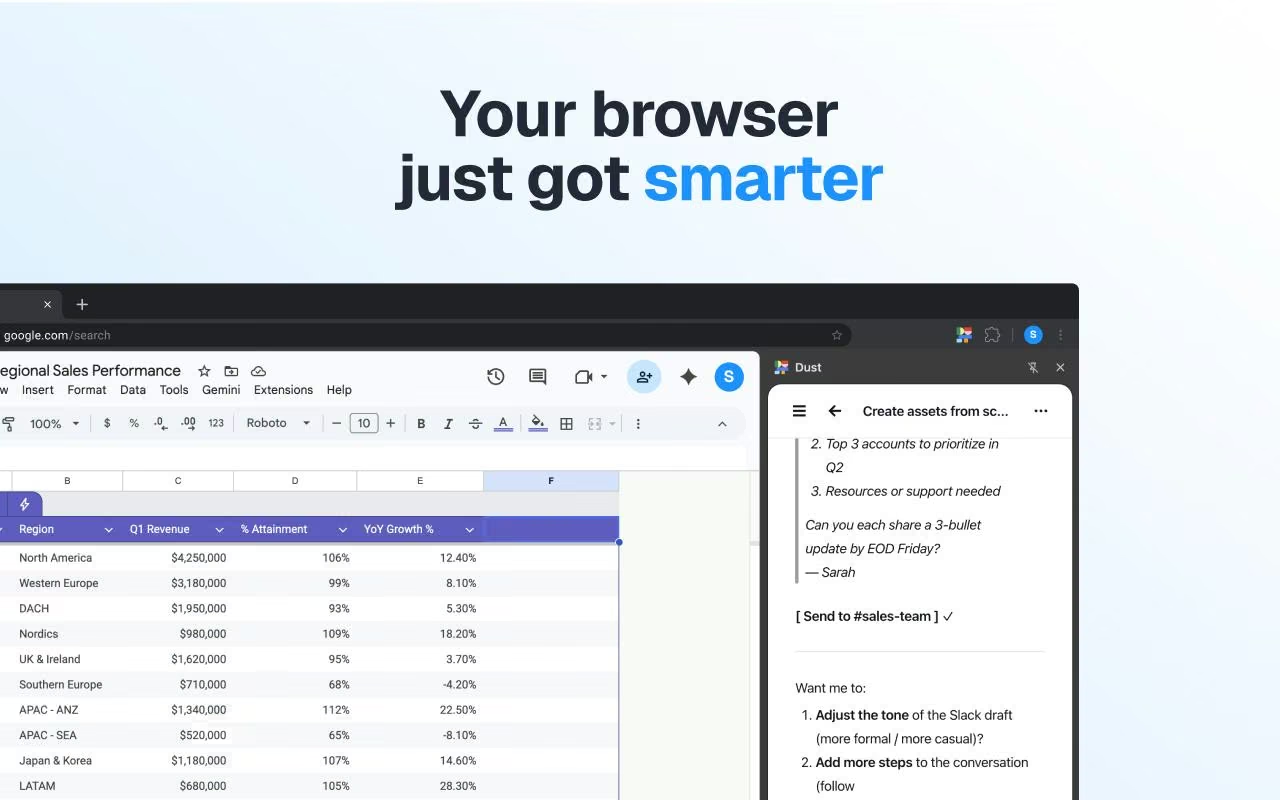
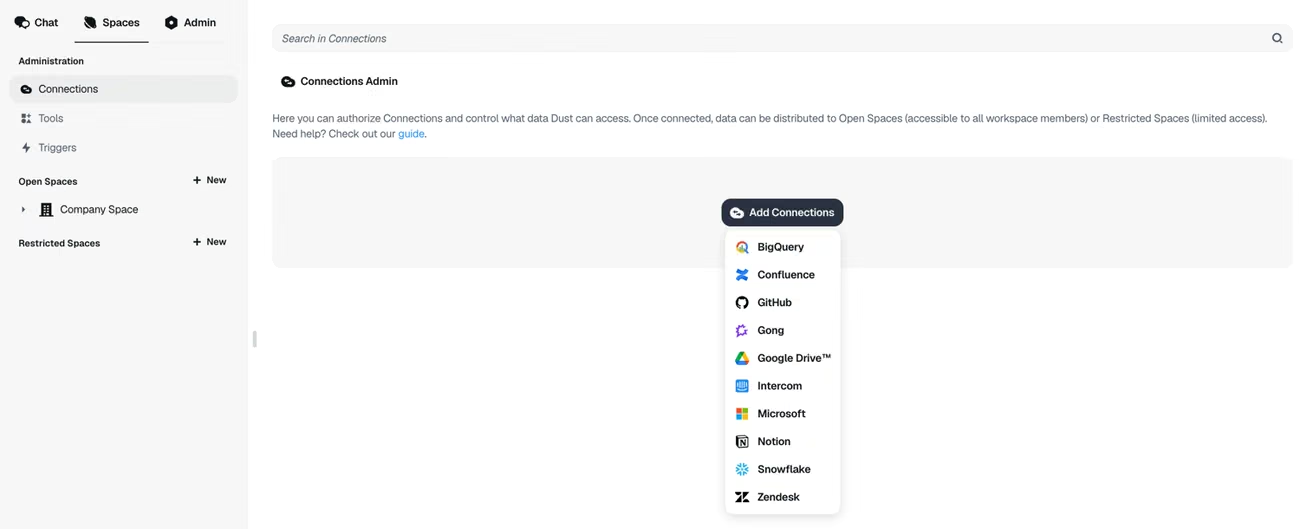
Three data source types feed the agents: managed connections sync automatically, a web crawler ingests public sites on a refresh cadence you set, and folders hold static files. In long conversations, a usage indicator shows how full the context runs, and compaction summarizes earlier messages rather than dropping them invisibly, which is the default behavior once a conversation overflows.
For an SME, the saving comes from reuse. One well-built skill turns a process that lived in someone's head into something the whole team runs identically, without a meeting to explain it.
AI Features
- Company knowledge search. Semantic search, hierarchy browsing, full document reading, warehouse schema exploration, and SQL from a plain question, with answers grounded in cited internal documents.
- Deep research agent. A planning agent maps the investigation, sub-agents work separate strands in parallel, and the result is a cited report. Complex questions run for minutes with the reasoning visible.
- Dynamic tool discovery. Mid-investigation, the agent spawns a sub-agent with whichever toolset the task needs, adapting to what the workspace has connected.
- Sidekick. Reads an agent's configuration, drafts instructions as reviewable inline diffs, and recommends tools, skills, and models after consulting that agent's ratings and usage metrics. It turns a successful conversation into a reusable agent in one click and diagrams an agent's logic on request.
- Structured data analysis. Table queries combine semantic search with SQL, and agents join across tables and warehouses to answer quantitative questions.
- Classification and routing. Agents triage tickets, update CRM records, and draft replies inside connected systems rather than handing you text to paste.
- Multimodal handling. Image analysis, data visualization, file and image generation, and voice transcription.
- Self-improving skills. Analyzes how a skill performs across many conversations, clusters recurring failure patterns, and proposes a small instruction edit for a builder to accept or reject.
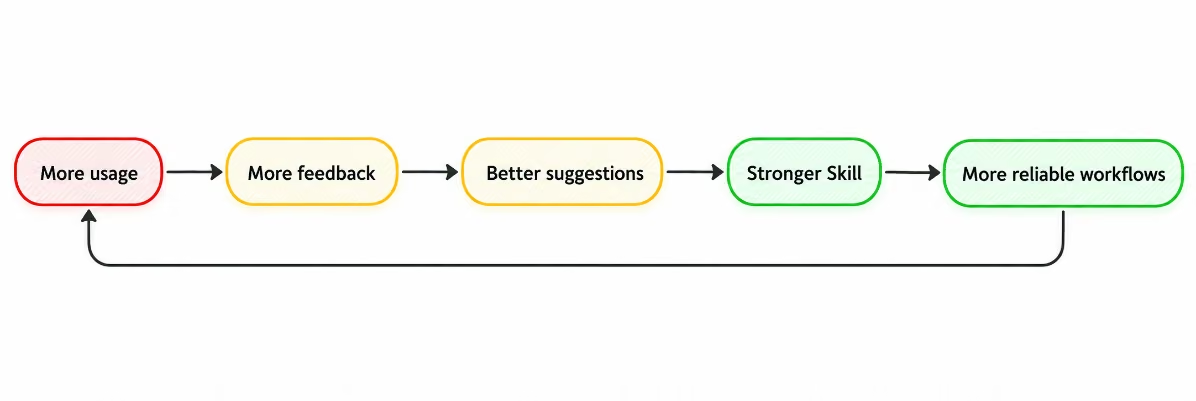
Dust builds the layer around the models, not the models themselves. The intelligence comes from third-party providers, and Dust supplies the retrieval, the permissions, the tool wiring, and the review loop. Self-improving skills rewrite instructions, not model weights, and a builder approves every change before it takes effect. The research coordinator, the parallel sub-agents, and the warehouse exploration justify the AI label.
Integrations
- CRM and sales: HubSpot, Salesforce, Attio, Salesloft
- Communication: Slack, Microsoft Teams, Gmail, Outlook
- Calendars: Google Calendar, Outlook Calendar
- Storage and documents: Google Drive, OneDrive and SharePoint, Notion, Confluence, Guru
- Support and service desks: Zendesk, Intercom, Front, ServiceNow, Freshservice
- Development and project work: GitHub, Jira, Linear, Asana, Monday.com, Supabase
- Data and analytics: Snowflake, BigQuery, Databricks, Power BI, Amplitude, Hex
- Meeting transcripts: Gong, Fathom, Granola, Modjo, Clari Copilot
- Design, HR, and compliance: Canva, Miro, Workday, Ashby, Vanta
- API access: A conversation API ships with the self-serve plan and Enterprise adds a data source API. Dust also connects to Zapier, Make, n8n, and Power Automate, and supports custom MCP servers for anything without a native connector.
The catalog lists connectors across a dozen categories, and each exposes specific actions rather than read-only access, so agents update records instead of only reporting on them. Several connectors accept a personal account alongside the workspace connection, so replies and updates carry your identity rather than a shared one. Sometimes, the Snowflake connector enforces a query timeout on the Dust side, so it fits pulling from prepared tables rather than running heavy calculations.
Data Security and Compliance
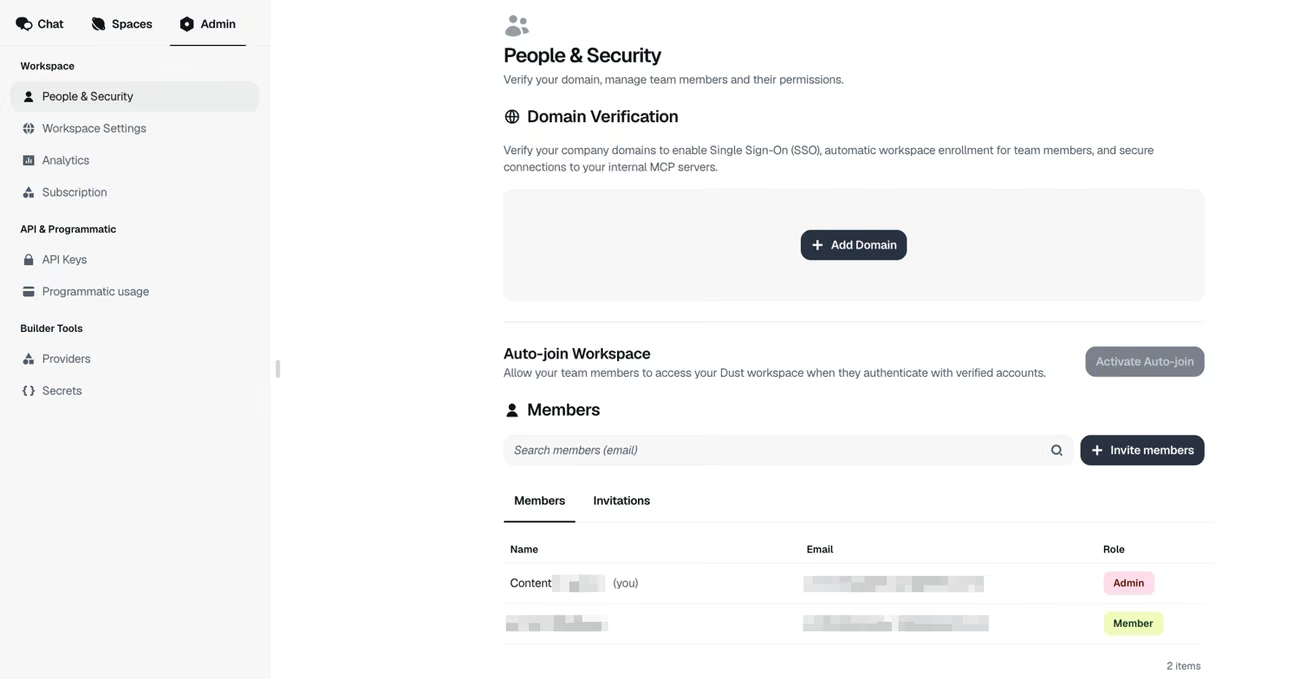
Dust holds SOC 2 Type II certification and publishes GDPR and HIPAA material through a public trust portal, where customers request the penetration test report, data processing addenda for both regions, the privacy impact assessment, security measures documentation, and a financial services addendum.
Controls span infrastructure, organizational, product, internal procedures, data and privacy, and HIPAA categories, covering restricted production access, encrypted portable media, background checks, penetration testing, and deletion of customer data on departure. Workspace data sits in the United States or the European Union, and Dust states it does not train on company data.
Language: Interface and Customer Support
Dust publishes its documentation, academy courses, changelog, and help material in English. Customers span Europe and the Americas, so multilingual teams clearly work on the platform daily, though that capability comes from the AI models. Support runs through email on the self-serve plan, a channel that in practice accepts questions in any language. The in-product agent answers questions about the platform in your own language. Teams that need guaranteed support in a specific language should ask before committing.
AI Language: The Tool Itself
The models behind Dust handle language natively, covering more than fifty languages for drafting and more than seventy for voice transcription with automatic detection. Write in any of them and the agent replies in kind, with no configuration step. Instructions sit in one language while conversations run in another, or you pin an agent to answer in a fixed language. Connected data stays language-agnostic, so an agent retrieves and summarizes a document written in a language different from the question.
Mobile Access
Dust runs as a responsive web application, with no dedicated iOS or Android app. The changelog records a round of mobile and tablet work: progressive loading of conversation and agent lists, virtualized scrolling for threads running to thousands of messages, larger touch targets, corrected layouts in the agent builder, keyboard handling that avoids unexpected pop-ups, status bar theming, and resizable panels.
Support, Onboarding, and Account Management
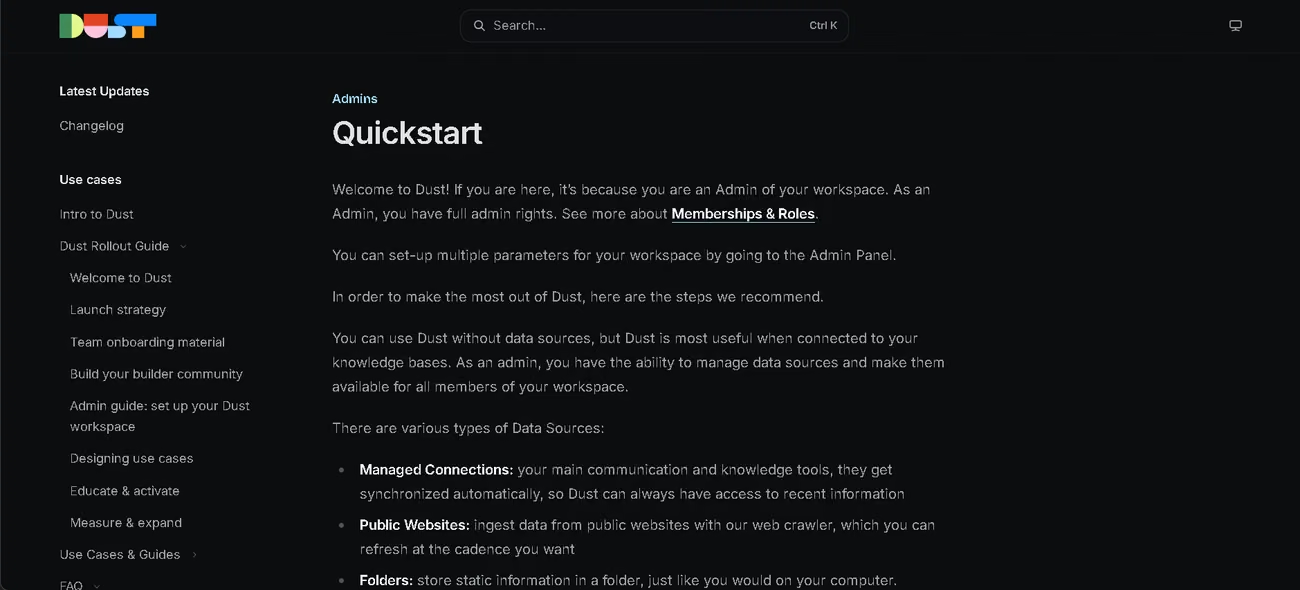
- Five academy courses of fifteen to forty minutes each, covering AI agent fundamentals, first steps, building agents, scheduling them, and the computer module, backed by documentation, tutorials, a troubleshooting guide, and a changelog updated as features ship
- Recurring online events, a public events calendar, and a community Slack workspace open to users
- Email support on the self-serve plan, and on Enterprise, priority support with a service level agreement, a dedicated customer success manager, and guided onboarding
- A partner programme for implementation help
- A rollout guide covering phased deployment, builder communities, and ROI measurement, with initial deployment typically spanning one to three months
Additionally, inside the product, Sidekick proposes fixes in the agent builder when an agent underperforms, and the troubleshooting guide covers the usual failure modes: searching the wrong places, inventing details, returning inconsistent formats. Some call support reactive and onboarding efficient. Others report response times running longer than hoped, always arriving at a good answer eventually, and suggest building internal champions so colleagues get faster help in-house. A team with no technical staff can start on the self-serve material alone, though the platform clearly rewards having an owner.
Ease of Use and UX
Signup opens with a hosting decision fixed for the life of the workspace, and the free tier demands phone verification before you reach the product. After that the experience improves sharply. Sidekick drafts instructions and proposes tools, so nobody faces a blank page, and the preview panel tests changes without leaving the builder.
The first result arrives fast. You can build a working assistant in minutes with no engineering help, and the connectors give it real context to work with. Starting easy does not mean hitting a ceiling later, since a basic agent takes minutes while schedules, Frames, Pods, and connectors carry the heavier work. Collaboration draws the most praise: most AI tools optimize for one person at a time, while this one lets a team build on each other's agents. Teams already working in Slack, with their knowledge connected, get the most out of it.
The friction sits further in. Spaces, skills, Pods, credits, and triggers each carry a separate mental model, and you will find some features demanding and some agent tools confusing. Credits add overhead of their own: one customer shifted from a building mindset to a build, measure, and optimize mindset, which means someone now watches consumption alongside output.
Pricing and Plans
- Free tier: a one-time credit allocation that never resets and never expires, with access to every feature and phone verification required
- Pro seat: a monthly credit refill sized for regular team members
- Max seat: a larger refill for people running complex automations, deep research, and tool-heavy workflows
- Enterprise: pooled workspace credits, volume pricing, unlimited connectors and MCP servers, SCIM, audit logs, single-tenant deployment, and custom legal terms
- Free trial: fourteen days without a card
You mix seat types in one workspace and reassign them as usage shifts, with mid-cycle joiners getting their full allocation immediately. Annual billing lowers the per-seat rate, monthly seats cancel anytime, and every plan opens the full model catalog. The self-serve plan caps data sources, spaces, and remote MCP servers, and keeps white-labelled Frames on Enterprise.
Dust pricing runs on credits rather than messages. Each interaction charges for model processing plus a fixed amount per tool call, and every sub-agent adds to the total. Retrieval, file generation, and connector actions cost the most, so a research agent runs well above a simple chat. Credits belong to the person rather than the seat, expire monthly, and cost more on European hosting, though Dust shows each message's cost as you go. Some users find the price steep once seats or usage climb, which fits a model where workload drives the bill, not headcount.
Case Study
Alma, a buy now pay later provider headquartered in France and active across ten European markets, deployed Dust company-wide in September 2025. Before that, product documentation went stale because maintaining it never won against shipping, and revenue teams rebuilt merchant context by hand for every approach.
Adoption spread team by team rather than overnight, driven by a cross-functional squad spanning revenue, operations, product, and engineering, with protected weekly time to test workflows and unblock colleagues. Within six months, 87% of the company was active monthly, and 93% of those people returned the following month. Usage also changed shape, with raw blank-chat conversations falling to a small minority while most ran through a custom or platform agent.
Three agents show the shift. @prospection, connected to Salesforce, qualifies opportunities and drafts outreach adapted to each merchant's market, language, and role. @productopia reads closing project briefs and posts suggested documentation updates to Slack for a product manager to approve. Operations and risk analysts built their own fraud review assistant that assembles case context before they investigate. Up-to-date product documentation climbed from 55% to 87% in one quarter, with product managers spending less than half their previous time on it.
Videos
Dust vs Alternatives
| Dimension | Dust | Langdock |
|---|---|---|
| Documentation and training | Academy courses, guides, and changelog in English | Guided in-product checklist covering every feature, with videos and tutorials at each step |
| Deployment options | Cloud hosting in the US or EU, single-tenant on Enterprise | EU multi-tenant, dedicated, customer's own cloud, or on-premises |
| Certifications | SOC 2 Type II, GDPR, HIPAA | ISO 27001, SOC 2 Type II, GDPR |
| Agent quality loop | Usage analysis proposes instruction edits after deployment | AI judge and tool verification before publishing |
| Cost structure | Credits consumed per interaction and per tool action | Base subscription plus optional add-ons for workflows, governance, and API |
Both platforms sell the same idea, so compare Dust vs Langdock on execution rather than scope. Langdock wins on reach and self-service: it teaches itself through a step-by-step checklist, ships an interface your team reads in its own language, and works from a phone. Dust wins on how a workspace compounds, since one improved skill lifts every agent using it, and on research depth, since its planning agent runs parallel investigations across documents, warehouses, and the web.
FAQs
Is Dust a good fit for a small business?
It fits small teams whose knowledge already sits in connected tools, and it needs one person willing to own it. Without that owner, the setup work outweighs what you get back.
Which languages does Dust support?
The AI handles dozens of languages for writing and more for voice transcription, with automatic detection. Documentation and help material appear only in English, which limits self-service for teams working in another language.
Does Dust have a free plan?
Yes. The free tier grants a one-time credit allocation that never expires, with access to the full feature set. Phone verification comes first.
How does Dust charge for usage?
Credits cover both model processing and each tool action an agent performs, with sub-agent runs added on top. They reset monthly without rolling over, so usage patterns matter more than seat count when you estimate cost.
What are the best alternatives to Dust?
Langdock is one of the closest match, covering the same ground with chat, agents, workflows, and governance. It suits teams needing guided onboarding and a localized interface, while Dust suits teams building a shared library of reusable skills across departments.
Still weighing up Dust?
See how it compares with the other tools we've reviewed in AI Agents.