

Langdock Review
Langdock puts multi-model chat, custom agents, workflow automation and EU-hosted governance in one platform built for company-wide AI adoption.
Langdock pulls off something rare here: it is easy enough for any employee to use, yet it still meets enterprise-grade security standards. Model independence, European Union hosting, and self-hosting options make it a solid choice for organizations that take data protection seriously. We especially like its gradual approach to adoption, which walks users from their very first chat all the way to the most complex workflows.
Our recommendation: Langdock is ideal for companies that want to bring AI to their entire workforce without losing control of their data. Its main limitation for the smallest SMEs is price, since it is aimed at mid-sized and large organizations.
Averaged from the breakdown below
- Mid-sized and large companies that want to unify their use of AI in a secure environment.
- Teams with strict data-protection requirements (GDPR, EU hosting, self-hosting).
- Businesses looking to move from standalone chat to process automation with human oversight.
- Organizations that value structured guidance during adoption.
- Very small SMEs on a tight budget.
- Users who only need a simple chatbot without governance or integrations.
- Teams that want a native WhatsApp integration at the heart of their operation.
Key features
- Model-independent chat that connects to providers like OpenAI, Anthropic, Mistral, Google, and Meta from a single interface, plus an automatic mode that picks the model based on how complex the message is.
- Web search, deep research, spreadsheet data analysis, a document canvas (Canvas), diagrams, and conversational memory, with responses backed by citations.
- You can upload files, images, audio, and video, with voice input and a voice mode. File management lives in one tab that brings together both what you upload and what the tool generates.
- Work folders and projects to group conversations by topic or client, and knowledge bases with semantic search.
- A library of reusable prompts with variables, scheduled tasks that run automatically on a set schedule, and skills that extend what the tool can do.
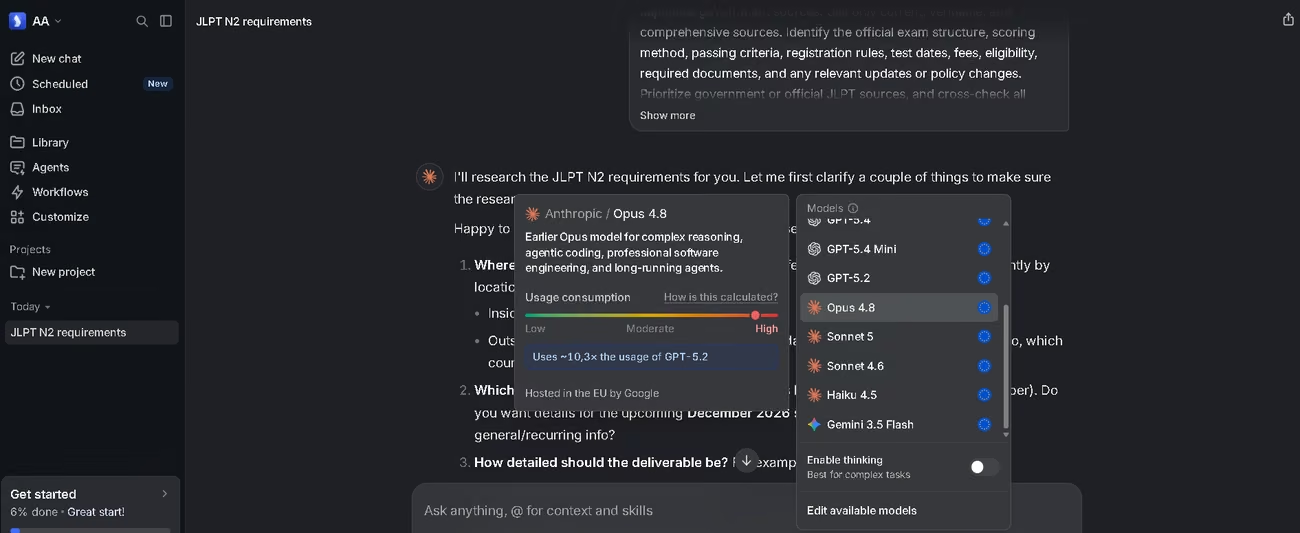
These features let SMEs handle in a single tool the kind of work that used to require several subscriptions, which cuts costs and shortens the learning curve. Usage is measured by model consumption and kept in check through two windows, one per session and a weekly one that resets every Monday, so spending stays predictable. Even if you hit the limit, a fallback model is always available, so work never comes to a complete stop. The model selector also shows how much each option consumes relative to the others, so you can save the most powerful models for complex analysis and lean on the lighter ones for routine work.
AI functions
- Custom agents for recurring tasks, with their own knowledge and integrations, that can be shared privately, by group, or with the entire workspace.
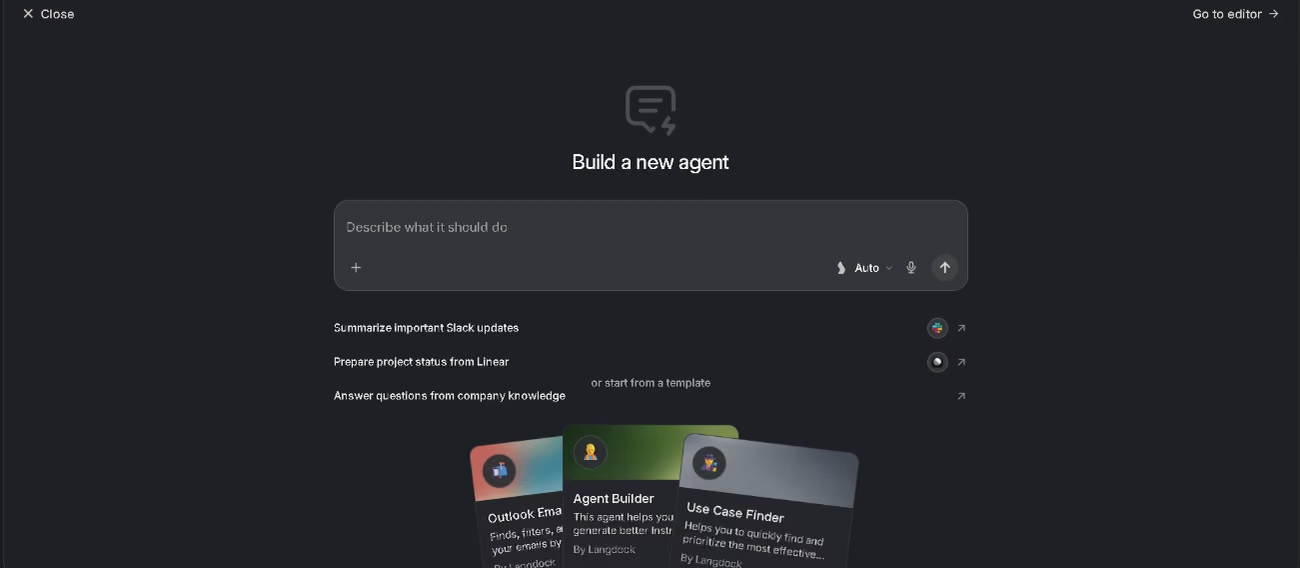
- A conversational agent builder: describe what you need in plain language, and the system proposes a plan and sets up the instructions, model, knowledge, and integrations.
- Agent evaluation before publishing, with an AI judge, tool verification, and keyword checking.
- Image generation and workflow automation with agent blocks, conditions, loops, and human-oversight steps.
The truly clever part is the orchestration. Generating text or images is something any current model can do; Langdock's real value comes from combining agents with supervised automation inside a single process. Workflows can run deterministic or agentic automation, depending on how much control you want at each step, and they come with reversible version control, much like a code repository, so every change is logged and can be rolled back. That combination lets an agent run several steps, use tools, and return structured results while staying auditable. For hands-off work, scheduled tasks can launch an agent on their own, for example to prepare a daily summary or a weekly report.
Integrations
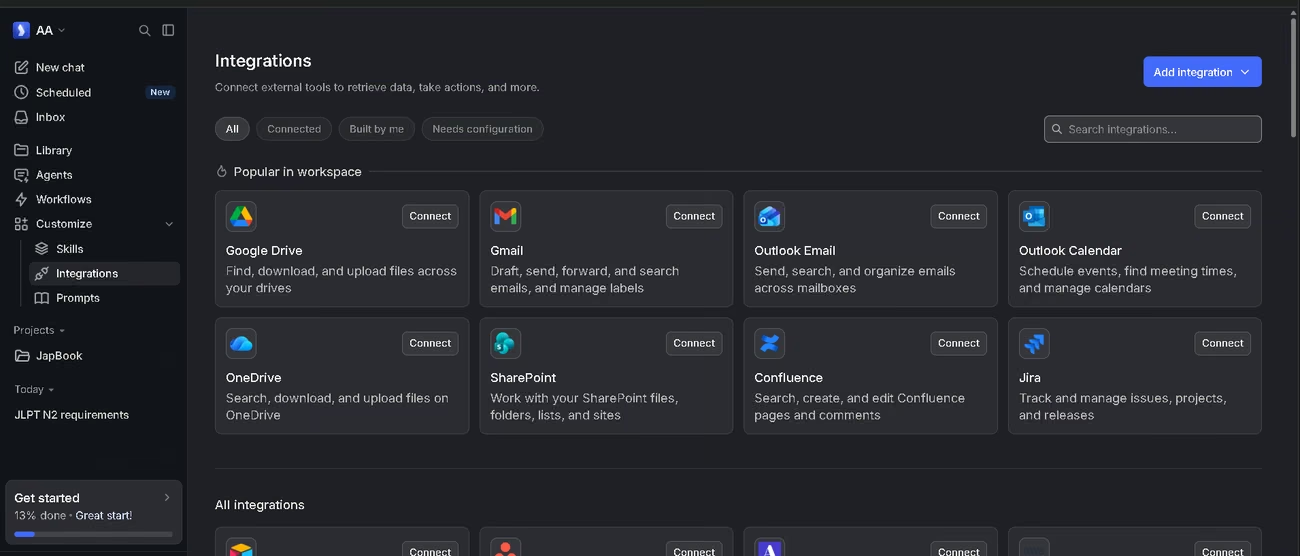
- 57 native integrations with 754 actions available, ready to use.
- Communication and productivity: Slack, Microsoft Teams, Google Workspace, Gmail, Outlook, Notion, Confluence, and SharePoint.
- CRM and support: Salesforce, HubSpot, Jira, Asana, Zendesk, ServiceNow, and Stripe.
- Data and business intelligence: Power BI, Tableau, Looker, BigQuery, Snowflake, and Databricks, plus vector databases such as Pinecone, Qdrant, Milvus, and Azure AI Search.
- Support for the MCP protocol, with its own directory and the option to use your own OAuth.
- An API is available, along with a custom integration builder backed by JavaScript and sandboxed execution.
WhatsApp, widely used across Spain and Latin America, is missing from the native integrations, which is worth noting for customer support teams in the region. Beyond the ready-made connectors, Langdock is built to plug into the rest of your infrastructure through open standards like REST, MCP, and Agent-to-Agent, and it supports custom RAG so a company keeps full control over how responses are built from its own data. Connections rely on secure OAuth 2.0 authentication, and for integrations the tool mirrors the source app's permissions one-to-one, so no one can see through Langdock anything they could not already see in the original app.
Data security and compliance
Uploaded data stays isolated by workspace, and the company keeps ownership of it. Langdock states that it does not use customer data (prompts, files, or responses) to train or fine-tune models. Information is encrypted with AES-256 at rest and TLS 1.2 or higher in transit, with access governed by the principle of least privilege and defense in depth. The platform complies with GDPR, holds ISO 27001 certification and a SOC 2 Type II audit, and undergoes independent penetration testing and regular review of subprocessors. For access control, it offers single sign-on with SAML, SCIM provisioning, workspace-level permissions, and the option to use your own model-provider keys. Hosting scales with the size of the company, from multi-tenant SaaS on European Union servers to dedicated deployments, the customer's own cloud, or an on-premises install via Kubernetes.
Language – Customer support and interface
Langdock is a global tool. For now, it comes with five interface languages, English and Spanish among them, which we confirmed at login. That global reach shows up at sign-up too, where the form accepts nearly every country in the world. Support runs internationally, mainly over email, a channel that in practice takes questions in any language. The platform's help chat is multilingual and handles many languages, including English and Spanish.
AI language – The tool itself
Because the platform is model-independent, the AI understands and replies in Spanish with no trouble, drawing on the multilingual abilities of each model it integrates. In our tests, it handled Spanish, English, and Japanese well at a basic level, which makes it a fit for Spanish-speaking teams. One technical detail is worth remembering, and it applies to any cloud-based tool: Spanish tends to burn through more tokens than English, because accent marks, the letter ñ, and a wordier grammar cause words to be split into more pieces. In practice, the same text costs a bit more in Spanish, worth bearing in mind when you plan your usage.
Mobile access (iOS, Android, others)
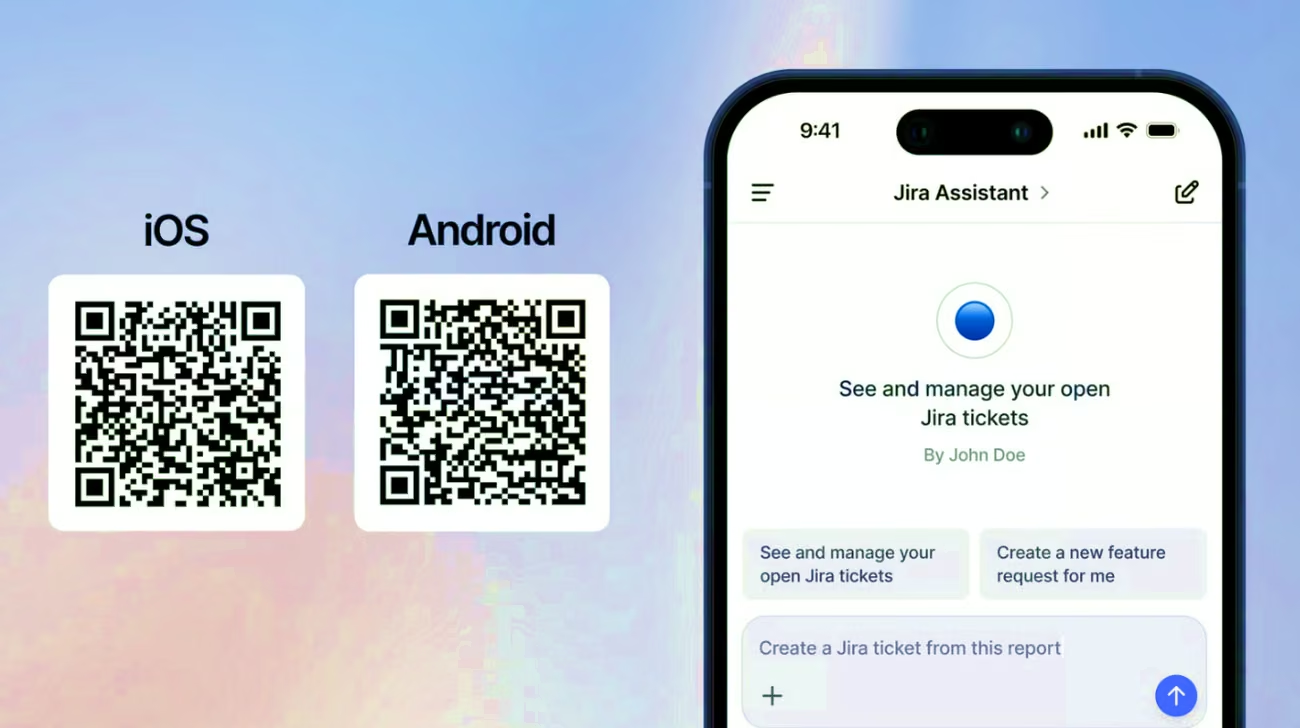
Langdock has iOS and Android apps that cover chat and agents, with voice input and image analysis straight from the camera. Workflows and workspace setup need the desktop version, so the app handles everyday use on the go but not full administration. Rounding things out are a desktop app and an Excel add-in available on the Microsoft Marketplace.
Support, onboarding, and account management
Sign-up is quick: a short form and a seven-day trial with no card required. Right away, the sidebar shows a checklist that runs through nearly every feature, grouped into blocks (chat, agents, integrations, skills, scheduled tasks, files, projects, prompts, and workflows) and ordered from basic to advanced. On top of that, there are videos, documentation, and direct links to specific tutorials at each step, plus ready-to-install skill packs. For large customers, the company adds a dedicated implementation team and kickoff workshops. All in all, it is one of the most complete support offerings we have seen, and it is especially well suited to SMEs with little technical experience, since there is never a shortage of support material.
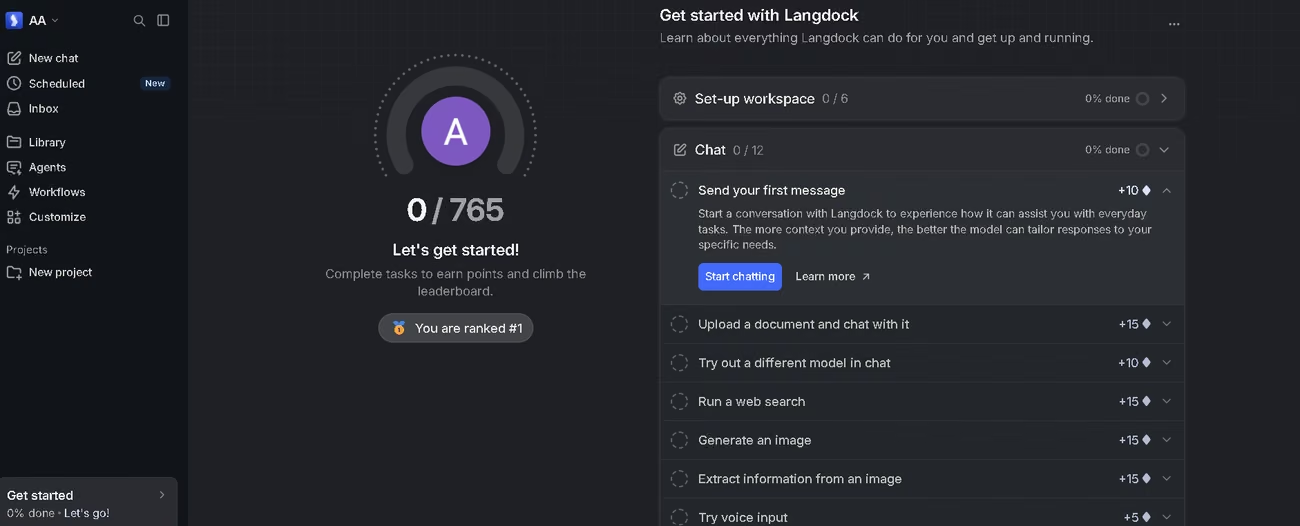
Ease of use / UX
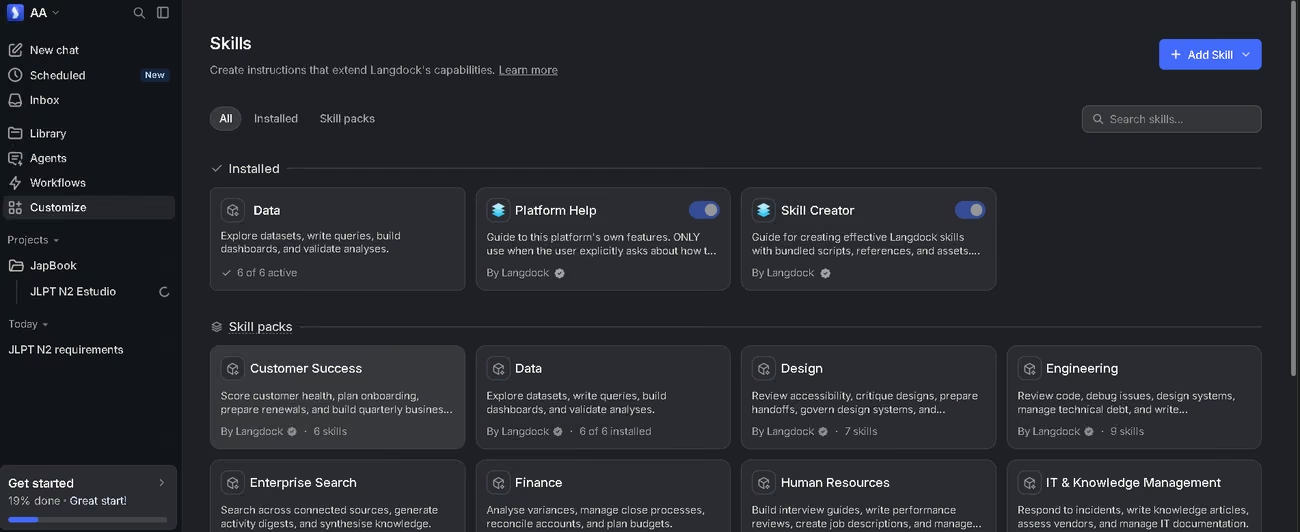
As you work through the checklist, each action comes with a button that walks you through it step by step, which makes exploring the tool feel natural even for someone who has never automated anything. When choosing an AI model in the chat, we could see how much each one consumes and whether it is meant for deep reasoning, and with a free account you can use any of the available models. Scheduling tasks proved very simple, as did creating agents. We managed to upload several long documents, packed with images and running to many pages, without hitting a limit, and from within the chat you can choose which knowledge source to use in each conversation. Installing and building skills is easy and follows a process that will feel familiar to anyone who already uses conversational AI assistants.
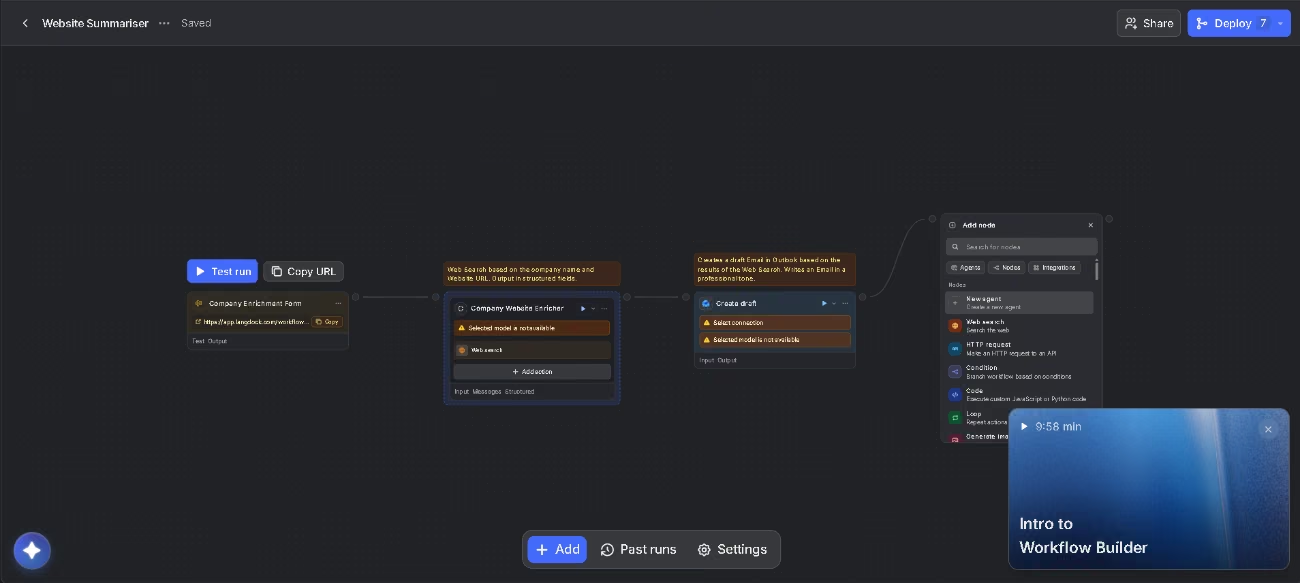
For a simple project with no custom integrations, we ran into no trouble at all. Prior experience with automation tools helps, since the approach is similar, but Langdock goes further: it layers on security, lets you build your own database, and gives you far more control over your information and the end result. The more advanced workflows take a bit of time, though there is plenty of support material to smooth the path. An SME can start getting value from day one.
Pricing and plans
There is a seven-day free trial with no credit card, and it comes with starter credits so you can try every feature on the platform. From there, you pick a base subscription and layer on the extras each organization needs. Billing can be monthly or annual.
The base subscription, Chat & Agents, covers the model-independent chat and custom agents. Its plans are:
- Business: built for teams, with every model and feature included, plus single sign-on, SCIM, and SAML. It offers two per-user seat types, a standard one and a higher-usage one.
- Enterprise: with custom pricing for large-scale deployments, a dedicated installation option, and tailored support.
Three optional add-ons build on this base:
- Workflows: adds automation packages sized to your usage, priced per workspace. The Starter tier comes bundled with Chat & Agents and includes a monthly run limit to get you going, while the Business tier is built to run automations at scale. Both give you unlimited steps per flow, unlimited users, execution history and logs, and thirty days of run-data retention.
- Governance: lets you review, approve, or switch off agents and apply your own compliance rules, with templates for the EU AI Act, GDPR, and security, plus automatic checks on every agent update. It is charged per user and, for now, is included at no extra cost during a launch period.
- API: a single API for every model, hosted in the European Union and GDPR-compliant, with pricing based on how much you use.
For an SME, pairing a free trial with a base subscription and add-ons that kick in only when needed gives you flexibility and room to grow in stages. Bear in mind that Langdock is built for professional use, so the cost may run high for very small teams.
Case study
German manufacturer Dr. Wolff, based in Bielefeld and known for brands like Alpecin and Plantur, shares its experience with Langdock in a video testimonial. The company describes itself as one that competes using its own methods against industry giants like Procter & Gamble, L'Oréal, Henkel, and Beiersdorf. It started with a simple in-house tool, WolffGPT, so staff could use language models in a protected environment, but uptake stalled because employees, used to ChatGPT, wanted more. They needed a solution that complied with data-protection rules and also let them build their own agents wired into the company's data and tools. After weighing several options, including Gemini Enterprise and ChatGPT Enterprise, and running plenty of tests, they settled on Langdock. On the platform, their first users built agents to share with their teams, created prompts, and took on use cases that had been out of reach before, because they could finally connect AI to their internal data securely. The company points out that AI is now woven into its culture and helps it expand globally faster and with smaller teams. You can watch this story here.
Langdock vs. alternatives
One close competitor is n8n, another workflow automation platform with a strong focus on data control.
| Aspect | Langdock | n8n |
|---|---|---|
| Focus | AI adoption across the whole company (chat, agents, flows, and integrations) | Workflow automation for technical teams |
| Native integrations | 57 with 754 actions | More than 1,300 |
| Self-hosting | Yes, on enterprise plans | Yes, free Community edition and higher plans |
| Security | ISO 27001, SOC 2 Type II, GDPR, AES-256 encryption | SOC 2, GDPR, AES-256 encryption |
| User profile | Any business employee | Technical profile or with IT support |
Langdock makes it easy for anyone on the team to use AI with no technical know-how, thanks to a localized interface and guided onboarding. n8n offers more technical flexibility, full code support, and a free self-hosted version, but it asks more of the user. For an SME with no IT team, Langdock is the more approachable choice; for one with in-house developers who care most about full control and cost, n8n is well worth a look.
FAQs
Is Langdock a good option for SMEs?
Yes, especially for mid-sized SMEs that want to unify their AI use with security and support behind it. For very small businesses, price is the thing to weigh.
Is Langdock a multilingual tool?
Yes. The interface comes in five languages, Spanish among them, and the help chat is multilingual too. On top of that, because it is model-independent, the AI understands and responds well in several languages, including Spanish, English, and Japanese.
Does Langdock use my data to train models?
No. The company states that it does not use customer data to train or fine-tune models, and that information stays isolated within each workspace.
What are the best alternatives to Langdock?
Among the tools we have reviewed, n8n is the closest match for technically minded teams that put data control and self-hosting first.
Do I need to know how to code to use Langdock?
Not for everyday use. Chat, agents, and scheduled tasks all work without code, and only the more advanced workflows or custom integrations benefit from technical know-how.
Still weighing up Langdock?
See how it compares with the other tools we've reviewed in AI Agents.