
Xero Review
Xero is cloud accounting software designed for small businesses, freelancers, and accounting advisors.
This tool is a secure and reliable accounting solution, ideal for SMEs/SMBs operating in international markets or dealing with multiple currencies. Its interface is intuitive, and its automations save significant time on routine tasks like bank reconciliation and invoice tracking.
Its robust ecosystem of integrations and its newly incorporated AI intelligence, JAX, make it an advanced accounting tool for growing small businesses worldwide.
Averaged from the breakdown below
- Small businesses and entrepreneurs with international operations.
- Accounting firms or advisors managing multiple clients.
- Businesses that rely on integrations with platforms like Shopify, Stripe, PayPal, or external CRMs.
- Operations requiring advanced inventory and manufacturing controls that demand deep MRP (Material Requirements Planning) or highly specific, localized tax reporting features.
Key Features
- Online Invoicing with automated reminders.
- Bank Feeds connecting with over 21,000 global financial institutions.
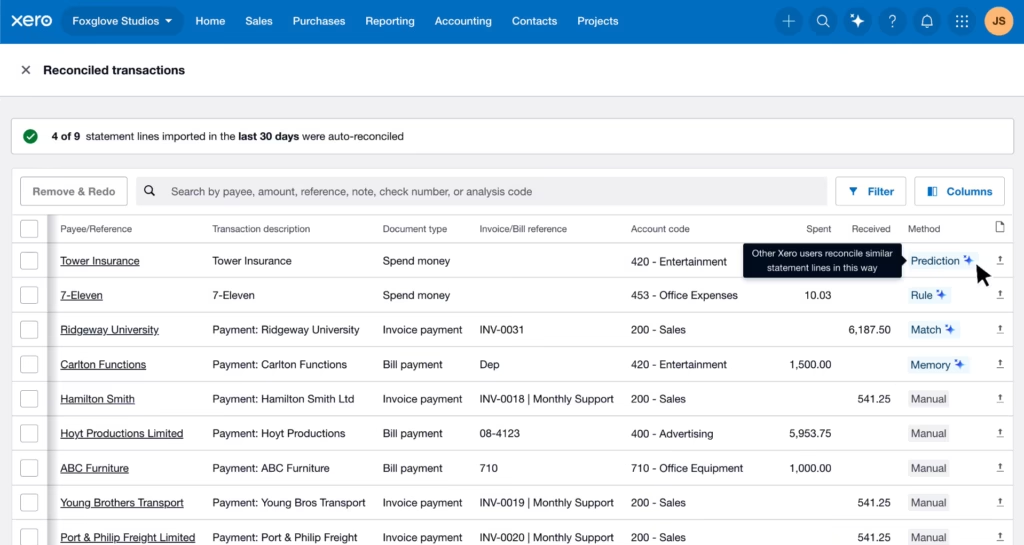
- Automatic Reconciliation of bank movements using rules and Machine Learning.
- Tracking of expenses, budgets, and payments.
- Management of inventory, projects, and purchase orders.
- Customizable financial reports and analysis dashboard.
- Integration with Hubdoc for automatic document data capture.
- Secure multi-user access with roles and permissions.
- Smart Document Capture that extracts data from bills and receipts.
- Cash flow forecasting of up to 180 days with Analytics
These functions help SMEs centralize their financial information, reduce manual errors, and make decisions based on up-to-date data. In this space, the relationship small and medium businesses have with artificial intelligence is moving from curiosity to confidence: according to Xero's research, many feel curious and excited about AI, yet also concerned about data privacy and its ethical implications, and a lack of time or doubts about data protection form a confidence gap that holds some businesses back. Against that backdrop, Xero's AI tools aim to help businesses adopt the technology safely and with greater confidence.
AI Functions
JAX (Just Ask Xero), its AI-powered financial agent. JAX automates repetitive tasks, such as creating and sending quotes or invoices, and answers business questions with real-time data. Its conversational capabilities go beyond automation: they combine the company's own data in Xero with up-to-date public information from the web to deliver tailored answers.
Its main uses include:
- Decision support: asking how to improve cash flow, looking up tax information, benchmarking performance against the market, or preparing to negotiate payment terms with a customer.
- Financial data exploration: getting clear answers, with charts and tables, to questions like total income over the last six months or how gross profit has trended over the past year, which helps surface trends.
- Conversational actions: creating invoices or quotes from a single instruction and finding answers within Xero's help content.
JAX is available to all Xero subscribers and users at no additional charge for now, and it respects each account's roles and permissions, showing only the information the user is already allowed to see.
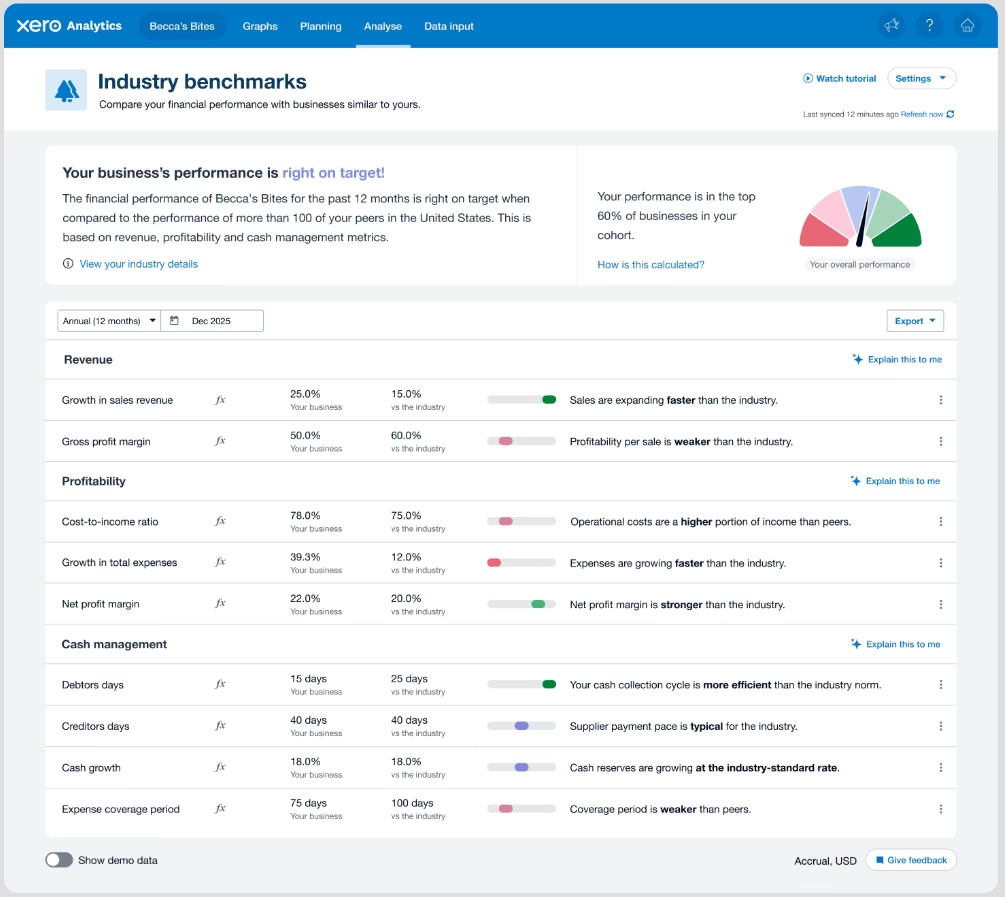
AI also runs across other parts of the platform. Smart Document Capture extracts data from bills and receipts to speed up record keeping, bank reconciliation suggests matches using memorised rules and AI technology, and Analytics provides insights that explain dashboard metrics in plain language and how they are calculated, alongside comparisons against industry benchmarks.
Integrations
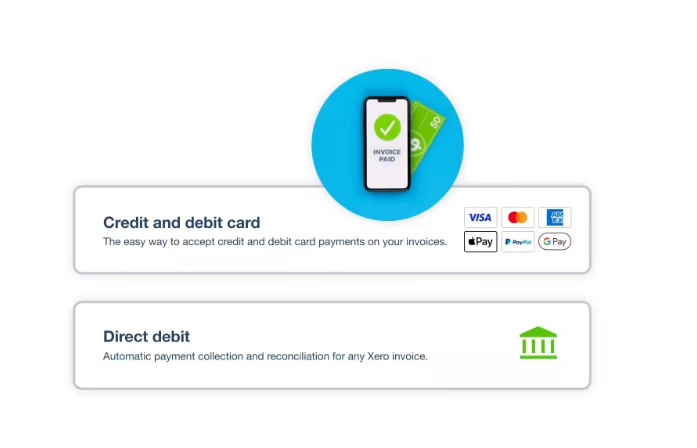
Xero App Store brings together hundreds of verified integrations that extend the platform's functionality. Apps are organized into categories such as payroll and HR, inventory, time tracking, payments, reporting and forecasting, CRM and marketing, e-commerce, and bills and expenses. Notable examples include Shopify, Stripe, PayPal, Expensify, Katana, ApprovalMax, and Syft, along with AI-powered apps for bills and expenses such as fileAI, Receiptor AI, Tofu, and Pulsify. Beyond the app catalog, Xero offers an open API with three integration types:
- Web app: free, designed for web server applications. It connects up to 25 Xero organizations and is available globally.
- Mobile or desktop app: free, aimed at mobile and desktop applications. It also connects up to 25 organizations and has global reach.
- Custom connection: built for direct machine-to-machine integrations, with a monthly Xero user fee. It connects to a single organization and is available in the United Kingdom, Australia, New Zealand, and the United States.
These integrations enable data synchronization to reduce manual entry and improve business visibility. It's worth noting that, although Xero reviews every app in its App Store, it recommends assessing each one's performance, quality, and suitability before adopting it.
Security and Data Compliance
Xero uses TLS encryption for data in transit and secure cloud storage. Users retain full ownership of their information, and data is hosted under strict access controls and auditing procedures. Xero provides SOC 2 reports upon request and complies with international privacy regulations (such as GDPR). It also offers multi-factor authentication and activity logs to ensure action traceability.
On the AI side, for its large language models Xero relies on vetted third-party providers that are disclosed as subprocessors. The data entered may include personal information, but it is not retained or used to train those models.
Language – Customer Support and Interface
Xero is primarily English-oriented, which aligns with its global user base. It supports the use of characters from other languages and allows the issuance of documents (like invoices) in various languages via custom templates. Support is available through its digital help center, Xero Central, which provides guides, an active community, and learning resources.
AI Language
JAX, Xero's financial agent, currently operates in English, which is typically sufficient for financial data processing even for companies operating in other regions.
Mobile Access
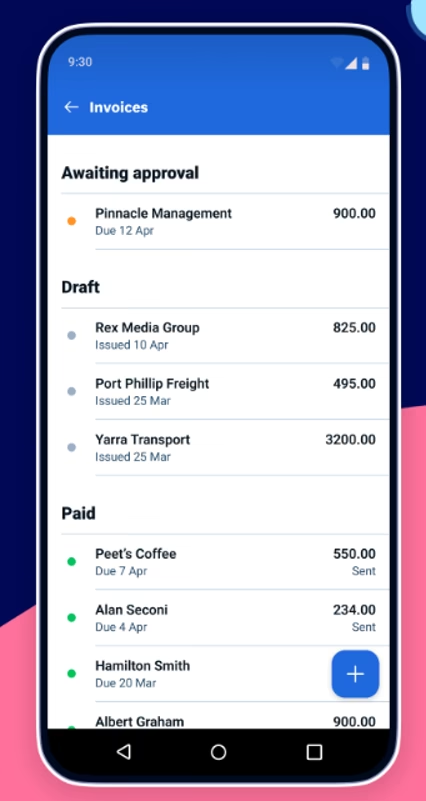
Xero features native applications for iOS and Android. From these apps, users can create and send invoices, record expenses, check balances, and perform bank reconciliations.
The Xero Me app adds features built for working on the go: you can scan receipts with your camera so the expense claim fields fill in automatically, and track mileage via GPS to speed up reimbursements. The apps offer a complete mobile experience, fully synchronized with the web version.
Support, Onboarding, and Account Management
Xero’s onboarding process is clear and guided. New users benefit from a free trial period, step-by-step tutorials, and resources in Xero Central, which includes:
- Free courses and certifications (Xero Associate).
- User community and forums.
- A library of guides, accounting templates, and help articles.
For accountants, tools like Xero HQ, Practice Manager, and Workpapers allow for collaborative client and team management.
Ease of Use / UX
The interface is modern, with module-based navigation and simplified recurring actions (like reconciliation and reminders). The learning curve is short for common tasks; advanced users can delve into reports and cash flow analytics when needed.
Pricing and Plans
Xero offers three main plans (Starter, Standard, and Premium) that cover essential accounting functions and adapt to business growth. All include access to core tools like bank reconciliation, invoicing, reports, expense, and inventory management.
Plans can be extended with optional add-ons like Analytics Plus or advanced integrations from the App Store. Xero offers a 30-day free trial with no credit card required. Functions and prices may vary by region.
Case Study
Financial Systems Solutions Ltd, a bookkeeping and small business accounting practice run by Fiona Woon in Wairoa (Hawkes Bay, New Zealand) and operating since 2005, faced a paradox: despite a full client base and constant work, the business was not as profitable as expected, and Woon could not find time to step away. With prior experience at a large accounting firm, she had long avoided time tracking in her own practice, finding it tedious.
After adopting Xero Projects, the time and project tracking tool built into Xero, she began recording her entire working day. The exercise revealed how much time went to unbilled tasks and that the clients demanding the most hours were often the ones paying the least. With that visibility, she restructured her invoicing (now sent directly from Xero based on tracked tasks) and moved on from unprofitable clients. According to the case documented by Xero, the outcome was hundreds of hours saved, a more efficient practice, and a marked rise in profitability, to the point of being able to take a break every six weeks, something previously out of reach.
You can read this case study and many more here.
Xero vs. Alternatives
Xero vs. QuickBooks Online
Xero excels with its modern interface, its focus on global automations and integrations, and its conversational agent JAX. QuickBooks offers better localized tax support in many regional markets.
Xero vs. Zoho Books
Xero has a wider integration ecosystem, a cleaner interface, and the conversational agent JAX. Zoho Books often offers better country-specific tax compliance and fully localized language support in certain markets.
FAQs
Is Xero a good fit for SMEs/SMBs?
Yes. It automates reconciliation, categorizes movements using rules and ML, and offers short-term cash flow projections to preemptively inform decisions.
How secure is the platform?
Xero applies TLS encryption in transit and at rest, MFA, role-based controls, auditing, and practices aligned with SOC 2 standards.
How does Xero help with cash flow?
Using Analytics/Analytics Plus, you can view projected cash flow for 30–90 days and explore basic scenarios to plan payments and collections.
Do integrations and features change by country?
Yes. Xero maintains region-specific sites and pricing (such as Global, United States, United Kingdom, Canada, Australia, New Zealand, and Singapore, among others), and the availability of apps, connected banks, and some features varies by region and currency. It is worth checking the Xero App Store and your local page before deciding.
Still weighing up Xero?
See how it compares with the other tools we've reviewed in AI for Accounting.