
Sider Review: The All-in-One AI Browser Agent with Scholar GPT
Sider is an AI agent that lives in a browser sidebar and follows along with everything you do on the web. It falls into the category of AI agents and browser assistants, but it stands out by bringing several capabilities together in one place: understanding content (Chat), automating tasks on real websites (Claw), customizing any web page in plain language (Code), and a suite of research and creation agents. On top of that core, it adds a knowledge base called Wisebase and its own academic ecosystem, Scholar, whose entry point is the well-known Scholar GPT inside ChatGPT.
For a small or medium enterprise, a freelancer, or a startup, this Sider review matters because it packs into a single tool the kind of work that today usually takes half a dozen tabs and several subscriptions: researching, comparing prices, writing, translating, creating images, and documenting with sources. If you are looking for the best AI browser tool built for productivity and well-sourced content, Sider is a serious contender.
AgentAya Verdict
Sider shines when your work is scattered across many sites and you need someone to read, extract, and organize it for you. Its greatest strength is the combination of content understanding, real automation of browser tasks, site customization, and a suite of research and creation agents, all from the same sidebar. For technical content teams, the Scholar ecosystem is a clear bonus: Scholar GPT handles the quick discovery of studies, and the Deep Research agent turns that search into cited reports saved in the Wisebase knowledge base.
Its main limitation is that much of Claw’s power depends on logging in with your own accounts on the sites where it works, which calls for good judgment about what sensitive information is involved. It also does not document a catalog of native integrations in the traditional sense: it works by browsing, not by connecting to each service through an API.
Recommendation: for an SME that produces authoritative content or does a lot of research on the web, Sider works as a cross-cutting layer of productivity. It is worth starting with the free version and Scholar GPT before moving up to a paid plan.
Score Breakdown
| Category | Score | Brief description |
| Features and capabilities | 4.5 / 5 ⭐⭐⭐⭐⭐ | Chat, Claw, Code, research and creation agents, Wisebase, and Scholar. |
| Integrations | 3.5 / 5 ⭐⭐⭐ | Works on your browser sessions; no broad catalog of native connectors. |
| Language and support | 4.5 / 5 ⭐⭐⭐⭐ | Interface and help center fully in English; access to multiple models. |
| Ease of use | 4.5 / 5 ⭐⭐⭐⭐⭐ | Intuitive sidebar, plain-language instructions, gentle learning curve. |
| Value for money | 4.0 / 5 ⭐⭐⭐⭐ | Free version with daily credits and tiered paid plans. |
Overall AgentAya score: 4.2 / 5 ⭐⭐⭐⭐ Sider offers a very complete package for SMEs that work intensively in the browser; its research agents and Scholar ecosystem make it especially appealing for technical and research content.
Ideal for
- Freelancers and SMEs that research, compare, and write on the web every day and want to cut down on the number of tabs and tools.
- Marketing and content teams that need to summarize, translate, create images, and explain pages, PDFs, and videos without switching context.
- Startups in technical sectors (health, fintech, education) that produce material backed by academic sources thanks to Scholar GPT and the Deep Research agent in its academic mode.
- Non-technical people who want to customize or automate repetitive browser tasks without coding.
Not ideal for
- Companies that require native API integrations with specific CRMs, ERPs, or internal systems.
- Workflows where you cannot log in with your own accounts because of strict security policies.
- Organizations that need formal, documented security certifications as a purchasing requirement..
Sider Key Features
- Sider Claw for automating agent tasks on real websites: research across multiple sites, extract data, compare prices, and put together deliverables.
- Sider Code for customizing any site in plain language and saving those changes for future visits.
- The Scholar academic ecosystem, whose entry point is Scholar GPT, the assistant inside ChatGPT for searching and summarizing papers in real time, recognized as one of the most popular research tools in the GPTs community, with more than 27 million conversations and more than 100,000 ratings.
- The Deep Research agent (created by the same team behind Scholar GPT): in-depth analysis and cited reports, with General and academic modes.
- Other specialized agents: Web Creator, AI Writer, and Slides.
- The Wisebase knowledge base, with an AI inbox and file storage, which saves and organizes papers, summaries, and notes permanently.
- Wisebase tools such as Math Solver, Rec Note (recording and meeting minutes), Audio To Text, gamified learning, interactive reading, and ChatPDF.
- An image creation suite (Nano Banana Pro, general generator, background remover and changer, photo eraser, upscaler) and text, image, and PDF translators.
Taken together, these features help SMEs save time and money by removing the manual work of copying, comparing, and organizing information across sites, and by reducing the need to pay for several separate subscriptions to handle tasks that Sider resolves from a single panel.
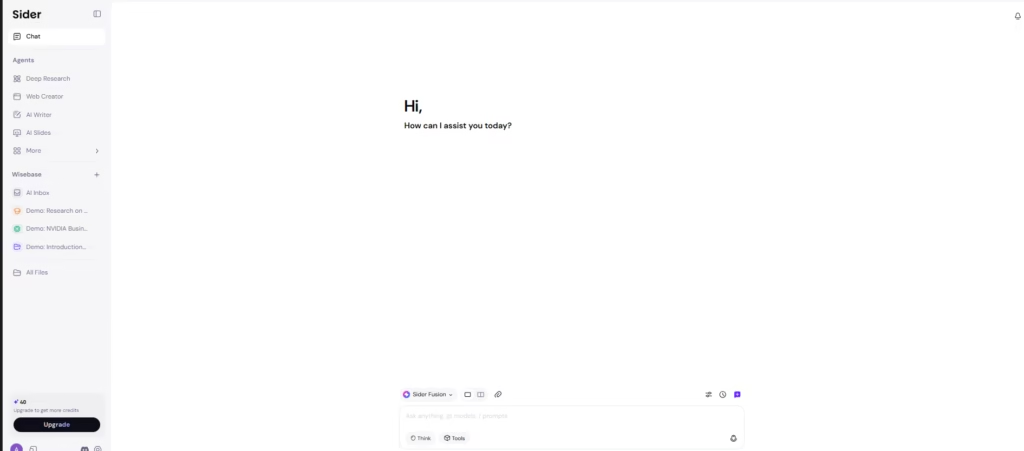

AI Functions
- Multi-model Chat: lets you query and compare answers from several model families (GPT, Claude, Gemini, Grok, DeepSeek) from the sidebar.
- Workflow automation with Claw: it researches, extracts, and organizes information into tables and reports, following links and comparing sources step by step.
- Assisted customization with Code: it reads a page’s structure and applies visual or functional changes based on a written instruction.
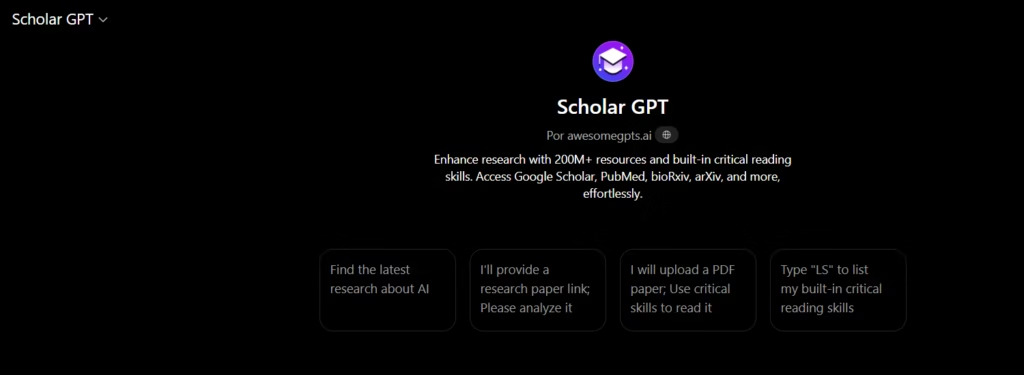
- Scholar GPT: real-time search and summarization of academic papers inside ChatGPT, ideal for the discovery phase, powered by a conversational model from the GPT family.
- The Deep Research agent (in Beta) with two modes, General and academic: it analyzes the query, asks clarifying questions to tailor the result, delivers a preliminary preview, and then generates a structured report with citations, tables, and notes. Unlike Scholar GPT’s single-model approach, it combines several model families (GPT, Claude, Gemini, Grok). In its academic scope, it draws on more than 350 million papers from sources such as Nature, Science, IEEE, and Springer, updated hourly.
- AI extras: text recognition in images (OCR), image and video generation, read-aloud, math problem solving, and audio-to-text conversion.
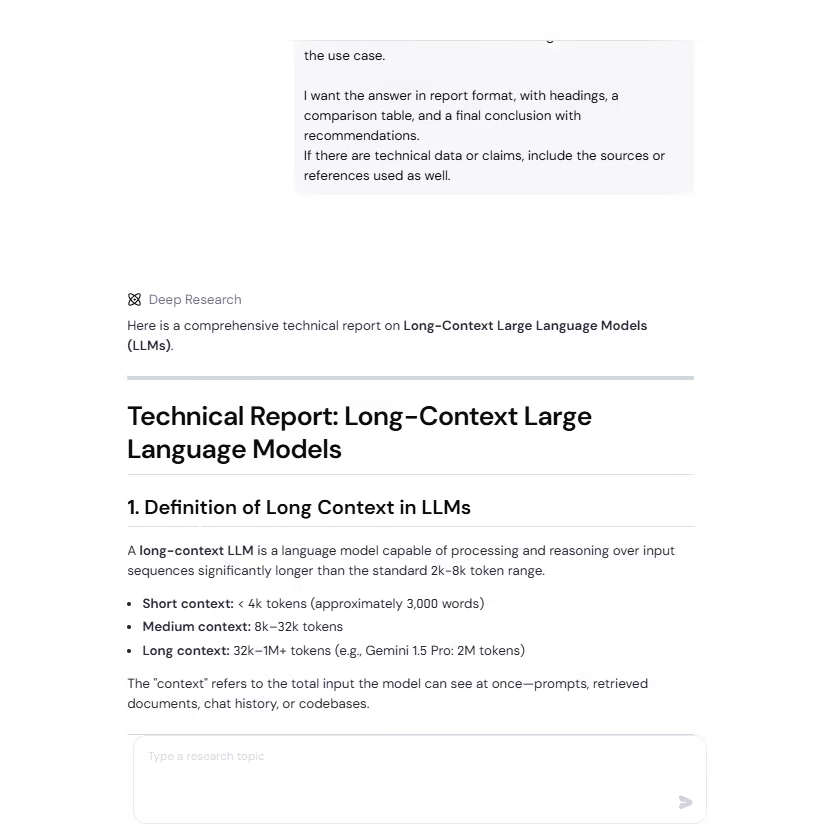
What is truly smart here is not just answering questions but taking action and reasoning about the process. Claw carries out multi-step tasks while showing each action in the browser, and Deep Research does not hand back flat text; it talks with the user to fine-tune the brief before digging in. The logic of the Scholar ecosystem sums up this difference well: Scholar GPT finds the information, and Deep Research turns it into structured, citable knowledge.
Integrations
- A browser extension that works on any page, using your already-active sessions.
- Rec Note compatibility with meeting and video platforms: Zoom, Teams, Google Meet, WebEx, Coursera, Udemy, YouTube, and Vimeo.
- An academic ecosystem connected to databases such as Google Scholar, PubMed, arXiv, and bioRxiv (Scholar GPT) and to more than 350 million papers from trusted sources such as Nature, Science, IEEE, and Springer (the academic scope of the Deep Research agent).
- Claw is built on OpenClaw and can generate files in several formats.
- Web access you can toggle on within chat for real-time online searches.
Unlike other tools that connect through an API to local services, Sider integrates functionality by browsing and interacting with sites directly, not through native connectors.
Security and Data Compliance
Scholar GPT runs inside ChatGPT, so its data handling is governed by OpenAI’s privacy policy: encryption in transit and at rest, the user retains ownership of their content, the option to opt out of having data used to train models, and limited retention of temporary chats.
One point that does deserve attention is that Claw acts using your logged-in sessions, that is, with your active credentials, so it is wise to be careful with sensitive information and to review permissions before automating tasks. It is also worth remembering that the research features should be used responsibly and with respect for the privacy of others.
Language – Customer Support and Interface
Sider’s interface is available in English and other languages, with a very thorough help center that offers setup guides, feature guides (Chat, writing, YouTube summarizer, translation, Wisebase, ChatPDF, and more), and frequently asked questions. Support is handled through the help center and by email.
AI Language – The Tool Itself
Sider’s AI understands and generates content in English naturally, and its translation feature covers more than 50 languages with a side-by-side bilingual view that preserves structure and formatting. Because it draws on several model families, the quality is consistent, and both Scholar GPT and the Deep Research agent accept queries in multiple languages to work with literature and content published in other languages.
Mobile Access
Sider is not limited to the desktop. In addition to the browser extension, it offers apps for iOS, Android, Mac OS, and Windows. On mobile, it includes a floating panel and the ChatScreen feature, which lets you take a screenshot and talk with the AI about what appears on it, along with OCR and chat with files. The mobile experience is broad, though Claw’s more complex automation tasks are best handled from the desktop browser.
Support, Onboarding, and Account Management
Getting started is simple: just install the extension from the Chrome store or download the app and create a single account that works across all your devices. It requires no technical knowledge, which makes it a good fit for SMEs with little prior experience in AI. The help center offers detailed guides by feature and answers to common questions, and from your account you can manage billing and download invoices in PDF format. Scholar GPT opens from the GPTs tab in ChatGPT with no additional installation.
Ease of Use / UX
Sider is easy to use, and that is one of its greatest strengths. Everything happens in a single sidebar that opens next to the page you are viewing, with no new windows or extra steps: you type what you need in plain language, and the tool responds in the same context. The layout is clear, with Chat for understanding content and a group of agents you can reach from the same panel, so even someone with no prior experience in AI quickly finds what they are looking for.
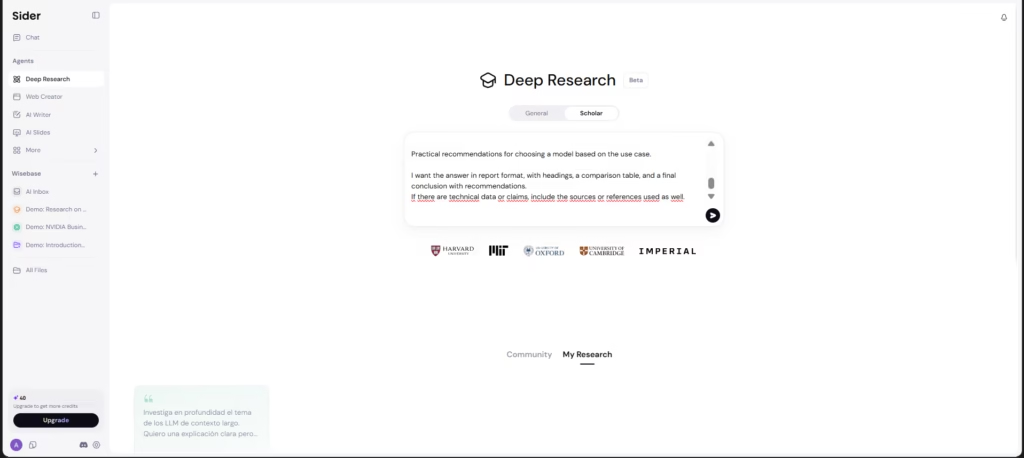
In our test with the Deep Research agent, the experience confirmed that simplicity: all it took was describing the topic in a single query for the agent to grasp the brief, ask a couple of clarifying questions to fine-tune the focus, and return a well-organized preview before the final report. There were no commands to learn and nothing to configure: the agent itself guides the conversation step by step, showing what it is doing along the way. For an SME, this means you can get value in minutes, with a very gentle learning curve.
Price and Plans
Sider offers a free version and several tiered paid plans:
- Free version: it includes a daily amount of basic credits and a limited number of image and PDF queries, enough to try out its capabilities.
- Subscription plans (Lite, Pro, and Max): they differ in the number of monthly credits and the power of the included cloud computer for running Claw tasks.
- Core capabilities in all plans: Chat, Claw, Code, and the creation of images, video, and documents.
- Premium features: YouTube summarizer, ChatPDF, data analysis, and permitted commercial use.
- Billing: discounts are available depending on the billing option, and invoices can be downloaded in PDF.
- Scholar ecosystem: Scholar GPT is free like all GPTs in ChatGPT, and the Deep Research agent can be tried for free.
To find out current limits, credits, and regional availability, it is worth checking Sider’s official pricing page.
Case Study
A good example of what the Deep Research agent can do is a real report a user put together for their own business, titled “Agency restructuring for margin stability and MRR growth,” generated on July 5, 2026.
From a single query, Deep Research produced a long, structured report, with a table of contents, numbered sections, comparison tables, and a phased implementation roadmap. The document covers how an agency can move from a project-based model to a recurring-revenue one, addressing team restructuring, revising the service offering, transforming the pricing model, standardizing processes, change management, success metrics, and real cases from the industry. The result is the kind of deliverable that would normally take hours of research and manual writing, produced here in minutes and with the sources built in.
For an SME, this case is a good illustration of the practical value: instead of gathering information scattered across dozens of pages, the agent delivers a professional draft ready to review, expand, and adapt. You can read all the information here.
Tool vs Alternatives
| Tool | Advantages over Sider | Disadvantages compared to Sider |
| neuroflash | A centralized brand voice module (Brand Hub) and predictive performance analysis (PerformanceFlash); audience validation with Digital Twins based on real survey data; an official API and MCP server; documented GDPR compliance and ISO 27001 certification; a focus specialized in copywriting and SEO/GEO. | It is not a browser agent: it does not automate tasks on real websites like Claw or customize pages like Code; it lacks the Scholar academic ecosystem (Scholar GPT and the Deep Research agent, with cited reports drawing on hundreds of millions of papers); it does not offer a sidebar that works on any page or a meeting note-taker. |
In short, neuroflash is a suite specialized in creating and analyzing marketing content, with clear strengths in brand voice, performance prediction, and documented regulatory compliance. Sider, on the other hand, is a cross-cutting browser agent that understands, automates, and customizes, and it adds research and creation agents on top of the Scholar academic ecosystem. The choice comes down to whether you need a content platform focused on marketing or a broad assistant that acts across everything you do on the web.
Related Tools
| Tool | |
|---|---|
 | |
 | |
 | |
 | |
 |
FAQs
Is Scholar GPT a good option for SMEs?
Yes. It brings together content understanding, task automation, site customization, research, and creation in one sidebar, which helps cut down on tools and manual time. Its Scholar ecosystem adds extra value for well-sourced content.
Is Scholar GPT part of Sider?
Yes. Scholar GPT is the ecosystem’s quick, free tool inside ChatGPT, recognized as one of the most popular in the GPTs community. The Deep Research agent, from the same team, is its professional evolution for analysis and cited reports, and it can be tried for free.
Does Sider have a free version?
Yes. It offers a free version with basic daily credits and a limited number of image and PDF queries, plus tiered paid plans with more credits and greater cloud power.
What are the best alternatives to Sider?
neuroflash is a strong alternative for teams focused on content marketing, with a centralized brand voice, performance prediction, and Digital Twins. It differs from Sider in that it is not a browser agent and does not include academic research agents.